
WeChat is Quietly Making Big Moves! Strengthening the Built-in Browser in the Mac Version, Paving the Way for a Super Agent?
 09/14 2026
 541
541
Standalone browsers are likely to fade into the background but won't die out.
Recently, Leitech discovered that the WeChat app for Mac has undergone a quiet revamp, with a significant change being the enhancement of the 'built-in browser.' When I click on a public account or hyperlink in WeChat for Mac, the content no longer displays in a separate window as it did in the past. Instead, it appears on the right side using the built-in browser.

(Image source: Leitech)
The right-side window can be expanded to more than half the screen size and supports multi-tab displays, just like Chrome and other browsers we use daily. It also offers web page translation, search, full-screen display, sharing, bookmarking, and more, representing a prototype of a 'WeChat browser.'

It's particularly noteworthy that one of the most important content forms in the WeChat ecosystem, 'Mini Programs,' still displays in a separate window and does not currently utilize the official built-in browser.
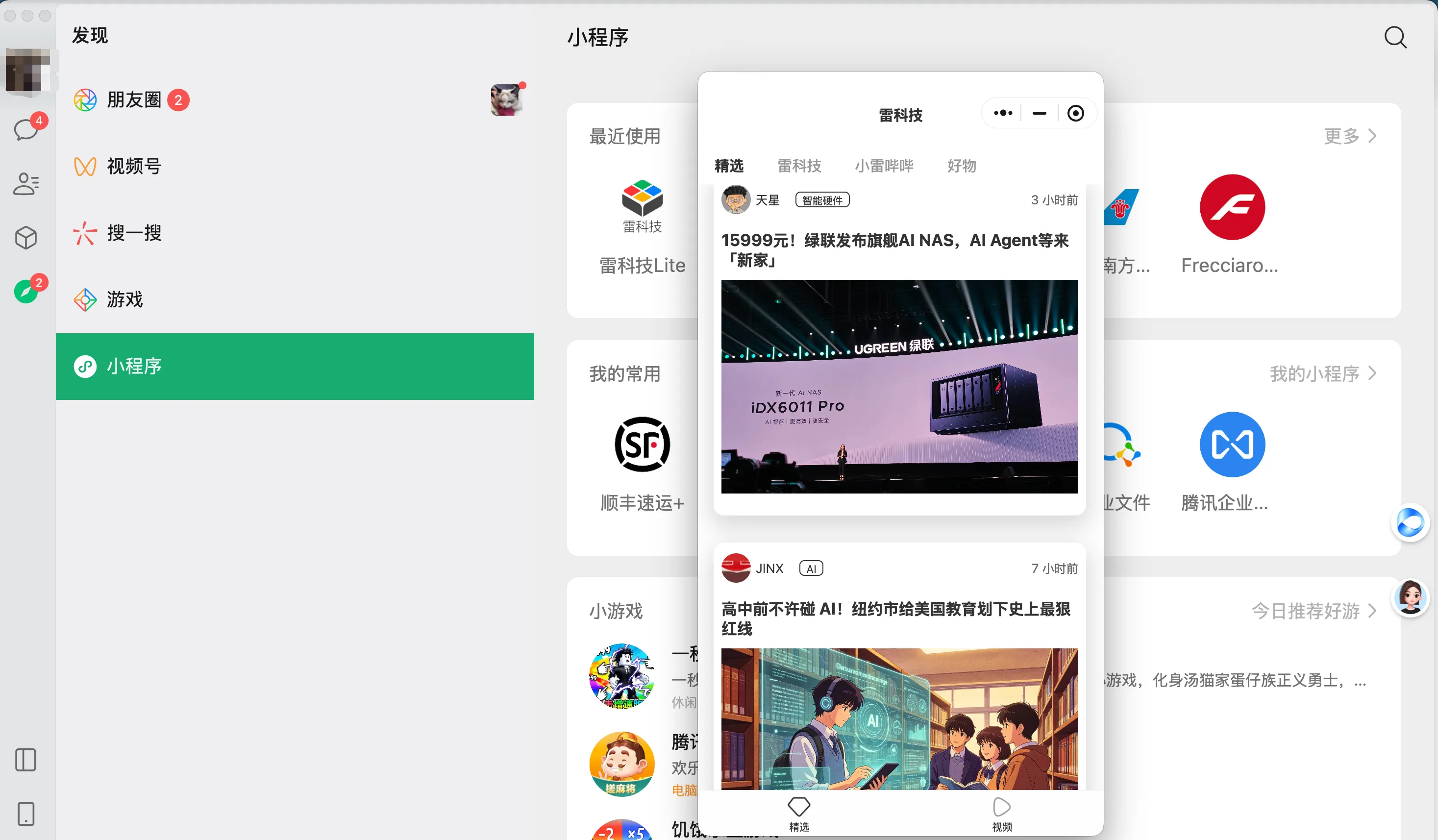
You might argue that this is a minor change. For years, clicking on links in WeChat has invoked WeChat's own browser. For Tencent, not to mention its early Layout (layout) with QQ Browser and subsequent acquisition of Sogou, browser technology is a piece of cake. However, Leitech believes the real question is: Why is WeChat adopting this split-screen display mode? We believe it's essentially further integrating the browser into WeChat.
Why make this change? The answer might be: Agents. Browsers are the key form for Agent operation and interaction, with AI being integrated into browsers. WeChat is a platform integral to users' lives and work and will accelerate its fusion with Agents to become Tencent's super AI gateway. This minor change can be seen as paving the way for Agent integration.
If you've been following AI and Agent developments, you'll notice that browsers, seemingly the oldest application form, have become unavoidable for AI giants.
OpenAI's AI Browser Exploration: From Standalone to Integration
In October 2025, when OpenAI released ChatGPT Atlas, Sam Altman described it as an opportunity to rethink browsers. However, OpenAI recently announced the discontinuation of this browser, reminding users to export bookmarks and save web pages. It stated that Atlas's browser Agent capabilities would be transferred to ChatGPT and Codex.
An AI browser with high hopes has thus disappeared.
Frankly, this outcome isn't surprising. When Atlas was released, Leitech also believed that browsers were the most suitable product form for hosting Agents. Browsers contain users' opened web pages, login statuses, history, and private information. Agents not only know what users are viewing but can also directly click, input, and submit.
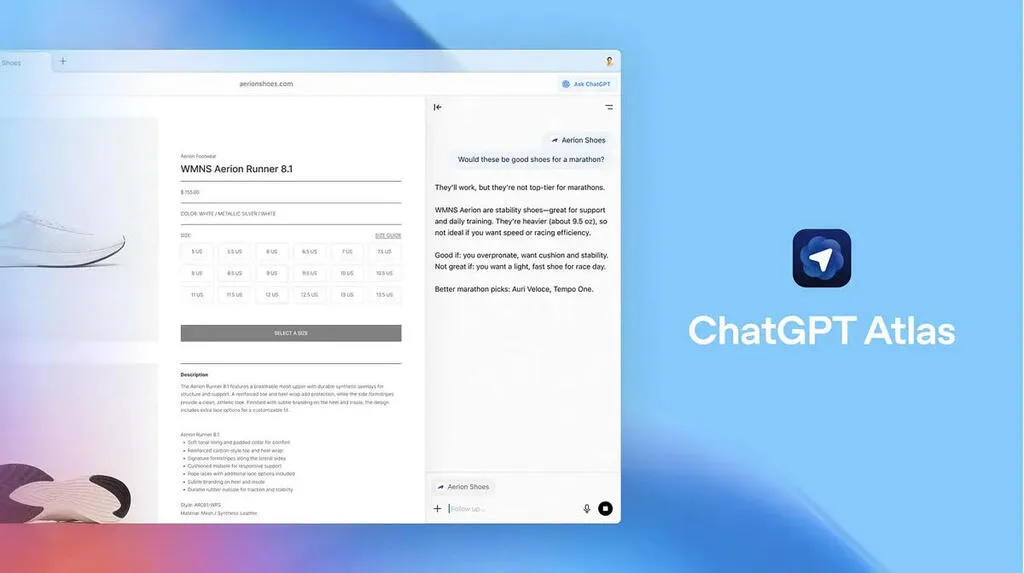
Image source: OpenAI
The issue is that general-purpose Agent products are evolving faster than browsers. OpenAI discontinued Atlas, but Codex had already integrated a browser and merged it into the new ChatGPT desktop app. Browsers still exist but no longer require a standalone client.
So, what about other AI browsers?
AI Sets Its Sights on Browsers Until Agents That Can Surf the Web Independently Emerge
Three years ago, AI browsers were merely sidebars added to traditional browsers.
In 2023, Microsoft integrated Copilot into Edge, Opera launched Aria, and Arc used generative AI to organize tabs, rename files, and generate summaries. They eliminated some copying, pasting, and window-switching actions, but most functions could be replaced by a plugin. The browser remained a browser, with AI acting more like a Q&A assistant in the sidebar.
By 2025, Dia and Comet (under Perplexity) emerged, and the industry began seriously discussing native AI browsers. AI not only reads the current page but also understands multiple tabs, browsing history, and user accounts, organizing information around a task. For the first time, browsers had the opportunity to shed their web-browsing role and become personal workstations with complete context awareness.
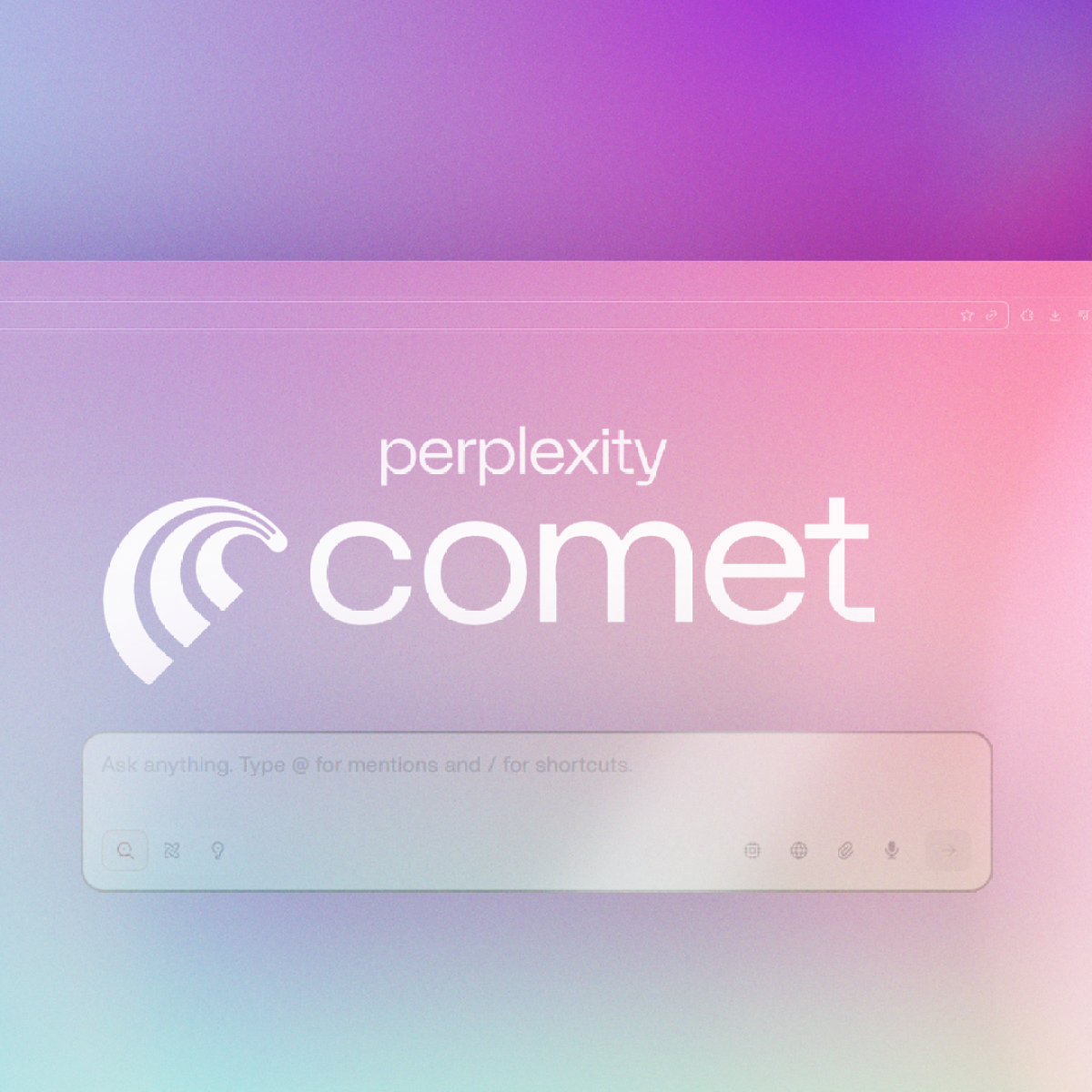
Afterward, Atlas, Opera Neon, and Gemini in Chrome continued to fuel the trend. Opera still defines Neon as 'built to act,' while Google lets Gemini handle reservations, bookings, and shopping. The selling point of AI browsers is no longer helping users view web pages but operating and handling tasks on their behalf.
Domestically, China quickly followed suit. Tabbit, launched by Meituan's Guangnian Beyond team, defines itself as an AI-native browser, capable of referencing tabs, screenshots, and local files, as well as allowing Agents to autonomously read pages, fill out forms, and perform tasks across websites. These changes are transforming browsers into Agent workspaces.
This logic is sound. Browsers contain a highly compatible Internet where almost all online services (with exceptions for domestic Internet giant platforms) can be accessed. More importantly, AI browsers retain familiar tabs, address bars, and windows. Users can watch Agents work step-by-step and take over before payment, sending, or submission.
However, browsers also represent a heavy user habit. StatCounter data shows that in June of this year, Chrome still accounted for 69.65% of the global browser market. For most people, switching from Chrome or Safari means migrating bookmarks, passwords, plugins, and login statuses. AI browsers must prove their value far exceeds that of a plugin to convince users to switch.
Agent platforms, on the other hand, are directly disrupting the status quo.
Users aim to find information, book hotels, organize files, or submit forms and don't care which new browser they open. As long as Agents can deliver results in ChatGPT, Codex, or the operating system, the browser's launch point becomes irrelevant. They can call APIs, use standard interfaces like MCP to invoke tools directly, and only resort to web page recognition and simulated clicks as a last resort.
Before Atlas was discontinued, the Codex desktop app already had a built-in browser. Agents could open web pages, operate across tabs, and download files when needed, or invoke Chrome with the user's existing login status. Later, Codex merged with ChatGPT into a new desktop app, with the browser continuing as a shared task capability for Work and Codex.
This sequence is telling. The browser's most natural position is inside Agent platforms, appearing as needed rather than enclosing Agents within a whole browser.
Domestically, Tencent WorkBuddy, ByteDance Doubao Work, and Alibaba Qianwen Office prioritize delivering documents, spreadsheets, PPTs, web pages, or project results upfront, while hiding web searches, file reading, and tool invocation in the execution process. Doubao Work and Qianwen Office can even operate web pages directly.
For users, the important thing is obtaining results, not accompanying the process of opening multiple web pages. AI browsers reduce the labor of browsing web pages, while Agents begin to reduce 'browsing web pages' itself.
Standalone browsers will not disappear but are 'taking a backseat.'
Cloudflare released a report in July this year, stating that non-human traffic has surpassed 50% of Internet traffic for the first time. However, this figure doesn't directly mean AI Agents have generated half of Internet traffic; it also includes training crawlers, search crawlers, and other automated programs. Cloudflare also disclosed that as of June, AI training accounted for 52% of the crawler requests it identified, with mixed-use crawlers for search, Agents, and training exceeding 36%.
A more radical prediction comes from Cloudflare CFO Thomas Seifert, who expects machine traffic to reach 1,000 times human traffic in the next five years. This is just a prediction, and Seifert admits his judgment may be biased. However, the trend it points to is already emerging: the Internet is welcoming more frequent machine visitors.
Elon Musk also strongly recognize s this change.
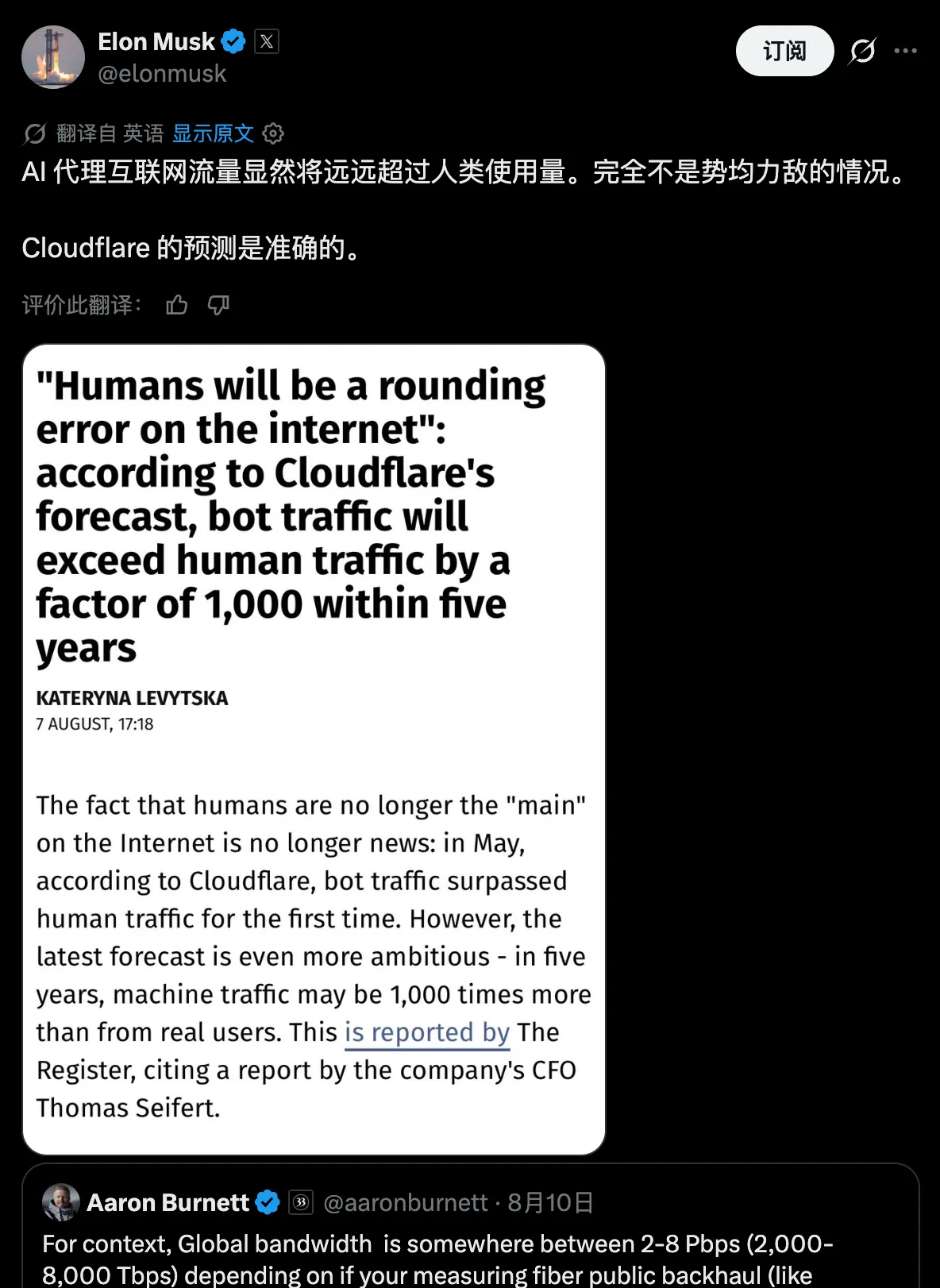
Image source: X
However, while human-oriented AI browsers are declining, Agent-oriented browsers are emerging. Cloudflare has renamed Browser Rendering to Browser Run—a cloud-based browser for Agents that can launch headless Chrome in the cloud, allowing Agents to operate web pages, scrape content, generate screenshots, and support recording, replay, and human takeover.
This browser doesn't require a GUI design for humans and is destroyed after a task ends but can be awakened thousands of times in the cloud.
The reason is that today's Internet is still designed for humans. Many websites lack APIs, let alone MCP, and rely on graphical interfaces for login, verification codes, dynamic pages, and payment processes. Agents still need a compatibility layer to operate this part of the old Internet fully.
However, web clicks are not the ideal machine interface. Buttons change positions, pages are revamped, and pop-ups and verification codes can interrupt tasks at any time. Cloudflare added WebMCP to Browser Run to allow websites to expose structured tools directly to Agents, replacing the 'view screenshot—find button—click' interaction loop.
Essentially, the Internet is beginning to transform for AI Agents. Websites previously assumed visitors were human and organized services with pages, buttons, and forms. Next, more websites will provide machine-readable content, identity, permissions, and transaction interfaces, allowing Agents to search, compare, and place orders without mimicking mouse clicks. Web pages won't disappear immediately but will gain a machine-oriented entry point.
On the other hand, browsers are becoming background processes. Users previously searched, opened ten web pages, compared information, and filled out forms themselves. Now, users only need to tell Agents their goals, with web browsing and interaction moved to the background. Agents may launch multiple browser instances consecutively or switch to APIs or MCP, with users only briefly seeing web pages when results or key confirmations appear.
For example, Doubao Work integrates a browser into its interaction interface for content presentation and user interaction:

(Image source: Doubao Work, generated by Leitech)
The more users rely on Agents, the less necessary it becomes to open browsers manually. Browsers will still handle old web pages without machine interfaces but will shift from being human entry points to the Internet to Agent operation environments.
Browsers won't die, but users will open them less frequently.
At least for now, we still can't do without browsers for many desktop tasks.
Besides the need to continue improving Agent capabilities and experience, security is also a limitation. Google refers to indirect prompt injection as the primary new threat faced by all Agent browsers, and OpenAI continuously strengthened similar defenses during Atlas's existence. However, permission isolation, identity authorization, critical operation confirmation, and task auditing will continue to mature, indicating that today's risks stem from Agents not being reliable enough yet.
But technology is advancing, especially AI technology, which continues to surpass many people's expectations at an unprecedented pace.

Image source: Anthropic
Every time Agents take over a web operation, humans reduce a search, jump, comparison, and fill-out task. This process won't complete suddenly one day but is more likely to happen imperceptibly: first, no longer manually flipping through ten web pages, then rarely actively opening websites, and finally only occasionally appearing to verify results.
Currently, AI browsers are unlikely to become a long-term independent product category. For a few research, development, and professional users, a browser capable of understanding all tabs and allowing constant Agent supervision will still be a decent AI workstation.
However, for most ordinary users, the usefulness of browsers will gradually diminish. Perhaps they will not disappear from computers, but they will be more integrated into AI applications and Agent platforms, with users opening them manually less frequently, spending less time on them, and relying on them for fewer tasks.
Browser vendors can also continue to transition towards Agent platforms, undertaking tasks, connecting tools, managing identities and permissions, while preserving a takeover window for users. However, by the time it reaches that stage, whether it should still be called a 'browser' remains uncertain.
Source: Leikeji
The images in this article are from 123RF Royalty-Free Image Library. Source: Leikeji
-
![]()
Domestic Computing Power Firms Favoring Private Placements: The New Capital Market Favorites
-
![]()
Blockbuster! Can NIO Auto ‘Rise Like a Phoenix’? Netizens Say: Only Taiyi Can Resurrect Nezha!
-
![]()
Latest Developments on Huawei’s ‘MaJie’ Collaboration? Maserati Announces Official Launch of December Brand Strategy
-
AI Office: The Race Intensifies
-
[Data Microscope] 100 Million Foldable Phones Split the Smartphone Market in Half
-
Every "Hello" to AI Comes with a Price Tag
-
![]()
Why Does a More Mature End-to-End Autonomous Driving System Require More Error-Prone Data?
-
![]()
WeChat is Quietly Making Big Moves! Strengthening the Built-in Browser in the Mac Version, Paving the Way for a Super Agent?