Phone Battery Health Drops to 80%—Why Does It Suddenly Become Laggy and Slow?
 11/09 2026
 338
You've had your phone for over two years. Battery life has gone from lasting a full day on a single charge to needing to hunt for a charger by midday. That much was still within expectations. But then one day, opening apps meant waiting, switching to the background caused lag, and game frame rates felt like a roller coaster. You assumed a system update had slowed things down, or that storage was running low. After a round of cleanup, nothing improved. The problem may lie neither in the system nor in storage, but in that battery you drain every day yet rarely stop to examine.
01 80% Is the Tipping Point Where the System Starts to Intervene
Capacity degradation in lithium batteries is an irreversible chemical process. With every charge and discharge cycle, lithium ions shuttle back and forth between the positive and negative electrodes, leaving a bit of wear on the electrode surfaces. Over time, the usable capacity the battery can hold gradually decreases. The industry treats 80% of original capacity as a widely recognized threshold. This doesn't mean the battery instantly becomes unusable at 80%—it means that from this line onward, the consequences of degradation spread from shorter battery life to the entire device becoming slower.
Measured data makes this line very clear. When battery health drops from 90% to 85%, battery life under moderate use falls from 11.5 hours to 10.2 hours—a fairly mild decline. But once it drops below 80%, battery life directly falls into the 6.8-to-7.5-hour range, nighttime standby power consumption increases by 23%, and the frequency of abnormal wakeups between 2 a.m. and 5 a.m. becomes 1.8 times the original. You think the battery simply isn't durable anymore, but in fact, behind the scenes, the phone has been forced into inefficient power consumption and scheduling.
02 What Really Makes You Feel the Lag Is Voltage
Not being able to hold up—with shortened battery life—is only the surface. Another consequence of declining battery health is increased internal resistance. As internal resistance rises, when the battery outputs a large current, the voltage instantly drops. The phone's processor, screen, and camera need a stable high voltage precisely when running high-load tasks. When voltage drops below a certain critical point, the system actively limits the processor's peak performance to prevent a sudden shutdown.
It should be noted here that Apple's peak performance management does not kick in unconditionally as soon as health drops below 80%. It usually requires two conditions to be met simultaneously: battery health below 80%, and the device having previously experienced an unexpected shutdown due to insufficient battery power supply capability.
 Image source: Internet
This is also why, even below 80%, some people's phones become noticeably laggy while others are not yet as severely affected. Once activated, app loading slows down and game frame rates fluctuate. What users feel is that the phone is old, but in reality it is the battery triggering frequency-reduction protection behind the scenes. The logic in the Android camp is similar—only the trigger threshold and frequency-limiting range vary by brand. This is why a phone whose health has dropped below 80% may show no obvious change in benchmark scores, yet in daily swiping, switching apps, and opening the camera, it is just half a beat slower. It's not that the chip can no longer calculate; it's that the battery cannot supply the power needed for that instant.
03 When Should You Pay Attention, and When Should You Replace It?
If the phone starts showing obvious lag, frame drops, or even shuts down automatically without warning when there is still 20% to 30% battery left, this is generally not a system problem—rather, the battery's internal resistance has become too high to support daily loads. Short battery life can be tolerated, but when the phone still shows some charge left yet the phone cannot hold on first, it means the battery's health has already affected normal use. Apple's official design standard is that iPhone 14 and earlier models retain 80% capacity after 500 complete cycles; iPhone 15 and newer models retain 80% after 1,000 cycles.
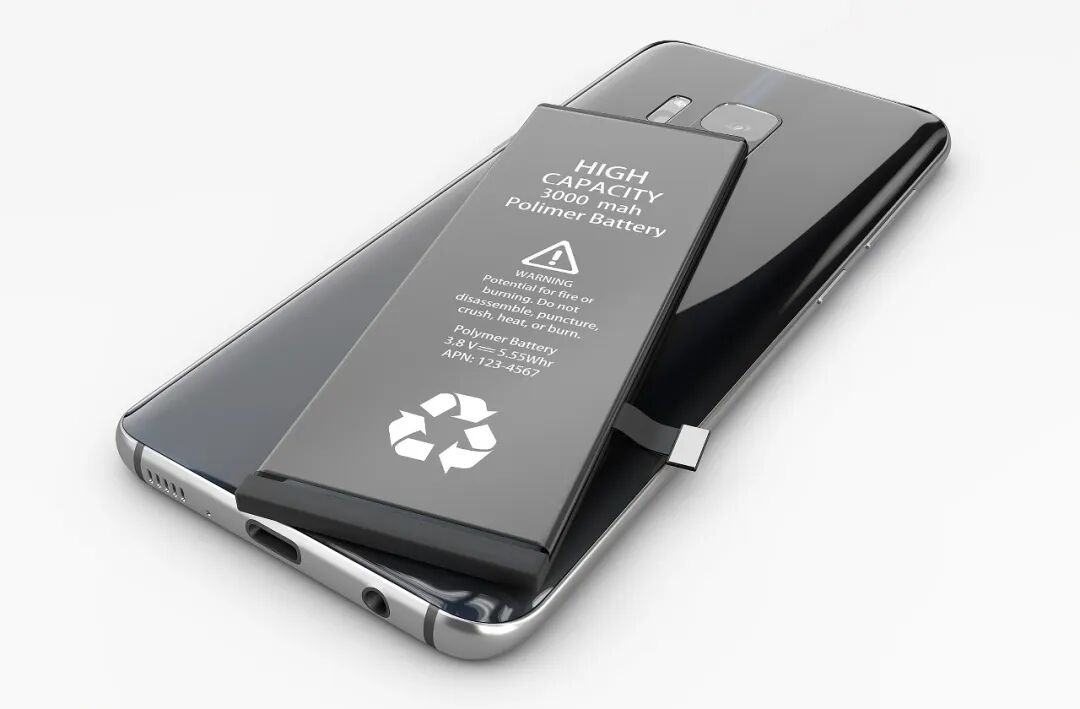 Image source: Internet
At ordinary usage intensity, 500 cycles correspond to about one and a half to two years, and 1,000 cycles correspond to about three years. In other words, by the third year of using a phone, battery health approaching 80% is normal—not bad luck. The cost of replacing a battery is usually far lower than buying a new phone. If, apart from becoming slower and having shorter battery life, your phone's screen, storage, and performance are still sufficient, replacing the battery with an original one after health drops below 80% can often bring smoothness back to close to when it was newly bought. This is far more cost-effective than replacing the phone early just to make it faster.#PhoneBattery #PhoneBatteryHealth
-
![]()
Let the Data Speak: China Is Winning the Automotive Electrification Race While the US Market Remains an Island
-
![]()
Electric Vehicles Are Selling Like Hotcakes—Yet Profits Are Halved, Leaving European and American Automakers Bewildered
-
![]()
Is It Reasonable for the CIIE to Be Dominated by "Chinese Cars"?
-
![]()
Tencent's Yao Shunyu Says AI Moats Lie Mostly at the Product Layer, Not the Model Layer
-
Storage Storm Looms, Niche Phone Brands 'Doomed'
-
Has Apple Been "Bitten Back" by Its Supply Chain?
-
Huawei HarmonyOS PCs Hold Just 0.4% of the Global Market, Yet Already Capture 10% of China's Xinchuang Sector?
-
![]()
Breaking: BYD Yangwang Shatters 500 km/h Barrier—Has China's Supercar Era Arrived?