799 Yuan! First Android Wide Bar Experience: Everything Is Lackluster, AI Physical Button Stands Out
 11/27 2026
 391
Truly, you get what you pay for.
For some reason, Coolpad seems to be going further and further down the path of abstraction.
If when they first revived they were still thinking about honestly carving out a share of the budget phone market, then after being affected by supply chain price increases, Coolpad's product thinking clearly shifted to winning by surprise and overcoming strength with cleverness.
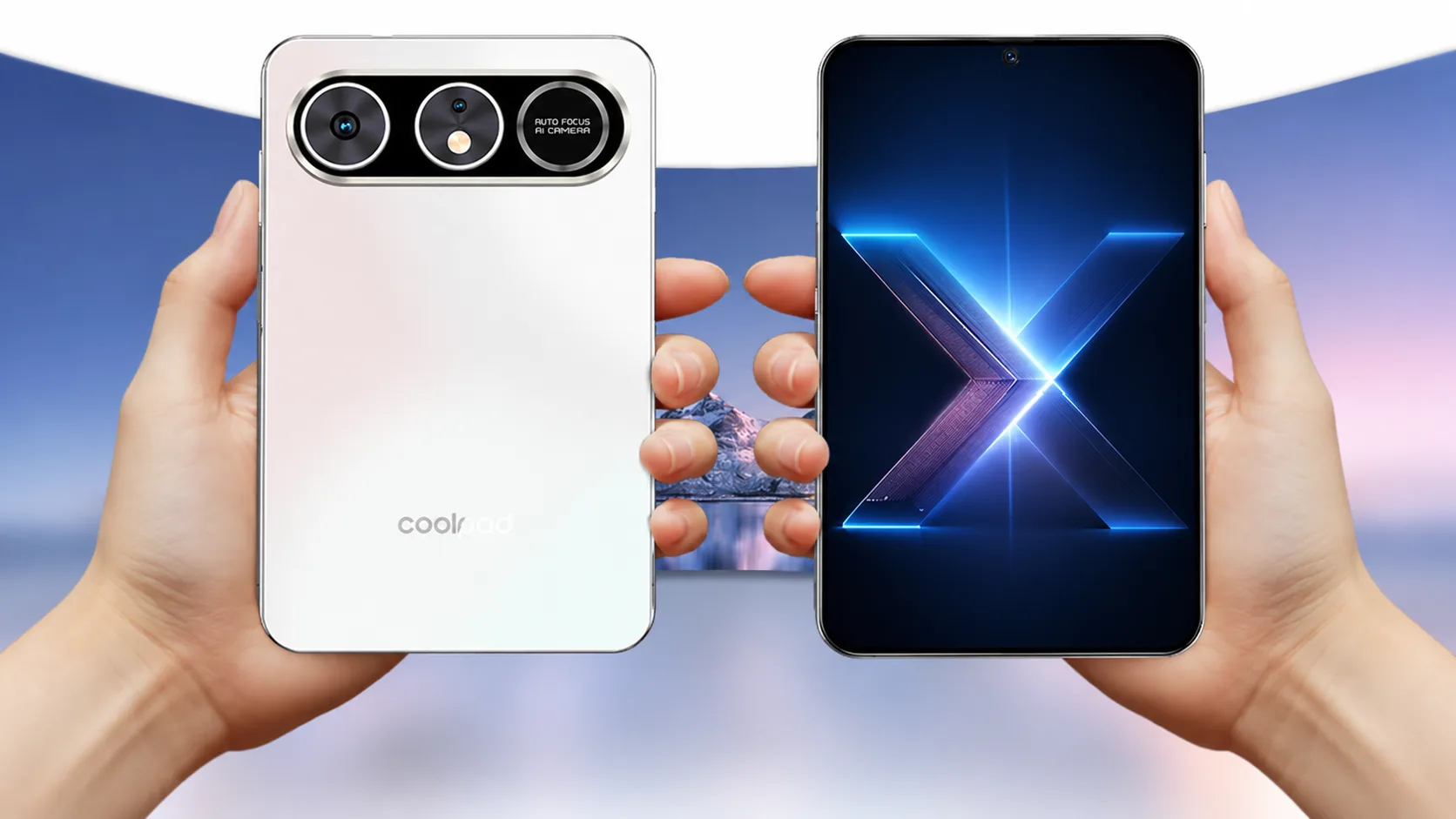
That's right, what Xiaolei is talking about is the Coolpad COOL X Wide, which just went on sale recently—a uniquely shaped smartphone featuring a "wide bar" form factor and priced at only 799 yuan for Double 11.
(Image source: Coolpad)
A 6.38-inch 16:10 wide screen, 94.5mm body width, physical AI button, infrared remote control, effectively a single camera, plus a price tag under 1,000 yuan. In today's market where phones routinely have 20:9 slim elongated screens and at least three or four large-sensor rear cameras, it really doesn't look like a normal contender.
Of course, not being normal isn't necessarily a bad thing.
Ever since the Huawei Pura X View popularized the wide bar, many people have wanted to experience the joy of a large horizontal field of view, but the typical price of five or six thousand yuan really puts them off, and the Coolpad COOL X Wide is targeting exactly this relatively blank market.
Facing such a budget alternative that brings the threshold down to under a thousand yuan, Leitech (ID: leitech) naturally won't write this as a conventional flagship review. Instead, I want to answer one question: aside from that seemingly wide screen, can the Coolpad COOL X Wide actually serve as a competent entertainment backup phone?
The materials are very cheap, and the hand feel is not refined at all
Let's talk about design first.
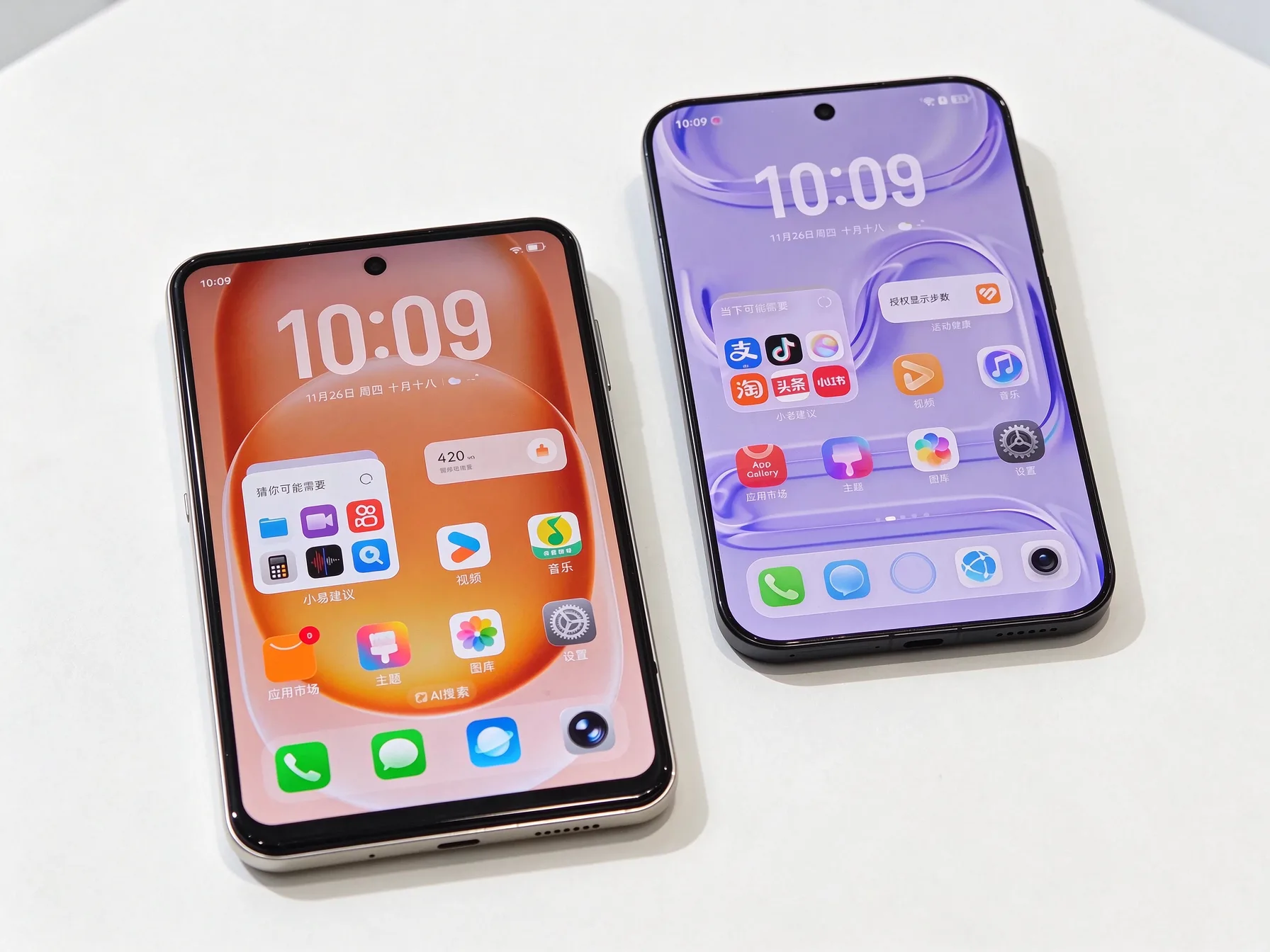
The Coolpad COOL X Wide is indeed easy to associate with the Huawei Pura X View. Both are wide bars, both have non-mainstream wide aspect ratios, and both try to tie together the concepts of a large field of view and a portable bar phone.
But the temperament of the two devices is completely different.
(Image source: Leitech)
The Huawei Pura X View feels more like a refined high-end new species, with a higher price, and its body texture, ultra-narrow bezels, and flagship configuration are all on point. You can feel that it is seriously made to be a daily driver.
The Coolpad COOL X Wide is much simpler and more brutal. Under a cost limit of less than a thousand yuan, the all-plastic body is laid out very clearly. Tapping the back cover produces a hollow sound, the frame and back panel feel very ordinary to the touch, and there is no sense of refinement at all. You can even see an obvious ring of plastic support around the edge of the screen.
It's already 2026, and I can't even remember the last year I saw a plastic support.
Due to the workmanship of a small manufacturer, the body width of this device directly reaches 94.5mm, making one-handed grip basically impossible, though typing or reading with both hands is still fairly stable. Fortunately, with the 209g weight spread across such a wide body, it doesn't feel especially heavy in a pocket or in hand, and the thickness is controlled at 8.95mm.
(Image source: Leitech)
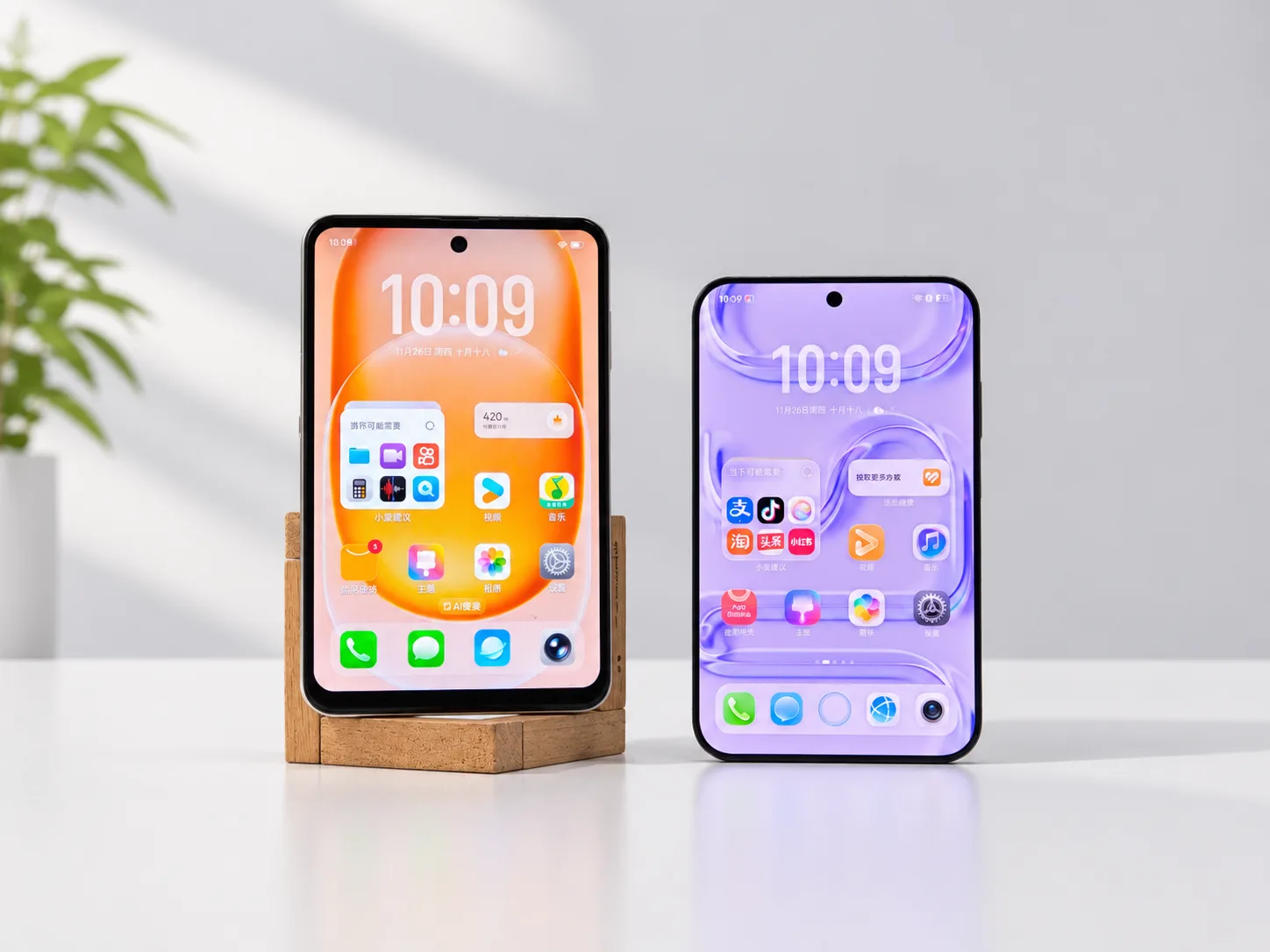
Turning to the front, there is a 6.38-inch screen.
Unlike the high-resolution OLED screens of high-end models, Coolpad uses a 16:10 LCD screen here, with a refresh rate "as high as" 90Hz.
How should I put it? I actually think the color performance of this screen is okay, and LCD looks relatively gentle. The problem lies in clarity—the resolution is only 720×1158, the pixel density is just over 210ppi, and the edges of text show obvious graininess when viewed up close. The peak brightness of the screen is also not quite enough, putting it at a level where it's hard to see clearly outdoors.
(Image source: Leitech)
As for the front look... after all, it's an LCD screen, so not only are the bezels on all four sides thick, but there is also a quite wide "super large chin" at the bottom, so the visual impact is indeed a bit lacking.
On the sides, there is an independent AI button on the left and an infrared emitter on the top. Later I will also test the AI features of this device.
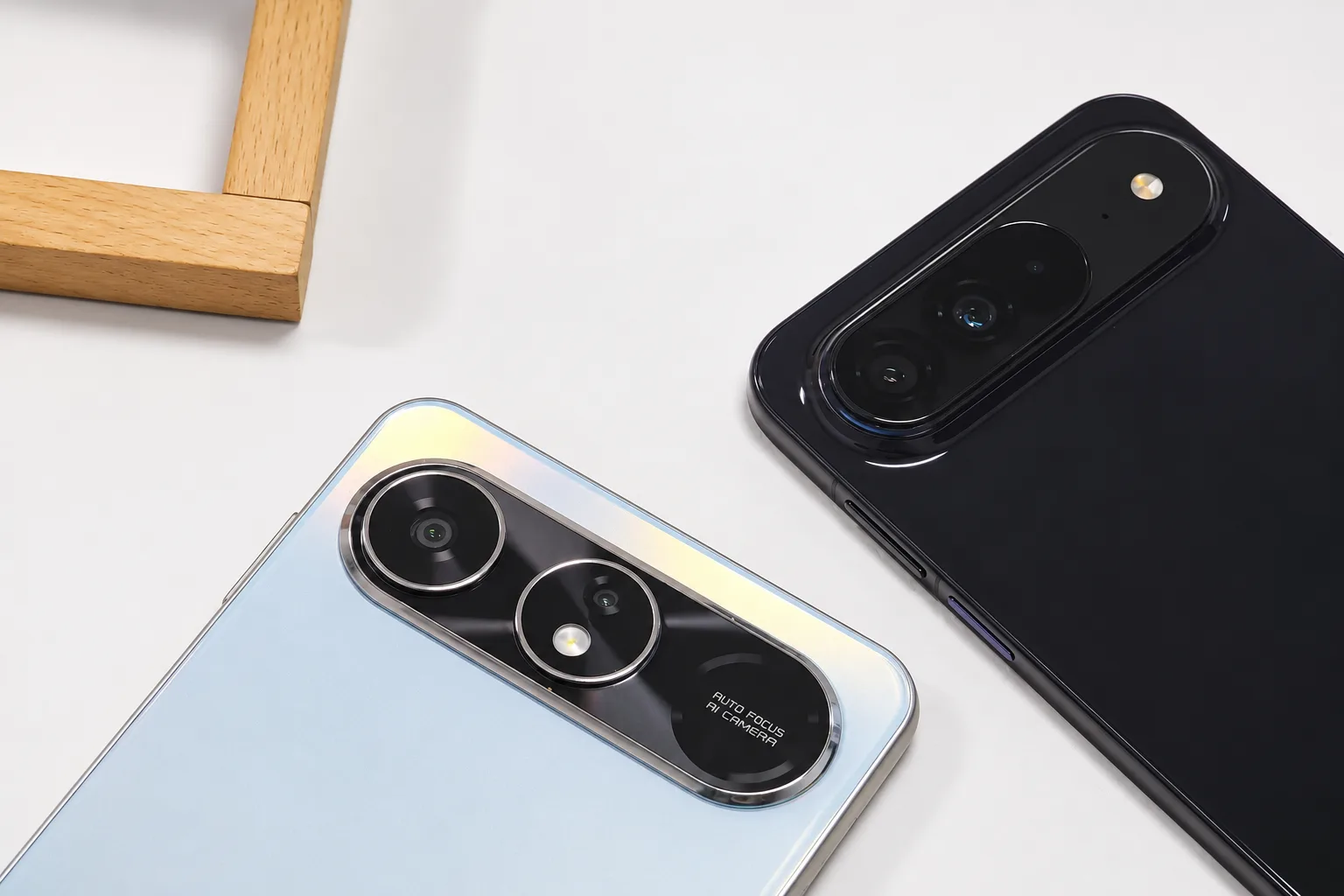
As for the horizontal runway camera module on the back, it looks quite intimidating and easily brings to mind the Huawei Pura X View, but in reality it is just a single 50-megapixel camera. In the middle ring there are decorative lenses and a flash, while on the right is the meaningless text "Auto Focus." As if there are still knockoff phones that can't autofocus...
(Image source: Leitech)
Here are some sample shots as well. It is certainly good enough for scanning and recognition, but for actual daily photography it can only be described as perfunctory, so don't expect much in terms of image quality or resolving power.
(Image source: Leitech)
Overall, the Coolpad COOL X Wide feels like the budget ran out from top to bottom, but after all, there is a price gap of nearly five thousand yuan, so these compromises in materials and workmanship are more or less expected.
The comic-reading experience is okay, but most apps have "zero adaptation"
After discussing the appearance, we still have to return to the core question: is this 16:10 wide screen actually enjoyable to use?
First, the basic hardware. The Coolpad COOL X Wide is equipped with a MediaTek Helio G99 processor, standard LPDDR4X memory, and UFS 2.2 flash storage. This 2022 6nm entry-level chip doesn't score high and only supports 4G networks, but its advantages are low power consumption and low heat, making it adequate for light daily use such as WeChat and reading.
At least during my experience, aside from there being basically no system animations, background app retention was actually okay, and running various audio-visual entertainment apps was no problem.
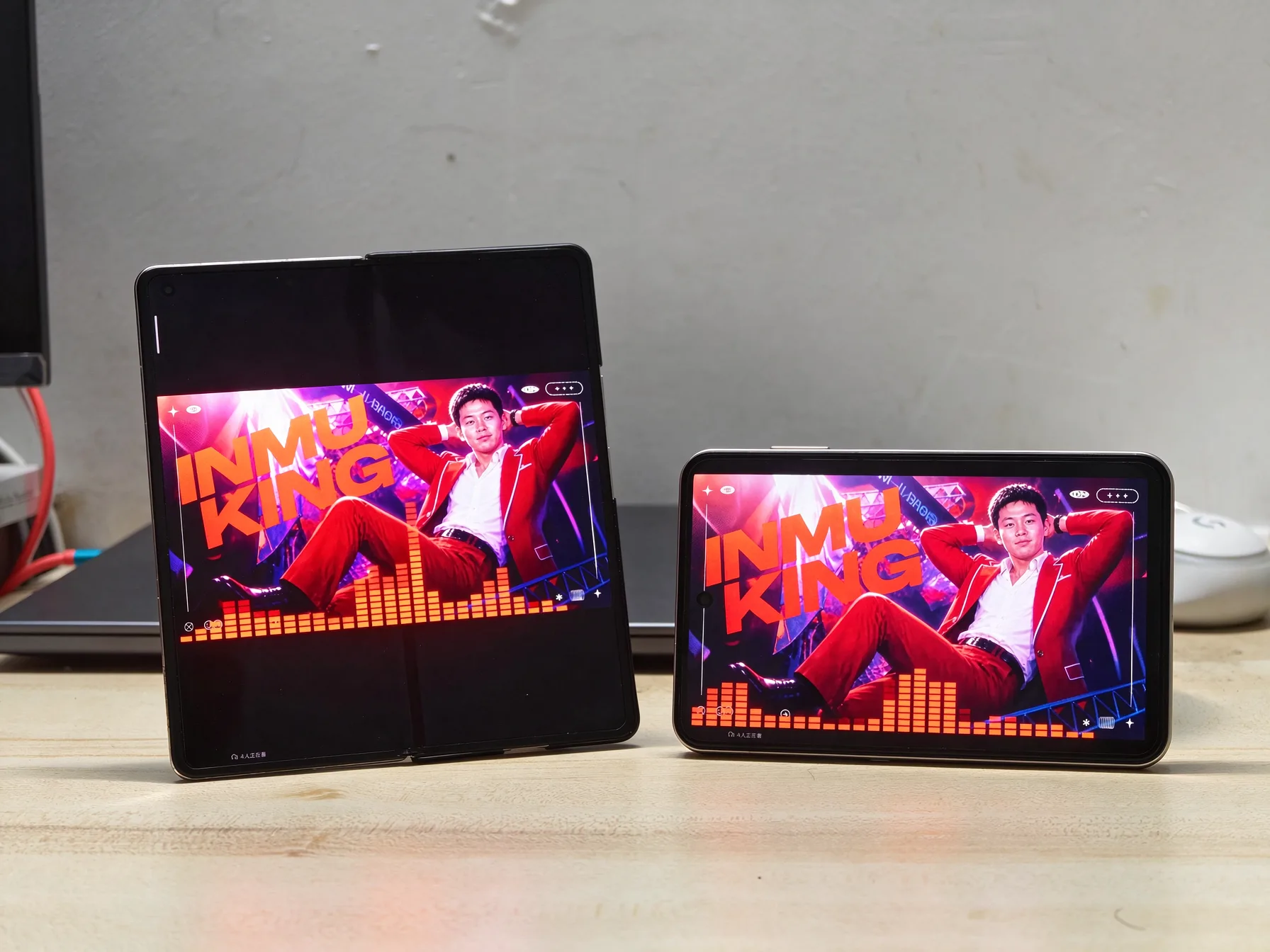
Specifically regarding the entertainment experience, we directly used a large foldable screen that can switch display ratios for comparison, to see how the wide bar phone performs under different aspect ratios.
Let's first pick a random Bilibili video and take a look. It can be seen that the Coolpad COOL X Wide has the least black bars when playing 16:9 widescreen videos and offers the most immersion, and the actual display area is almost no different from that of a larger foldable screen.
(Image source: Leitech)
But nowadays many sources on Bilibili and long-video platforms are in 21:9 or even wider cinematic aspect ratios. On this screen, the black bars at the top and bottom are still very wide, and the effective picture area is not as impressive as imagined.
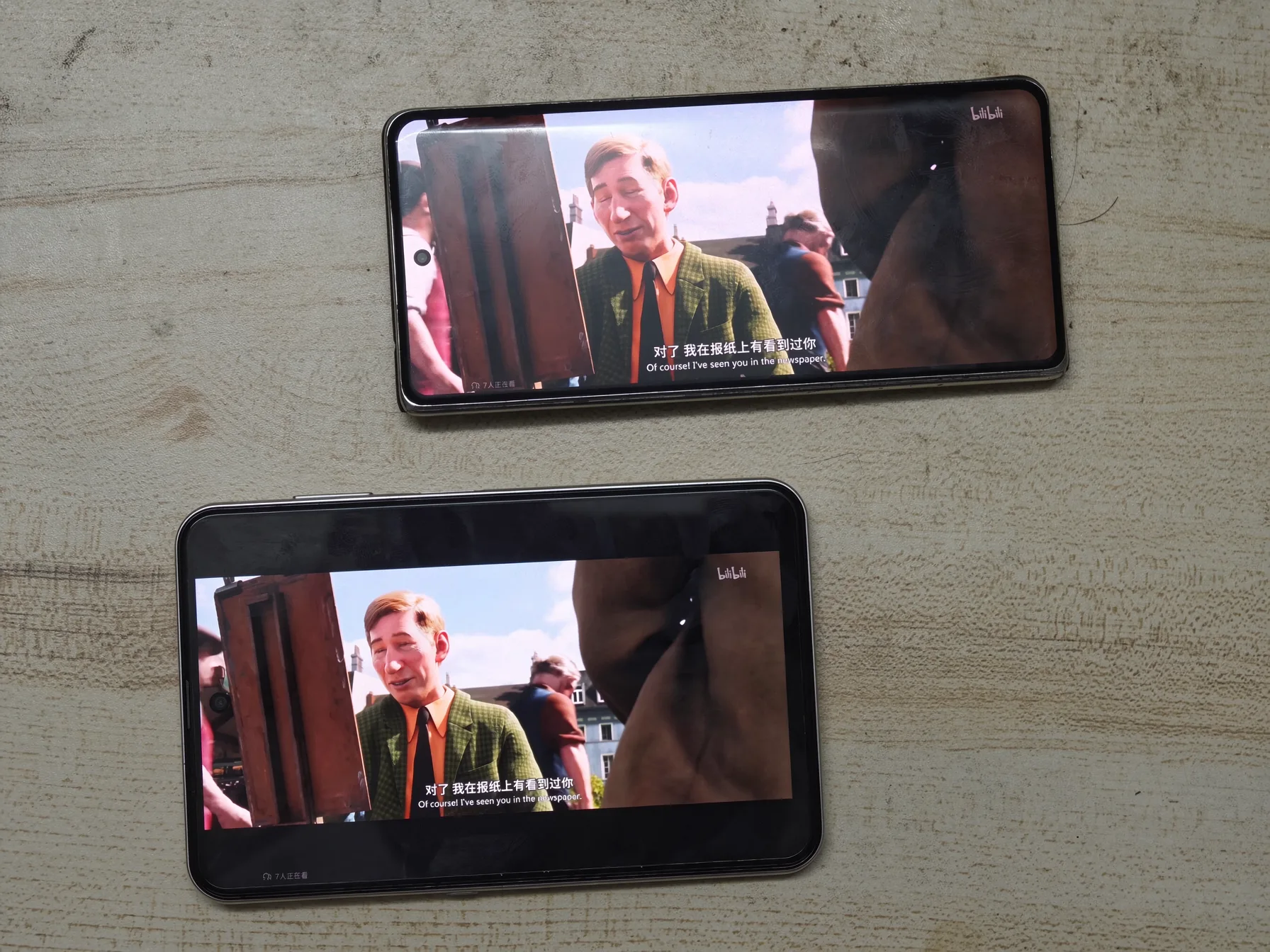
(Image source: Leitech)
When scrolling vertical short videos like on Douyin in 9:16, the top and bottom field of view is noticeably compressed again, making the viewing experience rather cramped.
By the way, there is an even bigger complaint—the Coolpad COOL X Wide only has a single speaker, so when held horizontally it's like the left side is deaf. Honestly, it's a bit uncomfortable.
Of course, this aspect ratio is good for reading comics. Normally, when reading Japanese manga on a 20:9 slim elongated screen, you often have to zoom in with two fingers to see the small text in speech bubbles. On a 16:10 wide screen, the field of view suddenly opens up.
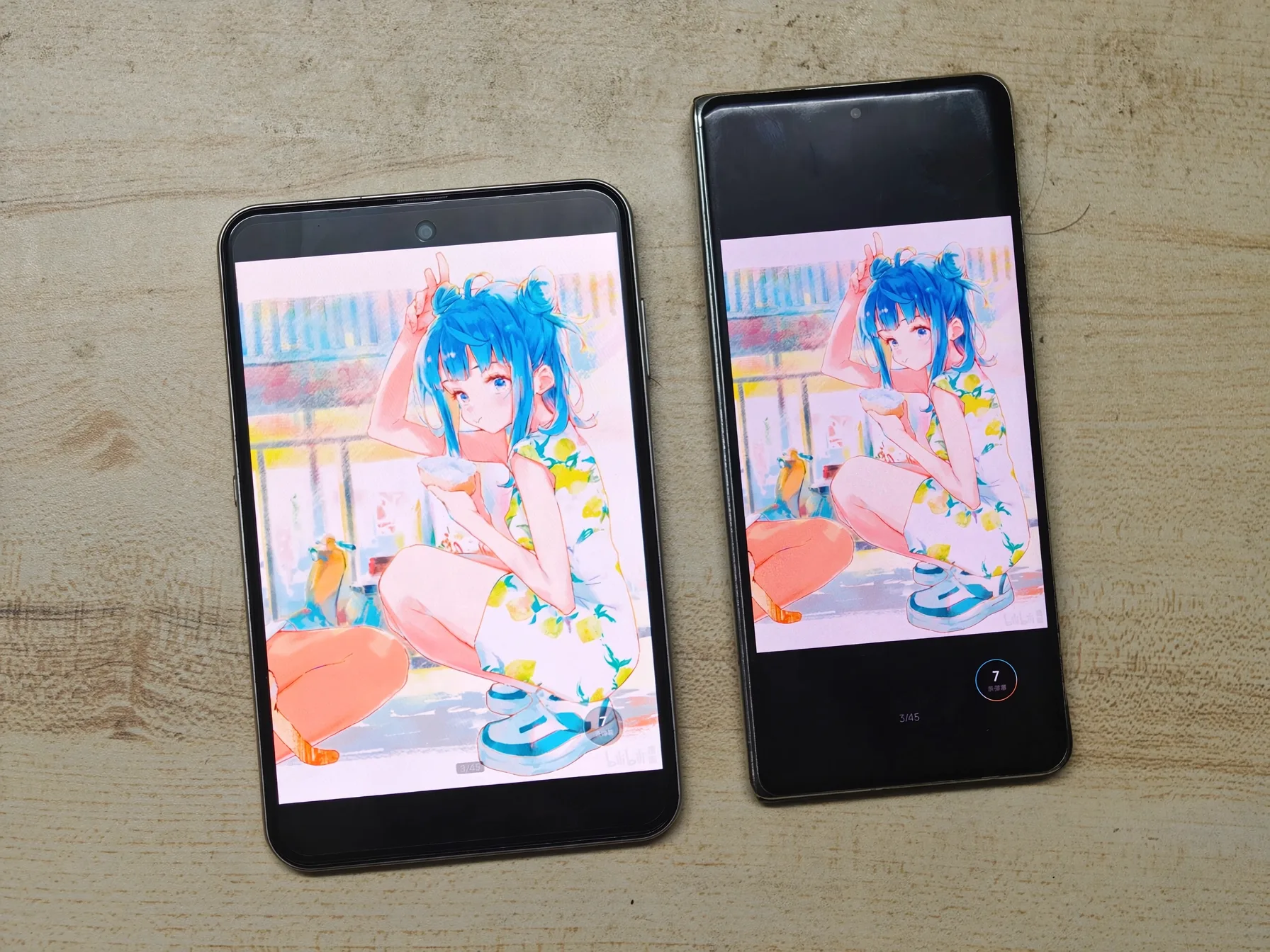
(Image source: Leitech)
The e-book reading effect is also okay. Not only can each page display more text (which can also be seen from the page count), but Coolpad's LCD screen is also relatively easier on the eyes. Text displayed at this ratio is very close to a traditional paper book, which is indeed pleasant.
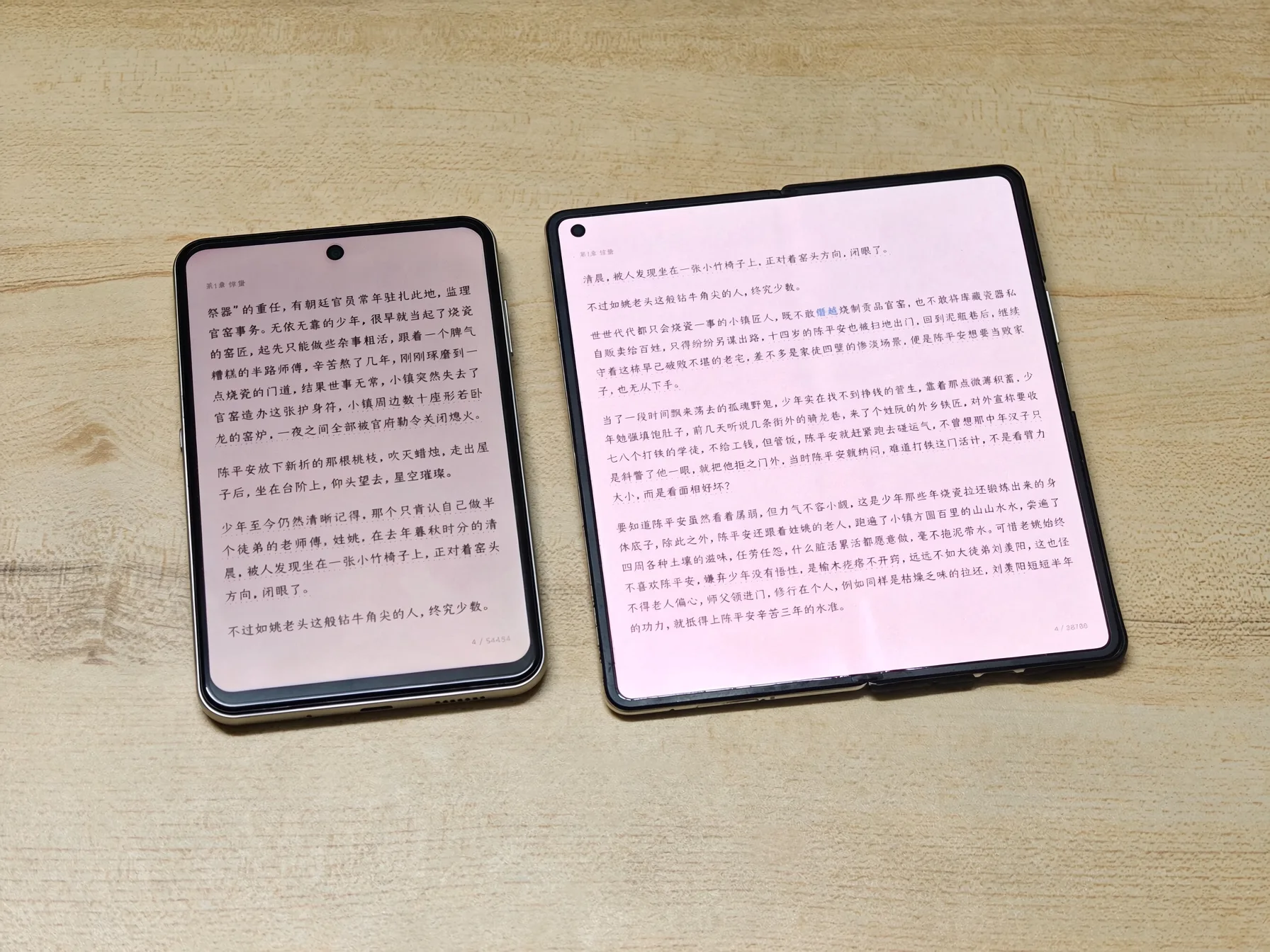
(Image source: Leitech)
Having covered the advantages, we also need to talk about the complaints.
For a small manufacturer like Coolpad, the biggest complaint is software adaptation—there is almost zero adaptation. Whether it's Weibo, Xiaohongshu, or various daily-use apps, the system has not made special layout optimizations for the wide screen. It basically just crudely stretches the ordinary phone interface horizontally, making the proportions of icons and layout look very awkward.
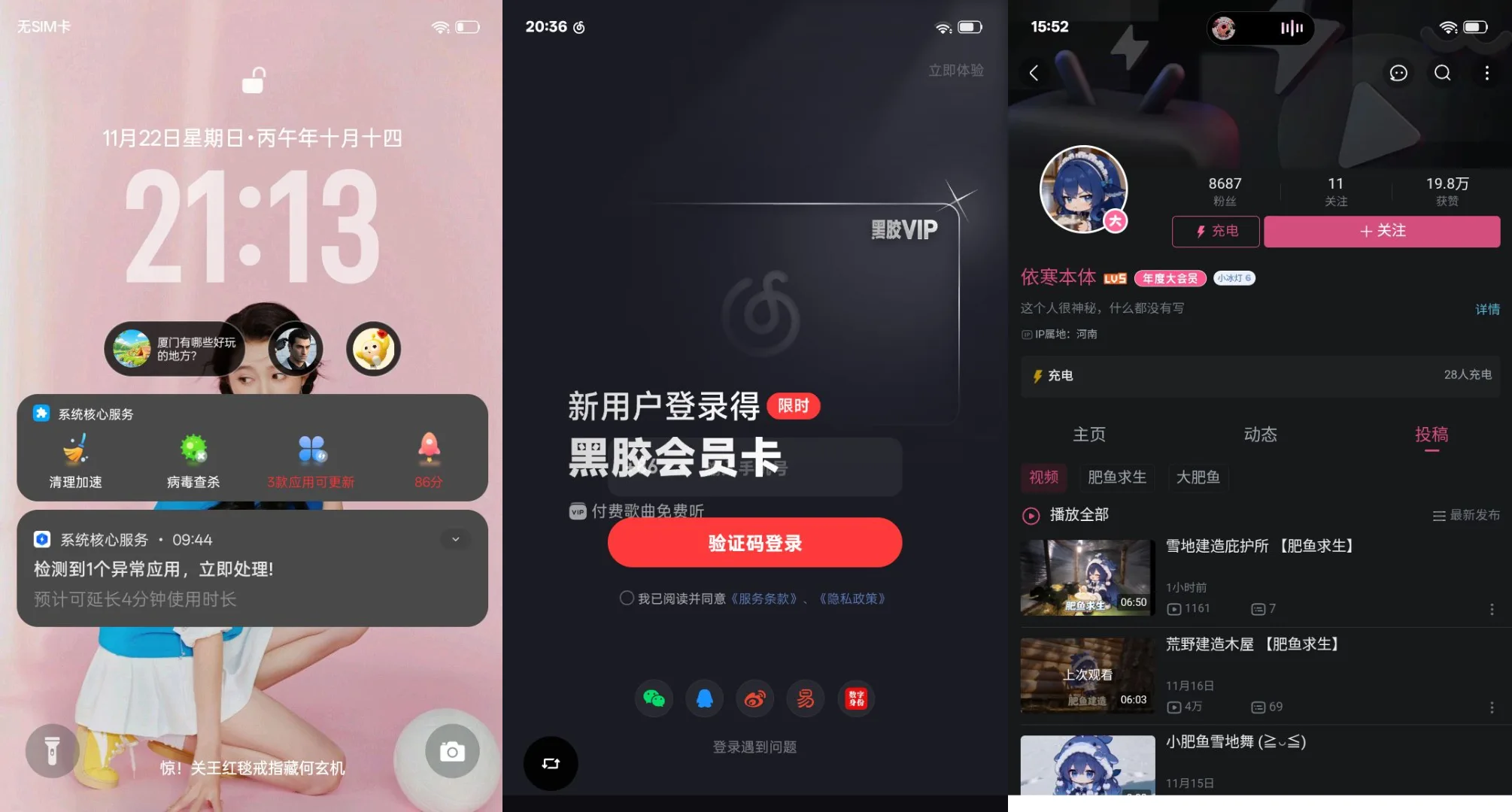
(Image source: Leitech)
As for this system... the factory system is mixed with a lot of promotional information and inexplicable pop-up notifications, which is very annoying to use. After getting it, I strongly recommend tinkering with it to streamline it or even directly rooting it. In addition, the system's built-in "remove bottom bar" function is very poorly done. In many interfaces, the gesture bar and bottom navigation bar still stubbornly occupy space, wasting the already limited vertical field of view.
If conditions or skills allow, I suggest everyone flash the ColorOS ported by the folks on Coolapk right after getting it.
The physical AI button is a highlight, but the experience is too lackluster
I wonder if everyone still remembers the Coolpad small cube that Leitech wrote about before?
At that time, Coolpad put a physical AI button into the small cube, and the built-in DroiClaw had quite strong GUI Agent capabilities. It could automatically recognize the screen, simulate clicks, and even send WeChat messages across apps, order takeout, and automatically grind daily tasks in games. It counted as a toy with a strong geek flavor.
This time, the Coolpad COOL X Wide also retains the side physical AI button, and the official promotion also mentions the built-in DroiClaw system based on Android 16, which made me quite look forward to it continuing the gameplay of the small cube.
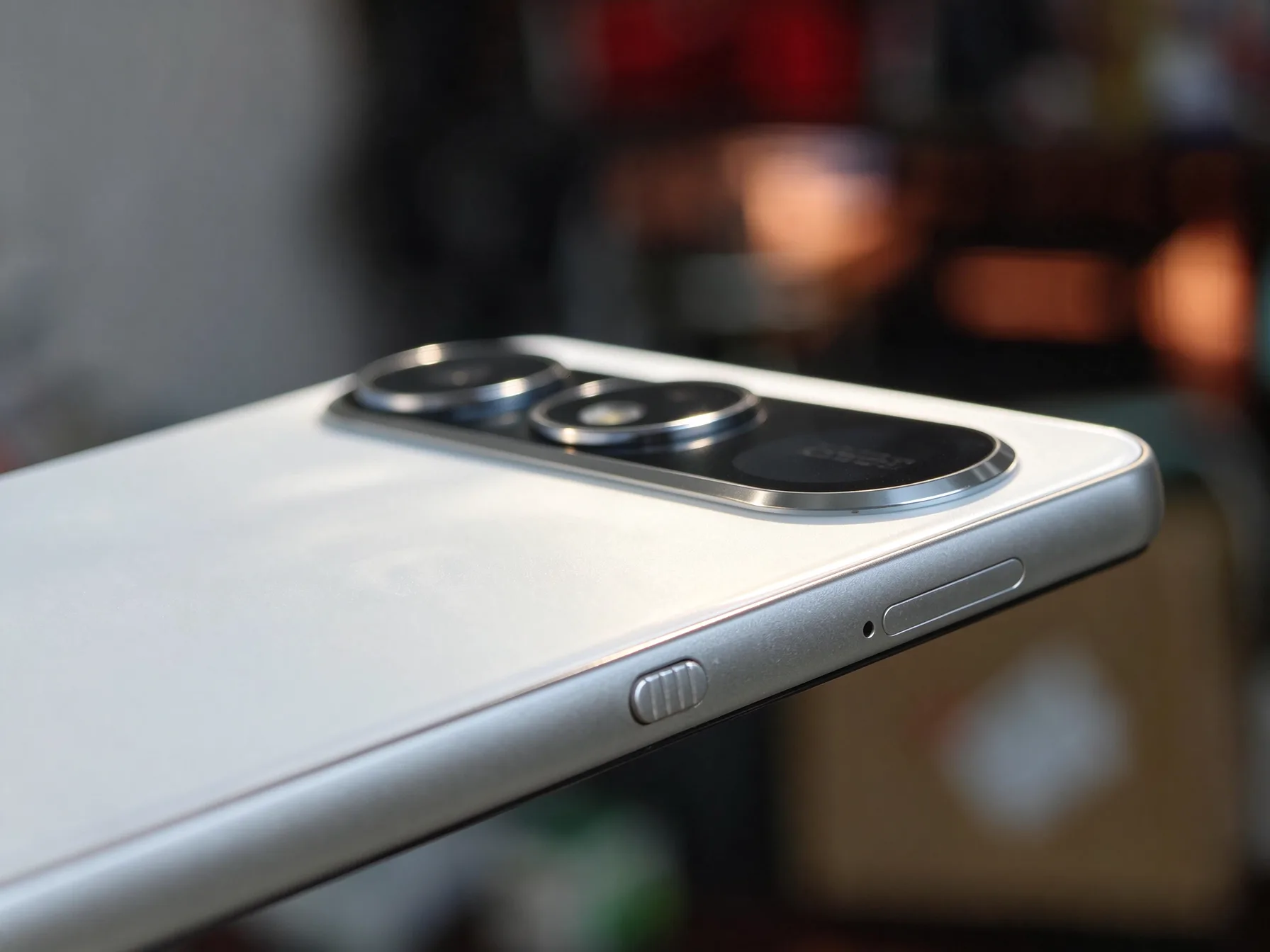
(Image source: Leitech)
But once I got hands-on, I was immediately doused with a bucket of cold water.
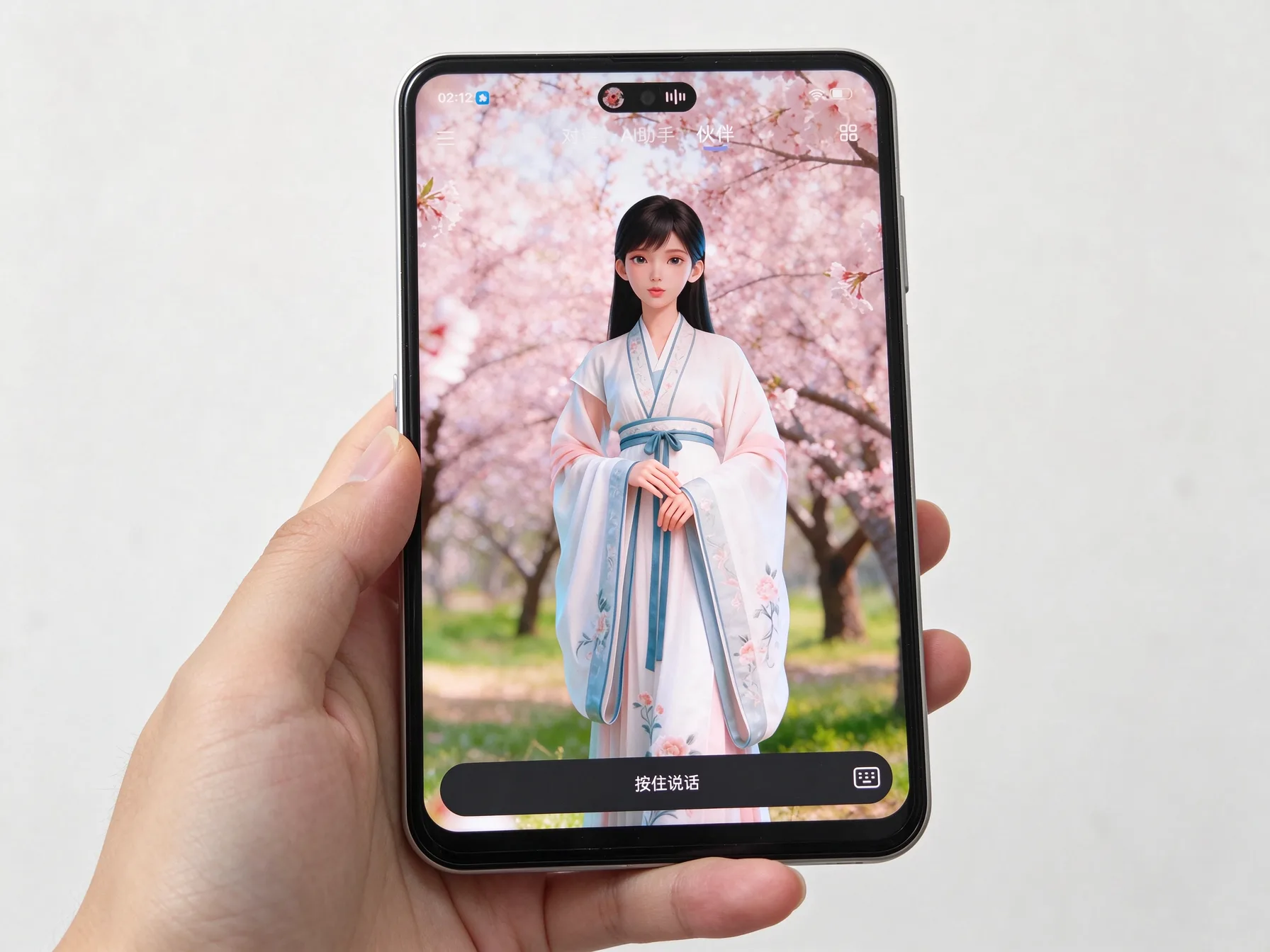
The Coolpad COOL X Wide simply doesn't have the useful Agent capabilities of the small cube. Pressing this physical button merely jumps to an integrated AI assistant page, and functionally it is no different from the AI assistants that various phone manufacturers began integrating years ago.

(Image source: Leitech)
It has no real-time screen recognition capability, cannot understand the text and images currently on the screen, and cannot perform cross-app automatic scheduling operations, nor can it open specific interfaces or do things like order coffee.
Even so, it still wants to sell you an AI membership for 49/month.

(Image source: Leitech)
To put it bluntly, this physical button on the COOL X Wide has basically degenerated into an ordinary voice wake-up button. All it can do is basic operations like setting an alarm, checking the weather, or opening a single app. The AI experience is very lackluster and completely fails to justify the hardware cost of this independent button.
If you came for the same AI gameplay as the Coolpad small cube, you can basically give up.
Summary: A novelty toy, suitable for early adopters to play with
In my view, the pros and cons of the Coolpad COOL X Wide are very clear.
It is cheap, has recognizability, and the 16:10 wide-screen ratio is indeed more comfortable for reading comics and e-books than a conventional slim elongated screen. The LCD screen plus infrared remote control and memory card expansion make it quite fun as a hundred-yuan-level consumer electronics toy.
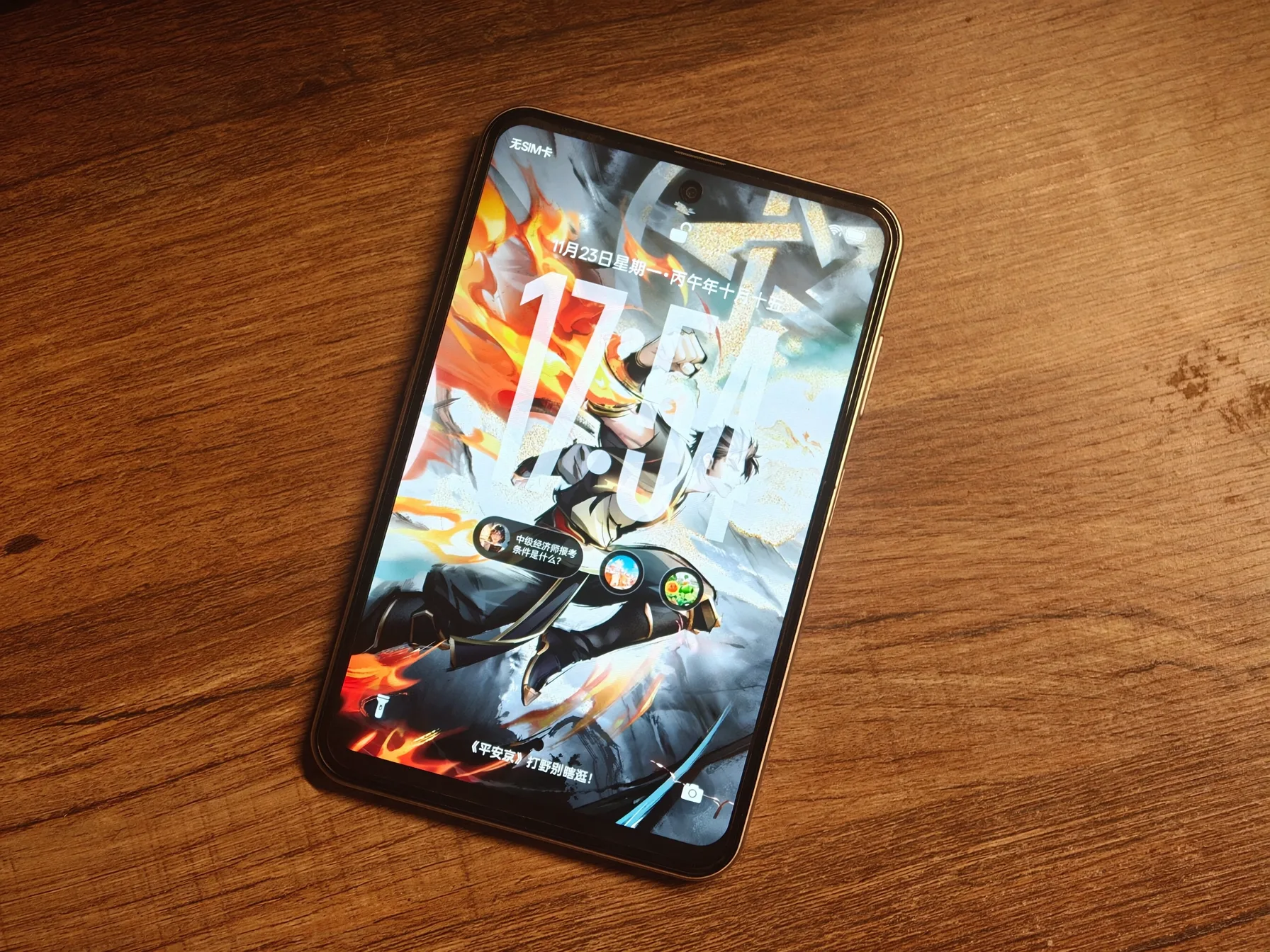
(Image source: Leitech)
As for the shortcomings, the all-plastic body plus plastic support gives an ordinary hand feel, the 720P screen has graininess and a wide chin, the camera is purely there to make up the numbers, it only supports 4G networks, and the system has many promotions while daily-use software has almost zero adaptation.
The most disappointing thing is that this thing actually cuts the small cube's most core Agent vision and scheduling capabilities.
In my view, this thing is still a long way from being a good "wide bar daily driver" and is more like a toy that stuffs a popular form factor into a budget phone shell.
If you just want to spend less than a thousand yuan on an LCD eye-friendly backup phone specifically for reading comics and novels, or are simply curious about the hand feel of a wide bar and want to buy it for fun, then it is indeed worth considering; but if you want to use it as a daily driver or expect anything from its AI features, I suggest you steer clear and honestly wait for mature products from the major manufacturers later.
Source: Leitech
The images in this article are from: 123RF Licensed Image Library Source: Leitech
-
![]()
Too Tough! Xiaomi, Boasting the Highest Gross Margin Among Automakers, Lost Another 3.4 Billion Yuan in Q3—Does Lei Jun Regret It?
-
![]()
Yu Chengdong's Latest Quote Goes Viral: 1% Battery Can Stream Video for 50 Minutes
-
![]()
Memory Price Hikes Hit Android Hard: US Q3 Phone Shipments Fall 9%, Apple's Share Soars to 57%
-
![]()
PC Sales Plunge 20% While AI Servers Triple: Are PC Makers Betting Their Future on Data Centers?
-
![]()
799 Yuan! First Android Wide Bar Experience: Everything Is Lackluster, AI Physical Button Stands Out
-
![]()
Xiaomi's Profit Halved in the First Three Quarters: Has the "Toughest Quarter" Passed?
-
![]()
Wei Jianjun Seeks Solace from Yu Donglai: Can a Supercar Ease Great Wall's "Anxiety"?
-
![]()
Lei Jun's First Visit to Weibo HQ: The Real Agenda Is the Pengcheng N70