Insta360 X6 First Impressions: Panoramic Cameras Take a Big Leap Toward Being User-Friendly for Everyone
 08/13 2026
 422
422
To be honest, my enthusiasm for panoramic cameras has cooled a bit over the past two years.
It's not that panoramic cameras are bad—quite the opposite. I've seen them get better and better, with improving image quality and simpler operation. However, a core pain point of panoramic cameras remains inadequately addressed by manufacturers: post-production editing.
The advantage of panoramic cameras is that you don't need to worry about composition when pressing record—you can decide which way the lens should point later. The most frustrating part, however, is precisely that you still have to decide the lens direction later. This process of neglecting composition during shooting and spending considerable time on editing afterward doesn't align with the usage habits of most users.
Therefore, except for some extreme shooting scenarios, I rarely take it out anymore. But just at this point, I got my hands on the newly released Insta360 X6 panoramic camera. After a month of detailed testing, let's discuss what makes the X6 strong and whether it's right for you.
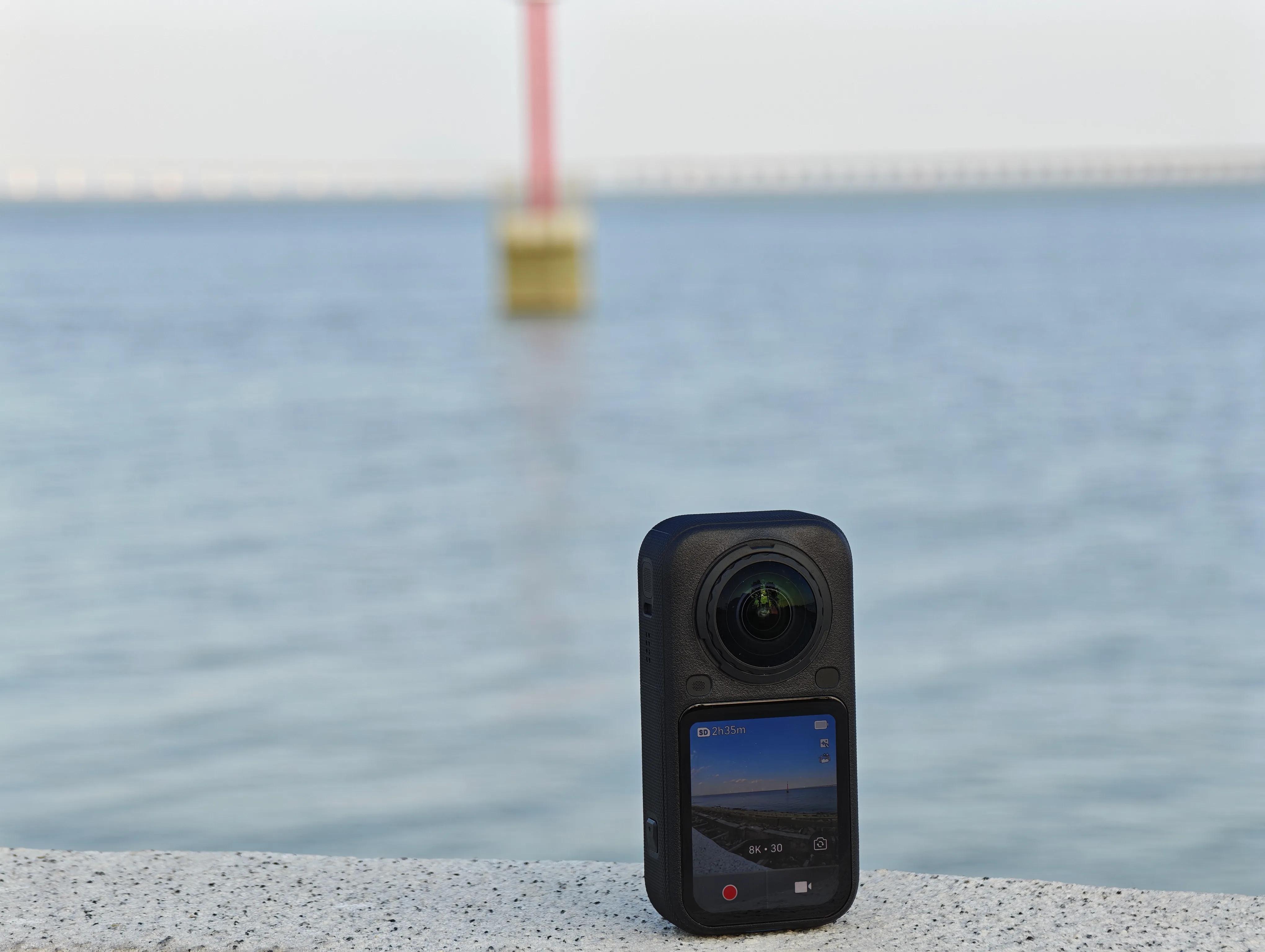
Panoramic cameras are limited by their two bulky fisheye lenses, making it difficult to innovate in terms of design. Forcing a break from this design could backfire. Therefore, Insta360 chose not to alter the external design but instead made the X6 more compact while upgrading the screen to a 2.32-inch OLED full display.
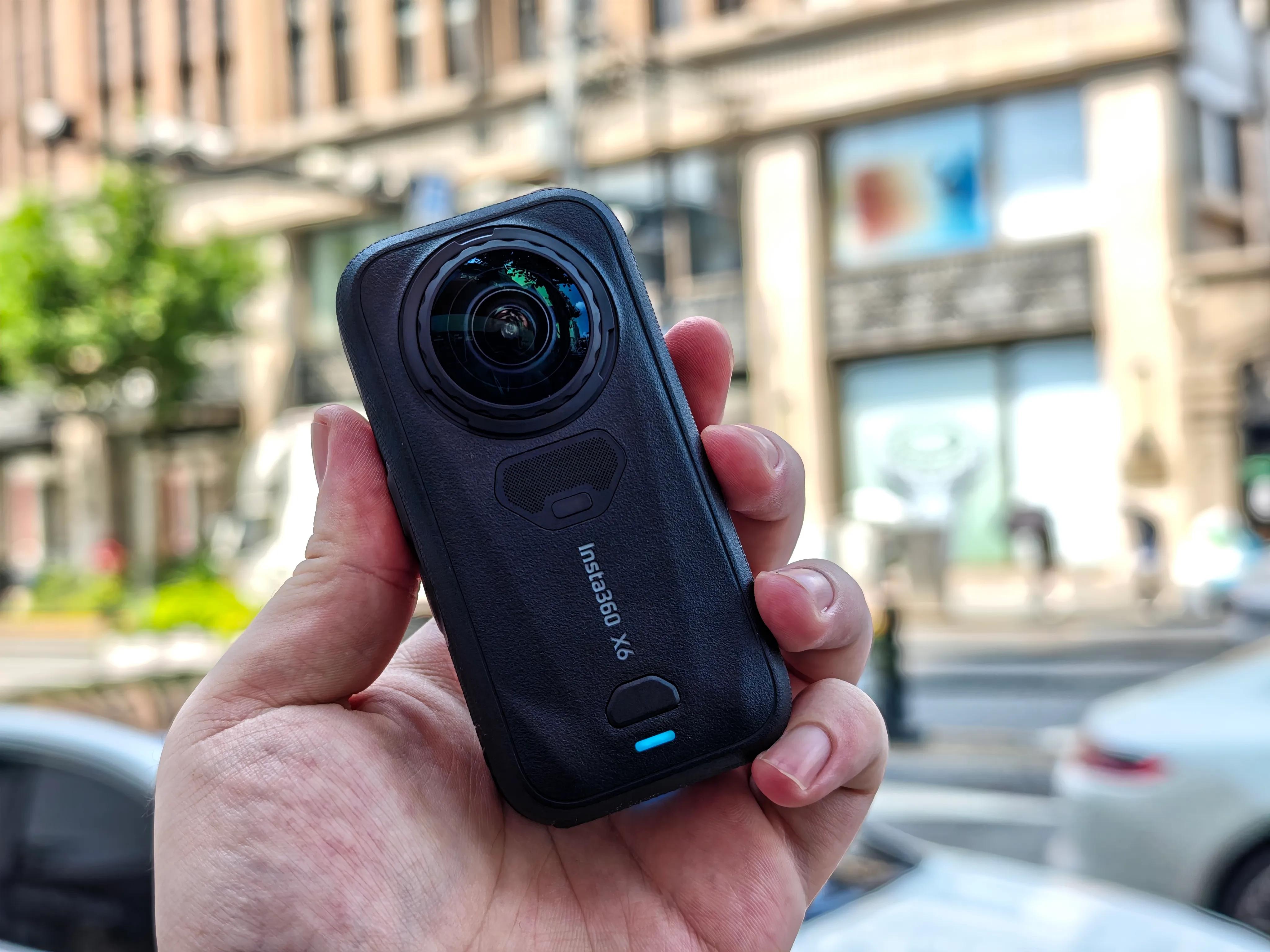
(Image source: Leikeji)
I have a lot to say about this screen. As one of the few motorcycle enthusiasts in our company, the most common use for a panoramic camera is attaching it to the handlebars to record the entire ride. However, previous panoramic cameras had screens that were generally not very bright, making it impossible to see the screen or battery level in bright sunlight. This often led to situations where I thought I had captured a great scene, only to find the camera had run out of battery when I tried to review it later.
The Insta360 X6's screen is not only brighter but also visible under direct sunlight, allowing me to quickly glance at the information I need.
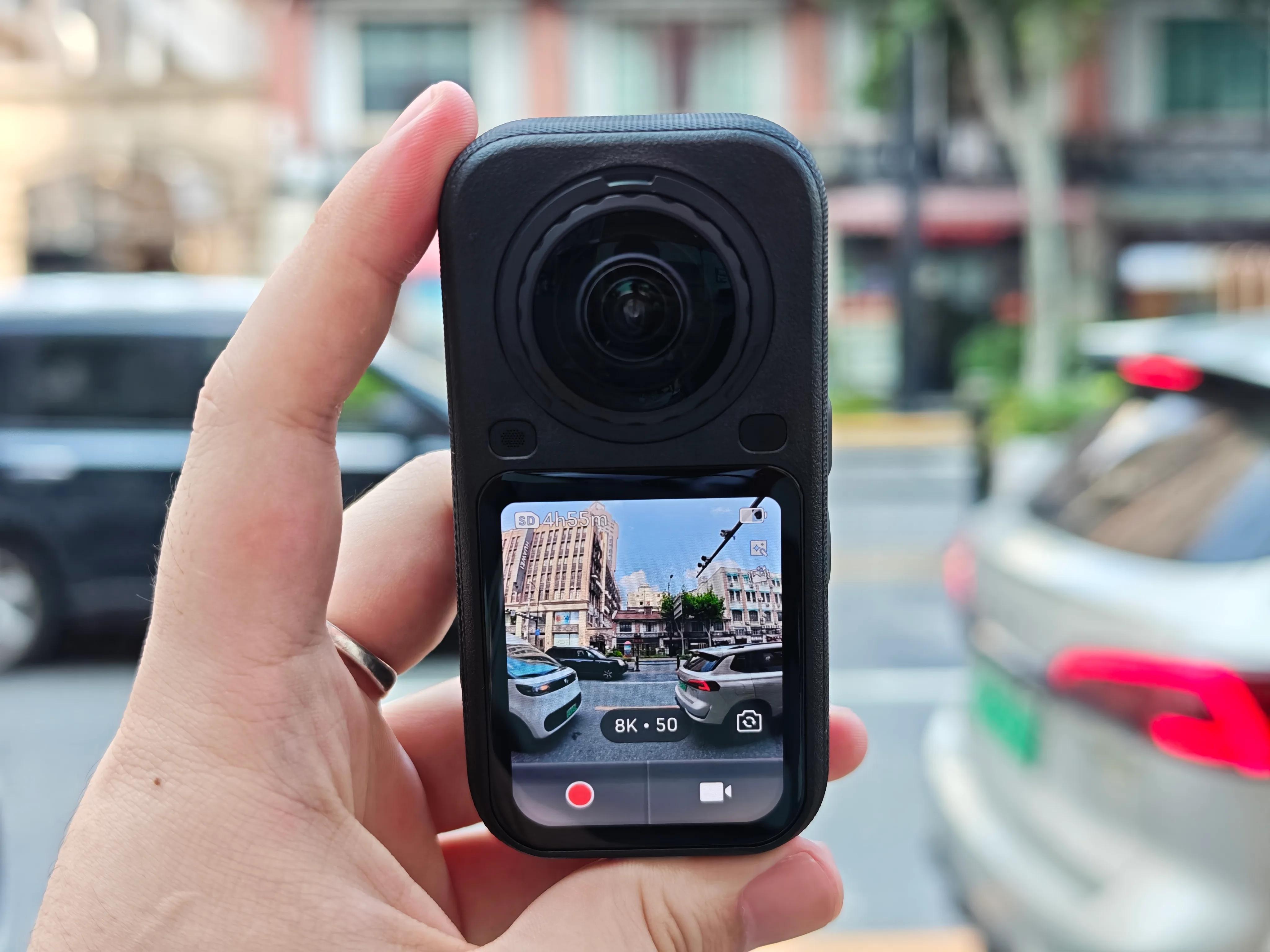
(Image source: Leikeji)
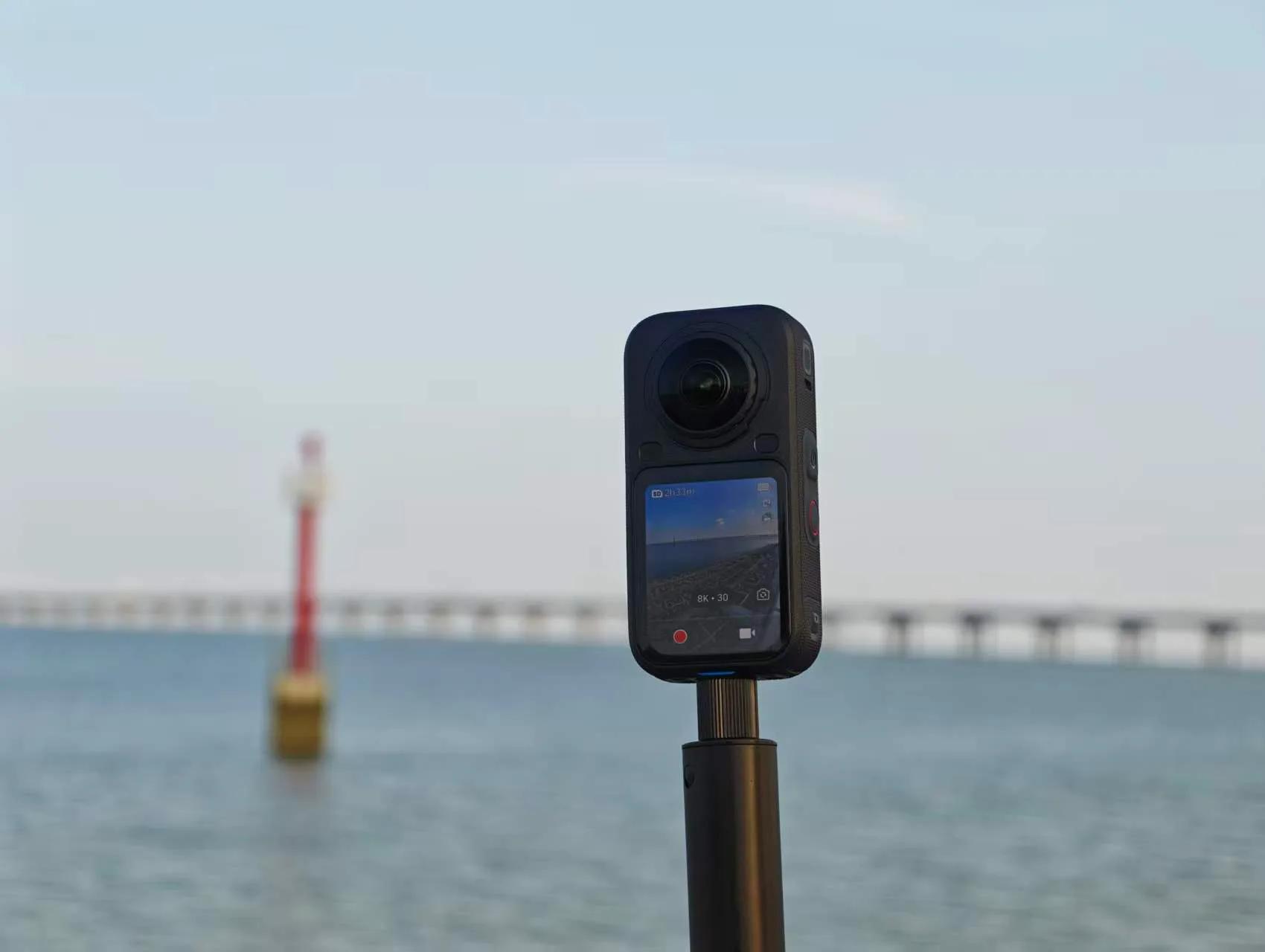
Eagle-eyed readers may have noticed something missing from the bottom of the Insta360 X6. That's right—Insta360 has removed the two physical buttons at the bottom of the screen and replaced them with virtual pressure-sensitive buttons. The operation logic remains the same: simply press firmly on the location to start recording.
At first, I didn't understand this design. After all, no matter how advanced virtual buttons are, they can't match the directness and reassurance of physical buttons. However, one day when I was wearing gloves and tried to press the record button, I found that the gloves were too thick and hard, and pressing multiple times didn't work. Then, I simply pressed firmly on the screen with my finger, and the camera started recording automatically. I must say, this feeling reminded me of Apple's old 3D Touch.
(Image source: Leikeji)
Moreover, to let you know whether recording has truly started, Insta360 added a highly noticeable haptic feedback motor. The vibration is strong enough to feel even when the selfie stick is extended to over a meter.
Let's briefly go over the other specifications: the 2600mAh battery allows for approximately 120 minutes of 8K 30fps panoramic video recording (official data suggests around 140 minutes). Wi-Fi 6 wireless transfer speeds reach up to 100MB/s, while USB 3.0 wired transfer speeds go up to 450MB/s, meaning transferring footage can generally be done within two minutes. Waterproof performance has also improved, with the bare device now rated IP68, increasing from 15 meters on the X5 to 20 meters on the X6, and up to 60 meters with a fully Invisible (untranslated term, likely meaning "invisible" or "stealth") diving case.
Finally, regarding usage costs, the X5 introduced user-replaceable lenses, which I could swap in about half a minute using the included tool. The X6 upgrades this system from a rotational mechanism to a snap-on design, making it even simpler. According to the official, the cost of replacing lenses has been reduced by 60%, and the durability is three times better than the X5. I tried replacing a lens once, and it took about 20 seconds from removal to installation. For long motorcycle trips, carrying two spare lenses in my bag is much lighter than bringing a spare camera.
Ultimately, however, image quality remains the most critical aspect of a panoramic camera. The X6 uses a Sony-customized 1/1.1-inch square CMOS sensor.
Why specify square? The image circle of a fisheye lens is round. If you use a traditional 4:3 rectangular sensor, about 25% of the pixel area at the top and bottom cannot participate in imaging, resulting in waste. A square sensor minimizes this waste at the physical level.
(Image source: Leikeji)
According to the official description, the X6's actual light-sensitive area is 33% larger than the X5's. In 8K mode, the equivalent pixel size reaches 2.44μm, with a dynamic range of 14.5 stops. Of course, these sensor customization details are beyond my expertise. The key takeaway is that the X6 represents a substantial hardware upgrade, not just a simple algorithmic improvement.
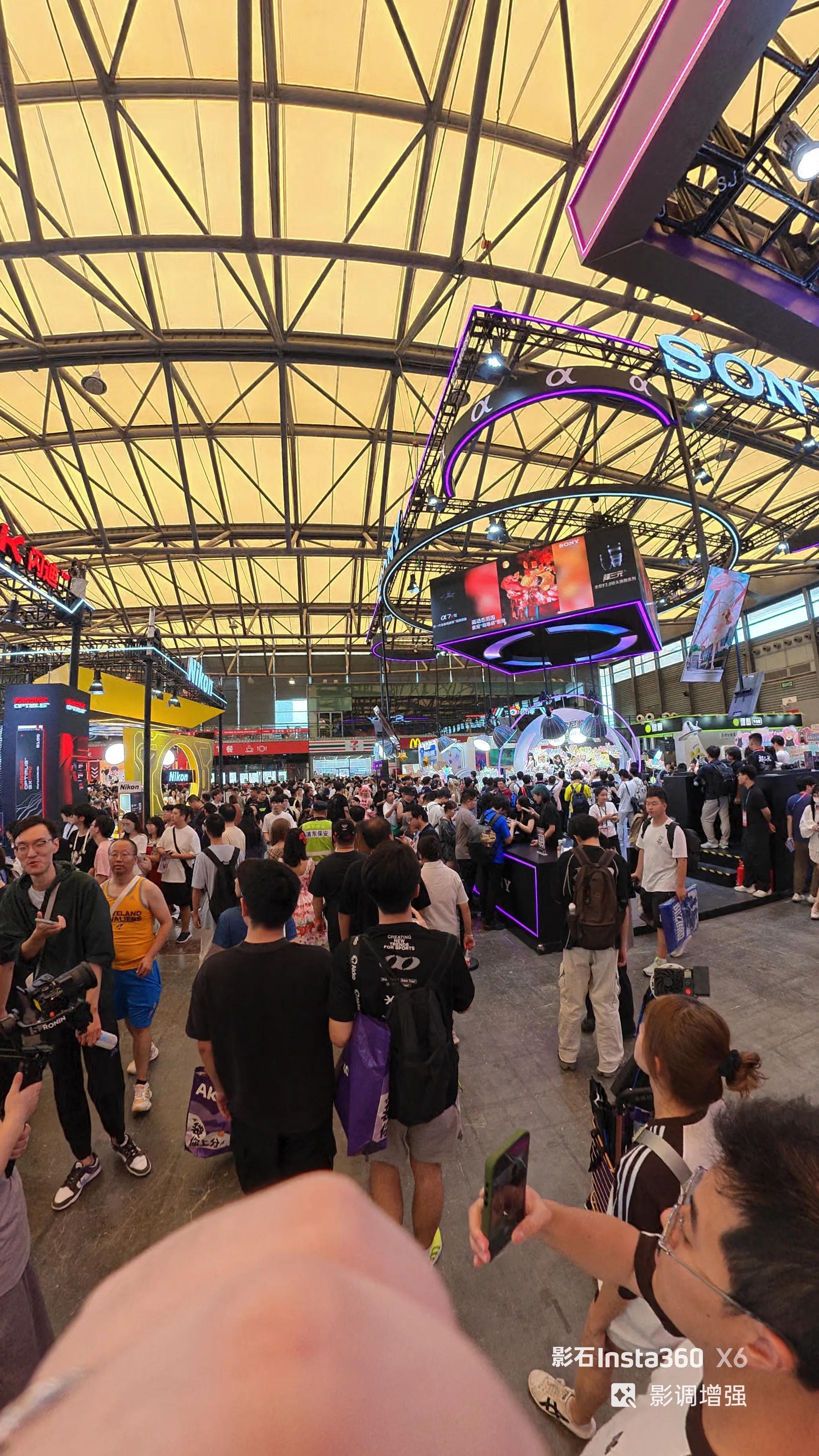
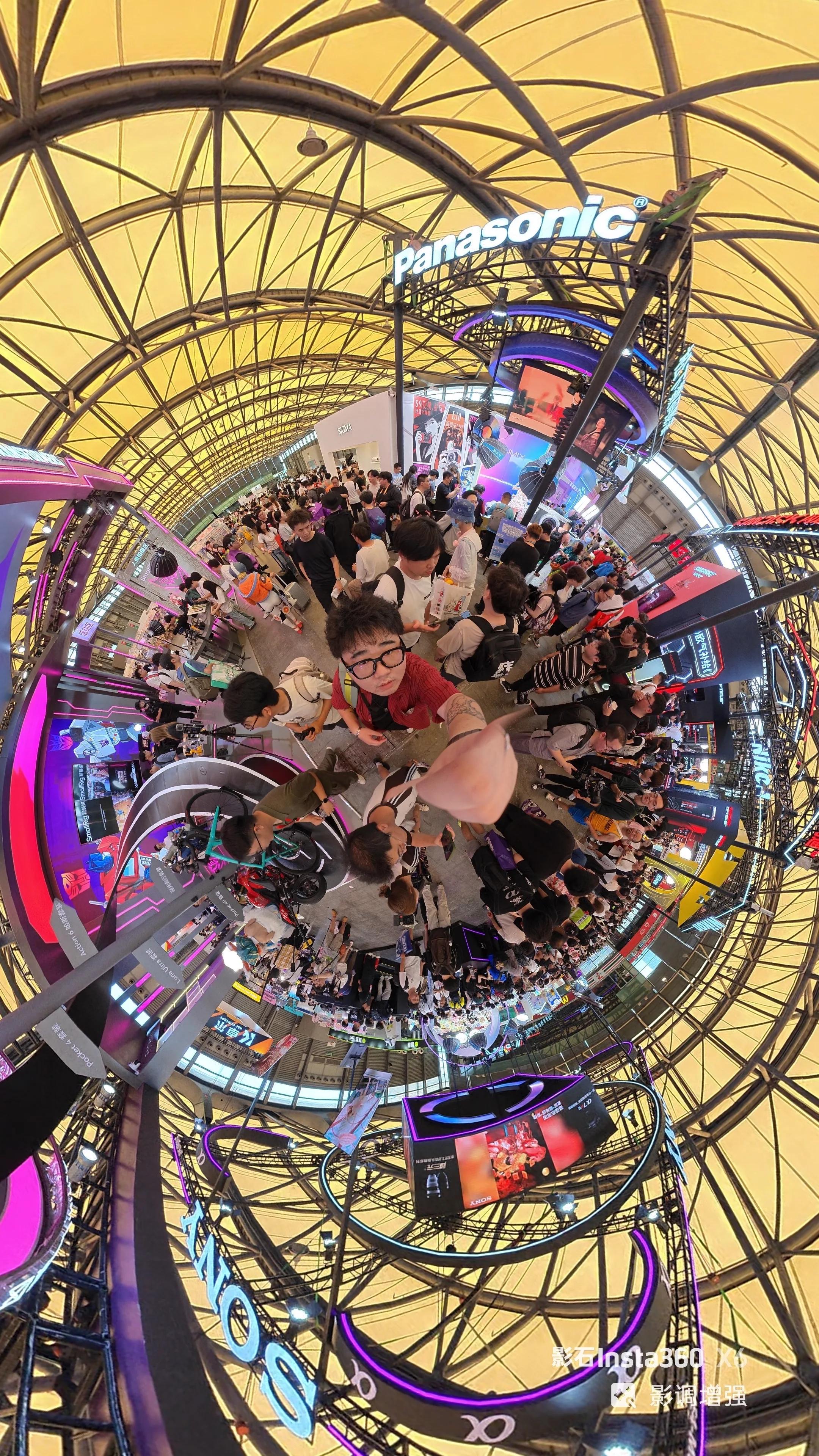
In bright daylight scenes with many people around, the X6's image sharpness is excellent. The edges of objects in the scene, small text on distant signs, and textures on clothing all exhibit impressive detail density, making it hard to associate this with past panoramic cameras that struggled with detail retention when too much information was present. The full 10-bit color depth across all modes also provides ample room for post-production color grading, preventing color banding.
(Image source: Leikeji)
In another extremely well-lit scene, I recorded a long take from a platform to the seaside. Zooming in on the playback screenshot, the leaf veins of nearby shrubs and the outline of the distant sea are all well-preserved. The full 10-bit color depth shines in high-contrast scenes, preventing color banding during transitions even under direct sunlight.
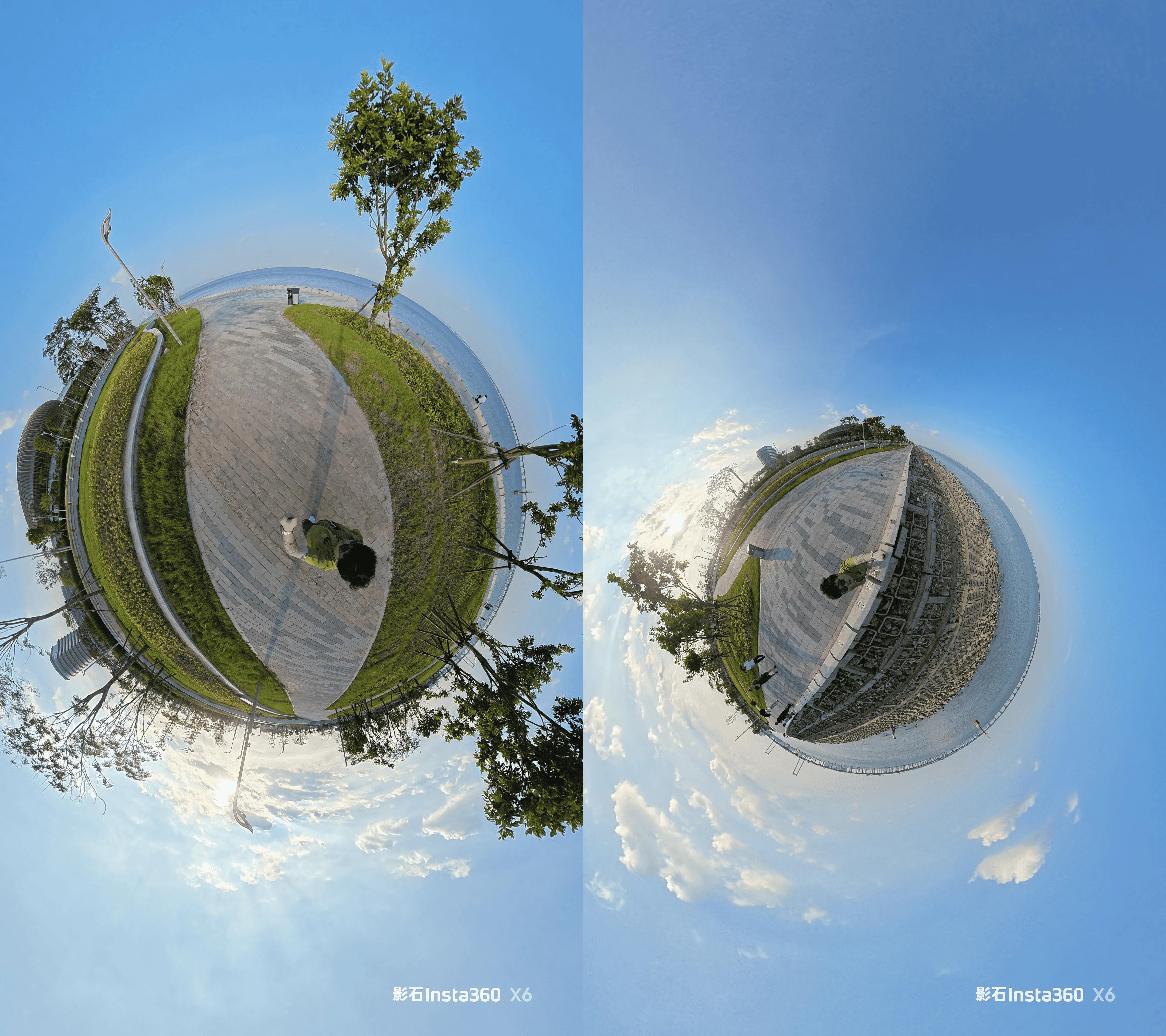
(Image source: Leikeji)
The X6 also supports native Dolby Vision in-camera, a first for panoramic cameras. If the default colors don't suit your taste, you can enable I-Log mode for post-production refinement.
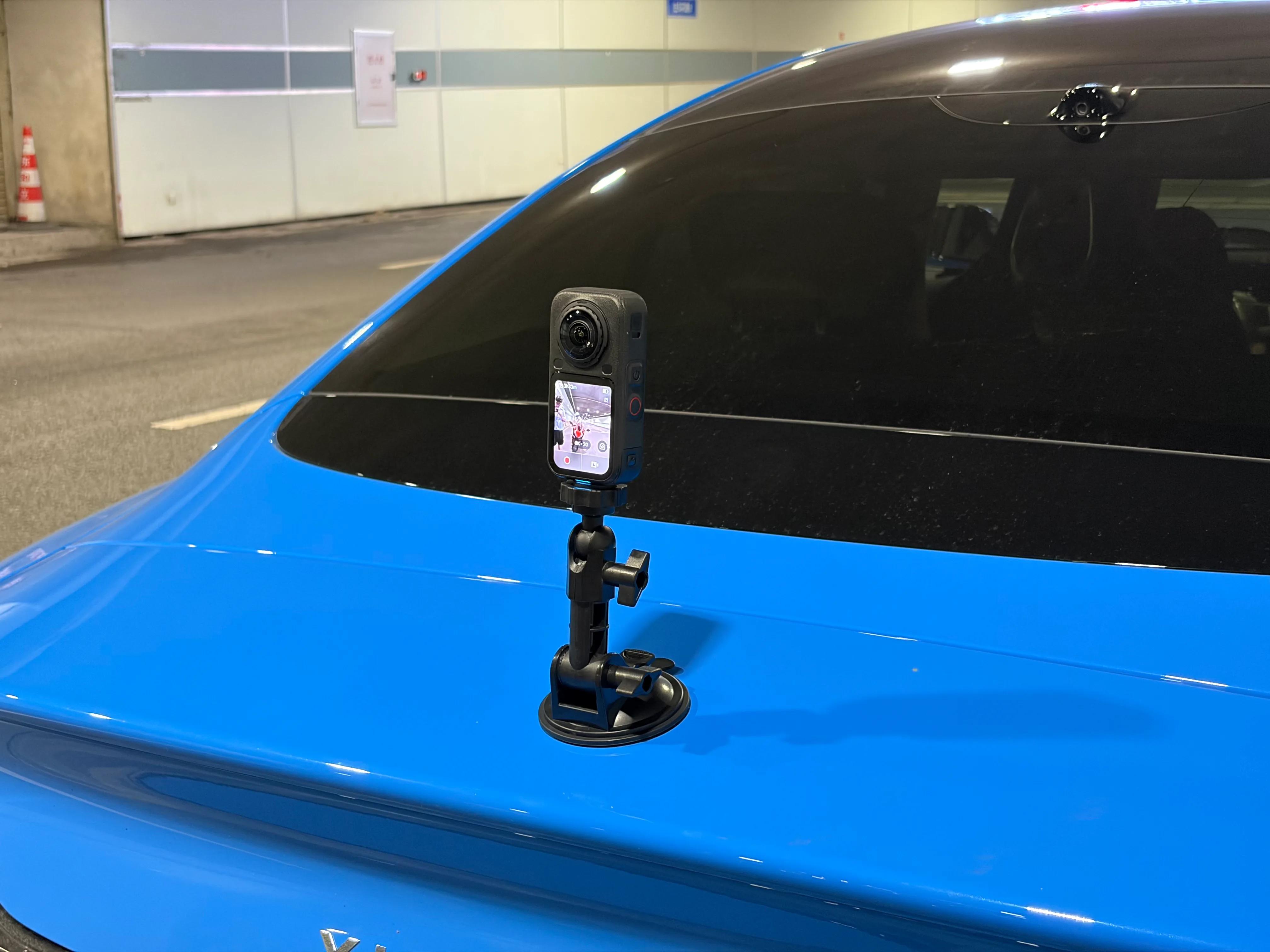
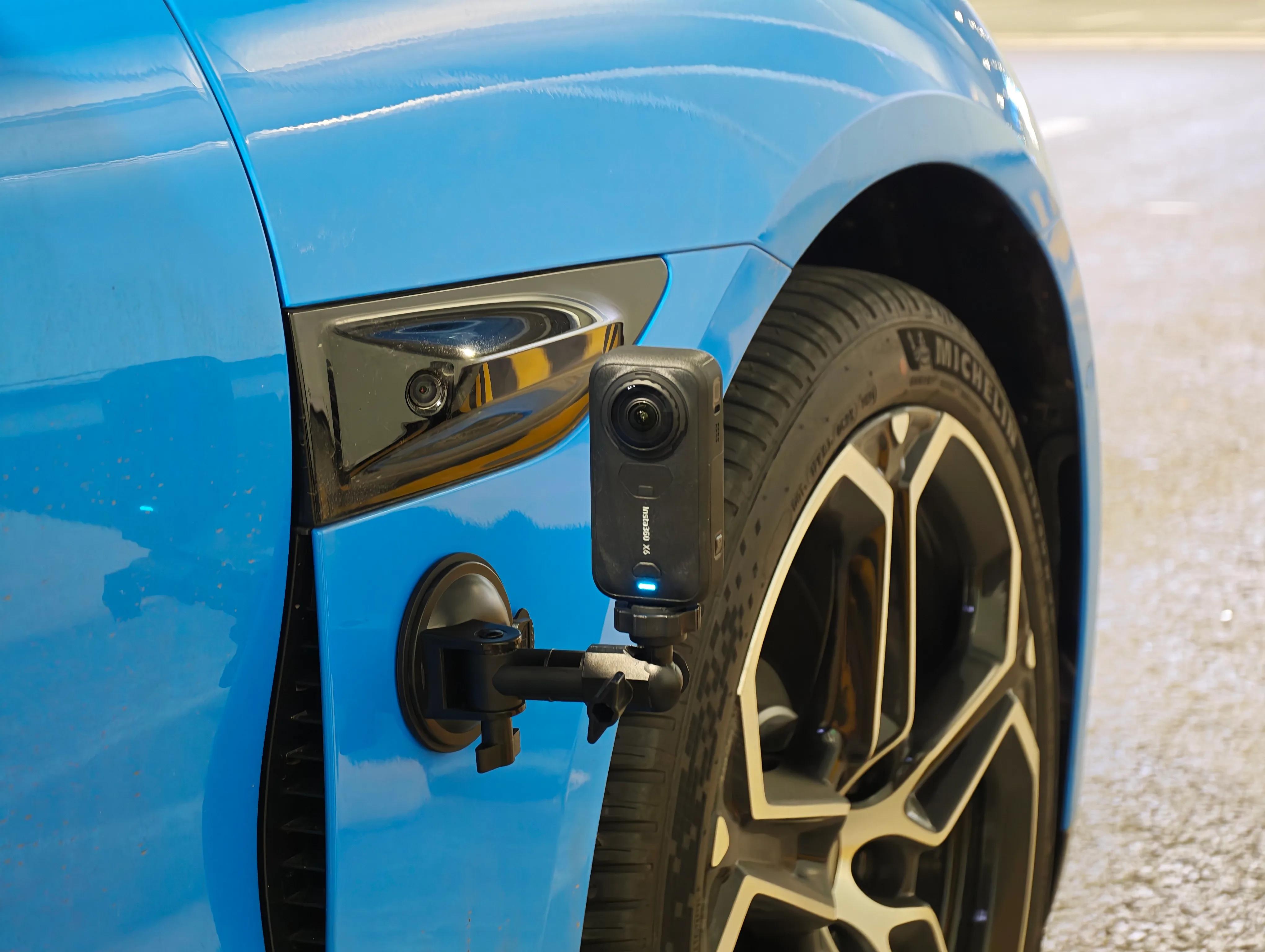
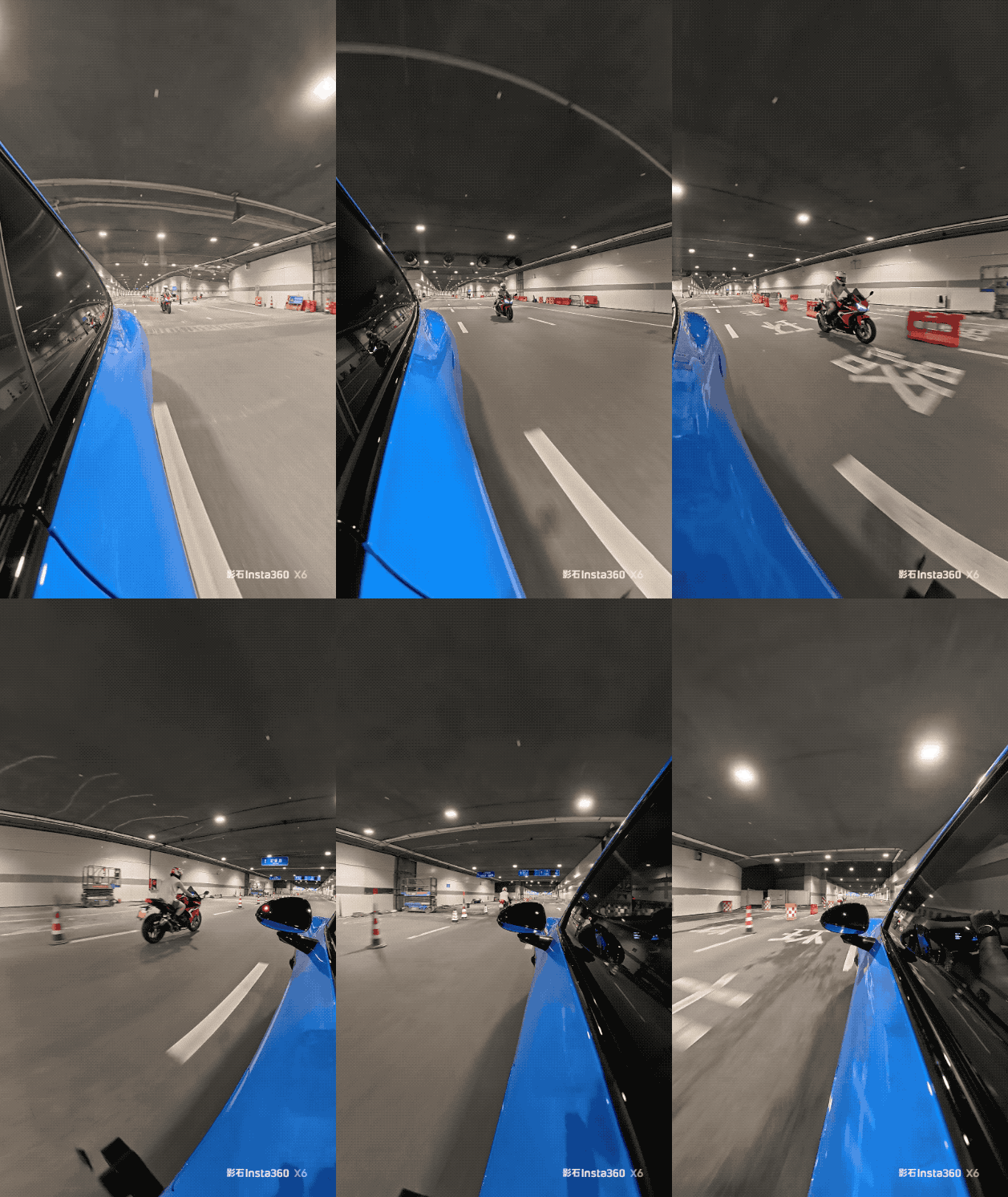
Under "nearly static" conditions, the X6's image quality is indeed flawless. But can it maintain this performance in true "motion scenarios"? I chose tunnel shooting, mounting the camera on the car door, front fender, and trunk top, each time using the camera's default recommended mode.
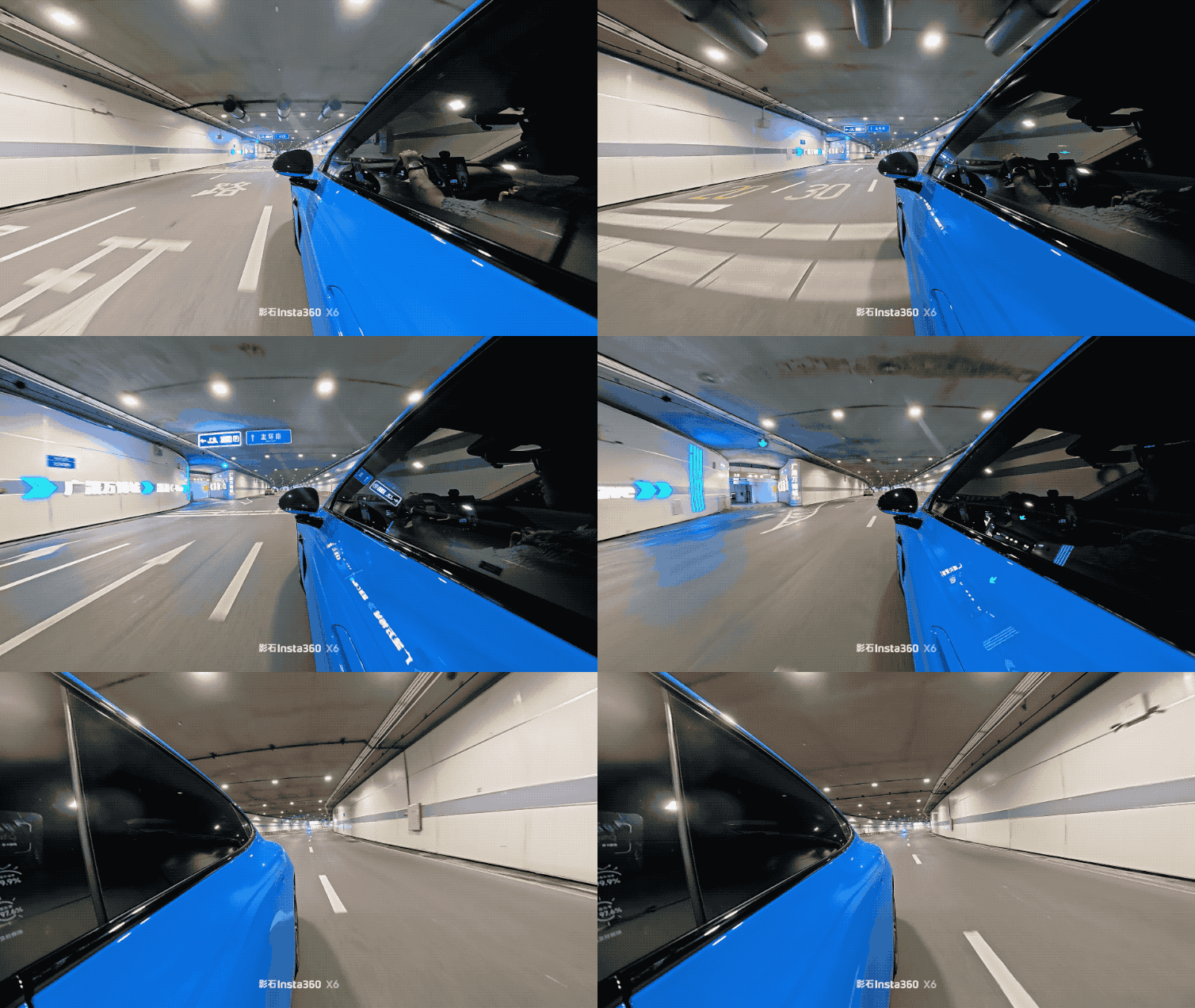
(Image source: Leikeji)
As seen in the GIF, there is no image tearing whatsoever, whether it's the fast-moving wheels, the intersecting light sources above, or the motorcycles whizzing past the car.
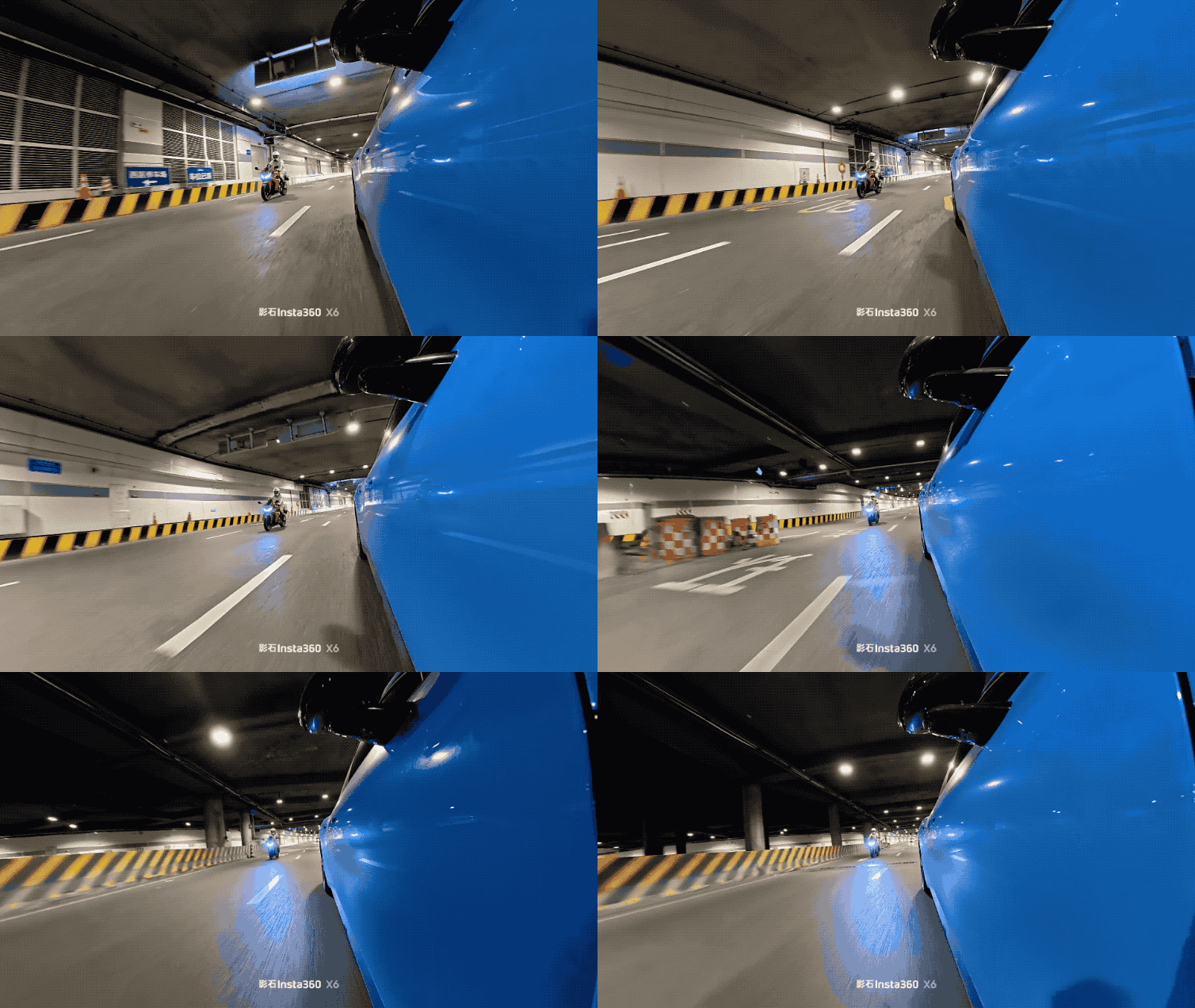
(Image source: Leikeji, later converted to video)
Especially when a motorcycle catches up from behind, overtakes, and gradually disappears ahead in the tunnel, there is no motion blur. The resulting footage is a perfect tracking shot.
(Image source: Leikeji)
However, one thing must be clarified. The 8K panoramic resolution is spread across a 360° sphere, so when you extract a small portion of the view and flatten it, the resolution decreases. Its main advantage is providing enough pixel density for post-shooting cropping. Fortunately, the viewing experience remains excellent after cropping, not far behind that of flat motion cameras.
As mentioned at the beginning, the biggest headache for ordinary users with panoramic cameras has never been image quality but figuring out how to edit the footage.
For example, after recording 30 minutes of riding footage and importing it into my phone, I face a spherical video. I must first decide which direction to start viewing, then choose an angle to extract, set keyframes, adjust camera movement speed, find matching music, and finally wait for export.
Most first-time panoramic camera users give up on the app at the second step. Several riding buddies of mine enthusiastically bought cameras, only to let them gather dust in humidity control boxes within two months—not because the footage was bad, but because they couldn't be bothered to edit it. After my Tibet ride two years ago, I shot roughly 600GB of footage but still haven't edited it.
The X6's new AI Director function completely solves these issues.
Simply put, while the camera is charging, it automatically organizes the day's footage, selects what it deems the most interesting clips, and compiles them into a Vlog. The next time you connect your phone, the finished video pops up immediately for sharing or further editing as a draft.

(Image source: Insta360 official)
One-Touch Editing 2.0 is an enhanced version of automatic editing. Moment Pro can select different editing styles based on keywords, such as "only keep scenes with people" or "prioritize backlight shots."
For over two hours of footage, in the past, I would have spent an entire evening sitting in front of a computer setting keyframes and adjusting angles. With these two new functions, the process now takes less than half an hour—or about fifteen minutes if you're not too picky—before you can export and share directly on social media.
Of course, I can't say I'm 100% satisfied with its performance. Some videos still miss clips I think are good, but seeing the finished video pop up instantly feels great. It's like getting a usable draft that you can refine later, which is far more convenient than starting from scratch with dozens of spherical videos.
I hope Insta360 will allow the AI Director to support more custom keywords in the future, such as "only backlight," "only high-speed clips," or "exclude static shots." That would bring us even closer to "never needing to edit manually."
The ability to freely switch among panoramic, gimbal, and wide-angle modes is another major selling point of the X6.
Panoramic mode is its bread and butter. Recording in 8K 50fps captures everything in all directions, while the invisible selfie stick disappears perfectly through stitching algorithms. Later, you can choose to keep the panoramic view, zoom in on a specific subject like a cosplayer, or simultaneously retain the cosplayer, audience reactions, and the booth's large screen. When traveling in groups, you can also include yourself in the shot—an advantage no flat motion camera can match.
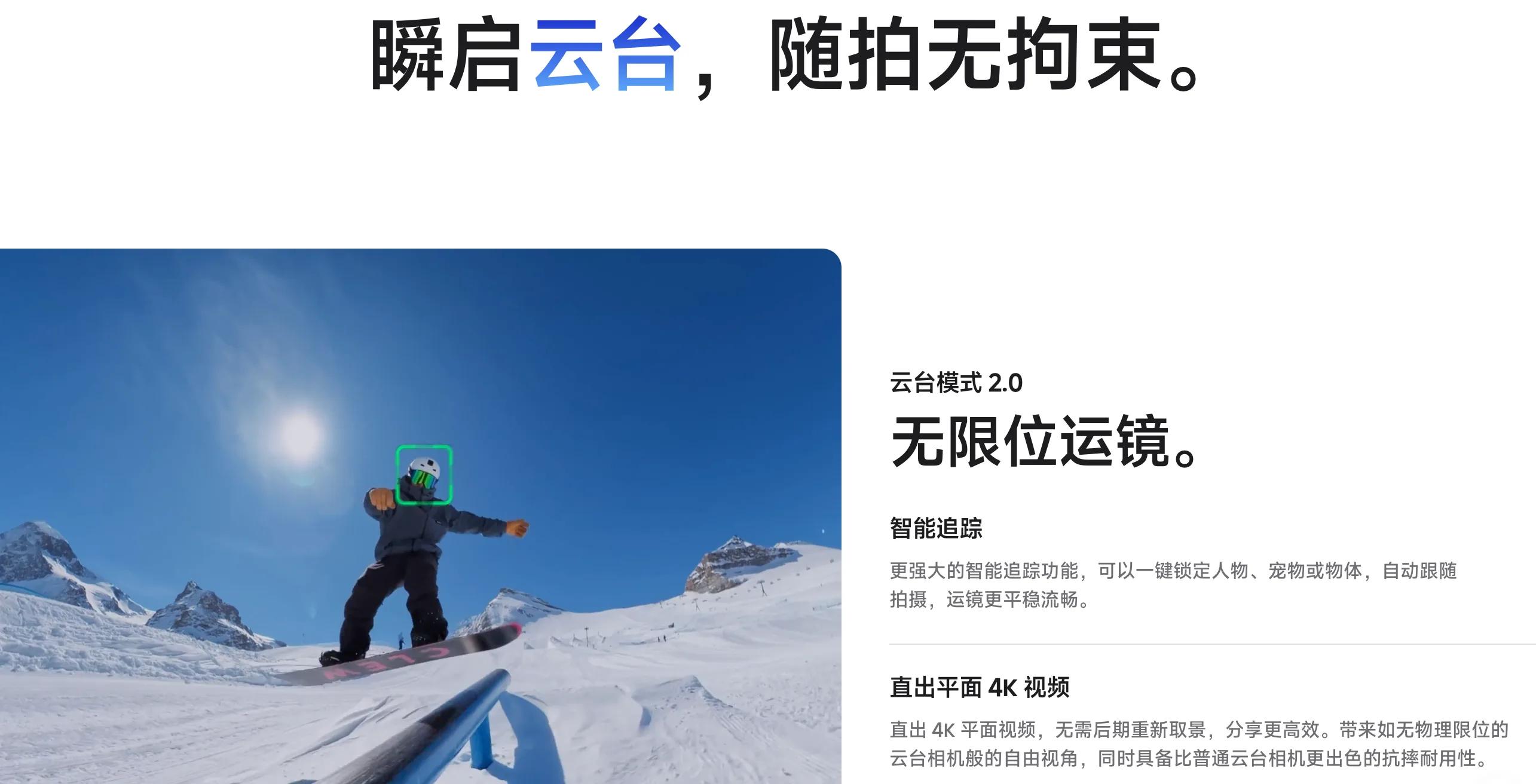
Gimbal mode is my personal favorite new feature. Its algorithm extracts a stable flat image from the 360° sphere in real-time while retaining an 8K panoramic backup. If the automatic framing occasionally misses the mark, you can always readjust. More interestingly, this mode supports using Luna's head-tracking module. If you happen to own one, you'll unlock a brand-new panoramic camera shooting experience.
(Image source: Insta360 official)
The wide-angle single-lens mode is designed for lazy people like me. It supports up to 5K 60fps and exports footage directly like a regular motion camera, skipping the complex panoramic reframing process every time. Thanks to the panoramic camera's characteristics, you can freely switch among chest-mounted, handlebar-mounted, or handheld Vlog perspectives, with image quality comparable to some motion cameras.
Of course, the Insta360 X6 can perform the tasks of three devices, but don't expect it to outperform specialized cameras in every mode. Its true value lies in needing only to carry it when you go out, rather than hanging one camera on your waist, mounting another on a pole, and stuffing a third in your pocket.
Finally, a word on audio.
What's the most awkward moment for a motion camera? The image is steady as a rock, but the sound is all wind noise. The X6 adds 360° omnidirectional windproof microphones and an intelligent audio mode. The camera automatically detects whether you're indoors, outdoors, or in windy conditions and switches its audio pickup strategy accordingly.
I tested several scenarios. Recording a Vlog in a quiet living room produced clear, clean vocals with minimal noise. Speaking by the roadside amid traffic, my voice remained discernible and wasn't drowned out by engine noise or horns. When riding with the physical windshield, wind noise was significantly reduced. Even during the tunnel ride at higher speeds, while wind noise was still present, it was suppressed to a level that didn't ruin the entire audio track.
It's not that the built-in microphone can replace professional recording equipment, but it does significantly improve the output rate. For those with higher audio quality requirements, you can connect the Insta360 Mic Pro for direct Bluetooth recording at 48kHz, which also features 32-bit floating-point internal recording and local backup—sufficient for interviews, motorcycle travel commentary, and commercial shoots. Of course, if you want to record a proper Vlog commentary in a conference venue, it's still recommended to use an external microphone; this is a physical limitation of panoramic cameras and has nothing to do with the X6 itself.
In terms of professional post-production, the X6 fully supports the ACES color management standard, allowing panoramic footage to directly enter film-industry-grade color grading pipelines.
Finally, following Leitech's review template, here's a brief summary of the Insta360 X6:
Strengths:
1. With a 1/1.1-inch large sensor, 8K 50fps, 10-bit color, and Dolby Vision, it basically requires no post-adjustment for various complex scenes;
2. The panoramic, gimbal, and wide-angle modes each have their practical uses in real-world scenarios, effectively functioning as three cameras in one to some extent;
3. The AI Director significantly lowers the barrier to post-production editing;
4. Interchangeable lenses, 20-meter bare-machine waterproofing, and built-in 47GB storage address nearly all daily pain points of panoramic cameras.
Weaknesses:
1. 8K footage files are extremely large; it's advisable to delete or upload them elsewhere after editing;
2. Dolby Vision and the highest frame rate cannot be enabled simultaneously, requiring a trade-off between high-speed footage and ultimate image quality.
(Image source: Leitech)
In terms of pricing: The standard kit is priced at 3,999 yuan, and the all-inclusive kit at 4,499 yuan—within expectations. While not particularly cheap, for those who truly want to produce content with a panoramic camera, this product is absolutely worth considering.
The biggest contradiction with panoramic cameras in the past was that 'shooting was too enjoyable, but editing was too exhausting.' The Insta360 X6 doesn't focus solely on specifications but instead makes the post-shooting process simpler and more accessible. While it still has some imperfections, the direction is undoubtedly correct.
If you're a motorcycle enthusiast like me, a vlogger who loves documenting travels, or simply someone looking for a camera that eliminates the need to choose between an action camera and a gimbal camera when going out, the X6 is currently the most worthy consideration in this category.
-
![]()
Cambrian Technologies Records 2.3 Billion Yuan Net Profit in Six Months, Earning the Title of 'Profit-Generating Powerhouse'
-
![]()
Tencent Makes a Bold Move on AI, But Will the Capital Market Buy In?
-
![]()
How Deepseek V4 Pro Outperformed Claude: The Scaling Up of China’s Super-Nodes
-
![]()
The Real Story Behind Zhong Shanshan’s ‘Criticism’ of E-commerce
-
![]()
Summer Blockbuster Season Sees 3% Market Share for Panoramic Cameras: Far from the Mainstream Imaging Trend
-
![]()
Summer Blockbuster Season Captures 3% Market Share: Panoramic Cameras Remain Outside Mainstream Imaging Trends
-
![]()
Why Are Giants Like Alibaba Remaining Silent Amid Zhong Shanshan's Criticism?
-
![]()
Which Automakers Have Achieved Over One Million Export Units for Two Straight Months?