Meituan Enters the AI Browser Arena! Tabbit Tested: Browsers Are Finally for More Than Just Web Surfing
 04/13 2026
 503
503
Finally, an AI browser that can really compete.
Talking about browsers in 2026 feels a bit 'old news.'
This market has long been saturated, with features like web page access, bookmarking, account synchronization, translation, and plugins already highly refined in Chrome, Edge, and Safari, leaving little room for new innovations.
So, when Meituan first announced Tabbit, Leitech was initially taken aback, wondering what new twist could be added to browsers. Tabbit isn't a traditional browser; it comes from Meituan's 'Beyond Light Years' team and is designed as an 'AI-native browser.'
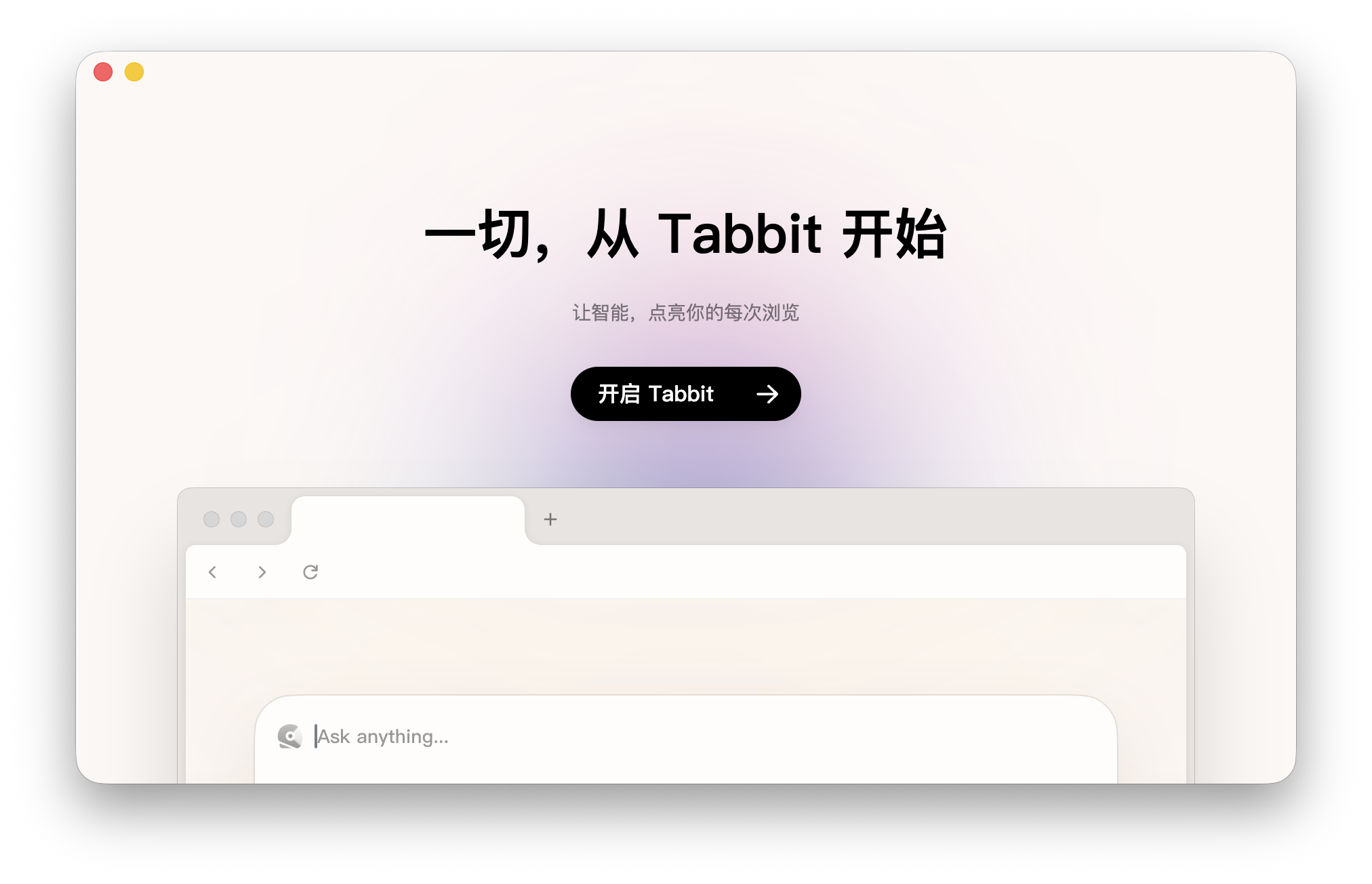
(Image Source: Leitech Graphics)
Simply put, it's not just for viewing web pages but for automating tasks on them, such as opening multiple pages, organizing information, conducting research, and handling repetitive processes. The concept of AI browsers has surfaced multiple times over the past two years, such as OpenAI's ChatGPT Atlas, which also focuses on automation.
To see how Tabbit differs from traditional or other popular AI browsers, I decided to use it as my primary browser for a while. Here's Leitech's experience report.
Tabbit: A Browser That Doesn't Feel Like a Browser
From the moment I opened Tabbit, it felt different.
The most noticeable change is that instead of placing tabs at the top, they're moved to the left. It took some getting used to, but with multiple pages open, it felt clearer, as each tab's title was visible without being crammed into small icons.
A bigger change is in 'creating a new page.' In most browsers, opening a new tab usually shows a search box, bookmarks, or recommended content. But in Tabbit, a new page opens directly to a dialog box. This made me wonder—is this still a browser?
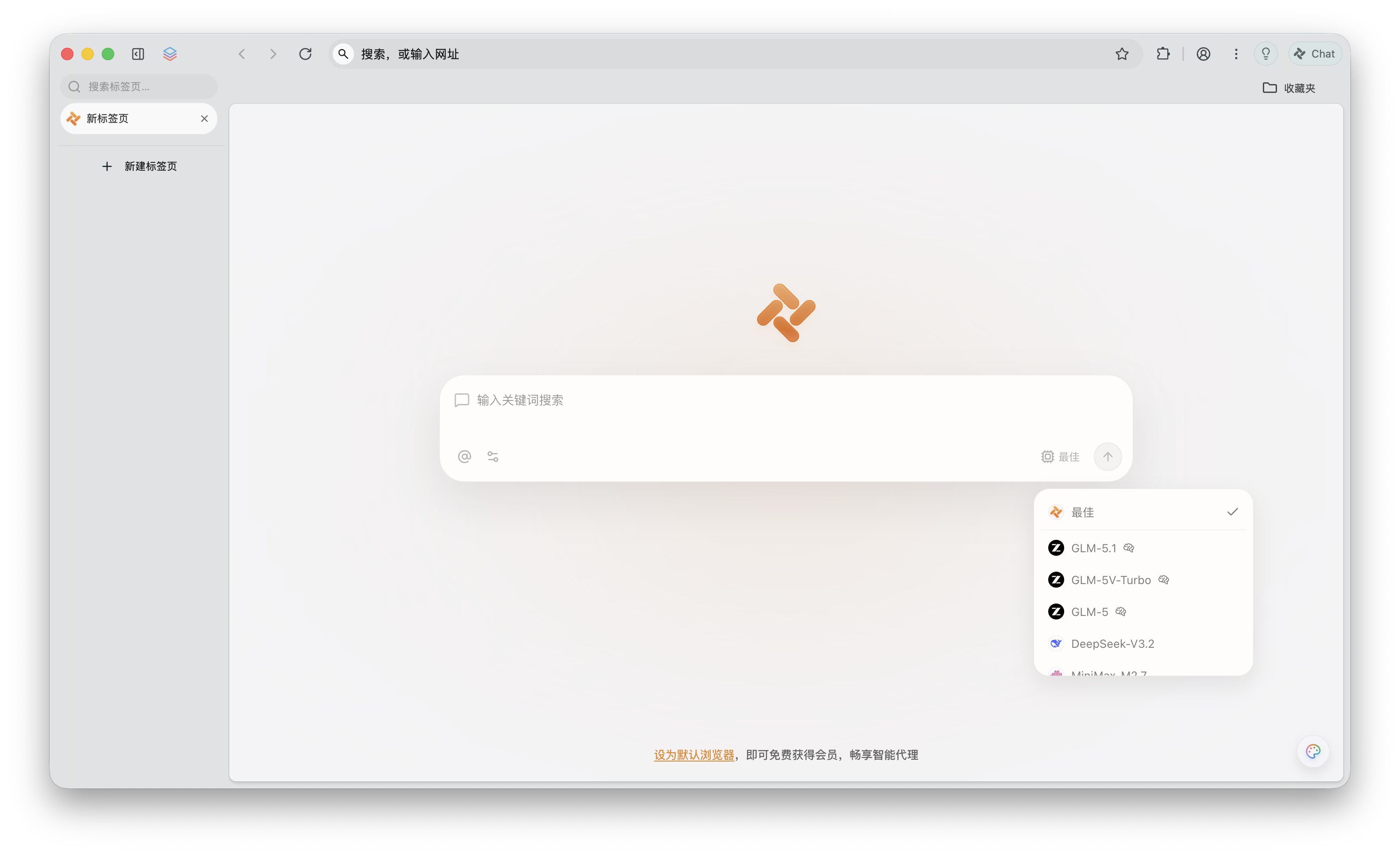
(Image Source: Leitech Graphics)
But I think this design is quite clever. Tabbit isn't a traditional 'browser'; its core is to help users get things done. So, it shouldn't prioritize 'browsing' needs but instead offer a dialog box for direct task assignment.
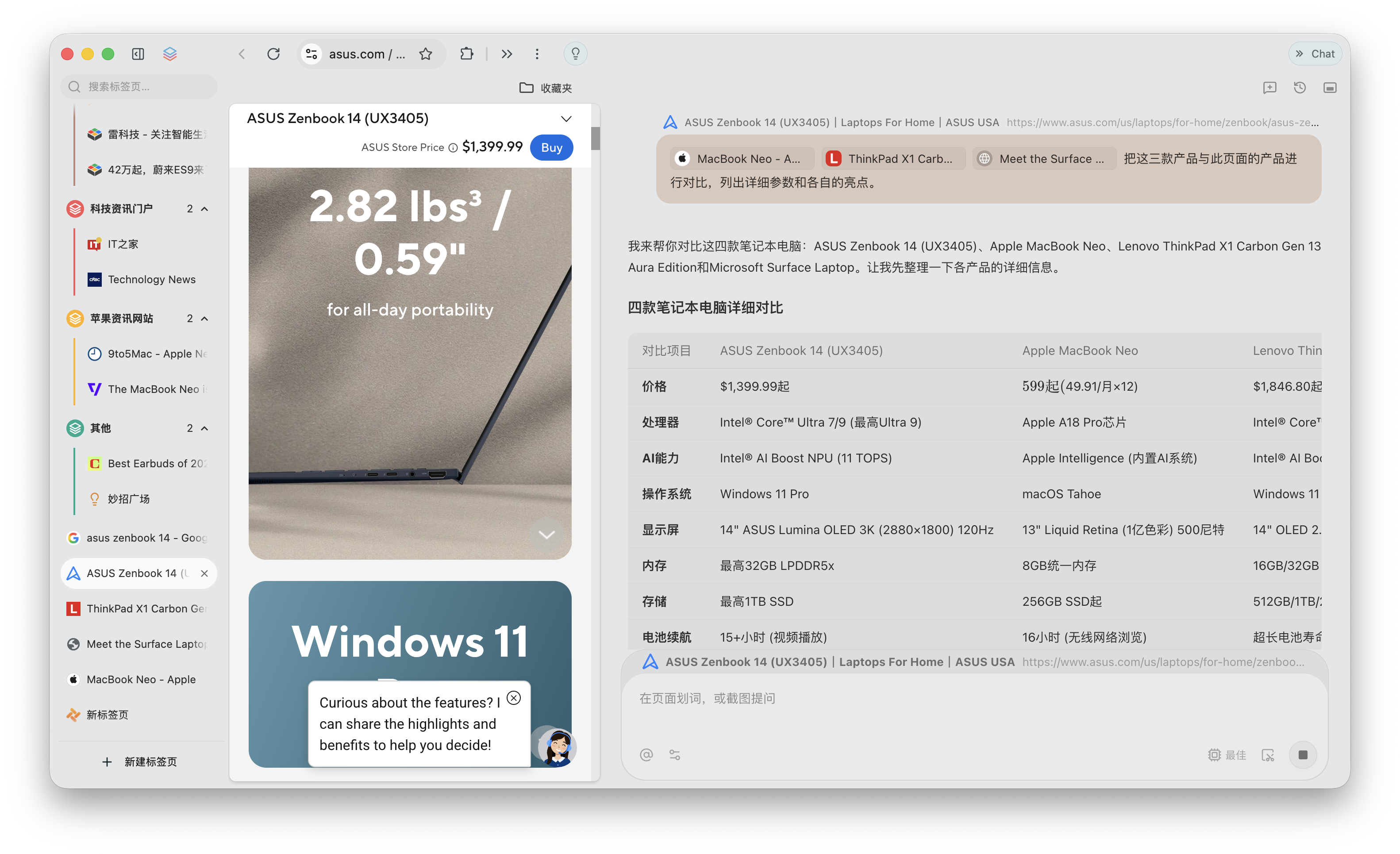
Every day, when we open a browser, we're usually looking for information or browsing content. As an editor, I often need to research extensively, opening a dozen or so web pages as a standard operation. For example, comparing the specifications of the MacBook Neo and Surface Laptop 7 would typically require switching back and forth between pages or opening dual windows for side-by-side comparison.
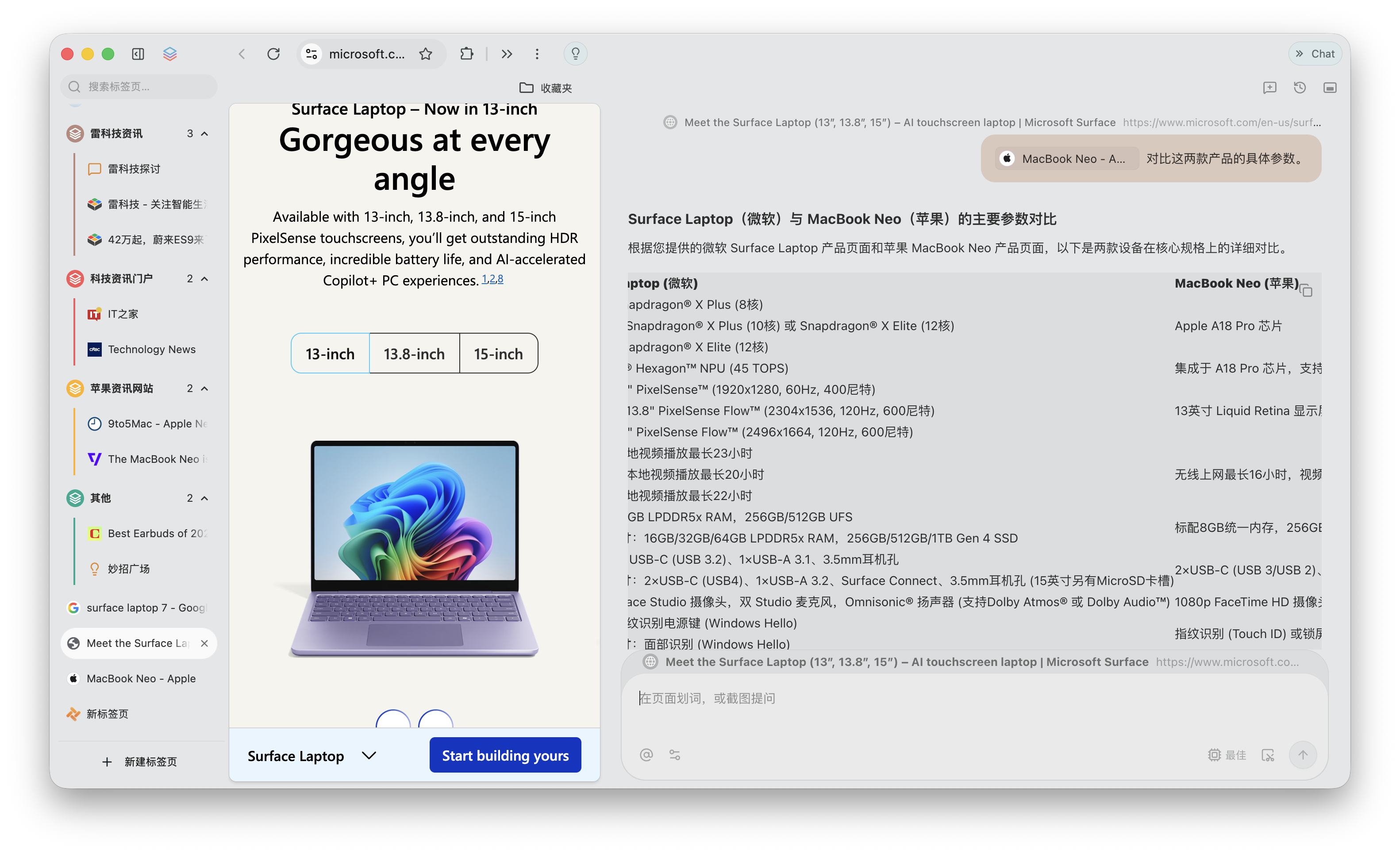
(Image Source: Leitech Graphics)
But with Tabbit, I can open the 'Chat' mode in the top-right corner of one page and directly @ the other product's page to have the model list detailed parameter comparisons, simply and quickly. There's no strict limit to the number of comparisons; even four PC products can be compared simultaneously, eliminating the need for constant tab switching.
(Image Source: Leitech Graphics)
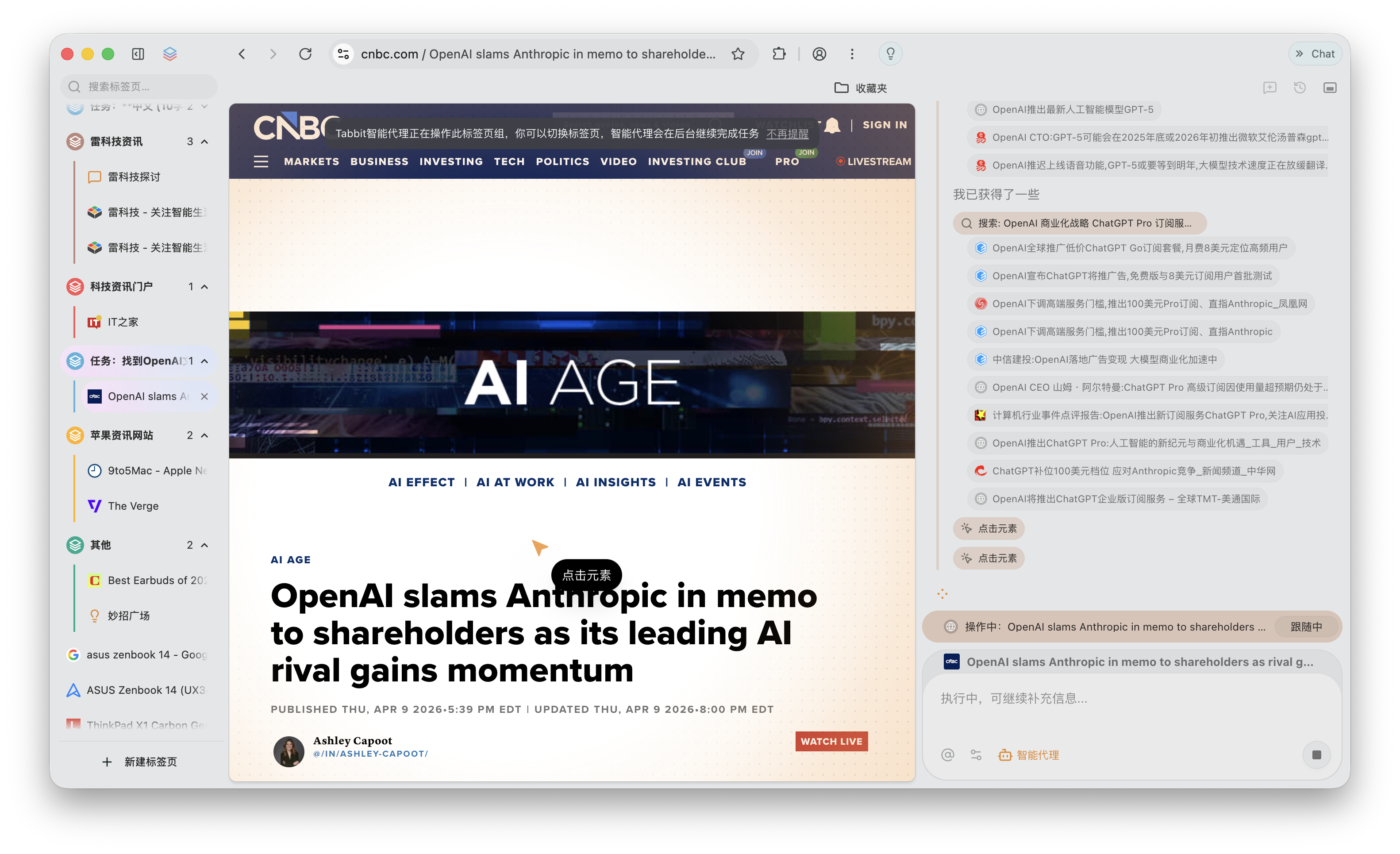
Of course, if you don't even want to do things manually, you can let Tabbit handle them. Just find 'Smart Agent' in 'Chat' mode, input what you want it to do, and it will automatically complete a series of operations on the page. For example, I asked it to find OpenAI-related topics on a news webpage and identify ten angles for in-depth exploration. It started immediately, and I could leave the page while it completed all steps automatically.
(Image Source: Leitech Graphics)
With 618 approaching, I also tried having Tabbit compare prices on a shopping platform. I selected a '128GB memory card' product and asked it to find the lowest-priced option. It quickly found one. It felt like having a real assistant handling all the tedious web-related tasks.

(Image Source: Leitech Graphics)
Automation isn't exactly new in 2026; after all, the 'lobster craze' sparked by Openclaw has exposed most ordinary people to AI automation. But Tabbit offers another interesting feature: script mode.
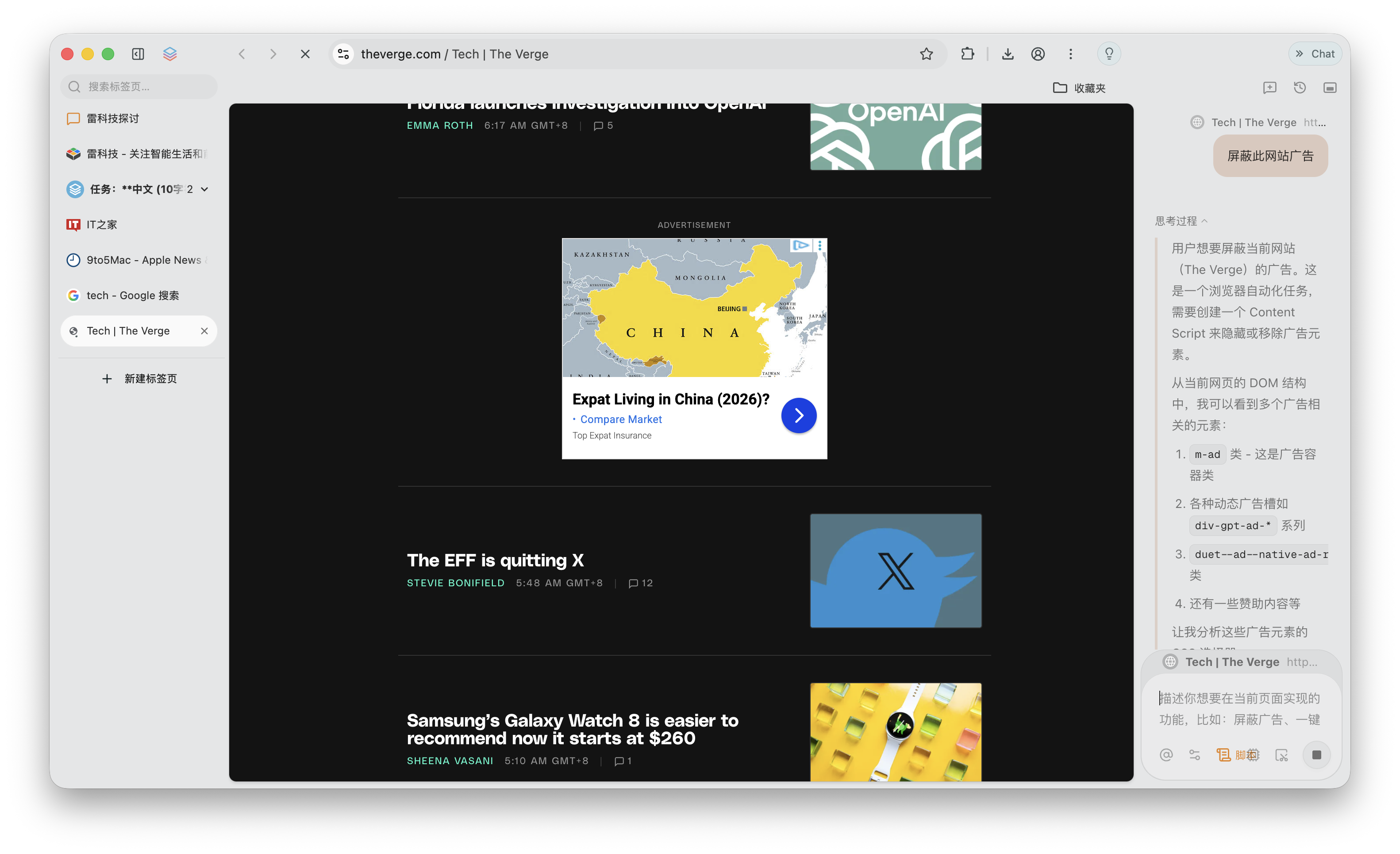
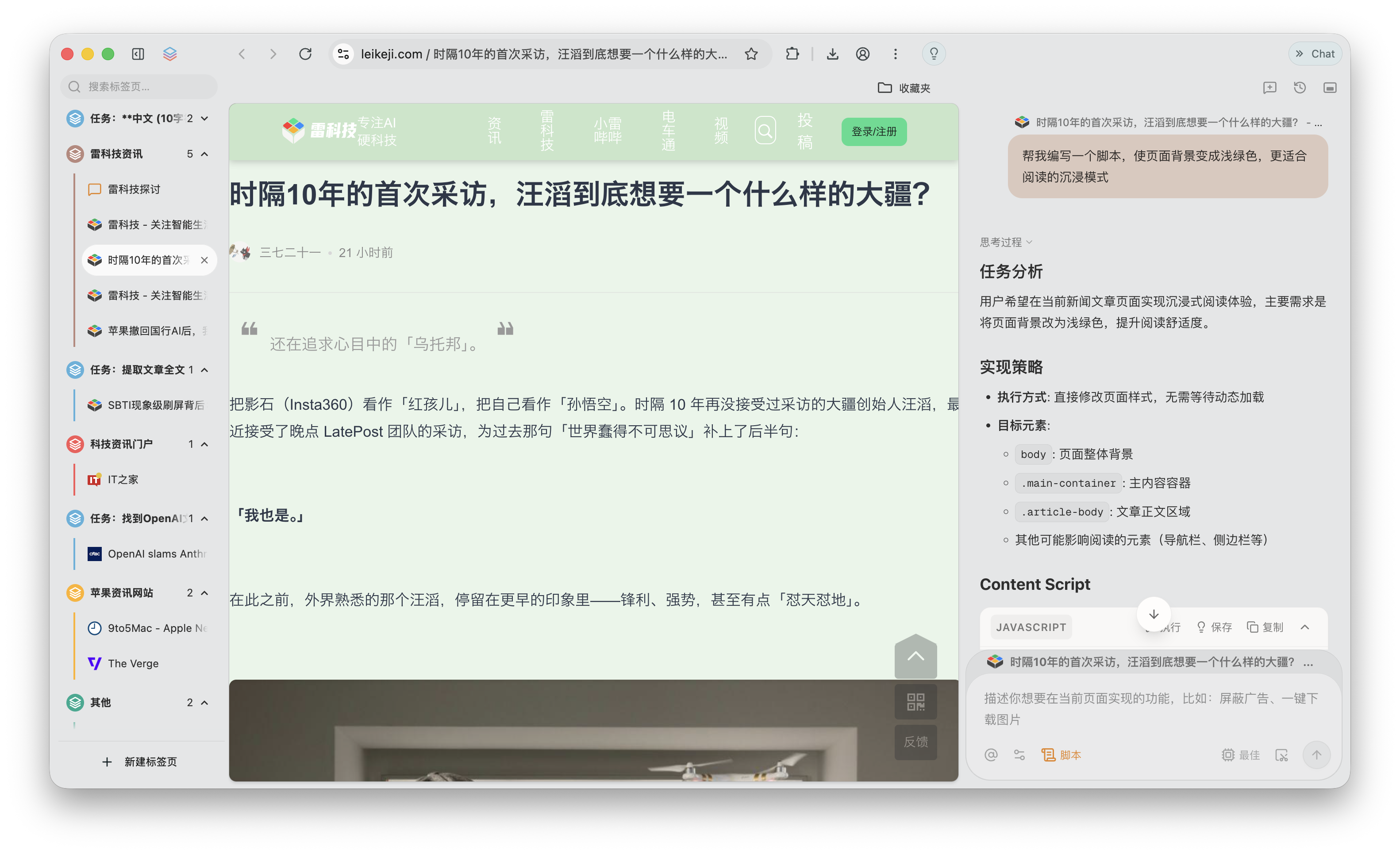
For example, when I opened a news feed website, the page was cluttered with ads, recommended content, and various jump links. Previously, I either tolerated it or installed plugins. Now, I simply told it to 'block all ads,' and it immediately started writing and executing a JavaScript script to remove them all.
(Image Source: Leitech Graphics)
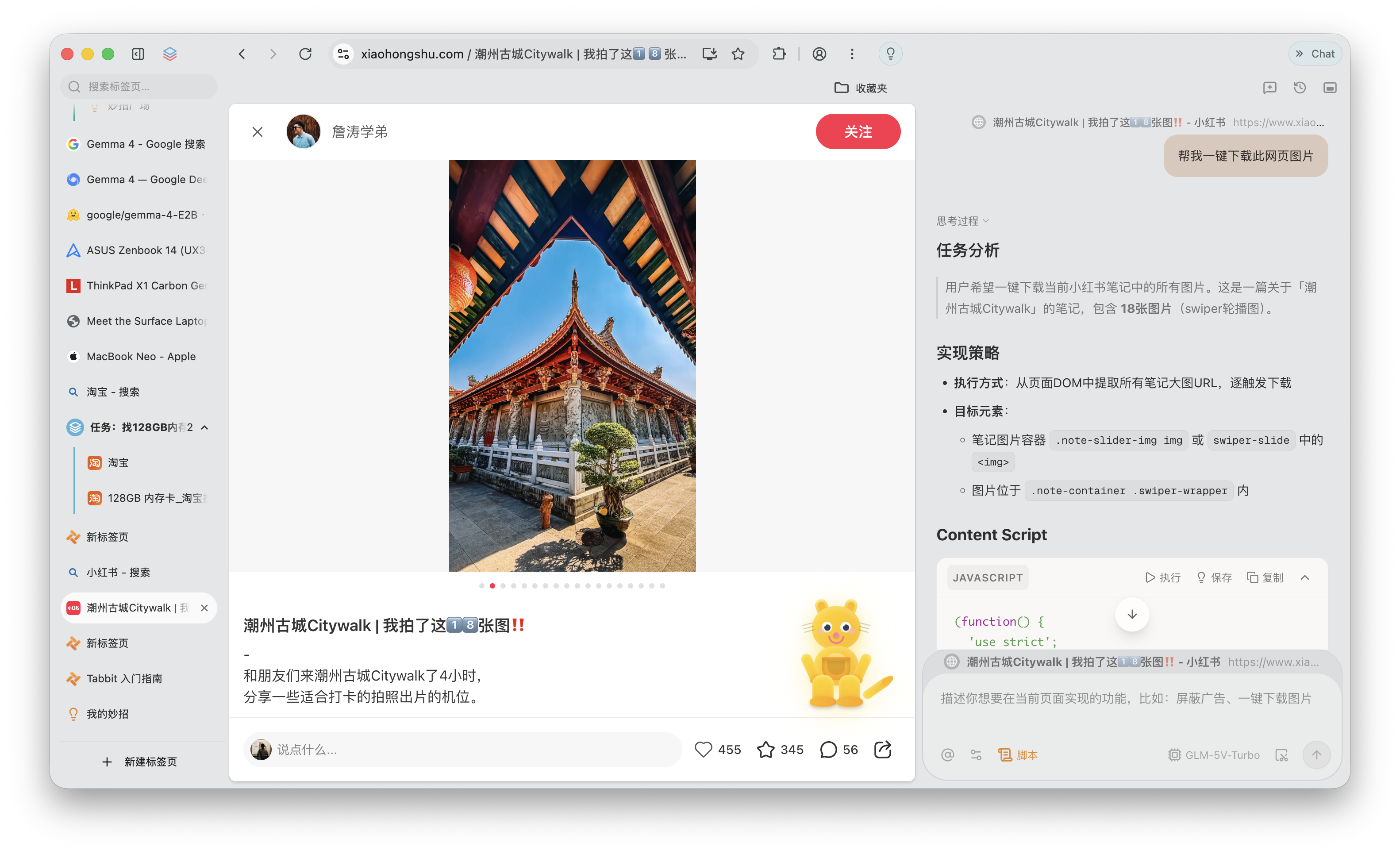
I even thought of some less 'ethical' uses. Some social platforms don't offer direct image-saving functionality, so I tried having Tabbit write a JavaScript script to save images. Surprisingly, it worked smoothly, and the image quality was much better than copying.
(Image Source: Leitech Graphics)
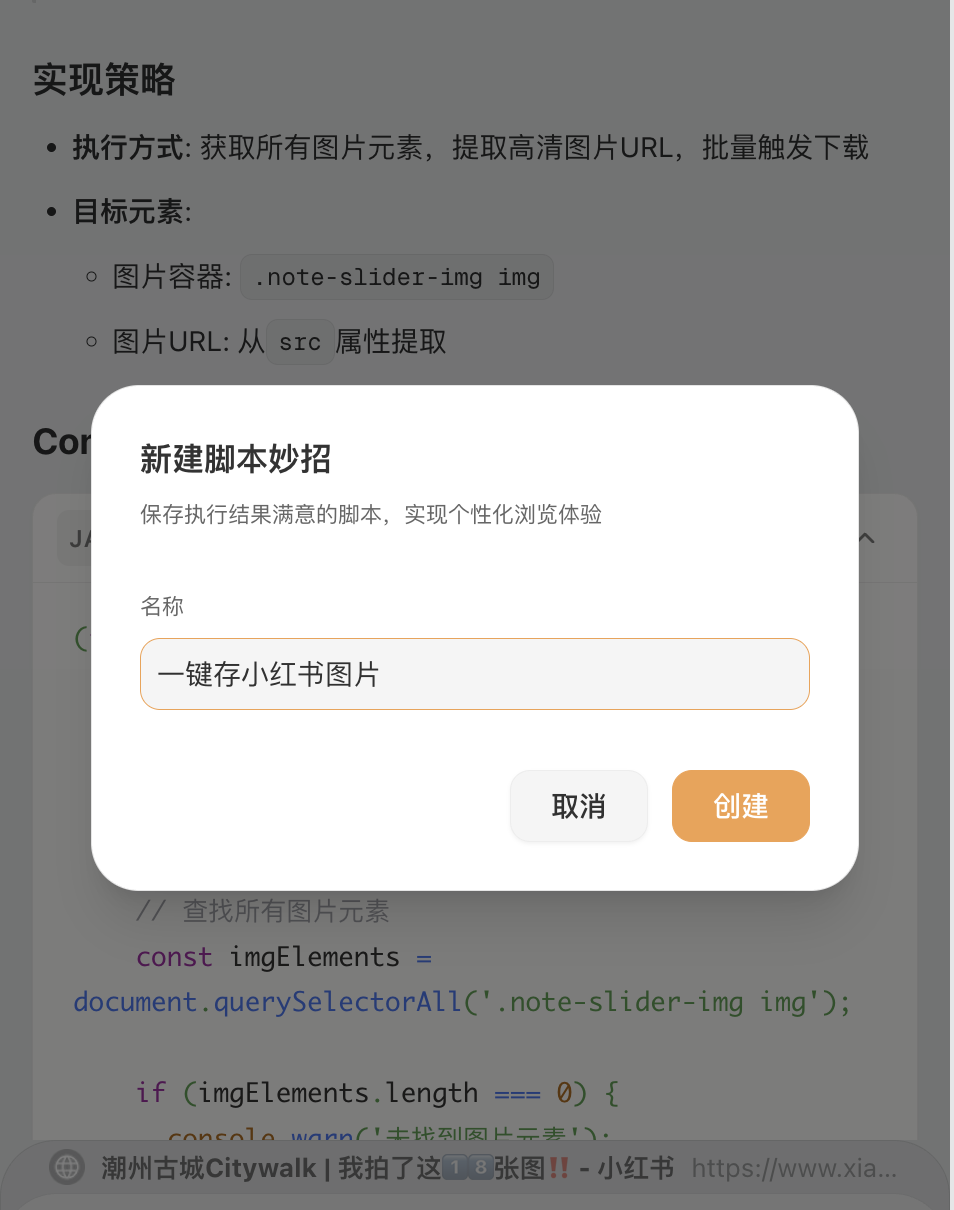
Used scripts can be saved as your 'tricks.' A 'trick' is a pre-written Skill that can be executed via natural language, scripts, or smart agents. For example, I saved my own trick for one-click saving of images from Xiaohongshu. If you don't want to write your own, there are plenty of ready-made tricks in the Trick Plaza, like immersive reading and one-click PDF saving.
(Image Source: Leitech Graphics)
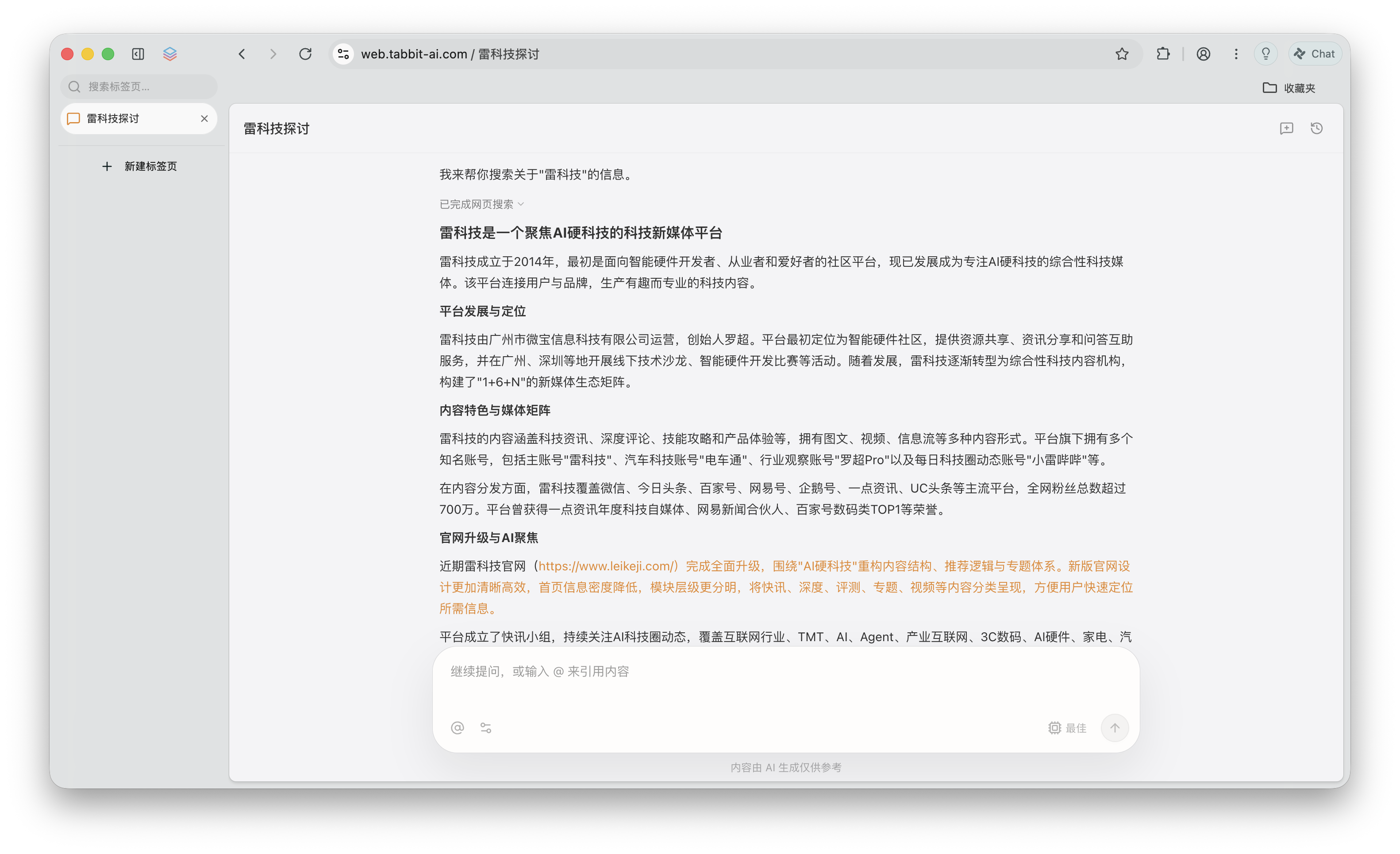
After using Tabbit, I felt it was a somewhat 'unfamiliar' browser. Previously, using a browser mostly involved manually completing a series of steps—searching, opening pages, filtering information, and organizing it—each requiring personal intervention. With Tabbit, manual intervention is minimal; at most, you describe what you want it to do.
(Image Source: Leitech Graphics)
Of course, it's not yet entirely hands-off. Some results still require confirmation, and occasional deviations in operations occur. But at least for tasks like researching and comparing parameters, it already handles a portion of the tedious work.
Excelling at High-Frequency Tasks: Tabbit's Strong 'Work' Capabilities
While all are AI browsers, Tabbit, OpenAI's ChatGPTAtlas, and Kuake offer slightly different experiences.
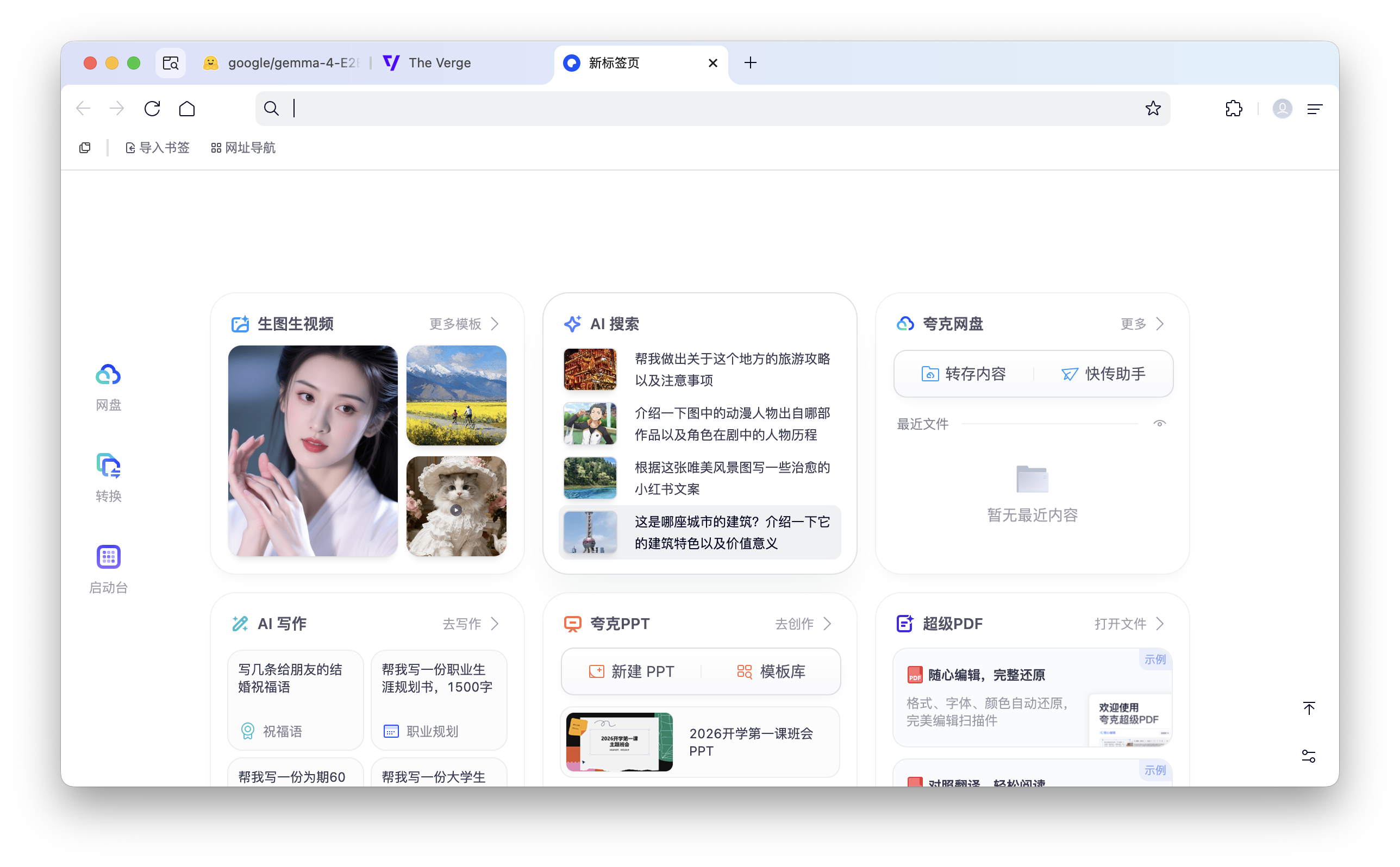
Before Tabbit, I used Chrome, Safari, and Kuake simultaneously. Kuake is a powerful AI toolbox; for example, it can AI-summarize and analyze PDF files and is more convenient for file format conversions.
Kuake also has a dialog box on the right side of the webpage that expands the Qianwen large model, making it very convenient for summarizing web pages and extracting key information. But Tabbit's 'killer feature' is contextual relevance. As demonstrated earlier, it can directly @ other web pages, quote (Note: ' quote ' seems out of context here; it might mean 'reference' or 'cite') their information for comparison or summarization, reducing manual steps compared to single-page information extraction.
(Image Source: Leitech Graphics/Kuake)
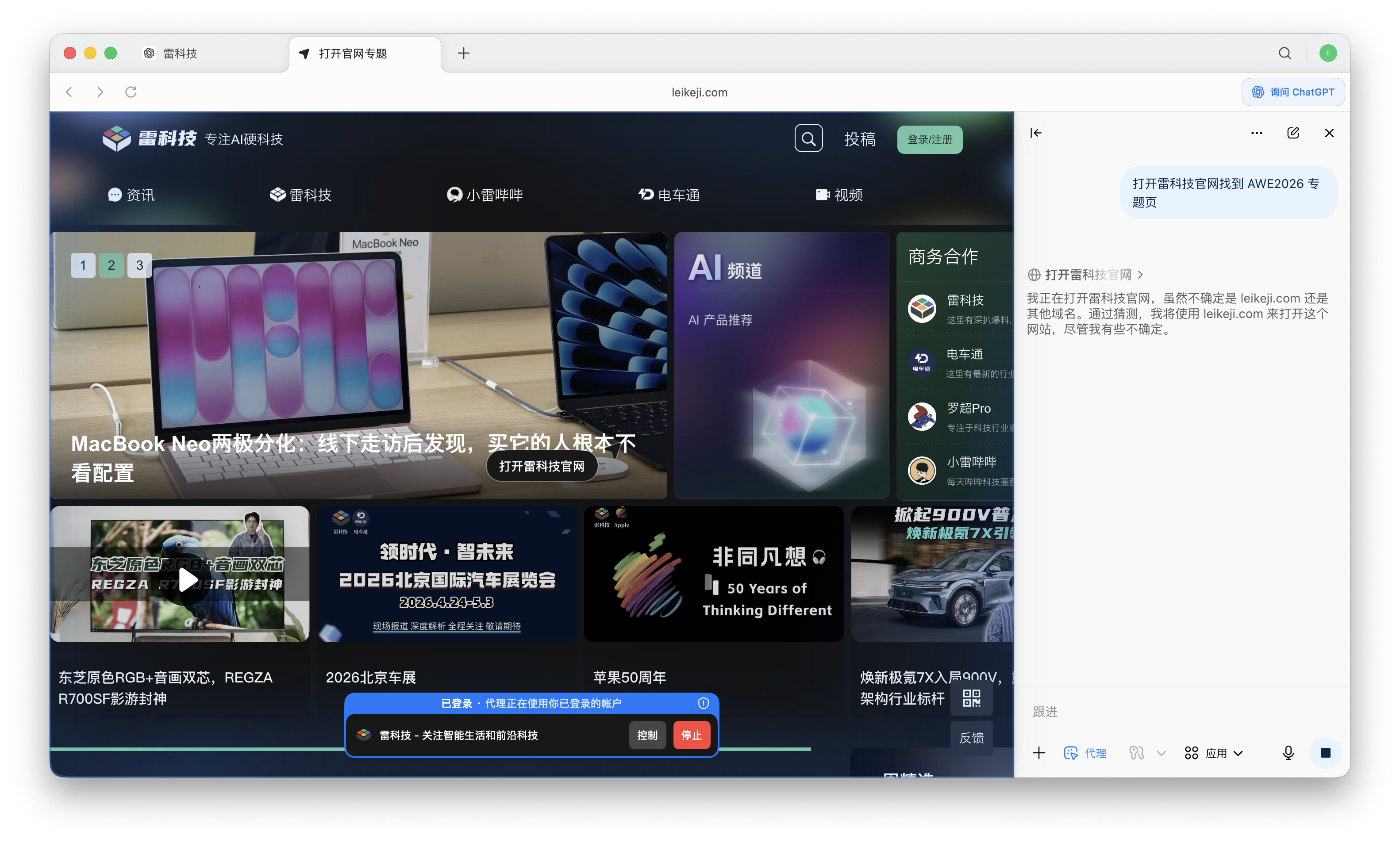
ChatGPTAtlas can also use Agents for automation, referred to as 'Agent Mode.' I rarely use this mode daily because it's too slow, with complex thinking processes and execution steps. Even without manual intervention, the efficiency is too low. In contrast, Tabbit is more efficient, as it integrates multiple models like Kimi, Qianwen, Deepseek, MiniMax, and Meituan's own Longcat large model. By default, it judges which model to use based on demand, but you can also choose freely according to your preference.
(Image Source: Leitech Graphics/ChatGPT Atlas)
Kuake and ChatGPTAtlas each have distinct advantages. Kuake's tools are comprehensive, and it includes cloud disk functionality, but sometimes I feel it's overcrowded with features, making it less like a browser and more like a massive AI toolbox. ChatGPTAtlas is a simple, minimalist browser that, aside from accessing ChatGPT, offers a less satisfying experience than Chrome or Safari.
Tabbit combines the strengths of both. As an AI browser, it retains features that address user pain points while leaving less common ones to be 'handcrafted' by large models. For example, Tabbit won't directly give you a PDF file generator, but if you request it, it will write a script to meet your needs.

(Image Source: Leitech Graphics)
Based on my experience, if I were to summarize these three AI browsers, I'd say Atlas is like a task assistant, Kuake is an AI toolbox, and Tabbit is more like a browser entirely taken over by AI. For long-term writing, keeping multiple web pages open for research, and organizing content, I'd probably prefer using Tabbit consistently.
Quietly Diving Deep into AI: Meituan's Ambitions Extend Beyond Food and Fun
After testing Tabbit, I wondered why Meituan, a company primarily known for its lifestyle service platform (food delivery, instant retail, travel, etc.), could create such a useful AI browser. Tabbit isn't a product developed from Meituan's existing business lines but an AI product created by the 'Beyond Light Years' team led by Wang Huiwen. Recently, a 36Kr interview revealed that the GN06 team (formerly Beyond Light Years) has been tasked over the past two and a half years with finding AI-native growth points outside the main business, with Tabbit being their first consumer-facing product.
Why a browser? Liu Jiong, head of Meituan GN06, explained it clearly: browsers are the closest to 'getting things done.' Many students, self-media workers, and others spend long hours working on computers, and the most commonly used 'tool' is the browser.
(Image source: Leitech Infographic)
In fact, this statement is not false. As an editor, I rely heavily on browsers for gathering materials, verifying information, and even uploading and publishing articles. It is understood that in industries such as e-commerce and design, browsers are also the most commonly used tools when computers are turned on.
Over the past two years, Meituan has made notable moves in the field of AI. Starting from September 1, 2025, Meituan has successively released LongCat-Flash-Chat, LongCat-Flash-Think, LongCat-Video, and LongCat-Image, enhancing its family of large models. AI tools for merchants, such as "Kangaroo Advisor" and "Smart Shopkeeper," continue to iterate, while "Wen Xiaotuan" was officially upgraded to "AI Butler" in February this year, gradually being implemented in local consumption scenarios.
From this perspective, Meituan's venture into AI browsers does not seem to be a "sudden occurrence" but rather a planned and gradual progression. Based on my experience, Tabbit seems to answer a question: Can Meituan's AI succeed if it does not rely on the realms of dining, entertainment, and leisure? Judging solely by the product's capabilities, the answer is affirmative. However, whether Tabbit can become as popular as its predecessors may require time to tell.
Meituan Tabbit AI Browser
Source: Leitech
Images in this article are from: 123RF Licensed Image Library
-
![]()
Is Design the Root of the Problem? The Lexus ES Dilemma: Despite New and Old Models Coexisting Post-Redesign, Sales Plummet by 40%
-
![]()
Are Japanese Automakers Now Taking Cues from China? A Perspective on Japan's Reversal in Learning
-
![]()
In the First Half of the Year, Car Companies’ Profit Margin Plummets to 3.8%! CPCA: Automakers Must Speed Up Battery Production Amid Upstream Pressures | MINGJING Pro
-
![]()
Tesla’s Q2 Revenue Rises, Yet Profitability Slips; Energy Storage Margins Take a Dive
-
Chinese Automakers Strike Gold Overseas: Prices Double?
-
![]()
Joint Ventures, Once Dismissed, Are Now Making a Comeback
-
![]()
Automotive Market News: Retail Penetration Rate of New Energy Vehicles Reaches 62.8%
-
![]()
Once a Sales Leader Among New Car Manufacturers, Now Selling Equipment at Bargain Prices