10-Year Apple Fan Switches to Windows: Strong Compatibility and Gaming, But System Bugs Make Me Want to Go Back
 04/13 2026
 632
632
Windows 11 is Holding Me Back.
Since purchasing my first MacBook Air in 2015, I have been using Apple computers for over 10 years. Apple laptops have always been my primary work devices, and I have consistently used the MacBook Air series. The reason I chose Apple laptops is simple: they satisfy me in terms of design, portability, battery life, screen quality, system stability, and other aspects.
However, Windows ultrabooks have also developed rapidly in recent years, with many domestic brands producing quite impressive products. Among them, there is no shortage of laptops with outstanding overall qualities.
Recently, a large number of Intel Core Ultra 5 models have been shipped, and the impressive performance and power efficiency of this chip left a deep impression on me. Faced with the temptation of national subsidies and initial launch discounts, as well as concerns about future PC price increases, I ordered a Windows ultrabook.
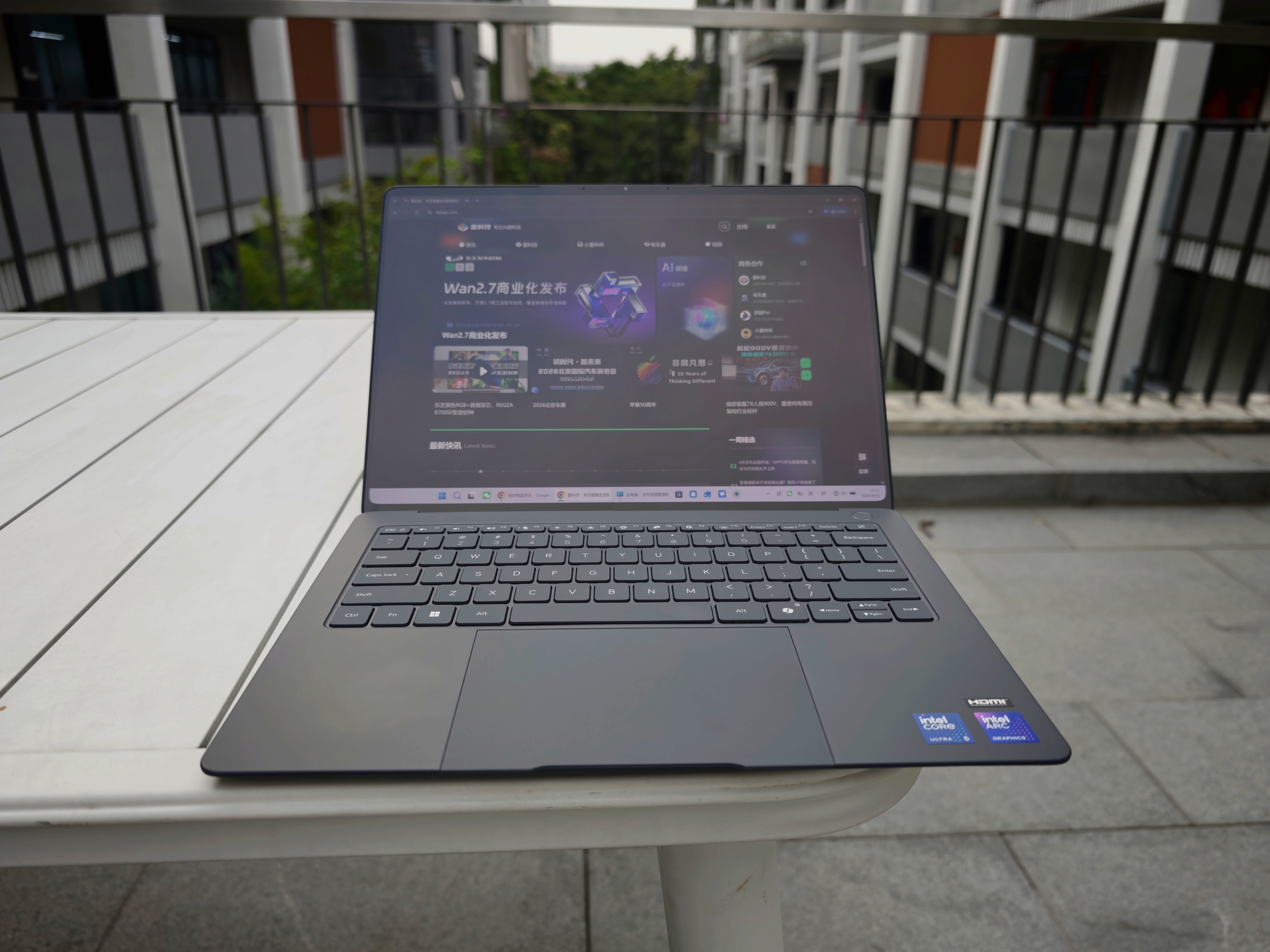
(Image source: Leikeji)
Now, I have been using a Windows laptop instead of a MacBook Air for work for over a week, and it's time to share my experience.
First Experience with Non-Mac Work: Windows 11 is Terrible
Firstly, it should be noted that although my primary computer has always been a MacBook, I still have a desktop Windows 10 computer at home. However, the desktop computer is used relatively infrequently for work, mostly during occasional overtime after work on weekdays and on weekends. Using a Windows laptop for work continuously for multiple days is a first for me.
After using a Windows laptop for a week, my deepest impression is that the Windows 11 system is terrible and directly undermines the overall work experience. Now, let's go through the specific issues one by one.
First Issue: Unstable Network
For a computer, internet connectivity is a fundamental function. However, this issue repeatedly troubled me when using a Windows laptop.
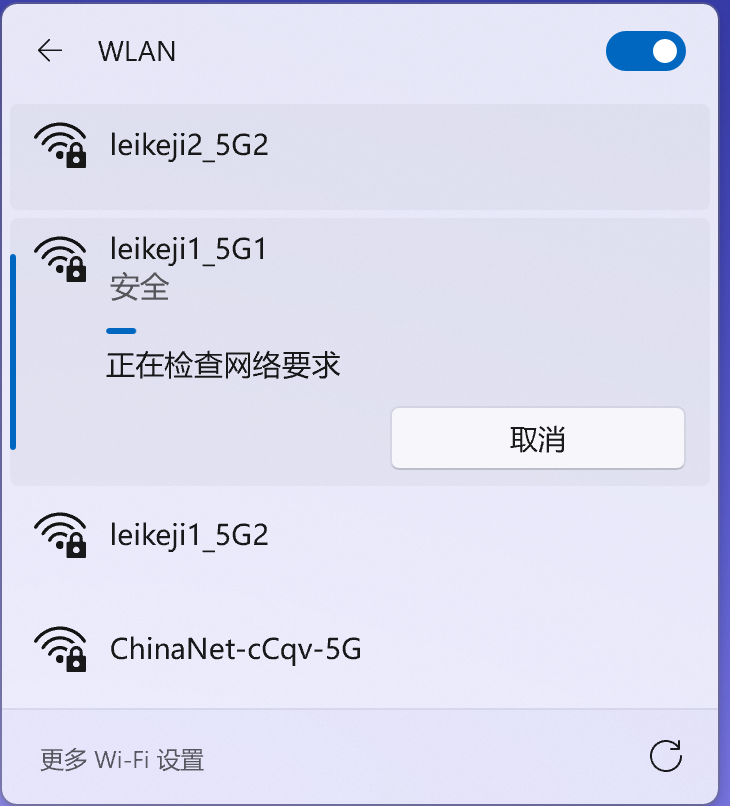
Firstly, I encountered a situation once or twice where the computer couldn't connect to the internet for no reason. The WiFi showed a normal connection, and the router and optical modem were functioning properly, but I just couldn't get online, whether through a browser or apps like WeChat. The solution was also very Windows: restart the computer.
(Image source: Leikeji)
Secondly, I also encountered minor to major issues when connecting to WiFi. Despite entering the correct password, the connection time was very long, and it failed to establish a connection repeatedly. After several attempts of disconnecting and reconnecting, I finally managed to connect successfully.

(Image source: Leikeji)
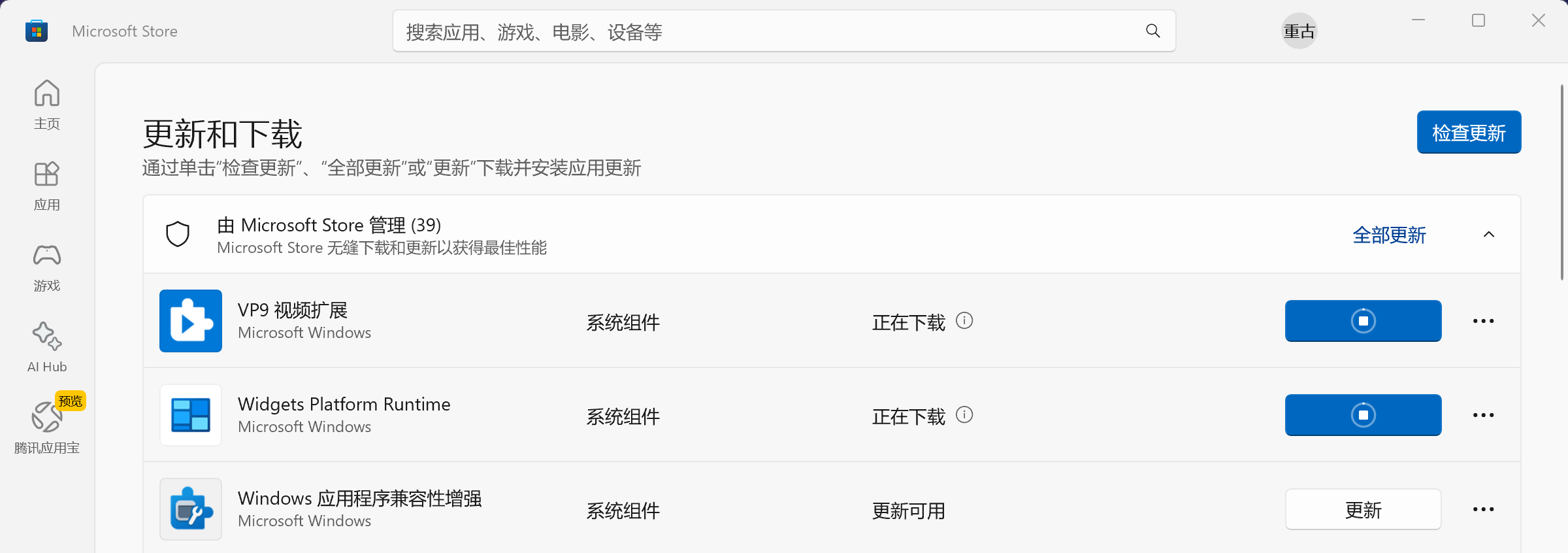
The worst experience, however, was with the extremely unstable network in the Microsoft official app store. To enable the three-finger swipe and drag function on this Windows laptop, similar to that on a MacBook, I planned to download a third-party software.
However, the software's official website did not provide direct download services but gave a link to its page in the Microsoft app store, which then triggered a painful software download experience for me.
(Image source: Leikeji)
Specifically, the Microsoft app store often couldn't be accessed normally. Even if I managed to enter the software download page, there was a high chance that the download progress would stall, with the progress bar continuously spinning.
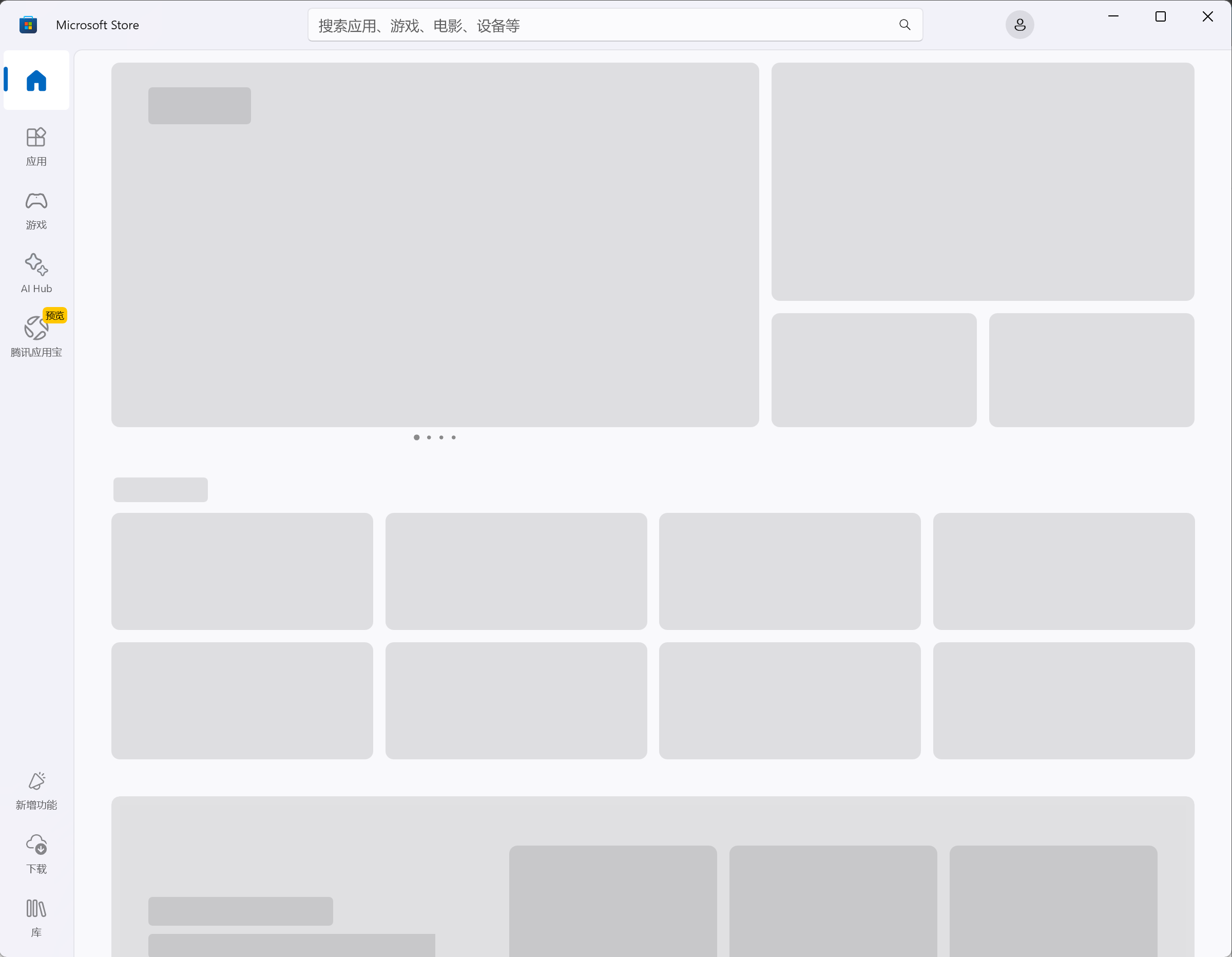
(Image source: Leikeji)
At first, I thought this was due to Microsoft having fewer servers deployed domestically. However, when searching for related issues online, I found that users from Japan, the United States, Europe, and other regions worldwide were also complaining about the Microsoft app store's inability to be accessed smoothly.
Second Issue: No WeChat Notification Preview
I actually noticed this issue before. The Windows version of WeChat does not integrate with the Windows system's notification mechanism, so when a new message arrives, it only flashes the icon without displaying a pop-up window or content preview. Frankly speaking, at first, I didn't think this was a problem, but after using it for a while, I increasingly felt that it was necessary.
During daily work, my main task is content creation, and I am most efficient when I am in a state of immersion. At such times, I don't want to be disturbed. However, I still need to pay attention to messages in various work groups. The function of message preview allows you to quickly understand the general content of a message without any operation and quickly judge its importance, thereby deciding whether to click on it immediately or deal with it later.
After switching from a MacBook to a Windows laptop, this decision-making power was taken away from me. Every flashing WeChat icon became a blind box for me, making it difficult to ignore it wholeheartedly.

(Image source: Leikeji)
Of course, this blame should not be placed on the Windows system but rather on WeChat for not keeping up. In contrast, Feishu on the Windows platform has a message preview function, providing a much better experience in work scenarios.
Third Issue: Power Management Needs Improvement
The Windows laptop I am using has a battery capacity of 72Wh, while the M1 version of the MacBook Air I previously used had a battery capacity of only 49.9Wh. Theoretically, the Windows laptop should have much better battery life. However, the actual situation is not like this.
Firstly, the MacBook Air's power management is excellent. When the lid is closed and it enters sleep mode, its battery consumption becomes very low. Based on my personal experience during business trips, even if the battery health of this Apple laptop is only over 80%, its battery life in offline typing work scenarios can still approach 5 hours.
The Windows laptop, on the other hand, performs poorly in this regard. There is a chance that it fails to enter sleep mode when the lid is closed, resulting in rapid battery drain. Moreover, the Windows laptop has a bizarre bug in my opinion: in sleep mode with the lid closed, if the mouse is touched, the system automatically wakes up. This bug is not new; it has always existed in Windows laptops.
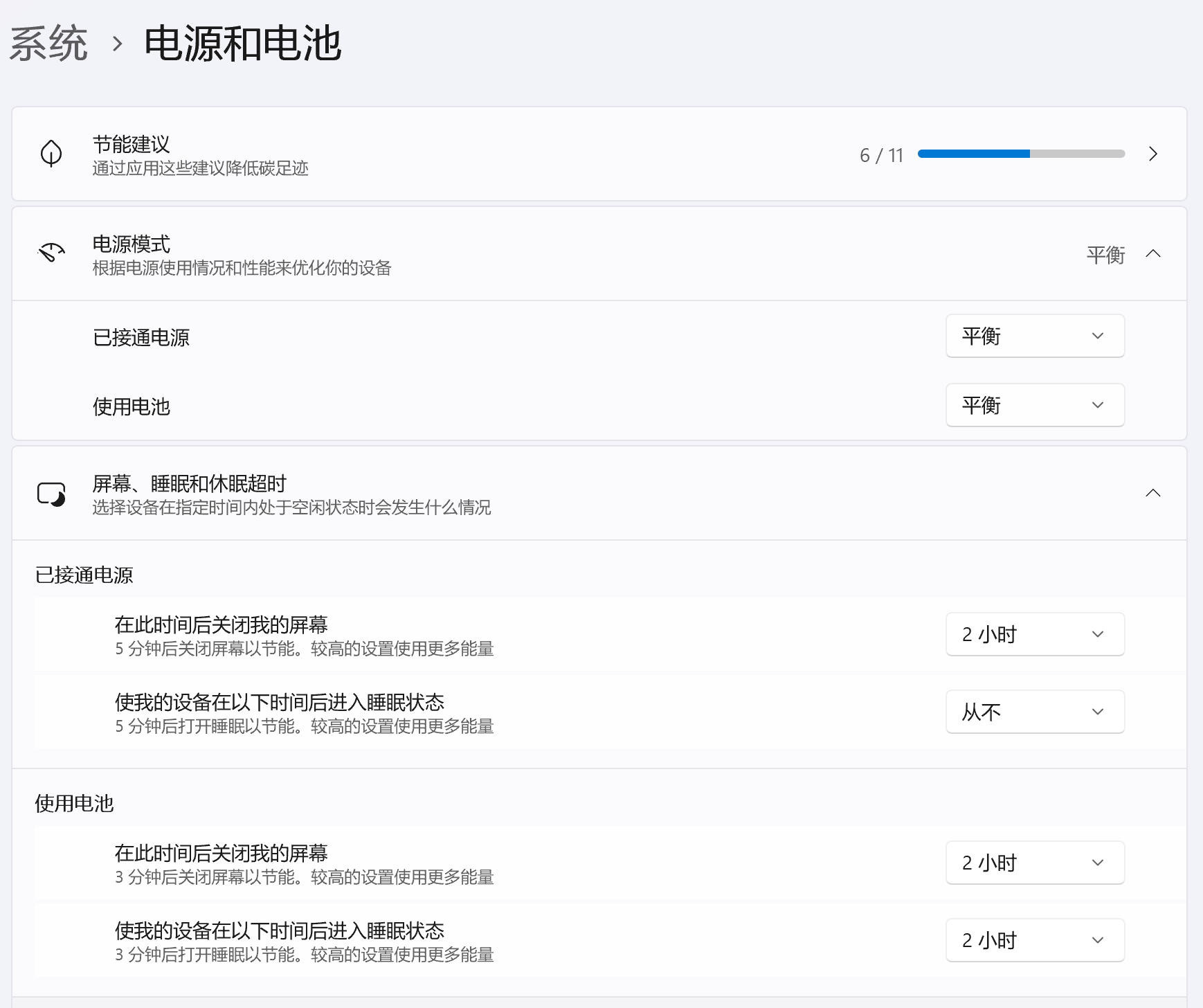
(Image source: Leikeji)
In terms of actual battery life, in an indoor office scenario (screen brightness at 80%, WiFi connected, WeChat open, Chrome with seven or eight static tabs open), the battery consumption is about 15% in one hour and about 33% in two hours. This battery life performance is acceptable, and it can basically last for six hours from full charge to depletion.
It should be noted that during this week of using a Windows laptop for work, I did not encounter too many serious bugs, but the above issues also affected daily use. Moreover, when searching for Windows 11-related issues online, I saw a large number of user feedback and complaints, with many bugs seeming very bizarre to us.
For example, Microsoft released a routine security update on January 13th, which resulted in some Windows 11 computers automatically restarting when executing shutdown or sleep commands; some users' computers experienced touchpad failure after upgrading to Windows 11 24h2; and the update KB5086672 urgently pushed by Microsoft to Windows 11 caused some users' network controllers to fail and WiFi to disconnect.
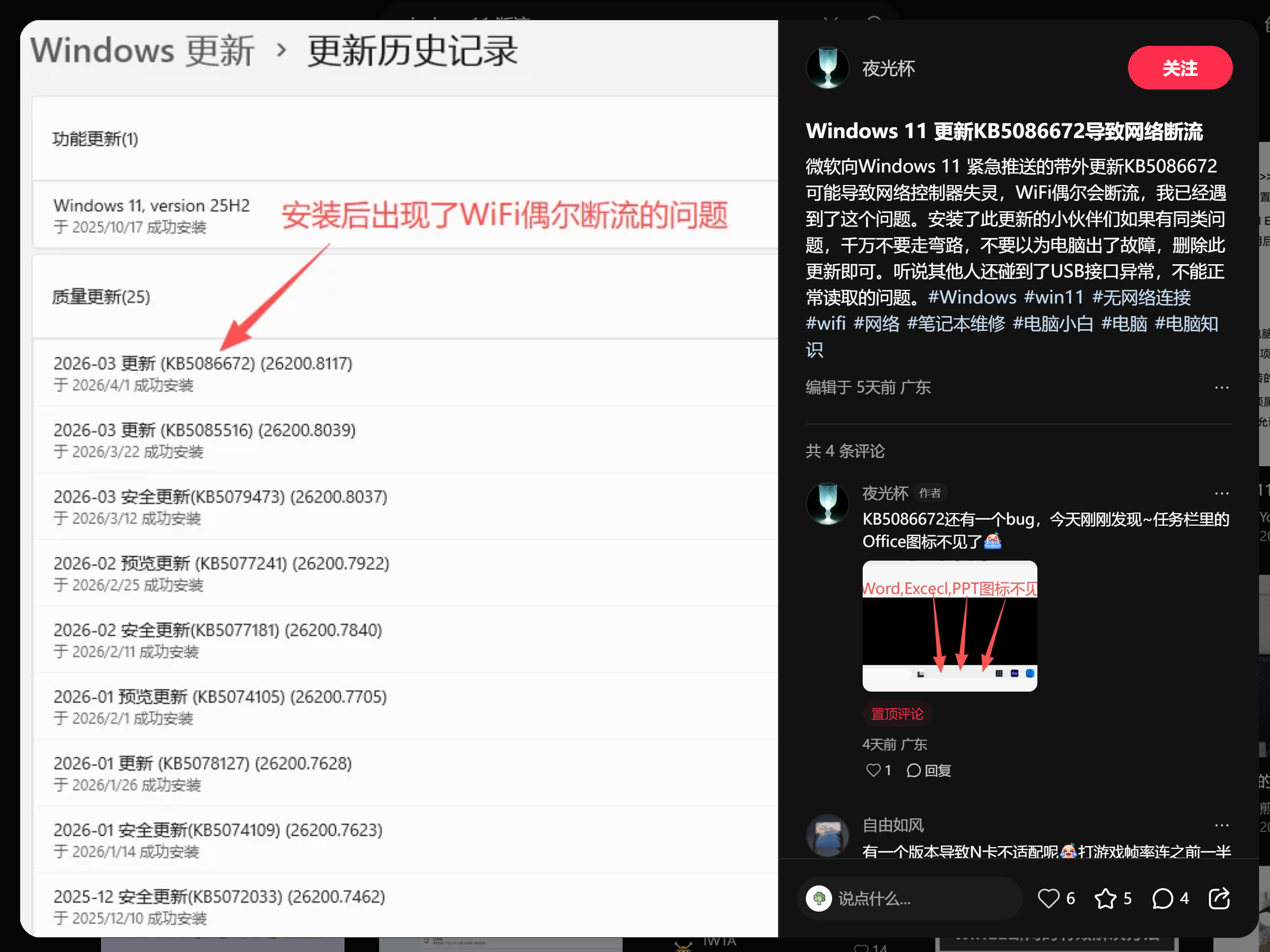
(Image source: Xiaohongshu)
Many users are fed up with the endless bugs in Windows 11 and directly use special methods to disable Windows updates, which is a solution of last resort.
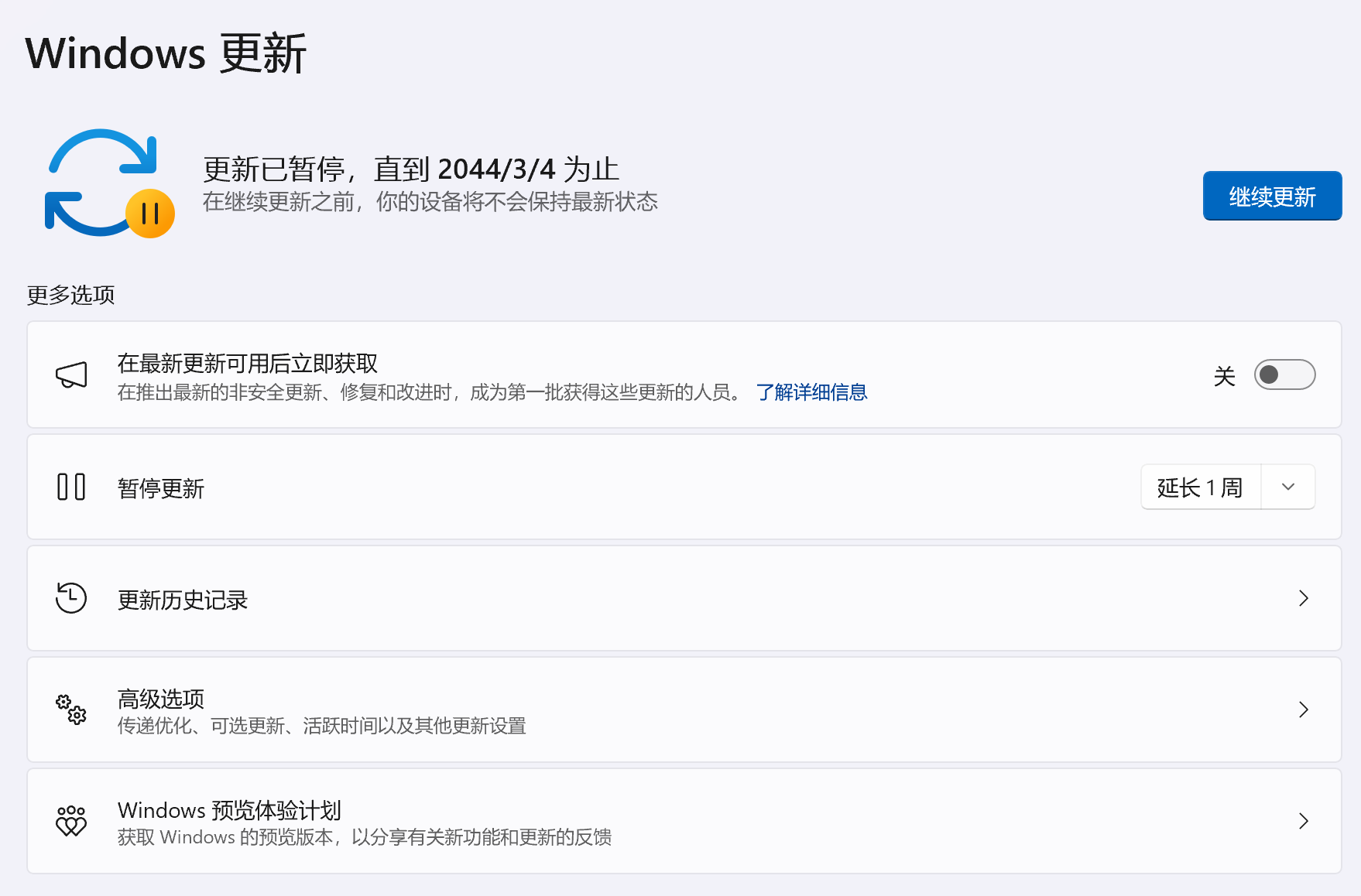
(Image source: Leikeji)
In Terms of Comprehensiveness, Windows Laptops Are Stronger
According to the latest data from Statcounter, Windows currently holds over 70% of the market share in the PC market, while macOS only has 16%. The fact that the vast majority of people choose Windows as their desktop operating system largely indicates that it has irreplaceable advantages. Based on my personal experience, although Windows has various issues, its comprehensiveness is clearly much stronger than that of macOS.
Firstly, in terms of compatibility, Windows 11 can still normally install and run software from over a decade ago, and the freedom of installation is very high. After my MacBook Air was upgraded to macOS 15, many old software programs could no longer be used. Moreover, Mac often imposes some restrictions on third-party software that bypasses the Mac App Store, such as requiring permissions to be opened in the settings and sometimes requiring an administrator password for verification.
Secondly, in terms of gaming scenarios, Windows still outperforms Apple. Although as a work laptop, it is not commonly used for gaming, and in the past, due to performance and heat dissipation limitations, using a Windows laptop to play large games was a strange thing.
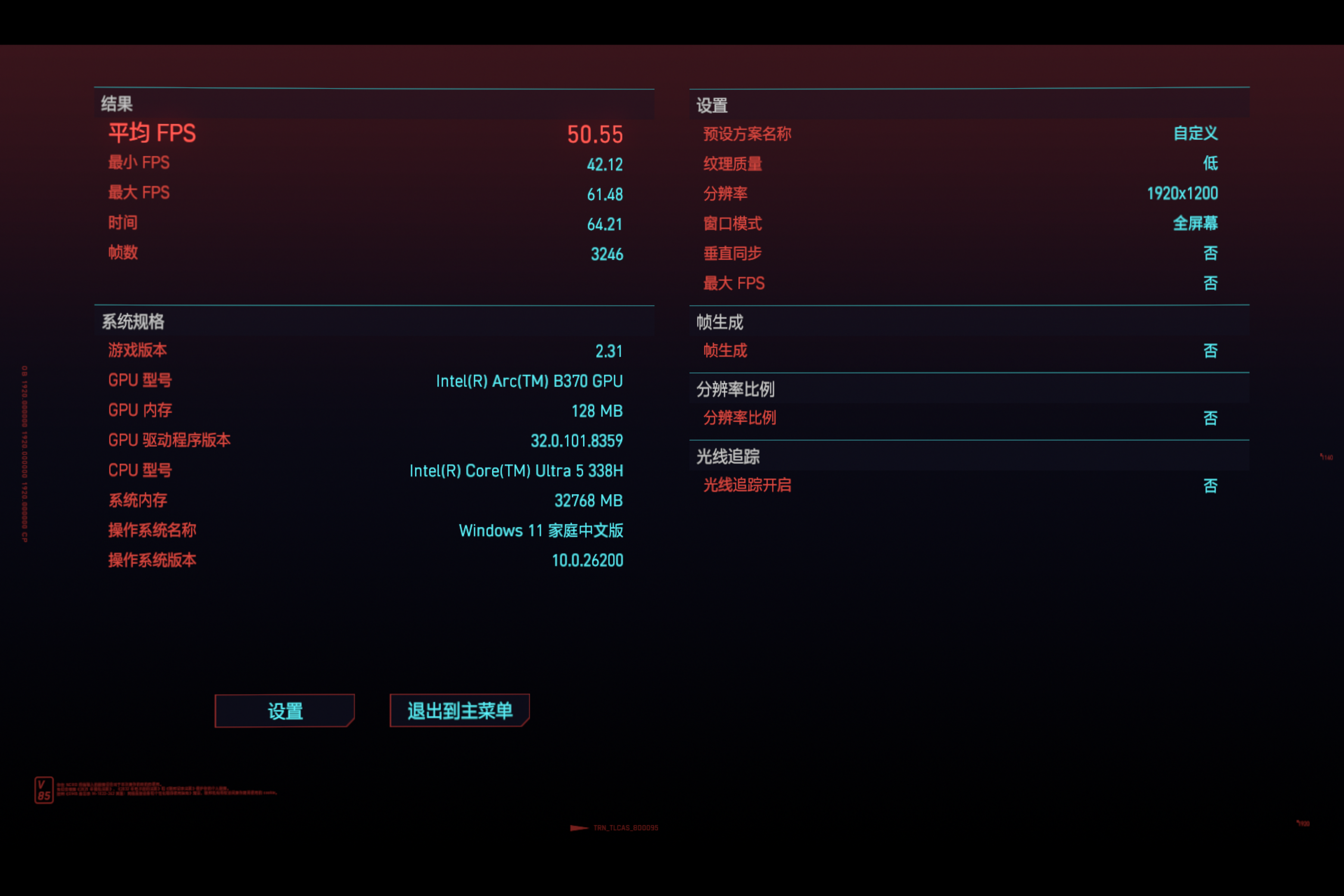
However, the third-generation Intel Core Ultra has significantly improved performance and power efficiency thanks to its advanced process technology. Take the laptop I purchased with the 338H chip as an example. Although it is an ultrathin laptop, it can already run some 3A games smoothly. Take Cyberpunk 2077 as an example; at low graphics settings and 1200P resolution, the average frame rate can reach around 50 frames. In the past, this performance level was unimaginable.
(Image source: Leikeji)
In fact, the gaming performance of Apple's M-series chips is not weak. Take the M4 as an example; its GPU performance is close to that of the RTX4060 graphics card in the mobile segment. However, due to its low market share, not many developers are willing to create games specifically for Mac. Therefore, the M4's gaming performance often remains on paper and does not provide much help in real-world gaming scenarios.
It is worth mentioning that currently, most domestic PC manufacturers have adapted their computer products with corresponding software services. For example, Xiaomi's computer manager has a built-in app store, providing a much better overall experience than the Microsoft official store; it also enables interconnection with smartphones, allowing not only file transfers between different devices but also the ability to control the smartphone from the computer. Huawei laptops, on the other hand, have a built-in mobile application engine in the system, allowing them to run smartphone apps directly on the computer in conjunction with a touch screen.

(Image source: Leikeji)
It can be said that domestic brands are not only filling in Microsoft's gaps and providing alternative solutions but also offering more localized functions while integrating into their own ecosystems, enhancing the overall experience.
Windows 11 Needs a Comprehensive Overhaul
As a long-time Apple user, I often complain about various bugs in iOS and macOS, with iOS 26 being criticized by countless people. However, the number of bugs in Windows 11 and the severity of the critical bugs have reached a bizarre level. It is no exaggeration to say that every update to the Windows 11 system is currently a gamble for users. It may solve one existing bug but is likely to introduce two or three new annoying bugs.
It is no exaggeration to say that global users are already up in arms about Windows 11. Although Windows' market share still significantly leads that of macOS, the latter's market share has been steadily increasing in recent years. Take the newly released MacBook Air M5 as an example; its comprehensive product strength is very formidable, giving it strong competitiveness in the ultrabook market. Following this trend, macOS will gradually occupy territory that originally belonged to Windows and even threaten Microsoft's dominant position.
Of course, Microsoft is not idle in the face of overwhelming complaints. In February this year, Pavan Davuluri, the head of the Windows and Devices department, stated in a media interview that Microsoft will significantly improve the core experience of Windows 11 and acknowledged the system's recurring bugs and performance issues. They will focus on solving Windows 11's stability problems and enhancing the overall user experience in the future.
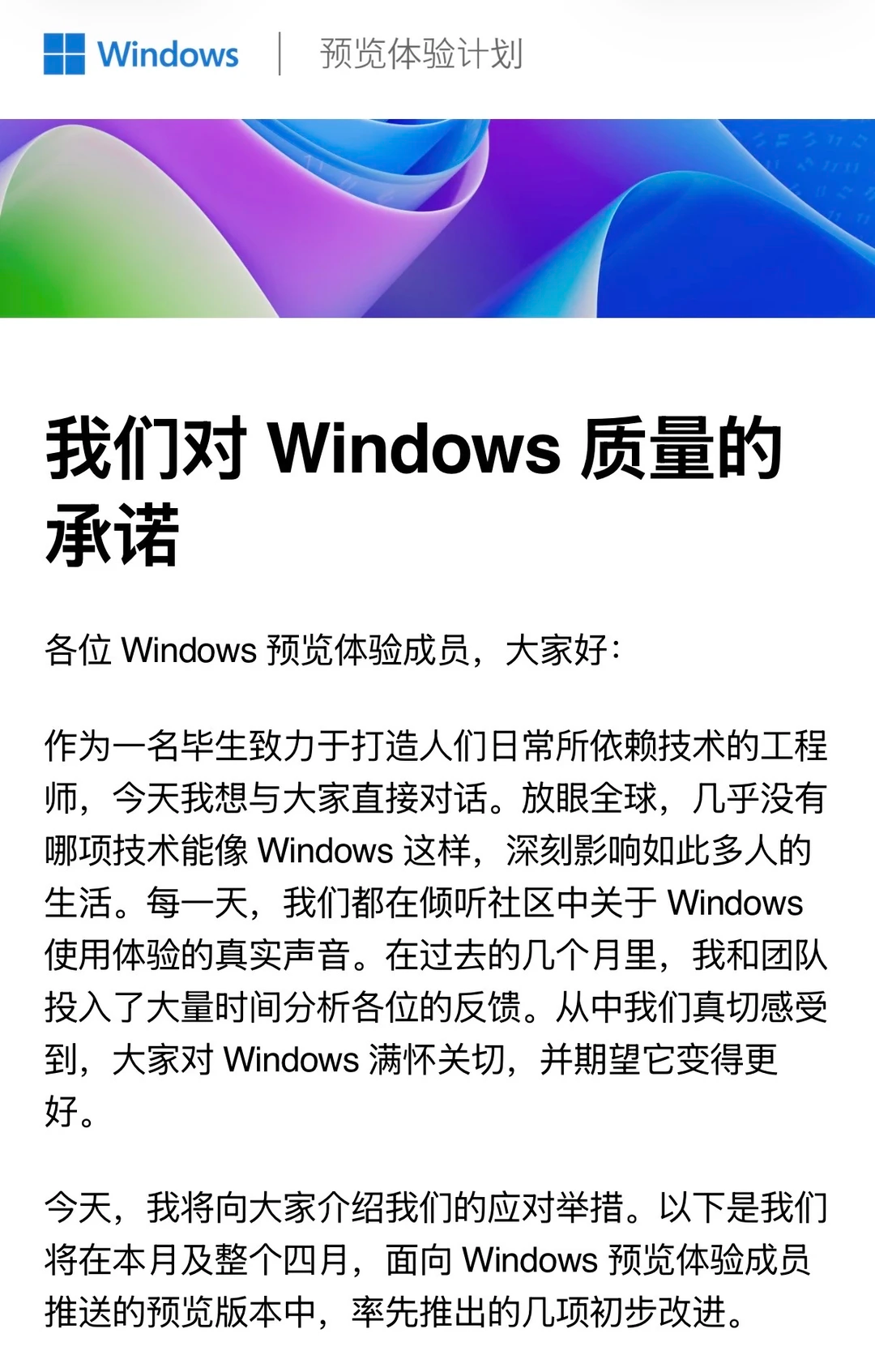
However, users have lost confidence in Microsoft's commitments. A promise was made in February, only to be followed by a critical bug in the March update: many users' computers were automatically restarting every few minutes, with some experiencing issues like the blue screen of death. In March, Microsoft once again made a solemn pledge, releasing an announcement titled 'Our Commitment to Windows Quality.' By April 8th, Microsoft claimed to have resolved all officially tracked bugs in Windows 11 and promptly unveiled the upgrade roadmap for Windows 11 in 2026, indicating 18 key improvements.
(Image source: Microsoft)
From the perspective of Leitech (ID: leitech), Windows involves a far greater variety and number of device types than Apple, with more complex adaptation scenarios and the added burden of historical compatibility issues, making it more prone to bugs. However, the number of critical bugs in Windows 11 has reached a level that seriously affects device stability and usability. Personally, for devices used for work, stability is paramount. Therefore, I believe the safest choice is to temporarily disable Windows updates.
Finally, let's discuss a 'frequently debated' issue: Should you choose Windows or macOS for your office laptop?
Interestingly, over the past two years, more and more editors at Leitech have switched their office computers to MacBook Air. Without exception, their reasons for switching to the Apple camp include the more stable and reliable system, which is crucial for productivity tools. After a week of experience, I personally still feel that Mac is more suitable for me.
Of course, everyone's actual situation is different. The choice between a MacBook and Windows ultimately depends on the specific scenarios involved in your work. If you need software that is only compatible with the Windows platform, then a MacBook is obviously not suitable. If you hope your computer can also provide entertainment and gaming functions outside of work, then a Windows laptop is still more appropriate.
Overall, the MacBook remains a product with very distinct advantages and disadvantages, suitable for those who clearly understand their needs. Despite the ongoing issues with Windows, its irreplaceable versatility still makes it the least bad choice for many people.
Windows, Windows 11, laptop, PC, Microsoft, Apple
Source: Leitech
Images in this article are from the 123RF licensed image library.
-
The Backside Knife Skills of vivo S60 and OPPO Reno16
-
![]()
Breaking News | Core Chip Team Member Unexpectedly Changes Jobs! OpenAI Transforms into Anthropic's Talent Hub, with Over 15 Ex-OpenAI Core Members Now Holding Key Roles at Anthropic
-
![]()
When European Factories Face Idle Capacity, Chinese Brands Offer a ‘Traditional Chinese Remedy’
-
![]()
SEER Robotics Passes IPO Hearing: How Valuable Is the 'First Robot Brain Stock?'
-
![]()
5 Years, 170 Billion Yuan Wealth Vanishes: Where Did Wei Jianjun Go Wrong?
-
![]()
What Exactly Has Changed with the AI That Automatically Opens a Browser to Search Xiaohongshu?
-
![]()
Over 3,000 Heat-Related Deaths Daily, Yet India Imposes Ban on Chinese Air Conditioner Imports: Unraveling the Underlying Motives
-
![]()
Second-Hand Car Prices Plummet: Are Gasoline Vehicles on the Verge of Collapse?