QianWen Table Agent: Highly Efficient for CRUD, Yet Human Expertise Needed for Advanced Analysis
 04/15 2026
 619
619
Office workers, brace yourselves.
Here's the scoop: QianWen's Table Agent can now handle Excel—meaning office workers might soon face some stiff competition.
On April 14, 2026, QianWen officially unveiled its 'Table Agent.' Gone are the days when data could only be presented using HTML tables. The new Agent feature enables QianWen to generate downloadable Excel files. Moreover, once users upload an Excel file, QianWen can perform CRUD (Create, Read, Update, Delete) operations and modify its content.

Image source: Lei Technology
As an editor at Lei Technology (ID: leikeji), Xiaolei is optimistic about QianWen's new Agent. Whether for work tasks at Lei Technology or personal projects, Xiaolei frequently uses Excel. With its extensive array of formulas, data analysis capabilities, and drill-through features, Excel can be quite challenging for the average person to master. By instructing QianWen and letting the QianWen Agent handle the tables, efficiency is undoubtedly enhanced compared to figuring it out alone.
So, just how capable is this new Agent that Lei Technology is excited about?
Basic Capabilities, but Extremely Efficient
Let's start with the most fundamental function: table summarization.
Recently, Xiaolei was in the market for a new set of tires for his car. With numerous high-performance street tire options available—ranging from the seasoned PZ4 to the newer MC7, as well as the SC7 and PS4S—each tire boasts different wear coefficients and drainage capabilities. Searching for this information one by one on official websites is incredibly time-consuming.
However, by simply entering the required tire specifications into QianWen's chatbox, the QianWen App automatically gathers the relevant data and uses the Table Agent to create an Excel file, directly outputting a comparison result. For tables with minimal data points, the Table Agent can generate the corresponding file in under a minute.
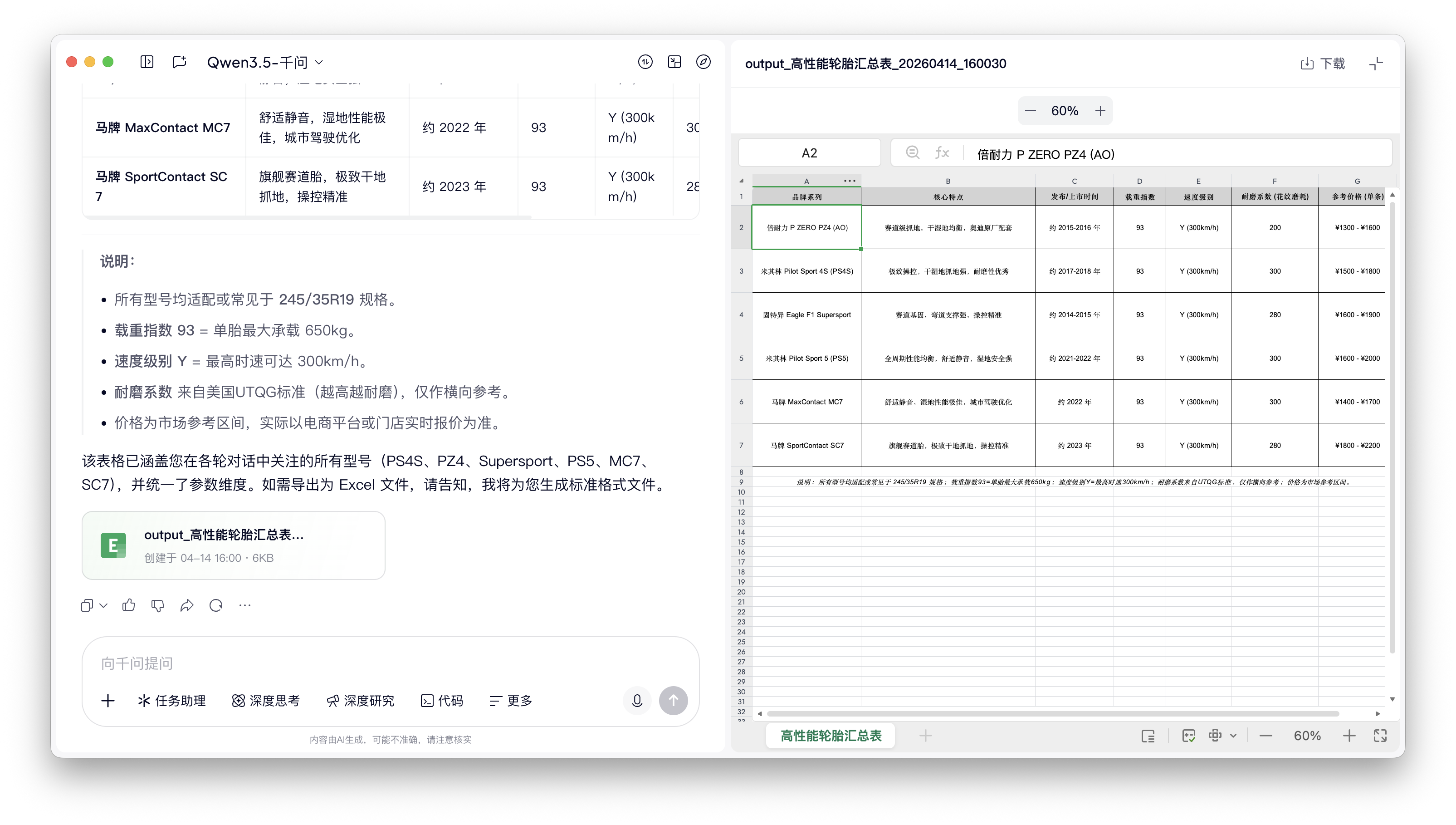
Image source: Lei Technology
Creating simple tables is a breeze, so let's delve into more complex data organization and categorization tests. Next week, Lei Technology plans to feature an article on the 'Apple App of the Year,' summarizing the apps that have earned this title over the past decade and discussing, based on their respective categories, how our needs and expectations for apps have evolved over the past ten years. Which categories of apps are most likely to produce hits?
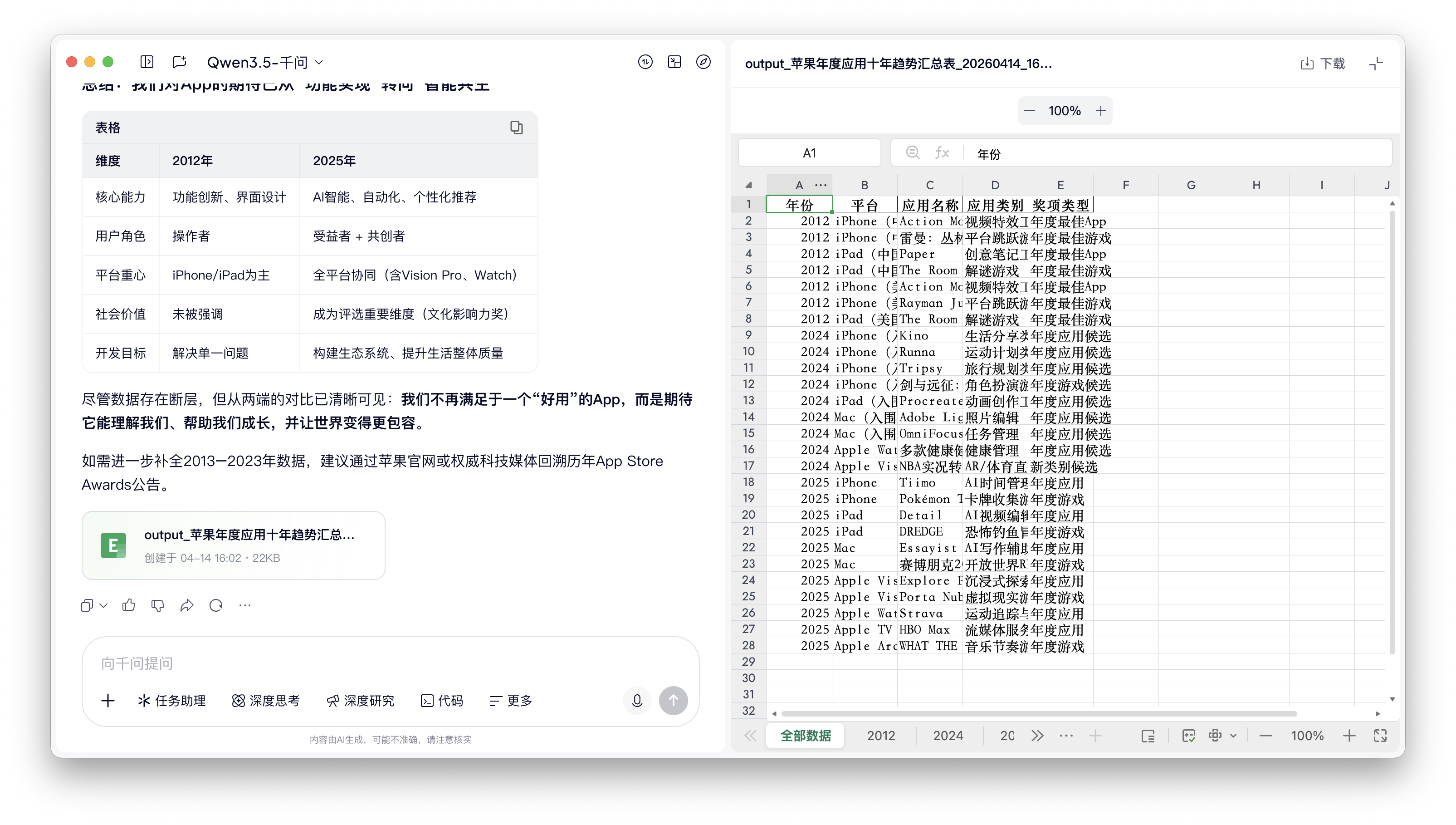
Image source: Lei Technology
Similarly, by simply stating 'what is needed' in QianWen's chatbox, QianWen automatically completes the data collection and table organization workflow, labeling the data accordingly.
It's worth noting that in both tasks mentioned above, no 'prompt engineering techniques' were employed. Instead, natural language, as we normally speak, was used. Even with such 'novice-level' requests, QianWen's Table Agent accurately completed the relevant operations.
Outputting Excel tables is just a basic function of the Table Agent; performing CRUD operations on table data is the current technical challenge for the Table Agent. Here, Lei Technology designed a relatively complex task for QianWen's Table Agent:
- Compile statistics on the qualifying and race results (including finishing positions, times, and time differences compared to teammates) of 20 drivers in the F1 2025 season and output them in an Excel table.
- Re-upload the outputted table to the Table Agent and request that it add supplementary data to the table.
From here, the limitations of the Table Agent begin to surface.
Firstly, the Table Agent relies on QianWen for data acquisition, and the current AI search results are not 100% accurate. For instance, in this test, when outputting the first table, the basic information about the driver was incorrect (Sergio Perez had left Red Bull Racing by 2025).
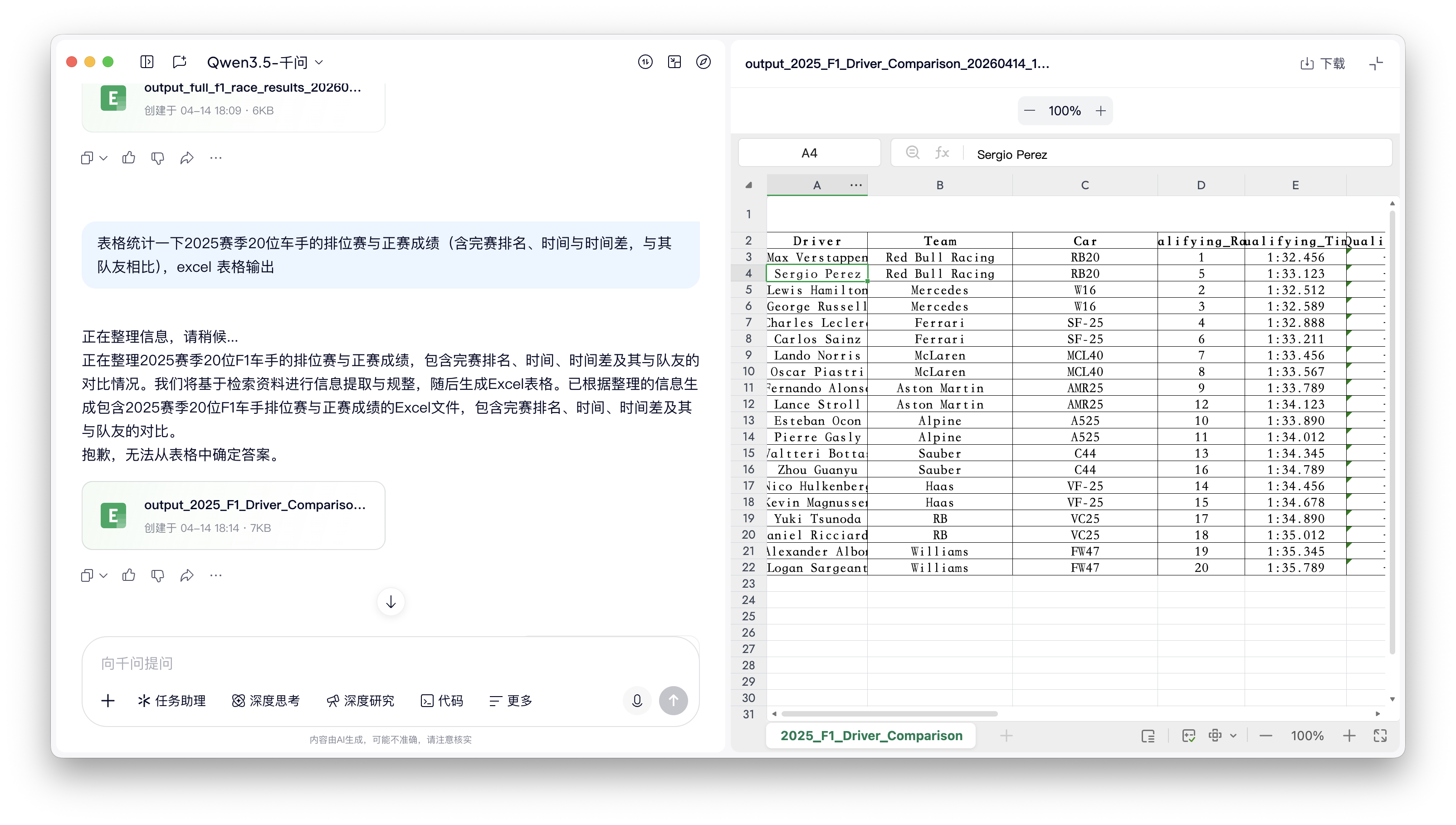
Image source: Lei Technology
As for the table outputted after the Table Agent added supplementary data, errors also occurred with the sheet tabs: the Table Agent could not correctly read the data labels it had generated previously and had to add a new 'Unnamed' label above each one.
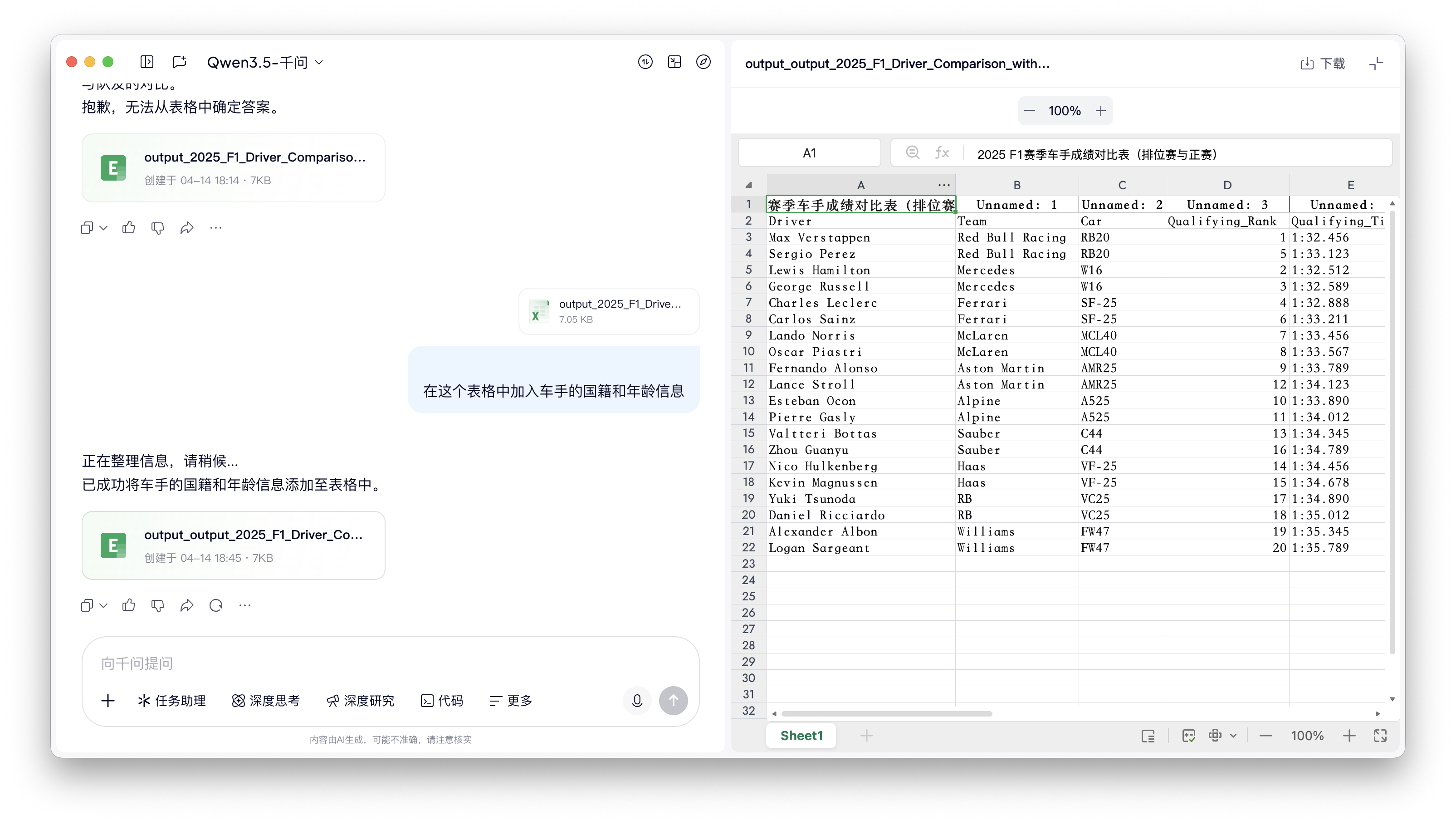
Image source: Lei Technology
Of course, as the most complex application in the 'Office suite,' Excel is far more than just a simple table creation tool. Complex functions like data analysis and mathematical modeling are where Excel truly shines. To test the real capabilities of the Table Agent, Lei Technology also prepared an 'Excel Modeling Test' for it:
I currently drive a gasoline car and plan to switch to an electric vehicle, so I'm evaluating the economic feasibility. Can you fully consider parameters such as fuel consumption, electricity consumption, fuel and electricity costs, insurance, maintenance cycles and costs, annual mileage, vehicle residual value, new car price, and expected service life to establish a mathematical model for calculating the payback period of switching vehicles?
Clearly, for such complex content, the Table Agent's computation time was much longer than in the previous small tests, taking nearly a minute to complete the basic model inference and about 3 minutes to create the Excel file.
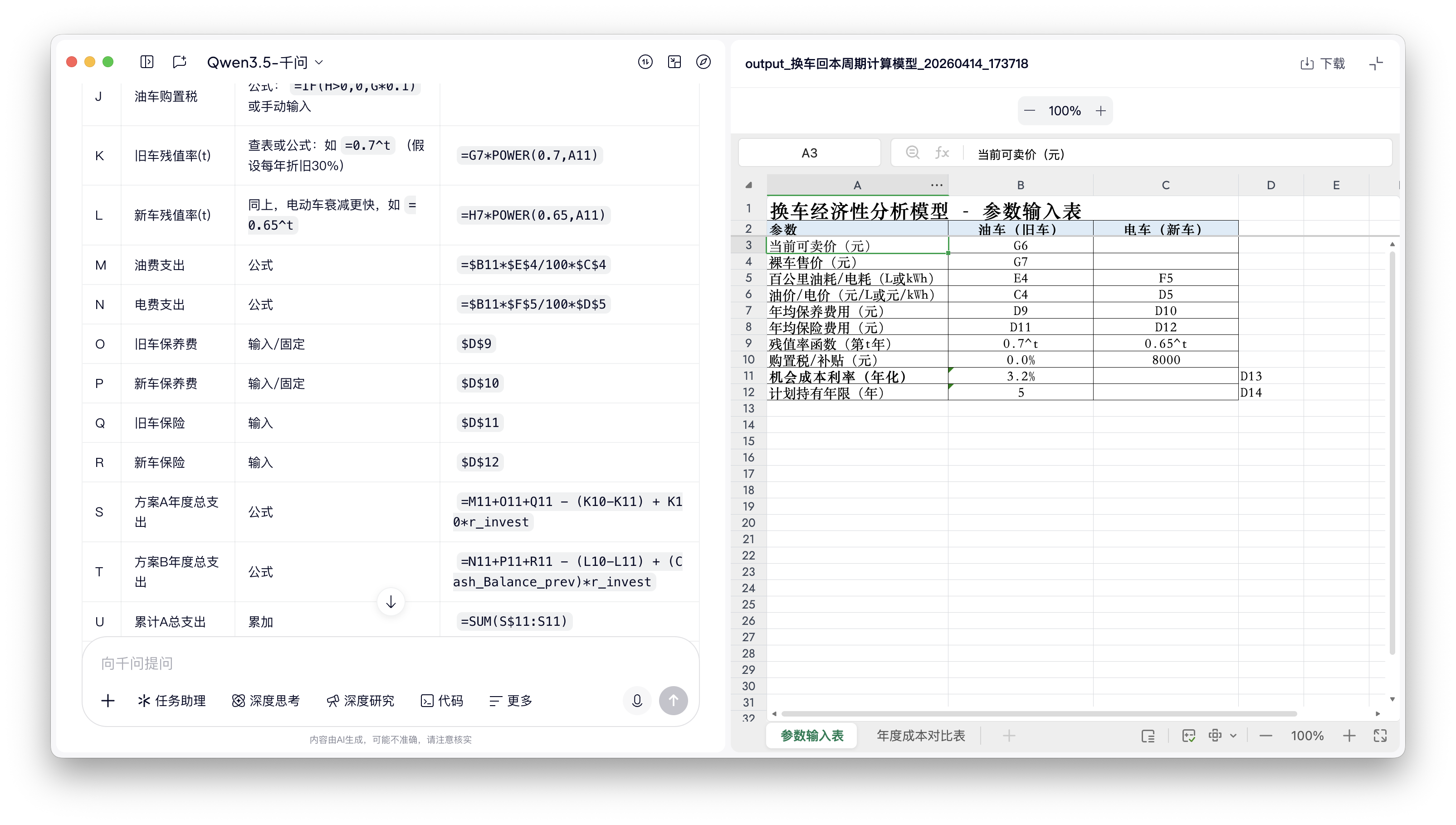
Image source: Lei Technology
As for the output, at first glance, it seemed presentable. However, when I actually downloaded the table, the Table Agent 'gave itself away': In Numbers, almost every computational formula in the table reported an error, and both Sheet 1 and Sheet 2 could only be used as 'static tables.'

Image source: Lei Technology
Lei Technology initially suspected this was a compatibility issue with Numbers, but even when opened with Excel itself, the file still prompted circular reference errors. Additionally, in another data statistics and table creation request, the Table Agent also indicated, 'To control the total output length, the output table does not exceed 100 rows.'
Based on its overall performance, Lei Technology believes that the Table Agent's current capabilities are still at a basic stage, suitable only for statistical tasks with small amounts of data and temporarily unable to handle large datasets or data analysis tasks.
Lightweight Tasks Can 'Bid Farewell' to Prompts
However, stepping back, although the Table Agent's current capabilities are 'limited,' compared to other AI Agents, it has already taken the first step from 'nothing to something':
When faced with the challenge of the 'gasoline-electric economic feasibility calculation model' mentioned earlier, Gemini could only output the formula for each cell in HTML text format and could not directly output an Excel document. ChatGPT, while also capable of generating an Excel file, took an extremely long time to think and reason. Lei Technology waited a full 24 minutes before finally 'receiving' the result.
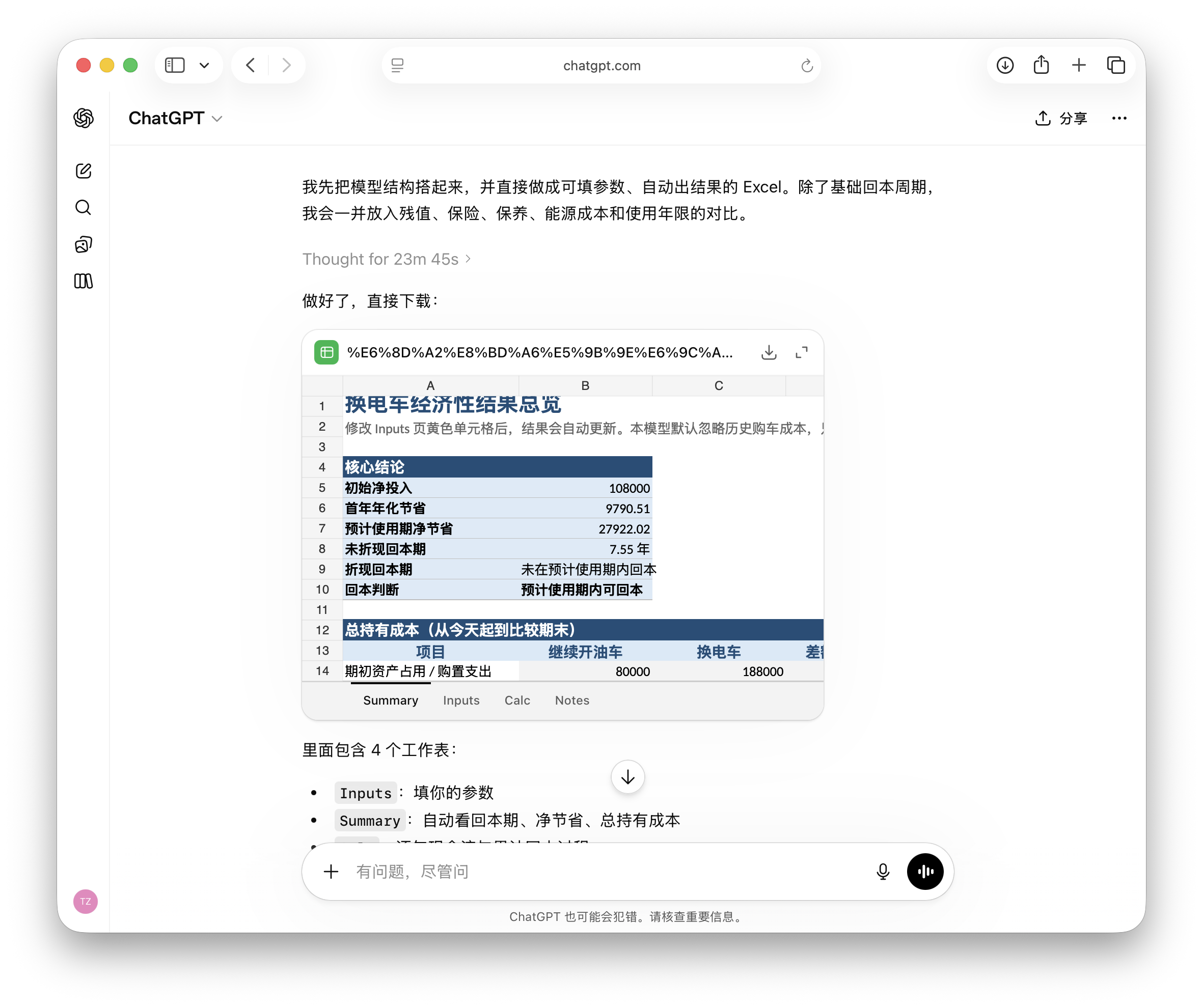 Image source: Lei Technology
In comparison, although QianWen's Table Agent can only handle 'light tasks,' its information processing and table creation capabilities are indeed more reassuring. Compared to other AI Agents, QianWen's information collection capabilities are also superior, with relatively outstanding data accuracy—though it still temporarily requires manual proofreading.
Additionally, QianWen's Table Agent's excellent support for natural language significantly enhances its overall user experience. Considering the Table Agent's comprehensive capabilities, Lei Technology will not use it to process complex data (which it cannot handle anyway).
However, if creating a one-time table with fewer than a hundred rows (repeatedly asking the Table Agent to process the same table may introduce more errors), using specialized prompts would be 'overkill.' In fact, while using QianWen's Table Agent, I simply came up with a demand on the spot and checked the final data later.
After all, for such lightweight, simple table creation tasks, natural language interaction significantly enhances the final experience.
AI Will Reshape the Online Document Market, but Agents Cannot Replace 'Human Effort'
From an industry development perspective, although QianWen's Table Agent still has significant room for improvement, Lei Technology believes that integrating with office suites will inevitably become the 'top priority' for AI Agents in 2026. To exaggerate a bit, Lei Technology believes that the combination of AI Agents and office suites will be a milestone for future online document tools to replace 'offline document tools.'
For users, document Agents completely eliminate the tedious task of being 'data movers.' Previously, creating an analysis table required searching, pasting, formatting, and jumping between multiple files for references. However, with AI Agents, leveraging cloud-based AI computing power, we can directly skip these steps and complete the entire process of 'searching + analyzing + building tables' with a single sentence on a phone, tablet, or computer.
This efficient, cross-platform, cross-hardware, and zero-barrier experience is truly difficult for traditional offline document editors to surpass.

Image source: WPS
For cloud document companies, the emergence of AI Agents can also break through the growth bottleneck of paid users. Traditional paid services for online documents are limited to 'cloud storage expansion' and 'member-exclusive templates.' However, the advent of AI has provided a brand-new market for cloud document platforms—WPS and Office are prime examples.
That said, traditional local editors are not entirely without a fighting chance against the dimensionality reduction strike of AI Agents.
Firstly, local editors offer greater data security and system stability—local operation means data remains offline and private, unaffected by network conditions. For professional users handling core business secrets or extremely large datasets, local editors remain the 'cornerstone.'
Secondly, professional users of office software have already built vast libraries of formulas, macros, and automation plugins. In front of these 'pros' who remember shortcuts better than passwords, AI Agents are merely 'interns who know how to copy and paste.'
For example, you can search for the esports project deeply supported by Microsoft—the 'Microsoft Excel World Championship'—to get a sense of the true prowess of professional-level Excel experts.

Image source: MEWC
However, looking at the long term, Lei Technology actually agrees with the view that AI Agents will replace some 'manual operations' in the future. Coupled with the 'rapid evolution' of AI Agent capabilities, as technology iterates, future 'Table Agents' will eventually become 'professional players.'
From this perspective, the fact that QianWen's Table Agent can create Excel tables is not a bad thing for someone like me, an 'Excel novice' who can write a few formulas: Being able to command a 'professional-level' player to create pivot tables for us with a single sentence is, after all, the best interpretation of 'AI liberating productivity.'
QianWen AI Agent
Source: Lei Technology
All images in this article are from the 123RF royalty-free image library
-
![]()
Tesla Restructures Its Balance Sheet
-
![]()
Accelerating the High-Speed Interconnection Upgrade of AI Computing Clusters! JONHON Releases ELSFP External Light Source Optical Connectors
-
![]()
Breaking the overseas blockade of volumetric holographic materials, this optical enterprise secures nearly 100 million yuan in financing!
-
![]()
Why Does Jensen Huang So Openly Praise China’s AI?
-
![]()
"Wudang" Unveiled: Arm China's Next-Gen AI VPU Redefines Video Encoding
-
![]()
From Energy Conservation and Carbon Reduction to AI Decision-Making: GECON East Intelligence and Chery Group Explore a New Green and Smart Paradigm for Automobile Manufacturing
-
![]()
WAIC 2026 Observation | AI Accelerates Towards the Core of Industries, Industrial AI Enters a Critical Phase
-
![]()
Volkswagen China Fires the First Shot in Foreign-Funded 'White Box Delivery'!