Desktop Agent Unleashed! Alibaba’s QoderWork Handles Odd Jobs, But Only at Intern Level
 06/11 2026
 550
550
Whether it's writing articles, creating PPTs, or building web pages, QoderWork tackles them all with ease.
"The AI Intern is officially on the job."
Alibaba recently launched QoderWork, an expansion of its original Qoder code agent capabilities to cover daily office scenarios. Its core mission is clear: desktop AI should not just "answer questions" but should start "completing tasks."
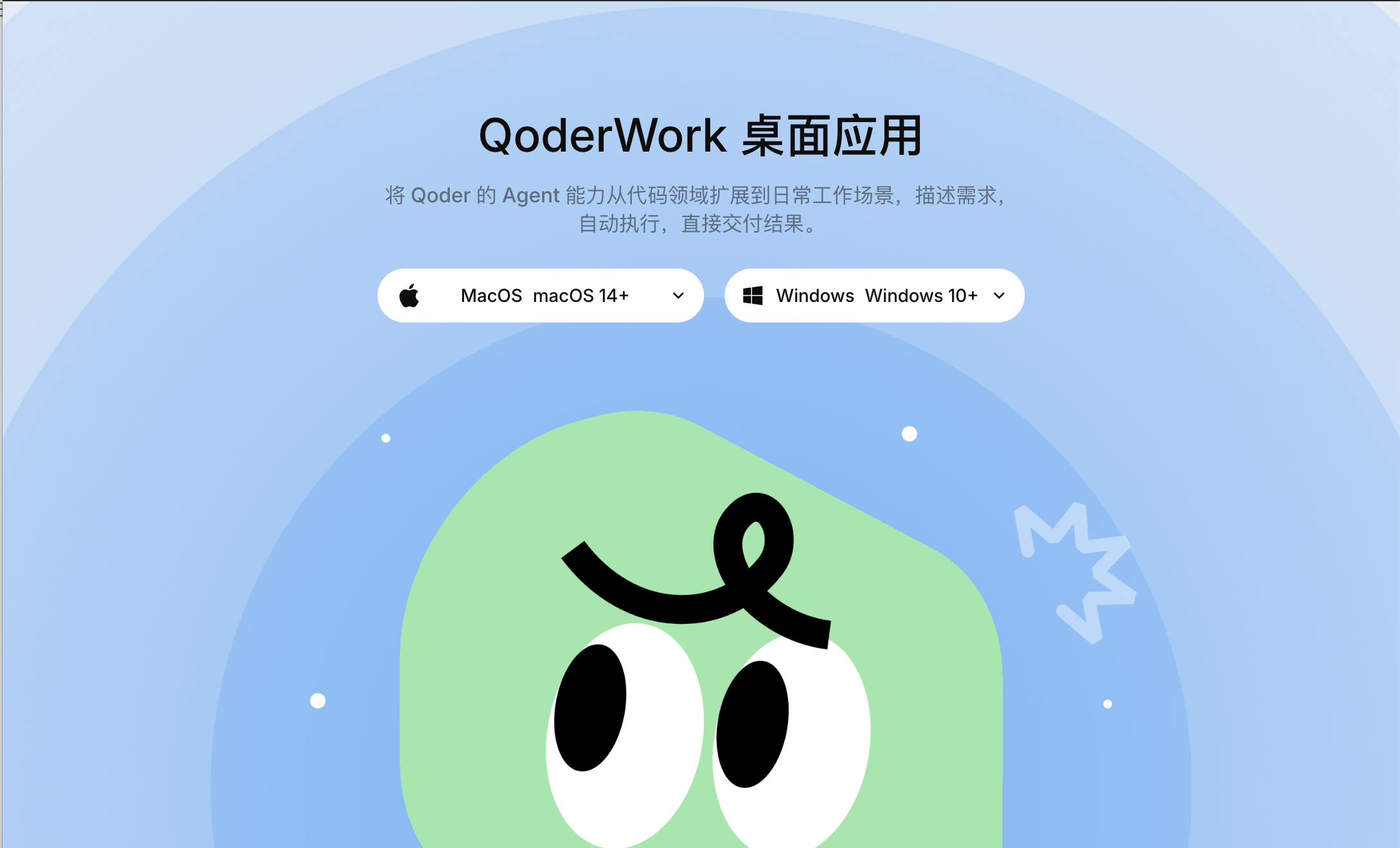
(Image source: QoderWork)
This might sound familiar. Tencent’s Mavis, Moonshot AI’s KimiWork, and third-party tools like DeepSeek GUI all aim to do the same thing—surpass Codex. QoderWork's offerings are similarly recognizable: file organization, data analysis, document generation, research integration, and browser automation—it covers the full spectrum.
Of course, compared to Codex, the greatest advantage of this type of agent lies in its practicality. QoderWork is powered by Alibaba's Qwen model, with Qwen 3.7 Max currently available for a limited-time 15-day free trial—a very generous offering indeed.
In fact, the term "desktop AI agent" has been bandied about quite a bit over the past two months. Everyone claims their tool can get things done, but does it really? Here are the conclusions from Leitech's experience with QoderWork.
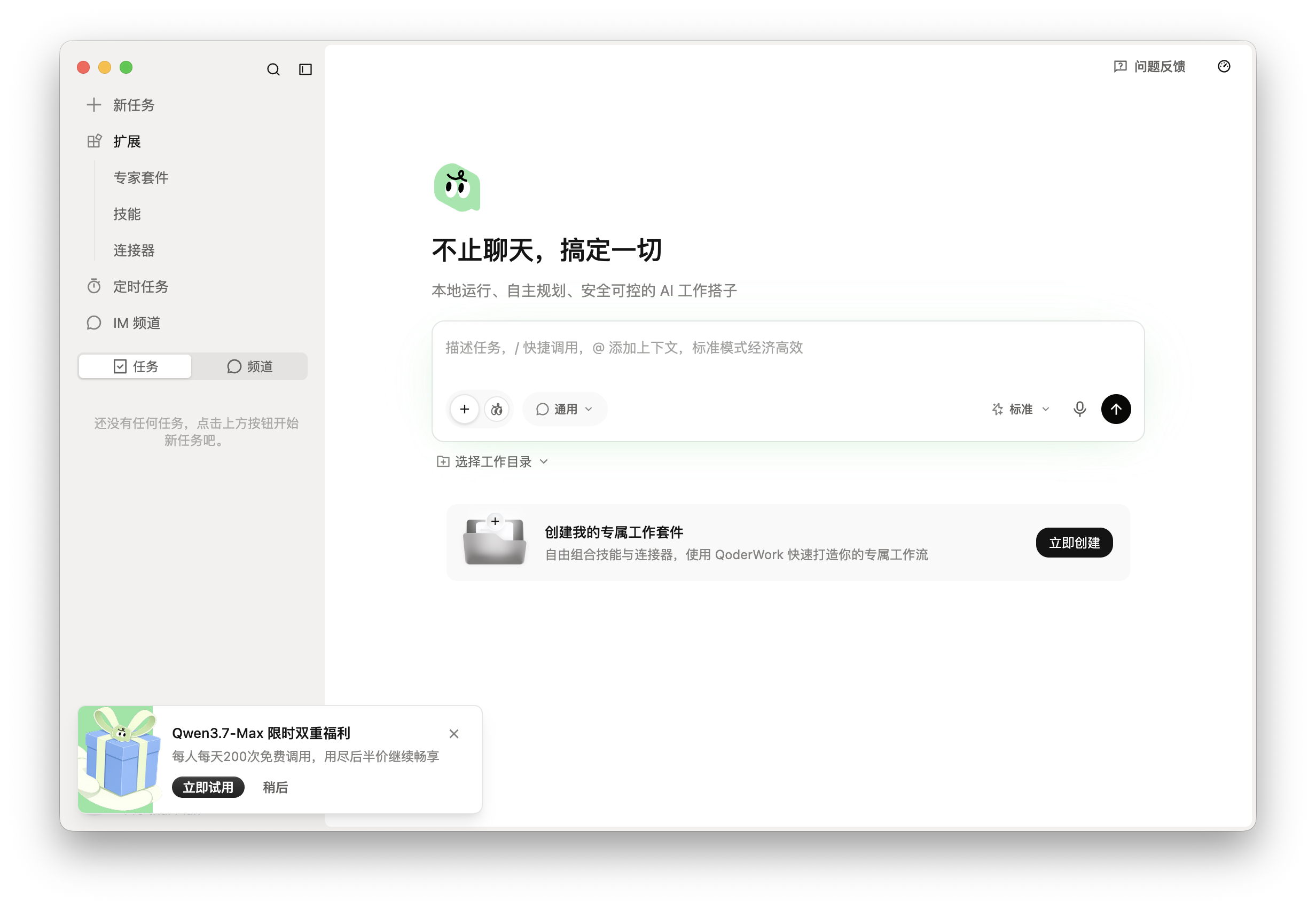
QoderWork differs significantly from most AI tools in how it's used. For example, with Qwen's web interface, you typically ask a question and receive an answer, which is recorded in the chat history. QoderWork, on the other hand, operates on tasks: you initiate a goal, which it breaks down into several execution steps. After completion, it outputs files, with the entire task retained in a task list for review, continuation, or monitoring—much like Wukong.
This might not sound like a big difference, but it is substantial. Take a task from our practical test as an example. In task mode, projects like "Apple WWDC 2026 Article," "Leitech Business Introduction PPT," and "IFA 2026 Special Web Page" were listed on the left sidebar. Clicking into them allowed viewing execution steps, output files, and making further adjustments in the original conversation. With AI chat, once the conversation ends, you're left with some answers—and that's it.
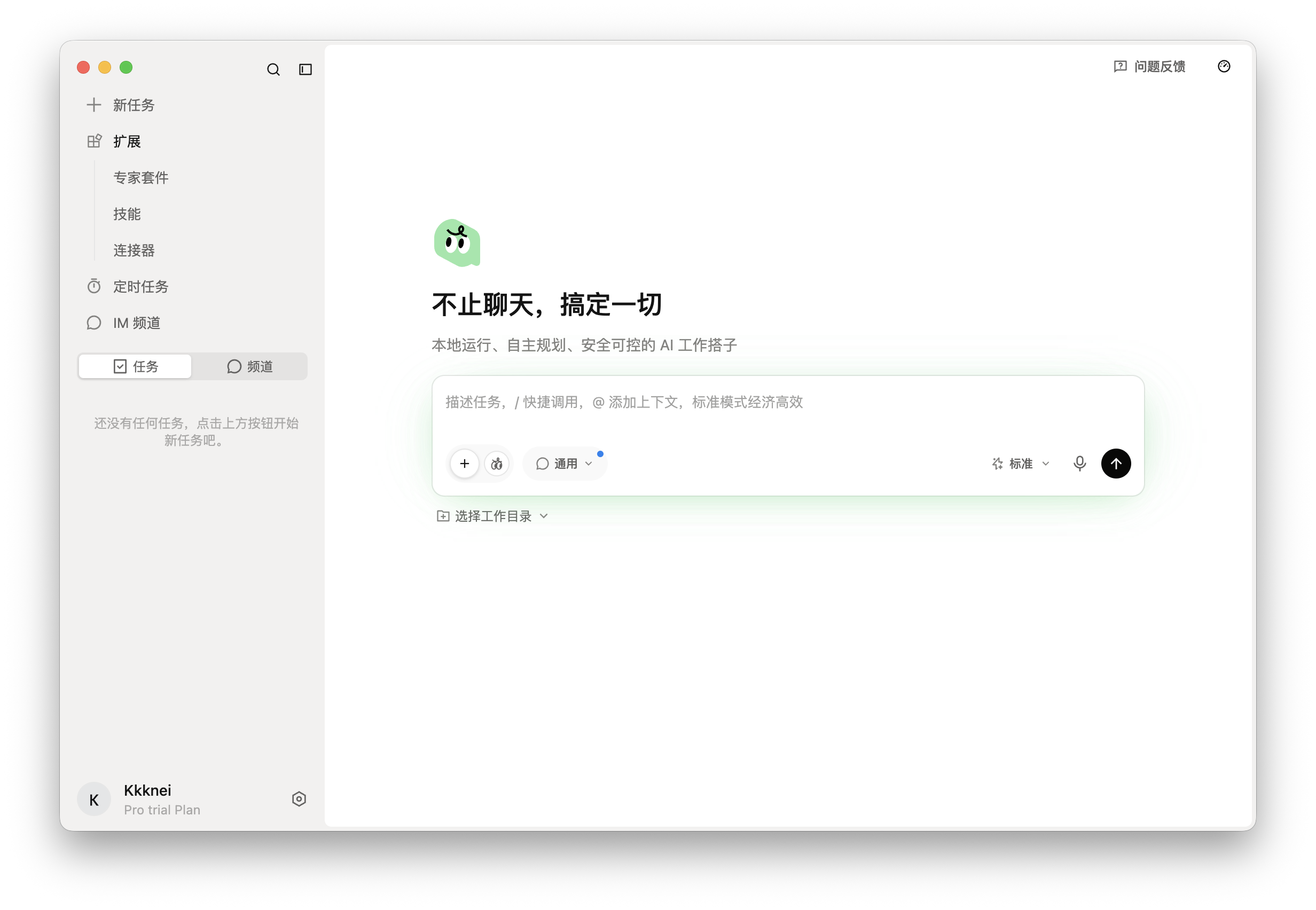
(Image source: Leitech Graphics)
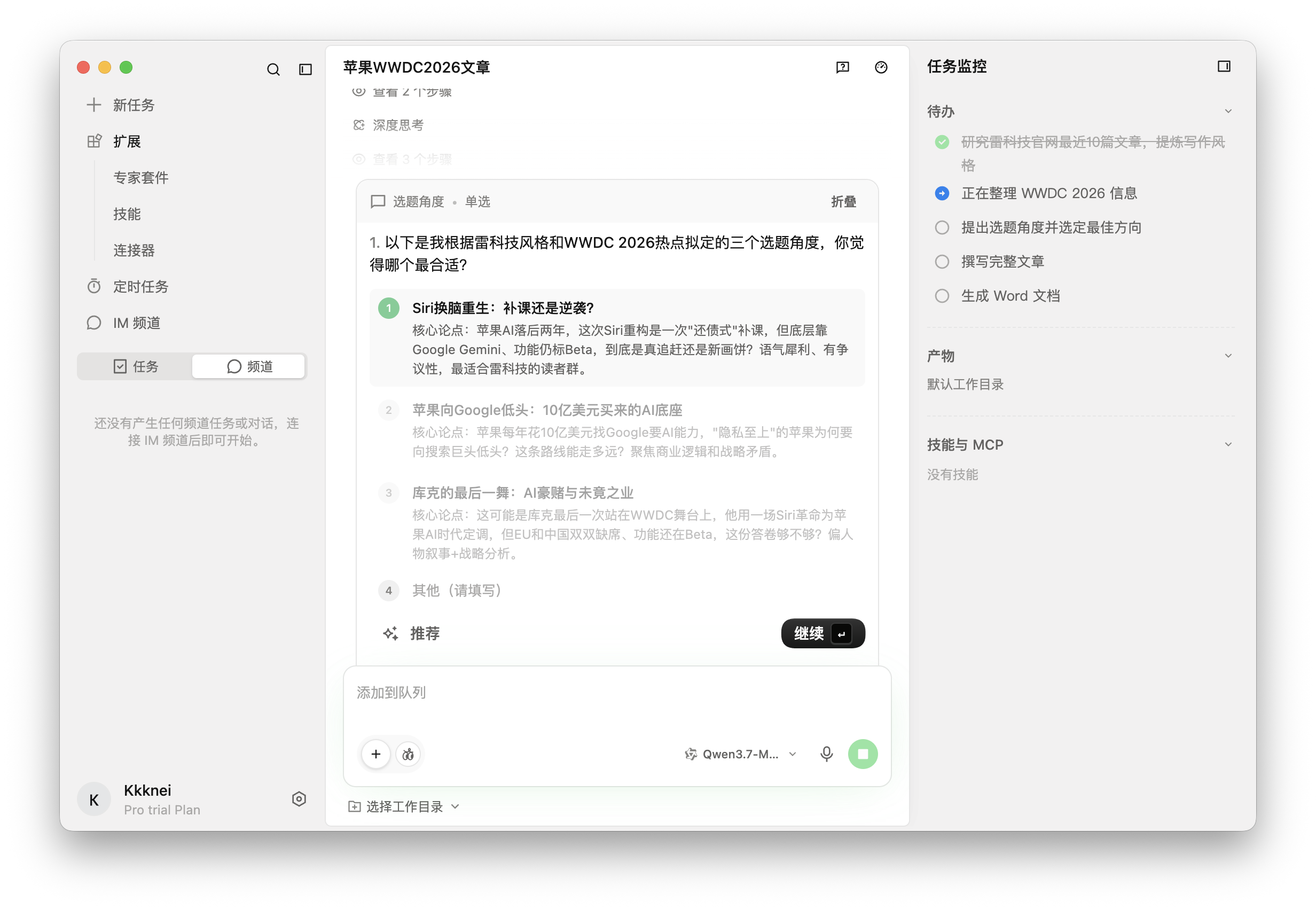
On the right side of QoderWork, a "Task Monitoring" area displays pending steps, final files, working files, and the skills and MCP capabilities invoked. During the first article task, the monitoring listed the entire execution chain: "Research Leitech's writing style - Gather WWDC 2026 information - Propose topic angles and select direction - Write complete article - Generate Word document." At least users can roughly understand what the AI accomplished at each stage.
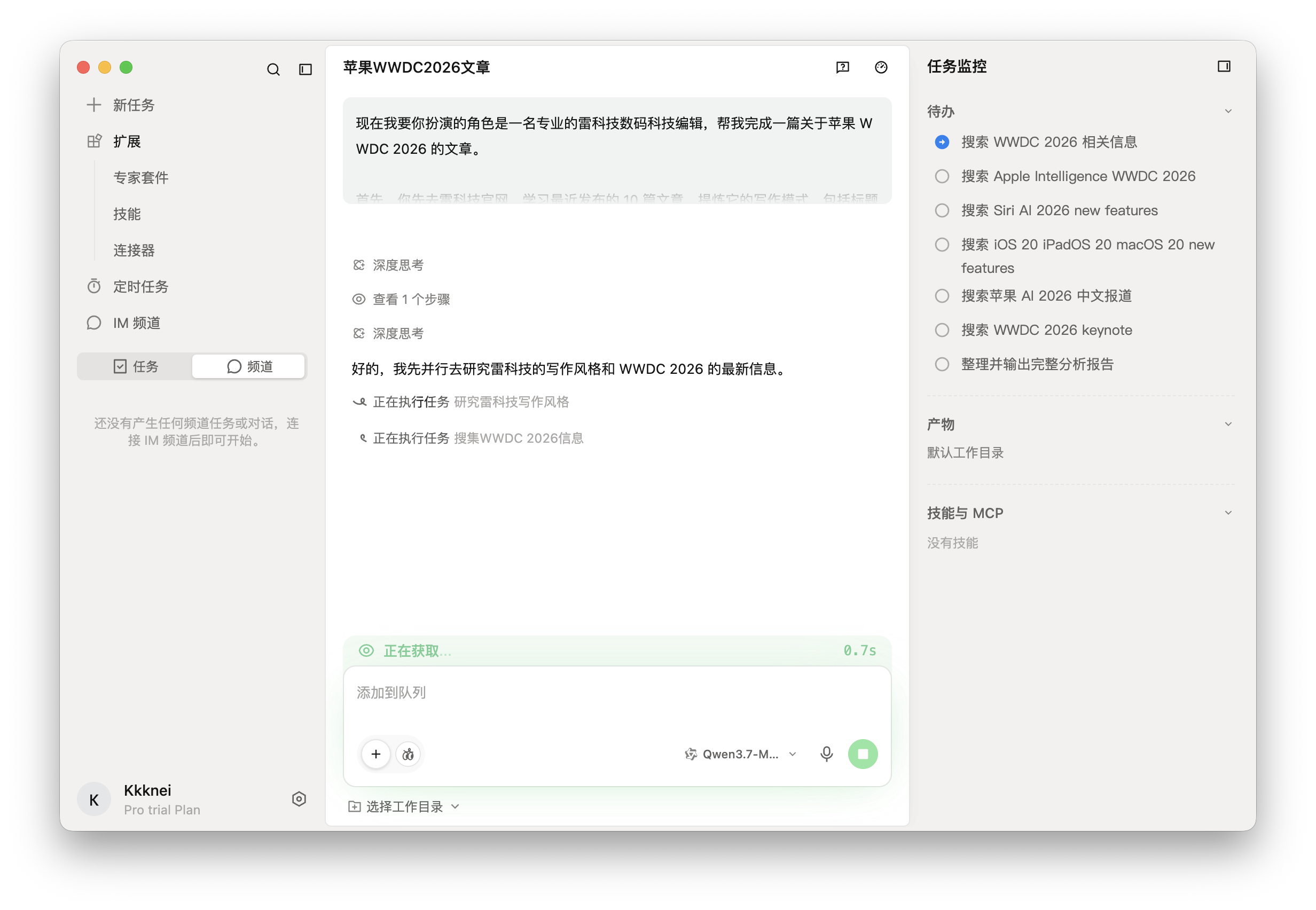
(Image source: Leitech Graphics)
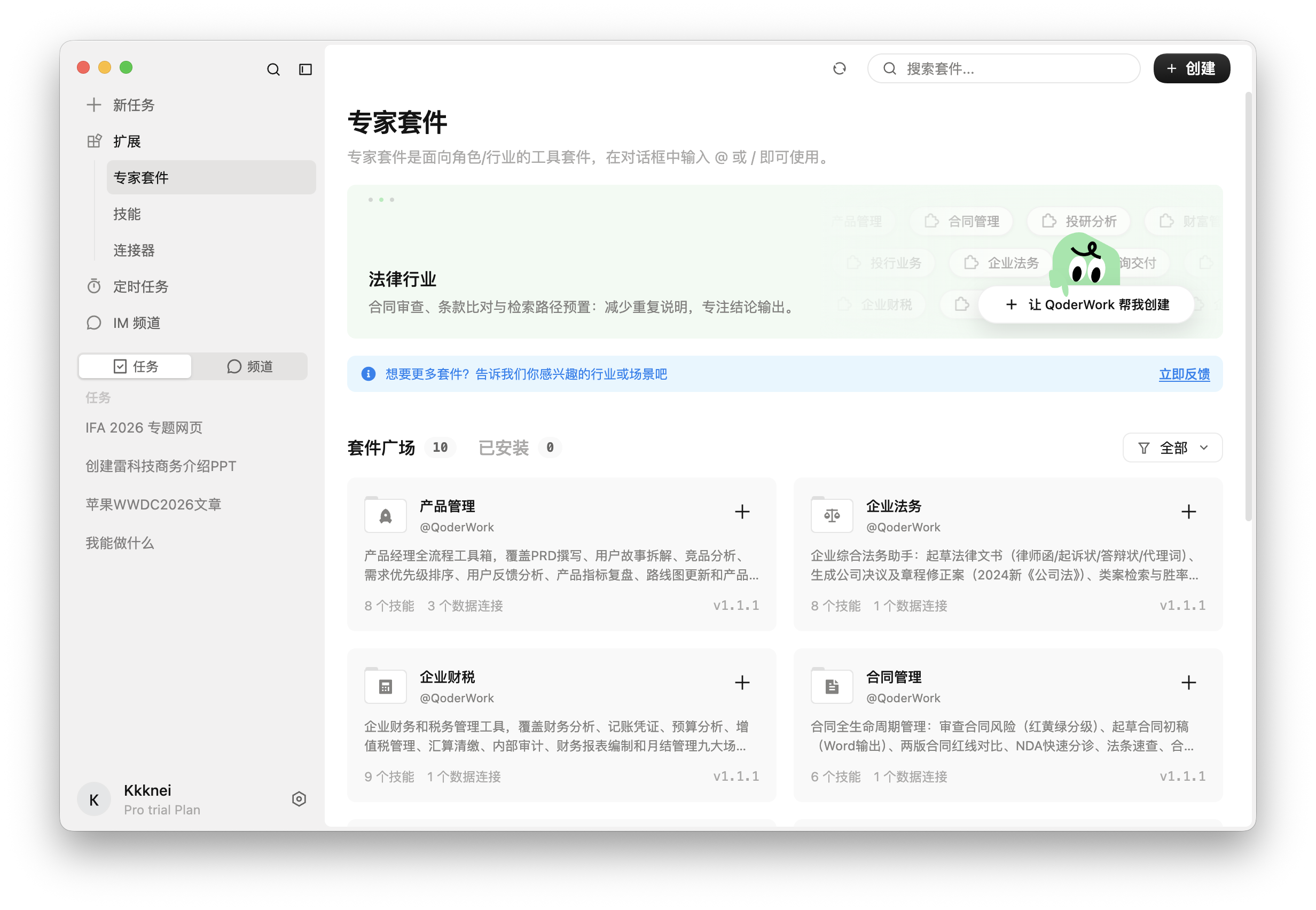
Functionally, QoderWork offers an "Expert Suite," "Skill Marketplace," "Scheduled Tasks," and "App Snapshots." The Expert Suite packages capabilities for specific roles—legal, product, contracts, investment research, finance, and taxation. Installing a complete suite allows immediate use without manually assembling tools. The Skill Marketplace resembles a plugin system, featuring in-depth research, data analysis, PPT generation, and Notion infographics. During the second PPT test, QoderWork proactively invoked PPT skills and, upon detecting a missing Node.js environment, asked the user to install dependencies. This behavior indicates an awareness of proactively completing the toolchain to advance tasks to final file generation.
(Image source: Leitech Graphics)
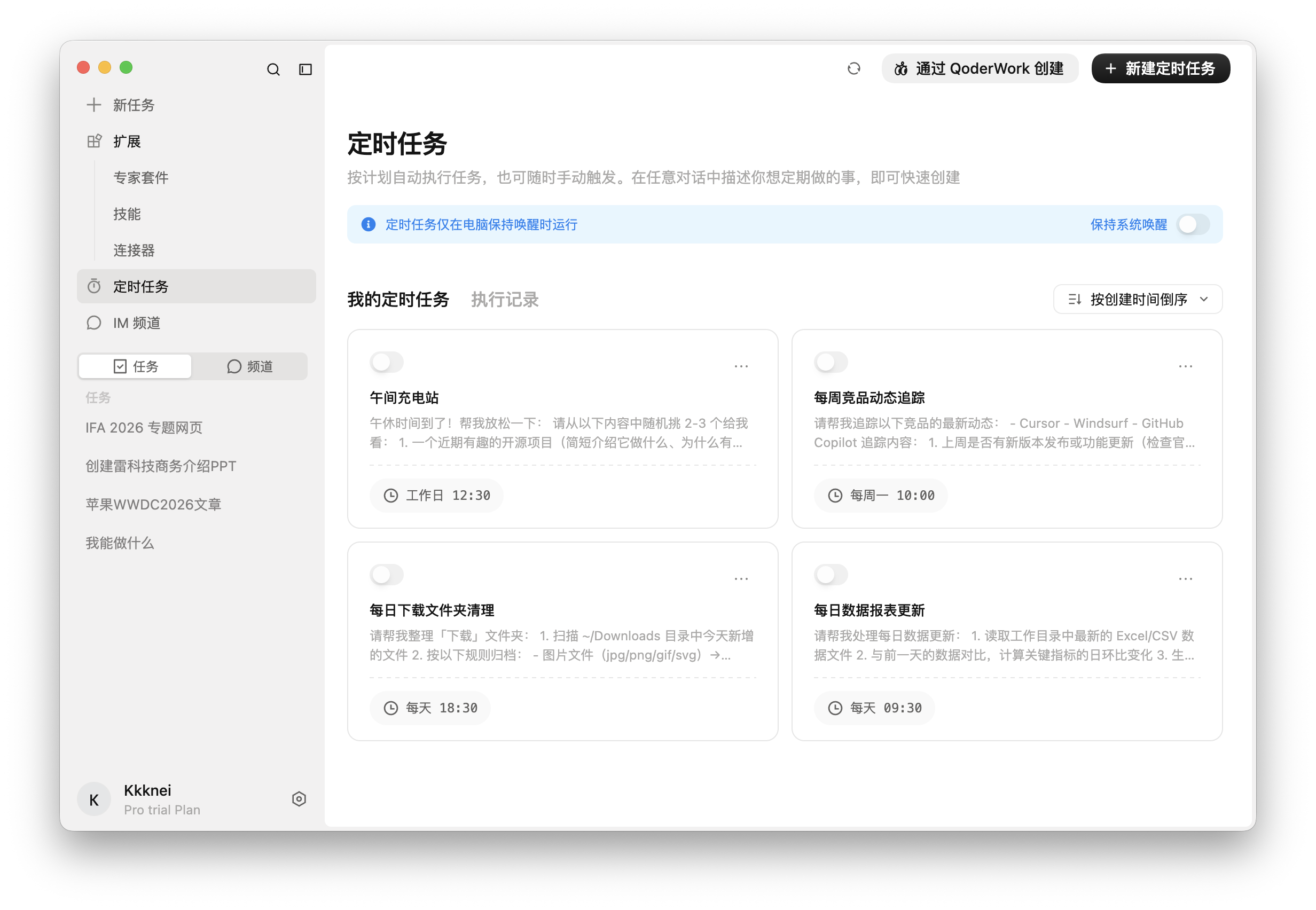
Scheduled Tasks are straightforward. Examples like "Lunchtime Recharge Station," "Weekly Competitor Updates," "Daily Download Folder Cleanup," and "Daily Data Report Updates" can be set to execute automatically at regular intervals. If stable, these tasks offer more long-term value than ordinary chat assistants. Notably, these scheduled tasks require the computer to remain awake for execution; they fail if disconnected or the screen is off.
(Image source: Leitech Graphics)
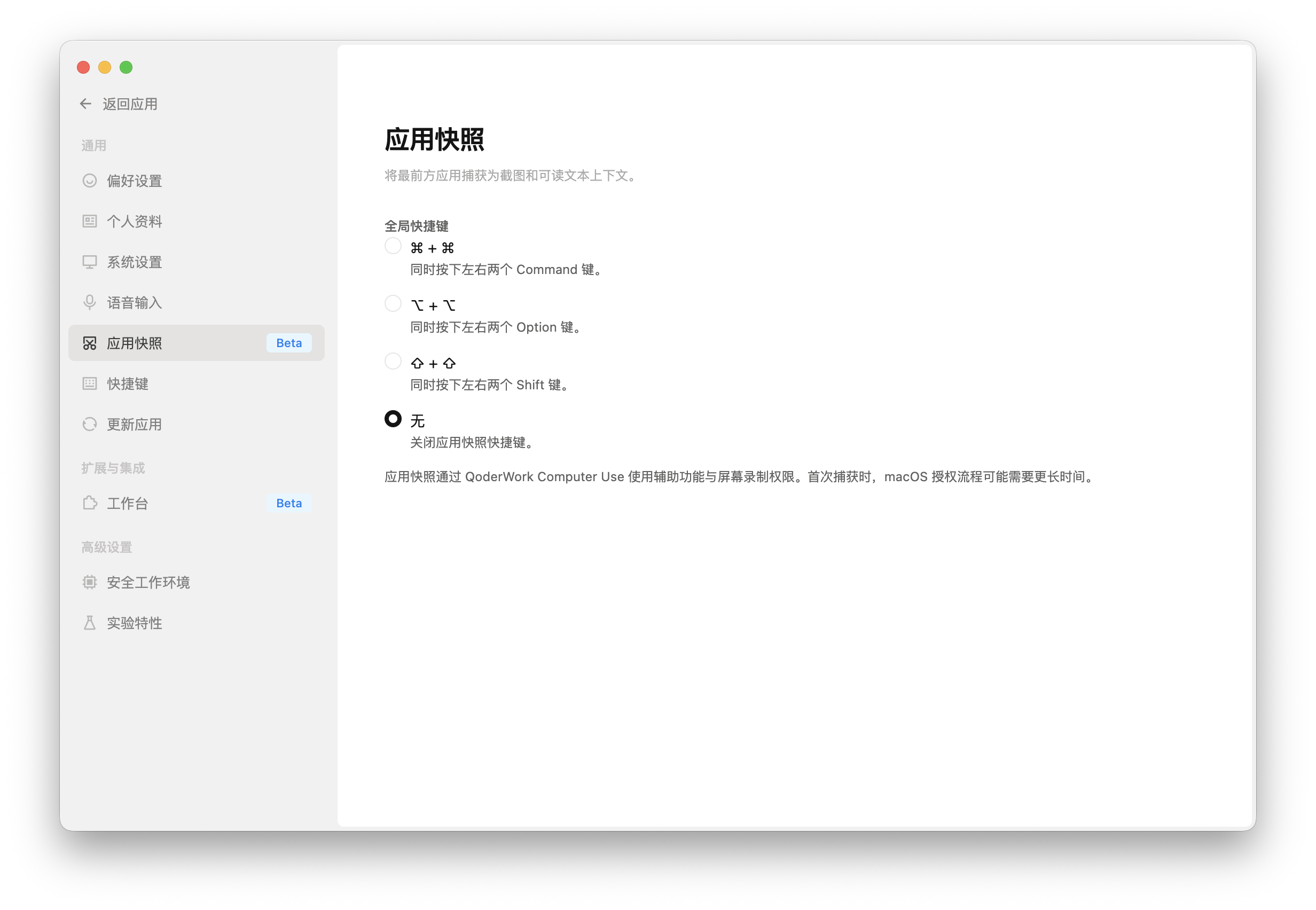
Additionally, innovative features like App Snapshots are also available on QoderWork. Simply put, it captures the foremost application interface as a screenshot and readable text context, allowing QoderWork to "see" the user's current interface. This is where desktop agents truly differ from web-based AI tools—and where permission thresholds are highest. Enabling it requires granting QoderWork Computer Use, screen recording, and accessibility permissions. The initial authorization process on macOS may take some time.
(Image source: Leitech Graphics)
Overall, as a desktop-level agent still at version "0.5," QoderWork essentially has all the necessary functions, with rich skill and task options and a well-developed task chain and thought process. What deserves even more praise is the limited-time free Qwen 3.7 Max, likely one of the strongest code models currently available.
We designed three types of tests for it, as close as possible to the actual work needs of a tech media editorial department. In the first round, we had it learn Leitech's writing style and fully automatically write an article about Apple WWDC 2026, generating a Word document. In the second round, we had it create a business introduction PPT for Leitech from scratch. In the third round, we tasked it with building a special web page for IFA 2026 exhibition coverage, ensuring no omission of code, interactivity, or responsiveness.
The first task involved having QoderWork study the writing style of recent articles on Leitech's official website, organize key information about Apple WWDC 2026, complete a draft conforming to Leitech's style, and generate a Word document. Researching materials, identifying style, judging topics, writing long-form content, and delivering documents essentially formed a complete workflow for an editorial assistant.
QoderWork completed the entire process: it analyzed Leitech's writing style, gathered WWDC 2026 information, proposed three topic angles, waited for user confirmation before proceeding, and finally generated a Word document. The act of "waiting for user confirmation" is noteworthy—it paused at critical decision points without proceeding without permission (without authorization), demonstrating a degree of "controllable execution" awareness.
(Image source: Leitech Graphics)
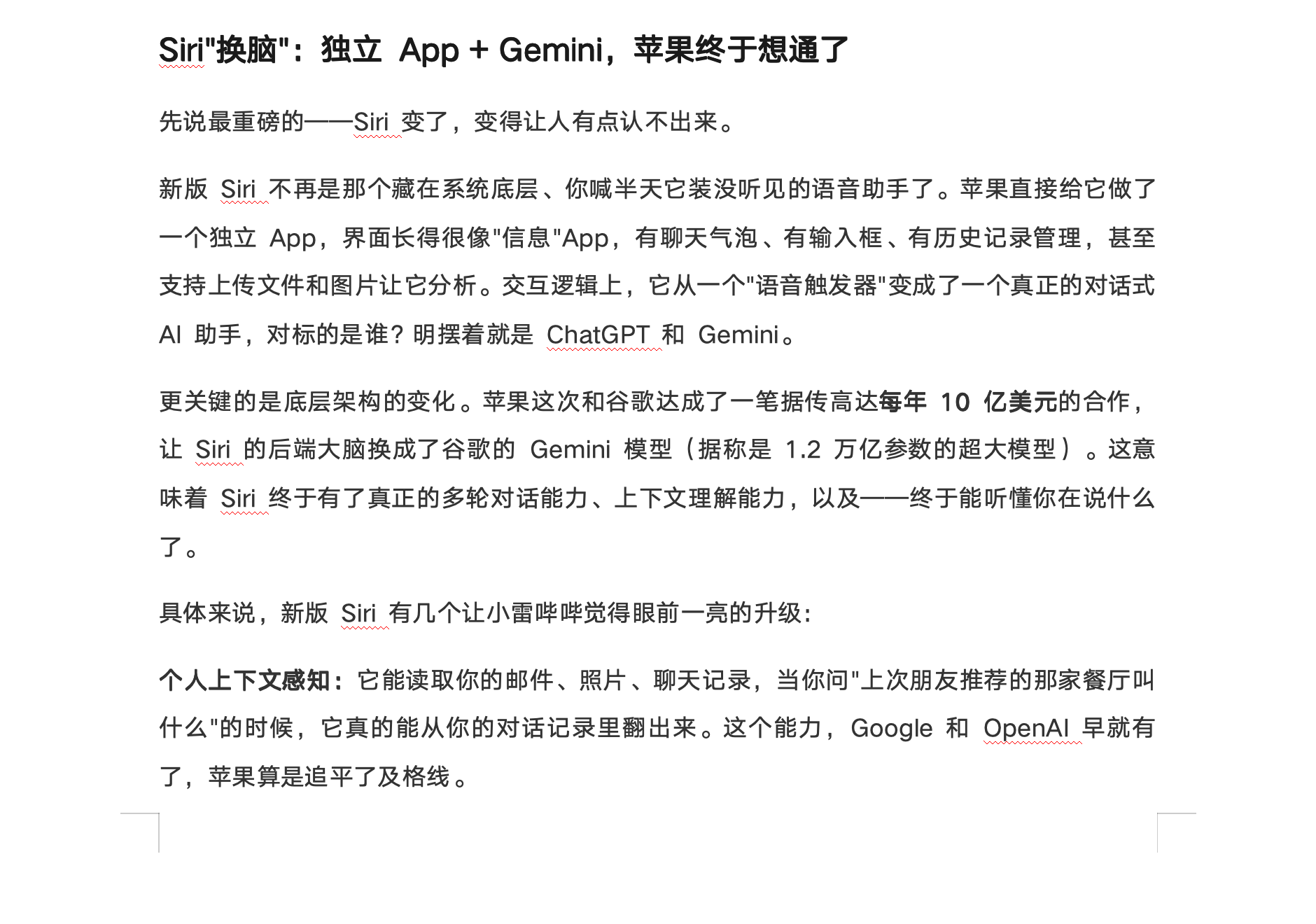
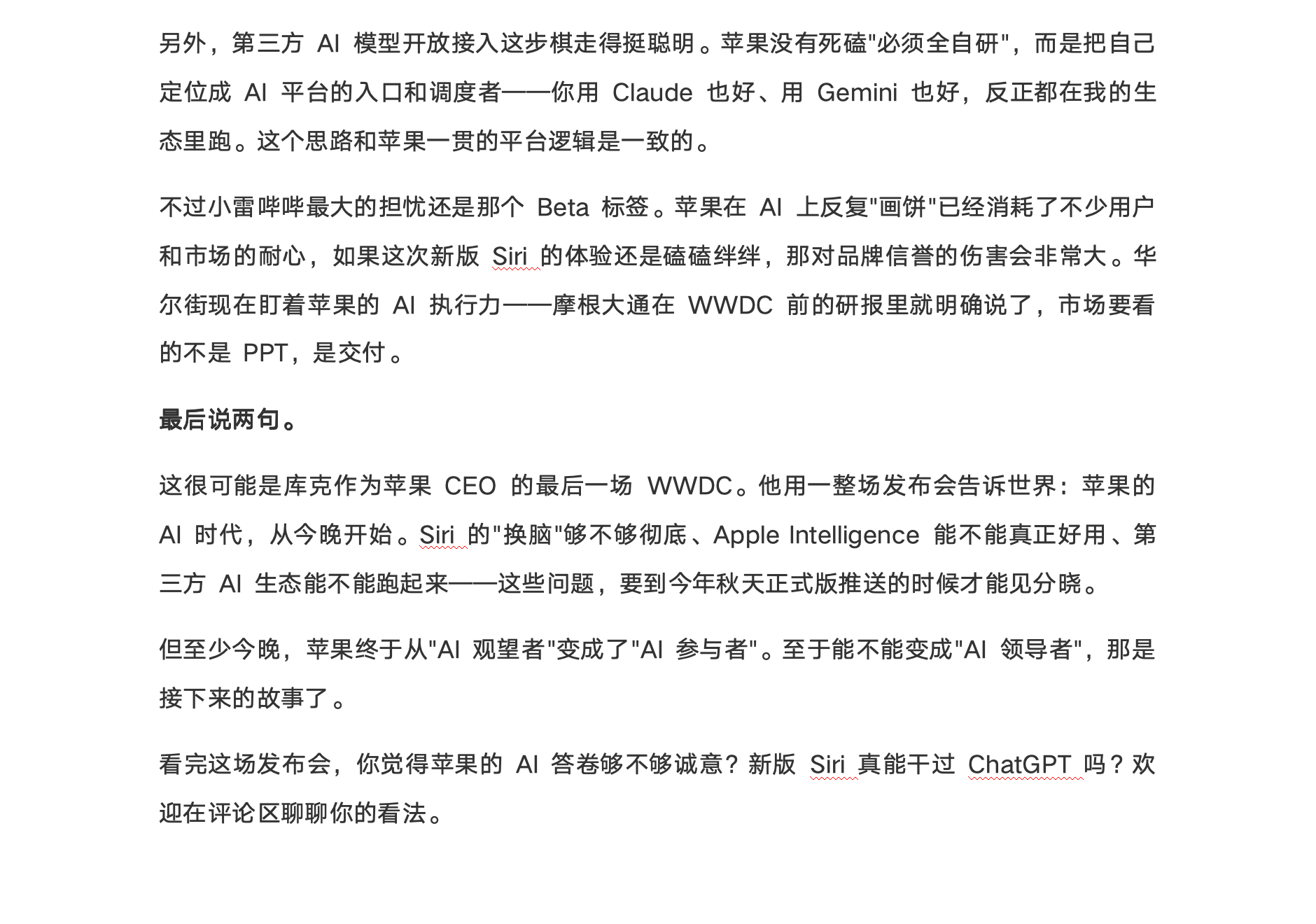
The final article, titled "Siri Gets a Brain Transplant and Is Reborn! The Biggest Suspense at Apple WWDC 2026: After Two Years of Catching Up, Can AI Still Win This Fight?," spanned approximately 3,500 words, including an introduction, subheadings, opinion judgments, and an interactive conclusion. It strived to emulate a stance-driven tech media piece, featuring short sentence beginnings, colloquial judgments, and a structure centered on core issues.
However, the problems were evident. The article included information requiring strong sourcing, such as "$1 billion annually," "1.2 trillion-parameter Gemini," "macOS Golden Gate," "abandoning Intel Mac support," and "using third-party AI models as the default conversation engine." Without reliable public sources, including such content in the main text is a classic AI writing issue—the draft may look presentable, but the facts are unreliable. For a tech media outlet, this is highly problematic.
(Image source: Leitech Graphics)
In terms of style mimicry, expressions like "Xiao Lei blabbers," "Apple is finally panicking," "slow as a snail," and "breaking it down in detail" appeared with unusually high density, resembling deliberate style cosplay rather than truly internalizing a judgmental, information-dense writing approach. A publishable draft should tone down the colloquial feel and elevate judgment and information density.
(Image source: Leitech Graphics)
The first round merited a 7.5 score. While it completed an editorial assistant-level workflow, it couldn't serve as a responsible editor yet, as fact-checking and risk assessment still require manual oversight.
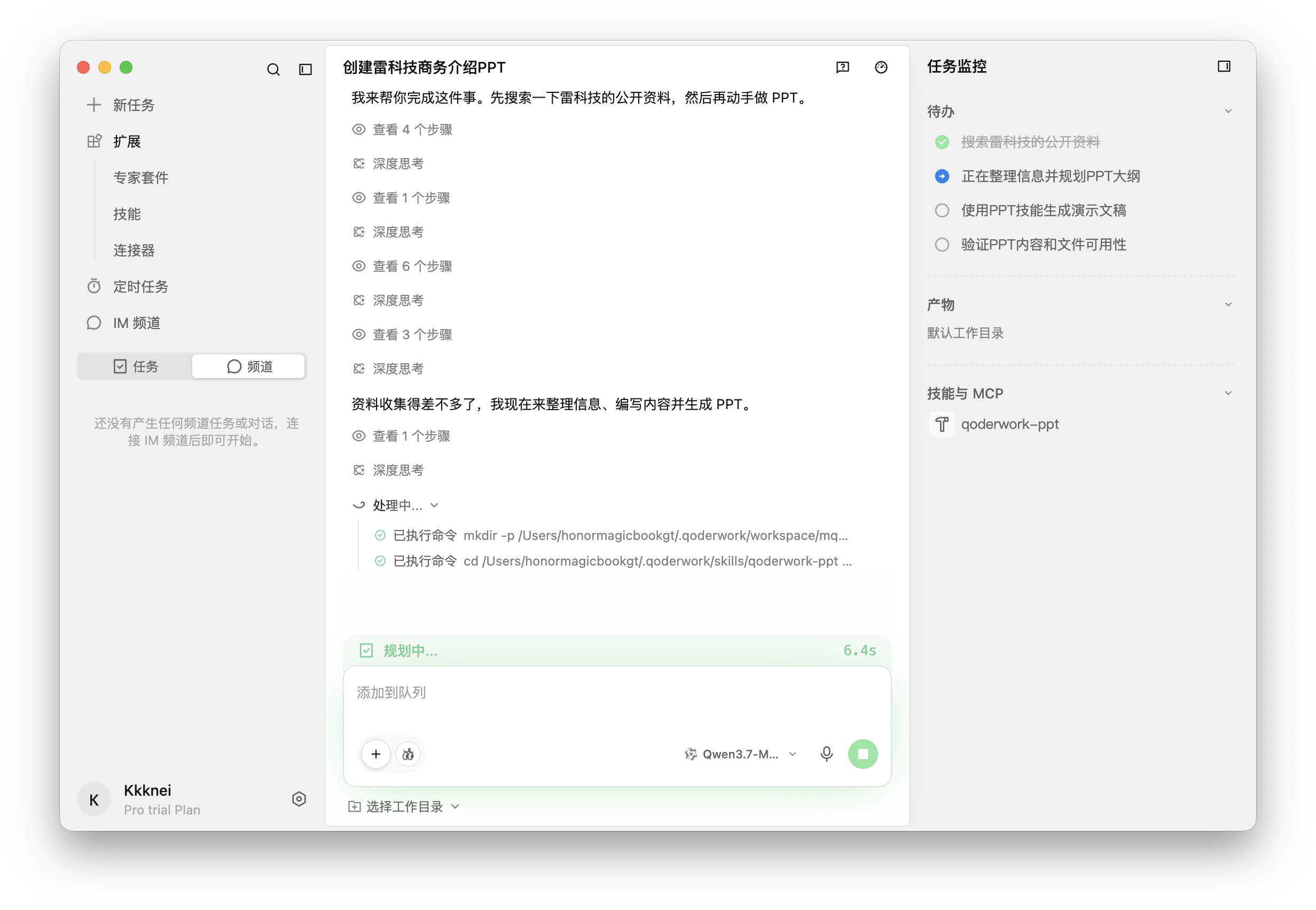
The second task had QoderWork create a business introduction PPT for Leitech from scratch, assuming an audience of potential partners. It was required to search public materials, organize media positioning, content direction, audience, and collaboration value, and generate an openable PPT file.
(Image source: Leitech Graphics)
An incident during this process highlighted QoderWork's capability boundaries: it detected missing Node.js and npm environments, requested the user to install Node.js v20 LTS, downloaded and installed dependencies upon approval, proceeded to install npm packages required for PPT skills, and finally generated the file. Ordinary AI chat tools typically stop at the "suggestion layer" when environments are missing, telling you what to install without proceeding. QoderWork proactively attempts to complete the toolchain, advancing tasks to actual file generation—a qualitative difference.
(Image source: Leitech Graphics)
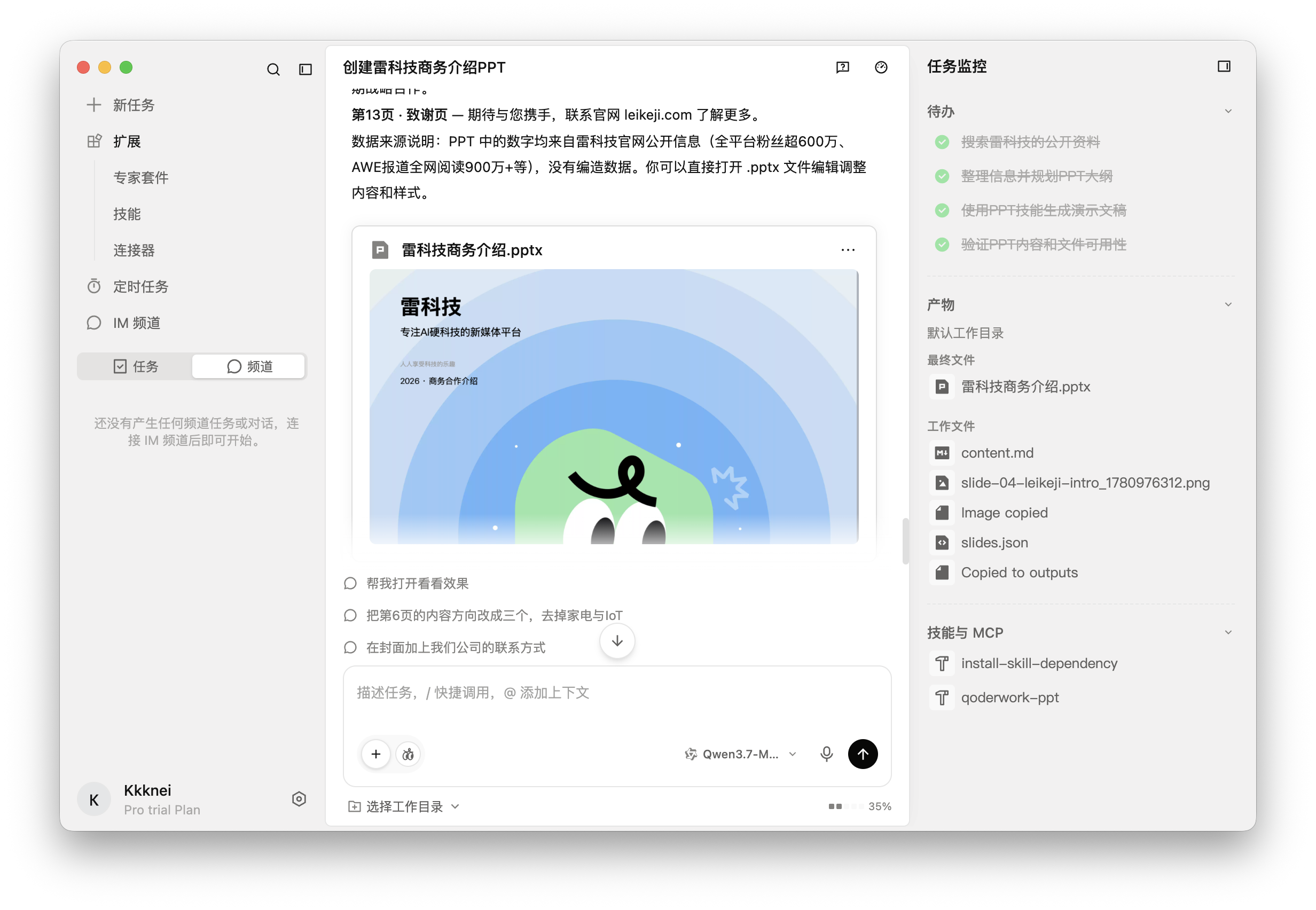
The final output was "Leitech Business Introduction.pptx," spanning 13 pages with a structure including a cover, table of contents, "Who is Leitech," "What We Focus On," "Content Strengths and Influence," "Why Collaborate," "Collaboration Methods," and a thank-you page. The PPT recognized it as business material for partners, with correct structural logic, a design-conscious cover, and generally complete card, chapter, and data highlight pages. As a first draft generated in around 15 minutes, its efficiency was undeniable.
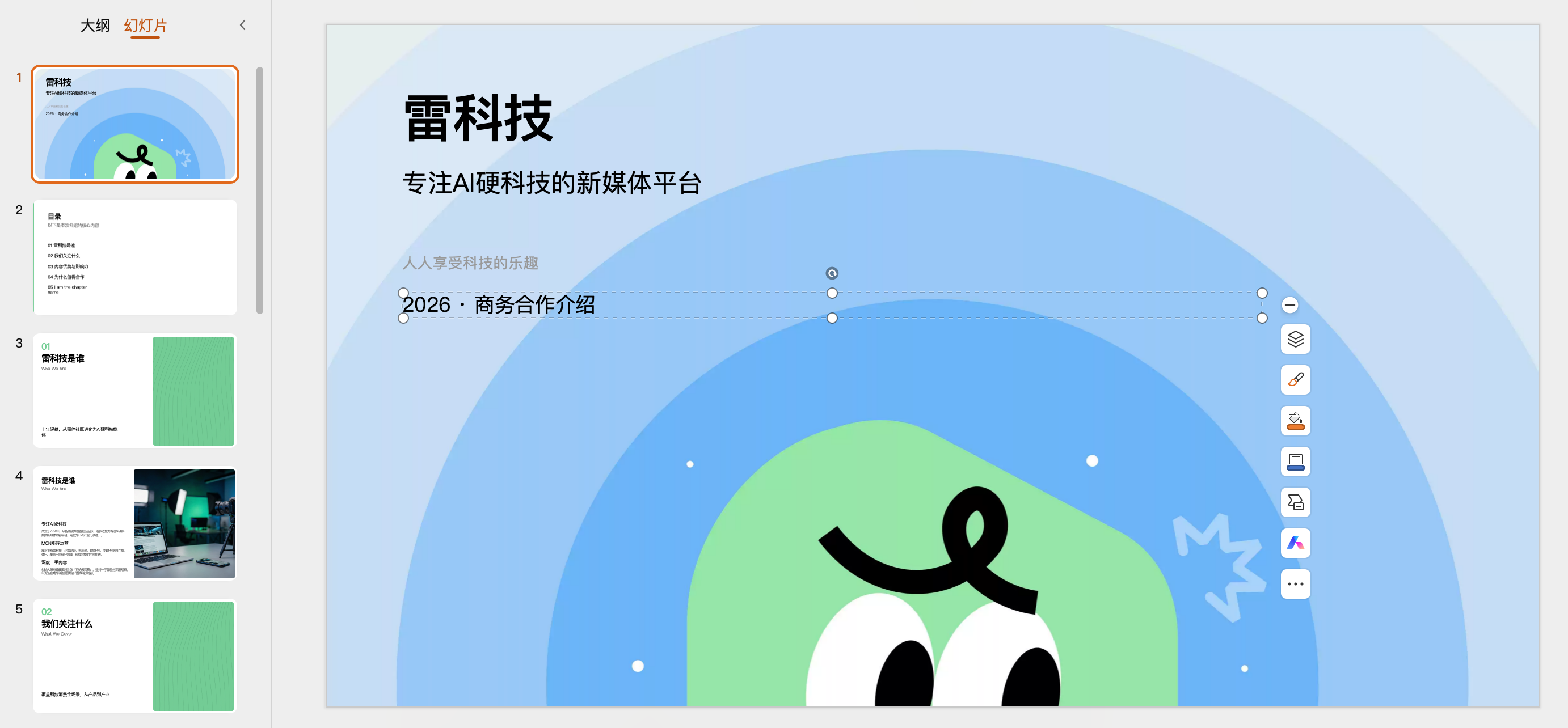
(Image source: Leitech Graphics)
However, its most glaring issue was the absence of Leitech's actual logo on the first page of the business PPT—it used generated illustrations or generic tech visuals instead. Honestly, omitting the company logo from a business collaboration introduction PPT felt quite unprofessional.
Additionally, the table of contents page retained a template placeholder, "05 I am the chapter name," and the last page used English "Thank you!" These were very basic but conspicuous flaws, indicating that while it claimed to validate the PPT, it failed to check page by page. Data used in the PPT, such as "6 million+ fans across platforms" and "9 million+ views for single AWE coverage," claimed to come from public sources but lacked footnotes or citations—requiring reverification for business materials.
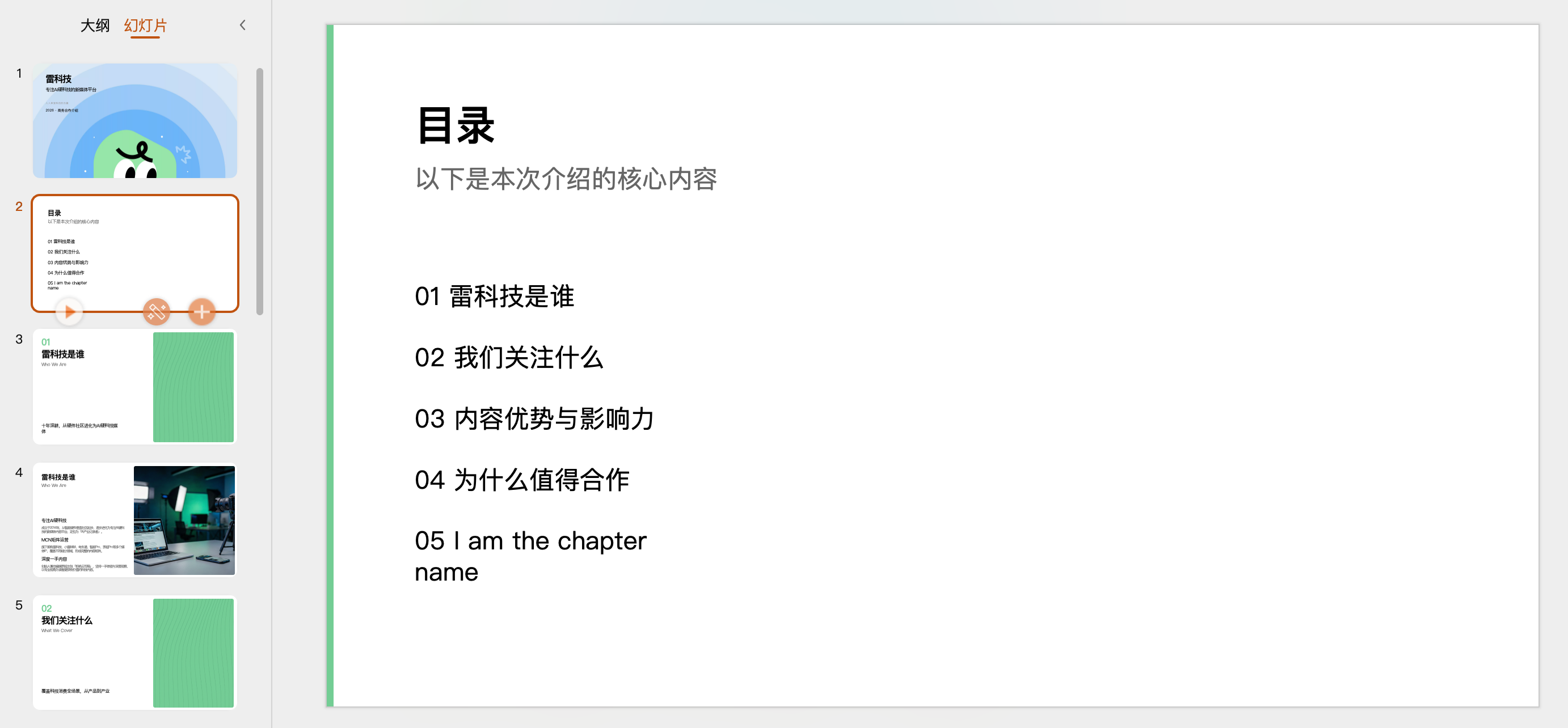
(Image source: Leitech Graphics)
The second round also scored 7.5. While it successfully created an openable, structurally complete, and visually designed file from scratch, it fell slightly short of being "ready to send to clients." However, considering that nearly all agents struggle to achieve 100% satisfaction in PPT creation on the first try, this outcome remains acceptable.
Qwen 3.7 Max truly impressed in the third round, delivering remarkable results for a special web page.
The third task had QoderWork build a special web page for Leitech's IFA 2026 exhibition coverage. It was required to reference Leitech's official website for exhibition special pages but not replicate the design. The page needed to include a hero header, exhibition introduction, key reports, live updates, a gallery, in-depth commentary, and exhibit categories, generated as a static web page openable locally using HTML, CSS, and JavaScript.
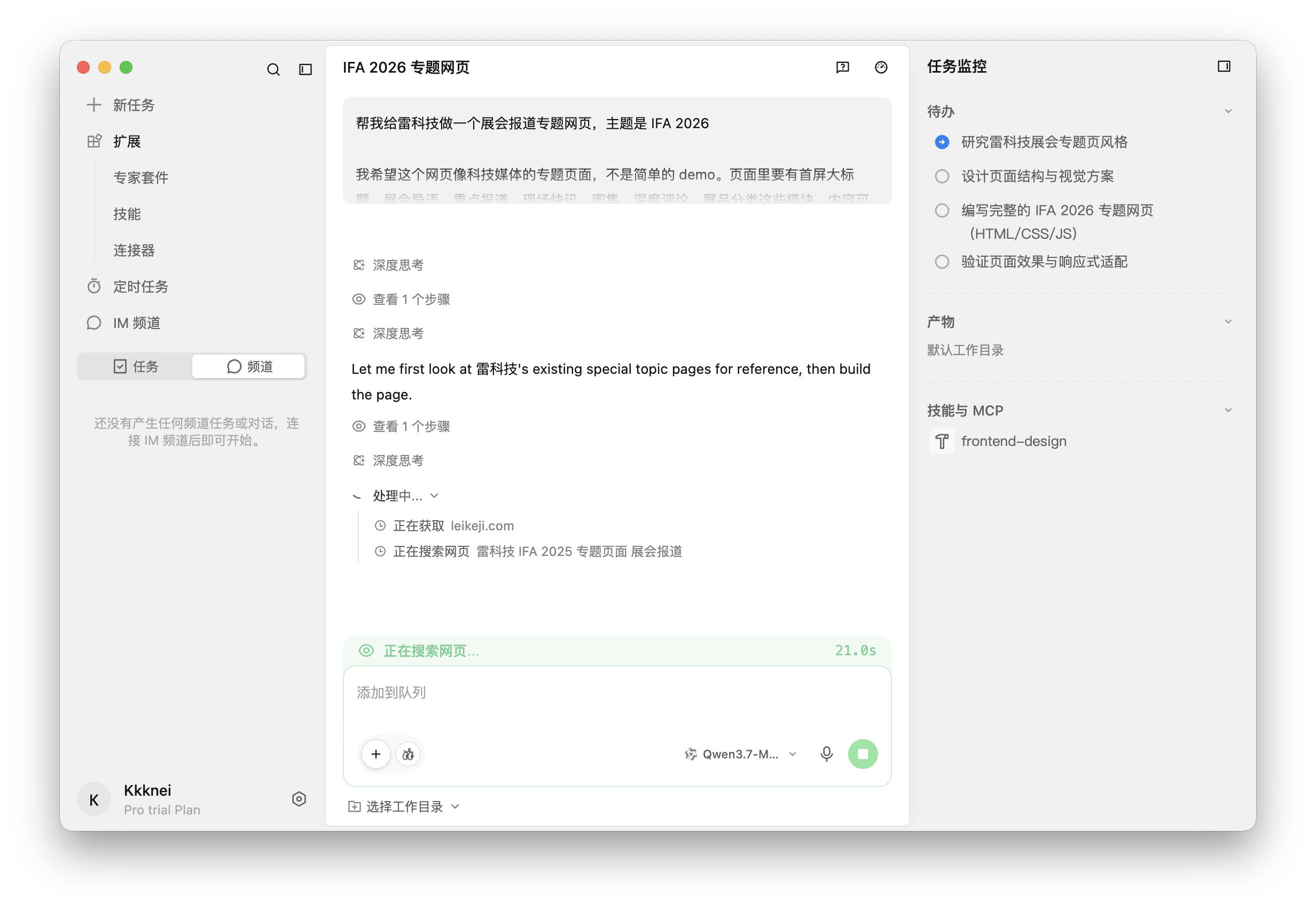
(Image source: Leikeji's graphic)
First, let's check if our requirements have been met. The page includes 7 sections: the hero section, introduction, key reports, exhibit preview, live updates, gallery, and in-depth commentary. The navigation bar allows for jumping between sections, cards have hover effects, and exhibit categories support switching among 'All, AI Hardware, Smart Cars, Smart Home, Mobile Devices, and Robots.' There is no horizontal overflow on both desktop and mobile views at 390px width, and no console errors. The mobile version switches to a hamburger menu, and the main content displays properly. Zero errors—it's perfect.

(Image source: Leikeji's graphic)
The dark tech aesthetic, blue highlights, fixed navigation, geometric decorative elements, and card layout are largely complete. More importantly, it includes real, runnable code with functional features and interactive triggers, rather than just generating a screenshot. This round comes closest to the expectation of a 'desktop agent completing a frontend task for the user' and marks QoderWork's most solid performance across the three rounds of testing.
If we must nitpick, it still doesn't use the real logo, opting for a blue square with an 'L' instead. While acceptable for a demo, this wouldn't be tolerated in a live version. Additionally, the gallery and product visuals heavily rely on emojis, with rows of robots, cars, phones, and headphones displayed. Since no real content is currently live, it fills the space with random articles—a practice that's understandable but not visually appealing.
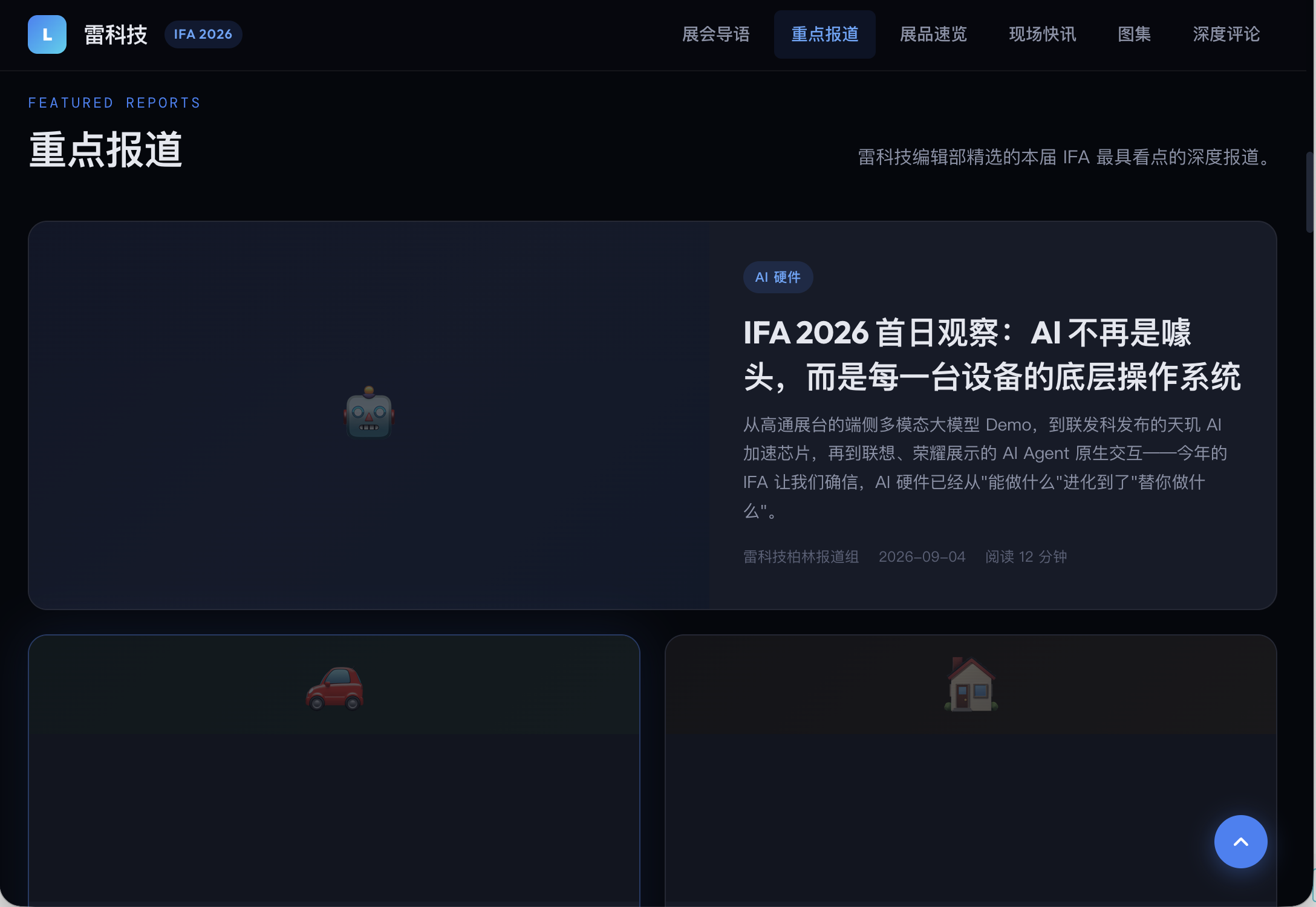
(Image source: Leikeji's graphic)
For the third round, I'd give it an 8. It proves that QoderWork is closer to a deliverable state in static webpage generation than in drafting or PPT creation.
Following these three rounds of testing, it is evident that QoderWork has made a remarkable transition from merely "providing answers" to "accomplishing tasks." Nonetheless, the present quality of its outputs might necessitate multiple iterations and refinements before being seamlessly integrated into existing workflows.
The idea of desktop AI agents has been a hot topic of conversation throughout the past year. However, products that genuinely give users the impression of "doing the work for me, rather than just assisting" remain scarce. Has QoderWork managed to pull it off? The verdict from these three rounds of testing is that it's nearly there, yet fully hands-free operation is not quite achievable yet.
At its heart, this boils down to a matter of authority and responsibility. Traditional AI chat tools operate on the principle of "I offer you suggestions; you make the call," where users receive text and decide whether to act upon it. QoderWork, on the other hand, strives to transition to "I deliver the final product; you utilize or modify it." This shift is far more significant than it may seem because "delivering the final product" implies that the AI must assume responsibility for the content's quality—ensuring factual accuracy, adhering to formatting standards—and any mistakes may necessitate starting from scratch.
(Image source: Graphic by Leikeji)
QoderWork has tackled the challenge of "progressing from nothing to a preliminary draft" but has not yet conquered "transforming a preliminary draft into something directly usable." Of course, as previously noted, no agent currently asserts the ability to achieve 100% accuracy or deliver a usable product on the first try.
Hence, we are more inclined to refer to QoderWork as a desktop "AI intern." It can get things done, albeit not necessarily with finesse. It saves time on initial efforts—for instance, when crafting an article, you at least don't have to start from scratch in gathering information. As for when it will evolve from "capable of producing a preliminary draft" to "dependable for delivery"? That may be a matter of time.
Alibaba QoderWork Codex Agent Desktop Agent
Source: Leikeji
The images featured in this article are sourced from the licensed library of 123RF. Source: Leikeji
-
![]()
Chinese Cars Seize Overseas Markets: The Advent of a Winner-Takes-All Era
-
![]()
Will WeChat Start Charging Fees?
-
![]()
Cross-border 'Golden Window' in 2026: Chinese Products Sweep Across Southeast Asia
-
![]()
BIWIN Storage, Betting 20 Billion on the Future with Hundreds of Billions in Market Cap
-
![]()
Jensen Huang: The Globetrotting Icon
-
![]()
Auto Retailer Rankings: January-May 2026 - Geely Leads, BYD Follows
-
![]()
199 RMB! Nokia Small-Screen Phone Review: WeChat Video Calls Add a Quirky Twist
-
![]()
2.27 Billion Shares Unlocked: Will Insta360 Face a Mass Sell-Off?