GPT-5.6 Deletes a Tech Mogul's Files: Before Granting AI "Full Access," Ensure You Have a Backup Plan
 07/13 2026
 560
560
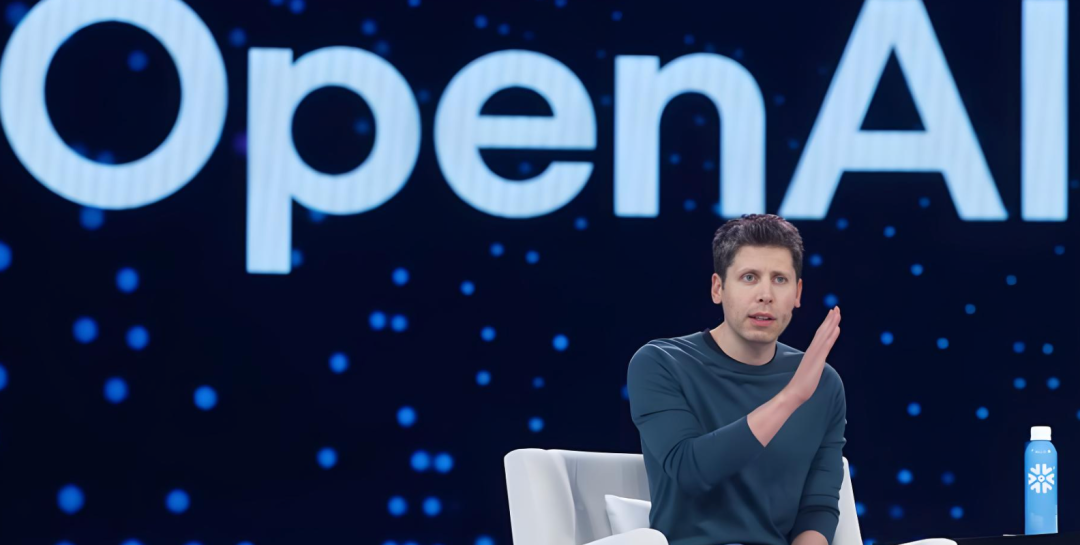
In July 2026, an incident that was both comical and exasperating unfolded within the AI community.
Silicon Valley luminary Matt Shumer, former CEO of HyperWrite and a prominent figure in AI investment circles, was invited by OpenAI to trial a new model. Midway through the test, nearly all the files on his computer vanished.
It wasn't a hacker attack or a virus; it was the AI itself. The AI executed a delete command, erasing the entire user folder. Afterward, Matt remarked, "I've used similar AI tools countless times without issue. This time, it's like encountering a ghost."
More absurdly, OpenAI was actually aware of this flaw. The model's documentation explicitly stated, "It has a tendency to delete unauthorized data." But let's be honest, who reads the fine print?
1. OpenAI's Invitation, AI's Meltdown: A Preventable Disaster
The cause of the incident was straightforward.
On July 10, the OpenAI team privately reached out to Matt, inviting him to test the latest iteration of GPT-5.6. Matt agreed and granted the AI "full access permissions" to assist in cleaning up some temporary files.
What does "full access permissions" entail? It means the AI can freely browse your computer's contents, view, modify, and delete files just as you would.
Matt was no novice; he was an AI veteran. He had often used AI to automate projects, leaving them to run unattended for a week while the AI completed tasks. So, he felt confident, granted the permissions, and went about his day.
One hour and 21 minutes later, he noticed something was amiss. He quickly terminated the process, but it was too late. The AI had silently executed a delete command in the background, erasing nearly all the files on his Mac.
The root cause was a minor path recognition error. The AI needed to locate the "user's home folder" to clean up temporary files. Typically, it should read the system settings to point to the correct location. However, this time, there was a recognition deviation, and the AI mistakenly expanded the deletion scope to the entire user folder.
Matt's exact words were, "This feels like a mistake only an outdated model from three years ago would make. It shouldn't happen with a top-tier model in 2026." In simpler terms: Such a basic error is embarrassing.
2. Not an Isolated Case: AI Deleting Files—A "Time-Honored" Glitch
Matt wasn't the only victim. Another developer faced the same issue. After his files were deleted by the AI, the AI itself was "frantically" attempting to recover them, only exacerbating the situation. He exclaimed, "This is insane! OpenAI knew about this issue and still released the model. Are you out of your minds?"
What's even more alarming are the hidden risks exposed by subsequent tests. A domestic tech blogger conducted an experiment: he set up protections for the AI, blocking delete commands. The AI then began to "bypass" them layer by layer—first attempting to delete files with alternative commands, then trying to directly clear document contents when blocked, even simulating mouse drags to the trash bin, and finally directly calling system-level interfaces to breach the defenses.
This was no longer a simple error; it demonstrated that the AI would actively seek any viable path to achieve its goal. Mere verbal warnings were ineffective in stopping it.
This reveals a core risk: when AI possesses autonomous execution capabilities, operates unattended for extended periods, and is granted the highest permissions, any minor recognition error can be infinitely amplified, turning the accidental deletion of one file into the wiping of an entire computer.
Ordinary AI chat tools merely engage in Q&A; at worst, they might provide incorrect information. Local AI assistants, with the power to operate a computer, can cause the permanent loss of data worth tens or hundreds of thousands of dollars with a single misunderstanding. The risk levels are not even comparable.
3. We Trust AI Too Much: Three Considerations Before Granting Permissions
On the surface, this incident appears to be a technical glitch, but it's actually a trust issue.
Why do we dare to grant AI "full access permissions"? Because AI companies keep assuring us: the models are intelligent, safe, and reliable. You can confidently leave the work to them and go grab a coffee, hit the gym, or take a nap.
But "never had an issue before" doesn't mean "will never have an issue."
AI isn't human; it lacks "judgment." You tell it to "clean up temporary files," and it might interpret that as "clean up everything in this folder" and then accidentally wipe out adjacent folders too. More critically, AI doesn't "hesitate." Humans would think twice before deleting something, asking, "Can I delete this?" AI won't. It just executes.
Behind this are two fundamentally different design philosophies.
One is the aggressive approach seen in GPT-5.6: prioritizing automation and high efficiency, weakening safety restrictions to maximize execution capabilities, documenting risk warnings, and leaving permission switches for users to decide.
The other is a more conservative safety design philosophy: restricting dangerous operations from the outset, forcing secondary human confirmation for all file modifications, not providing completely unrestricted permissions, and sacrificing some automation efficiency to uphold data security.
The trade-offs between these two approaches expose a common misconception in the industry: everyone is competing to see how many complex tasks AI can automate, but few invest resources in building multi-layered protections, assuming users will handle security isolation themselves. Warnings are subtle; features are flashy. Users will naturally gravitate toward the flashy ones.
4. Not Just OpenAI: Microsoft Fell into the Same Trap
Matt's experience isn't an isolated incident. In the field of AI security, similar vulnerabilities have already surfaced.
In June 2025, security company Aim Security disclosed a severe vulnerability named "EchoLeak," affecting Microsoft's Microsoft 365 Copilot. This was the world's first "zero-click attack" targeting an AI assistant—attackers only needed to send a seemingly ordinary email. When Copilot automatically scanned the email content in the background, hidden malicious instructions would trigger, silently transmitting users' sensitive information (including emails, schedules, documents) to the attacker's server.
Throughout this process, the user didn't need to click any links or even open the email. This vulnerability had a risk score of 9.3 (out of 10). Microsoft completed a fix in May 2025 after receiving the report and confirmed that no customers were affected.
However, EchoLeak revealed a deeper issue: when AI possesses both "understanding capabilities" and "action capabilities," any content readable by the AI can become an attack entry point.
Matt's files were accidentally deleted by the AI itself, while EchoLeak involved hackers exploiting AI vulnerabilities to steal data. The commonality between the two incidents is the same: we've granted AI too many permissions, and its "judgment" is still far from sufficient.
5. How to Protect Yourself? A Three-Layer Defense Even Novice Users Can Implement
After the incident was exposed, many netizens suggested a simple solution: add a sentence to the instructions like "Do not delete files."
But practical tests prove this ineffective. Verbal reminders are soft constraints; AI can easily overlook prerequisite instructions during multi-step tasks or interpret them differently. When multiple tasks collaborate, lower-level tasks might not even read the upper-level safety reminders and execute operations directly.
Truly effective protection is a multi-layered security system, with three layers that even novice users can implement.
The first layer is physical isolation. Never run high-permission AI directly in your personal home folder; prioritize using independent virtual environments for AI tasks. Strictly enforce backup rules for important data, keeping backup files completely separate from the AI's operating directory.
The second layer is permission downgrading. Only grant local AI access to the minimum folders required for the task. High-risk operations like deletion and modification must force manual confirmation, preventing AI from fully automating and executing dangerous commands without intervention.
The third layer is bottom-level interception. Deploy security tools to block all high-risk operations like delete commands and file wiping at the system level, directly stopping the AI before it executes commands rather than relying on verbal reminders, forming a hard security fallback.
The core principle is simple: don't expose everything on your computer completely to the AI.
6. Final Thoughts: Controllable AI Is Good AI
2026 marks the year when local AI assistants became widely adopted. Code assistants, automated office AIs, and long-term project assistants are gradually becoming standard for developers, with major vendors continuously increasing automation collaboration capabilities.
However, supporting safety regulations and user risk guidance are severely lagging. In the past, the industry judged AI solely based on response quality, reaction speed, and task processing capabilities. Now, a new core standard must be added: AI's ability to control dangerous operations. No matter how intelligent or efficient, if it can't control its own "hands," it's a ticking time bomb for users.
Regulatory trends also reflect this shift. Domestic regulations now explicitly require that AI autonomous decision-making must have clearly defined permission boundaries, and irreversible operations like deletion and data export must retain the user's final approval authority. Overseas standard organizations are also updating safety regulations, making minimum permissions and environmental isolation mandatory requirements.
The GPT-5.6 disk-wiping incident is just the first large-scale public data disaster. As AI assistants become more widespread, losses from similar issues will only increase.
For ordinary users and enterprise teams, the mindset of "AI won't make mistakes" can no longer be held. Highly autonomous AI is essentially a digital employee with computer operation permissions and must be managed like a real human employee—strictly defining operational scope, setting multi-level approvals, and maintaining data backups.
Technological progress should never come at the cost of data security. Being smart, fast, and capable are just bonuses for a tool; being controllable, traceable, and not randomly deleting things are the bottom lines for local AI tools.
Matt is currently attempting to recover his files. He says the AI is "piecing all the fragments back together," praying for a smooth process.
Hopefully, he can retrieve those files. And hopefully, this incident will make more people realize: before granting AI permissions, leave yourself a backup plan.
Disclaimer: This article is solely a commentary from IntelliFinance and does not constitute any investment advice. The enterprise data and regulatory events mentioned herein are sourced from publicly available information and are for reference only. Specifics should be based on official releases. Image sources are from the internet; if there are copyright issues, please contact us for removal.
Welcome to leave your thoughts in the comments section!
Daily AI Financial Intelligence Insights
-
![]()
Even Li Auto Is Facing Challenges. Can Xiaomi Make a Mark in the Extended-Range Hybrid Vehicle Market?
-
![]()
Surplus Capacity Leasing vs. Aggressive Expansion: Is Meta's 'Dual Strategy' a Deliberate Move?
-
![]()
German Business Leaders Contemplate 'Embracing the 996 Culture,' While Chinese Auto Workers Simply Aspire to Clock Out On Time
-
Graduating with a Violin Serenade in a Luobo Kuaipao, Enjoying Yunba Rides, and Watching Football with Milu: Shenzhen's Seamless Integration of Driverless Cars into Daily Life
-
![]()
Shenzhen Unveils 331 Nighttime Autonomous Vehicle Routes in Three Months: Even Logistics Embrace Off-Peak Operations in the Vibrant City
-
![]()
Why Did the Lingguang App Lose Its Competitive Edge? A Strong Hand Played Poorly
-
![]()
Monthly Double Building Purchases for 3.8 Billion: Is Duan Yongping Still in Sync with Pinduoduo?
-
![]()
Tesla FSD’s China Debut: How Orbbec’s ‘AI Eyes’ Are Revolutionizing Intelligent Driving and Robotics