Exploring MiniMax Design: Can Video Editing Be as Simple as Speaking?
 08/24 2026
 327
327
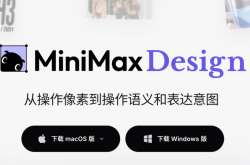
MiniMax has unveiled its latest innovation this month, MiniMax Design, accompanied by the official tagline: "From pixel manipulation to semantic control and intent expression." In simpler terms, future video creation will eliminate the need for parameter or timeline adjustments—just speak naturally.
While the tagline is captivating, our comprehensive testing, following the official manual, reveals a nuanced conclusion. At the workflow level, it indeed simplifies the process—a brief description suffices to produce a complete video. However, at the visual level, particularly in video semantic editing, which the official team emphasizes the most, it falls short of expectations.
Let's delve into the product first, then discuss our testing experience.
An Agent-Driven Content Production Platform
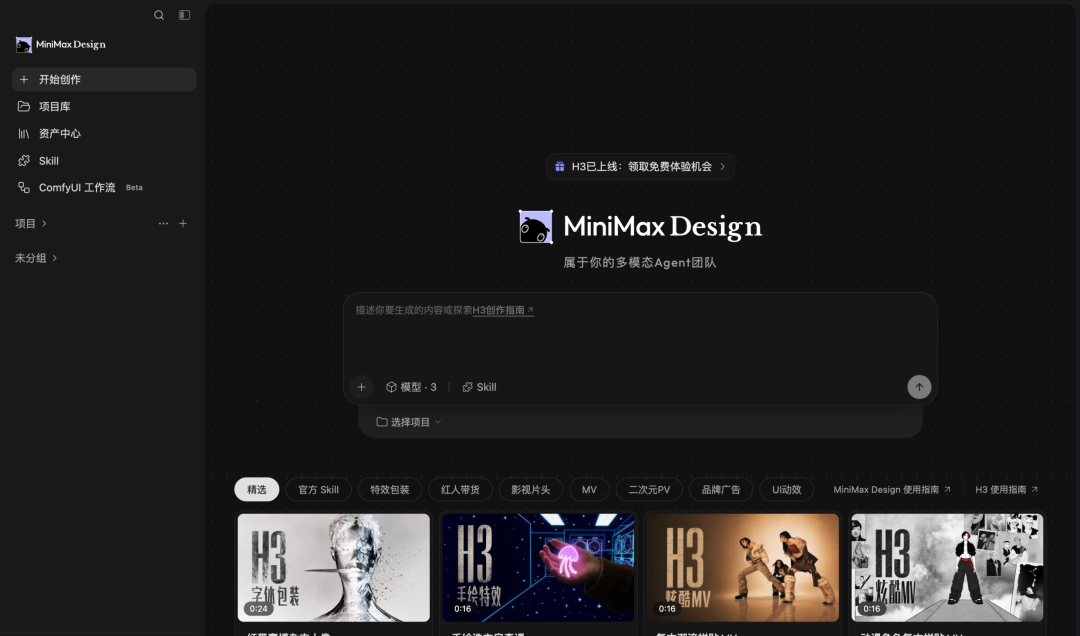
MiniMax Design is positioned not merely as another AI video generation tool but as a platform—a workbench that orchestrates multimodal model capabilities into productive outputs. At its heart lies MiniMax's newly open-sourced H3 multimodal video model, augmented with layers of Agents. You articulate your needs, and it manages task decomposition, Skill selection, model tuning, generation, and modification until delivery.
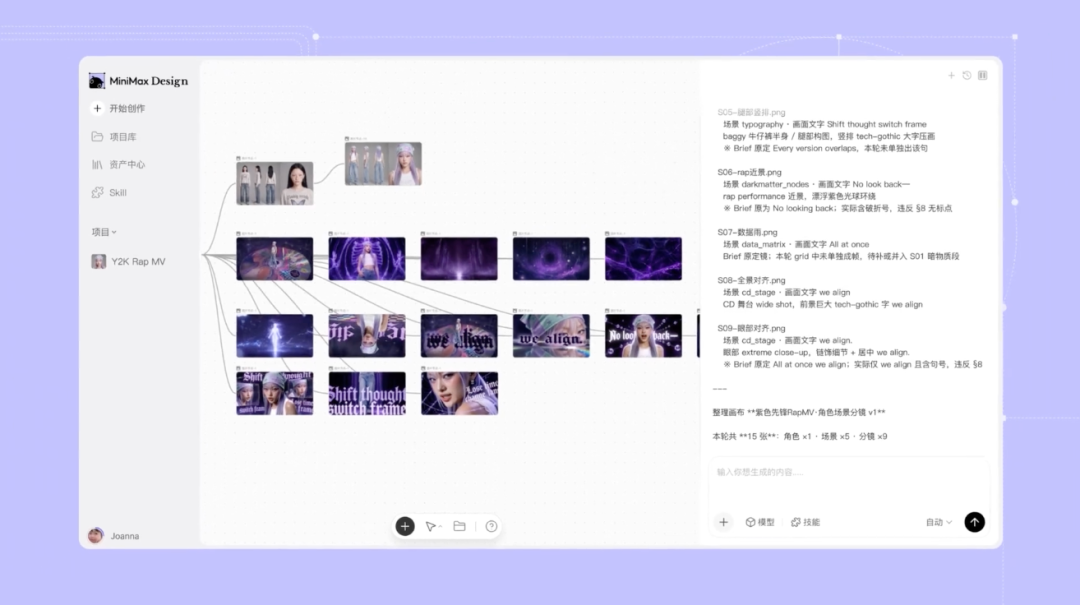
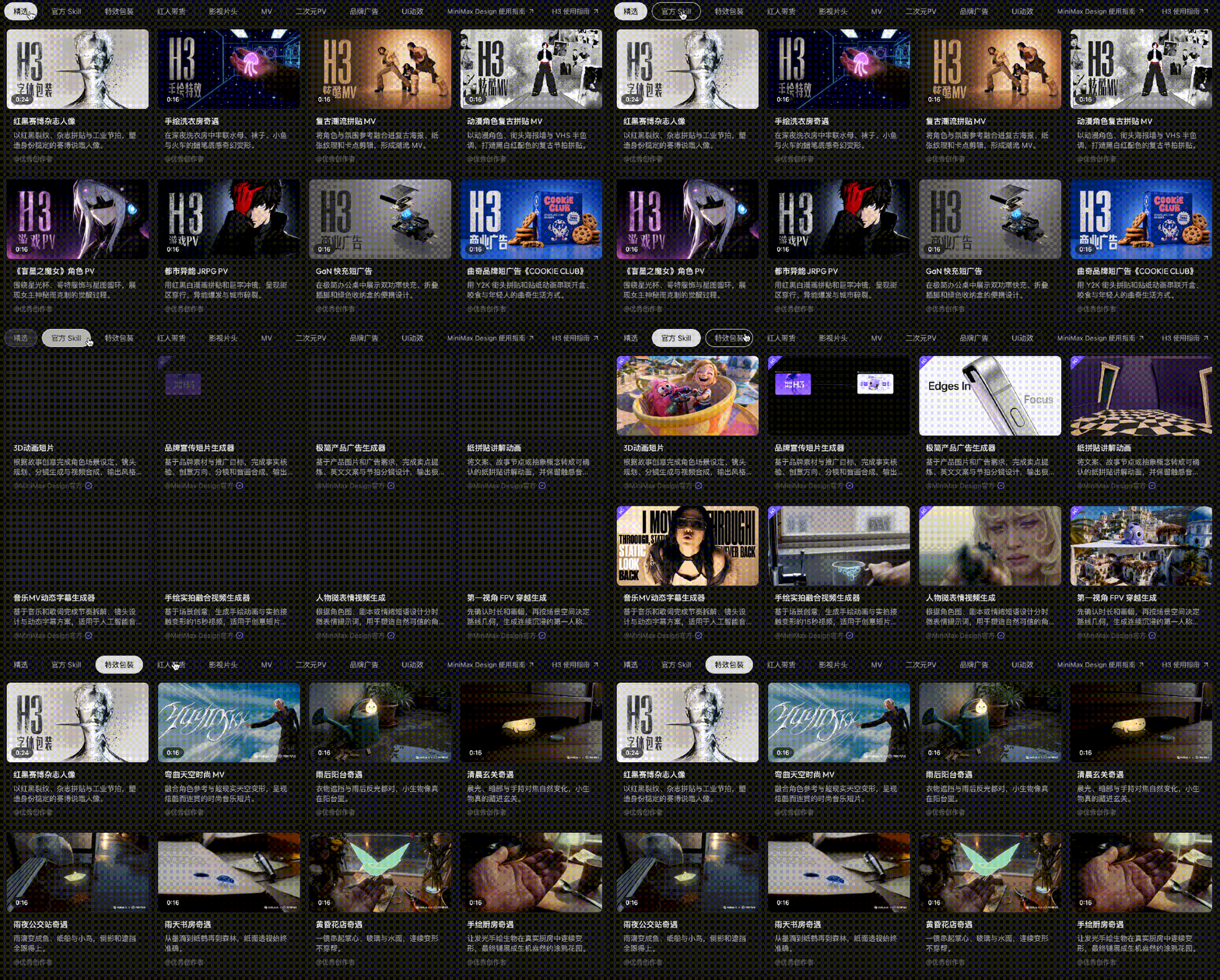
The interface features a three-column layout: the right side houses the Agent dialogue area, the middle displays the canvas where all generated content and uploaded materials appear and are automatically linked in a workflow, and the left side contains the Skill Plaza, Template Center, Plugins, and Asset Center.
The official manual outlines eight commercial use cases, encompassing e-commerce short videos, KOC advertising, educational videos, and animated PVs, all tailored for "short, fast, templated, and bulk" commercial content production.
Pricing is a crucial factor in determining the product's target audience. As of August 22, there are three domestic membership tiers: Starter at 65 RMB/month for 10,000 credits, Plus at 499 RMB/month for 87,000 credits, and Pro at 1,399 RMB/month for 270,000 credits. According to the official conversion, 10,000 credits can generate approximately 83 seconds of H3 2K video or 143 seconds of 768P video.
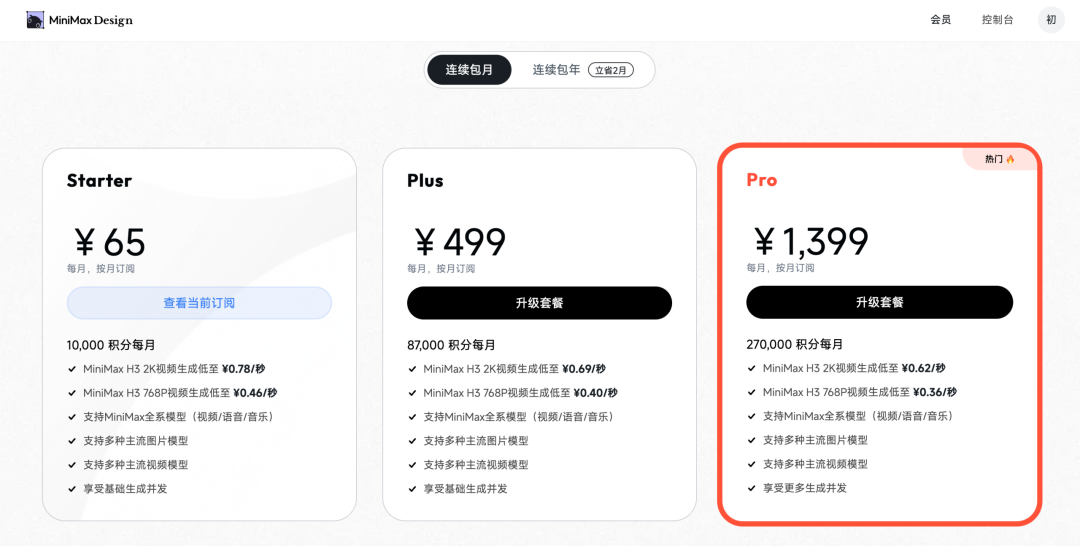
In simpler terms, for 65 RMB a month, you can produce roughly 5 to 9 15-second short videos. While this may not be cost-effective for individual users, for an e-commerce team generating daily advertising materials, it presents a different value proposition.
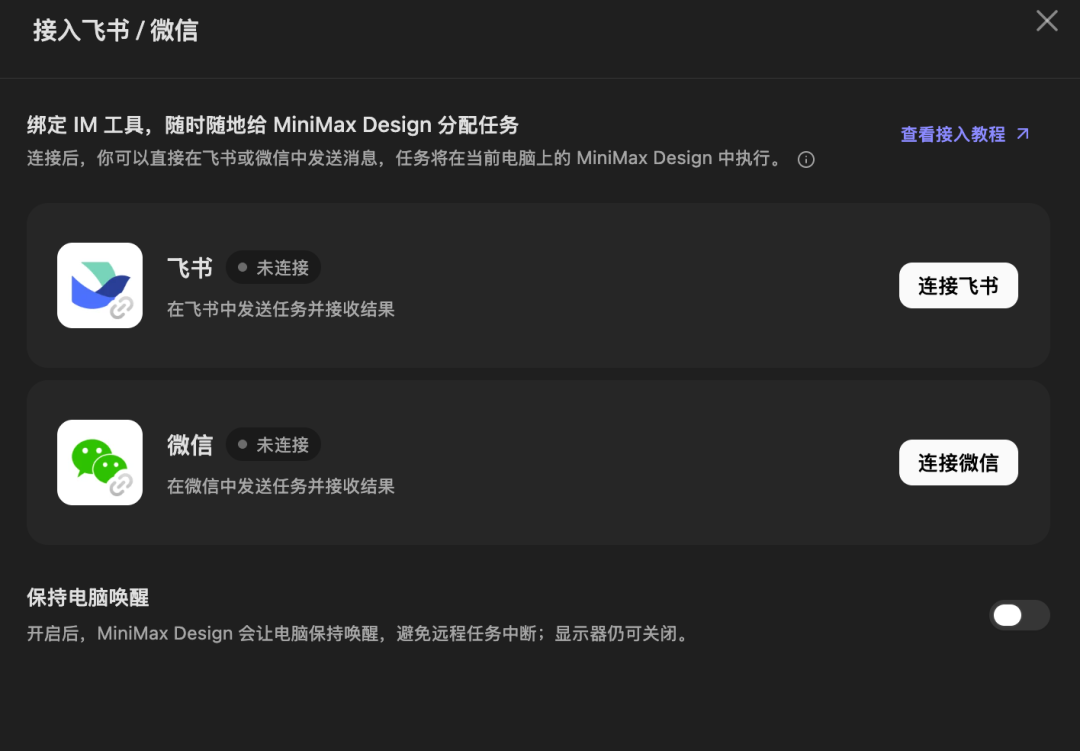
MiniMax Design also incorporates remote connectivity, a feature prevalent in most modern tools. Users can bind IM tools to assign tasks to MiniMax Design anytime, anywhere, with a simple connection method—just scan a WeChat or Feishu QR code.
It Truly Simplifies Workflows Through Semanticization
Our initial test adhered closely to the official manual's example. We uploaded a product image of wireless earbuds and input a one-sentence request: "Create a 15-second vertical ad for wireless earbuds, emphasizing portability and noise cancellation, with a clean and tech-savvy style."
The Agent didn't immediately spring into action. Instead, it first dissected the task, confirming with us the aspect ratio, selling points, and target audience. Then, it planned the steps, generated character images, wrote the script and storyboard, and finally produced the video. Throughout the process, our role was limited to confirmation and anticipation.
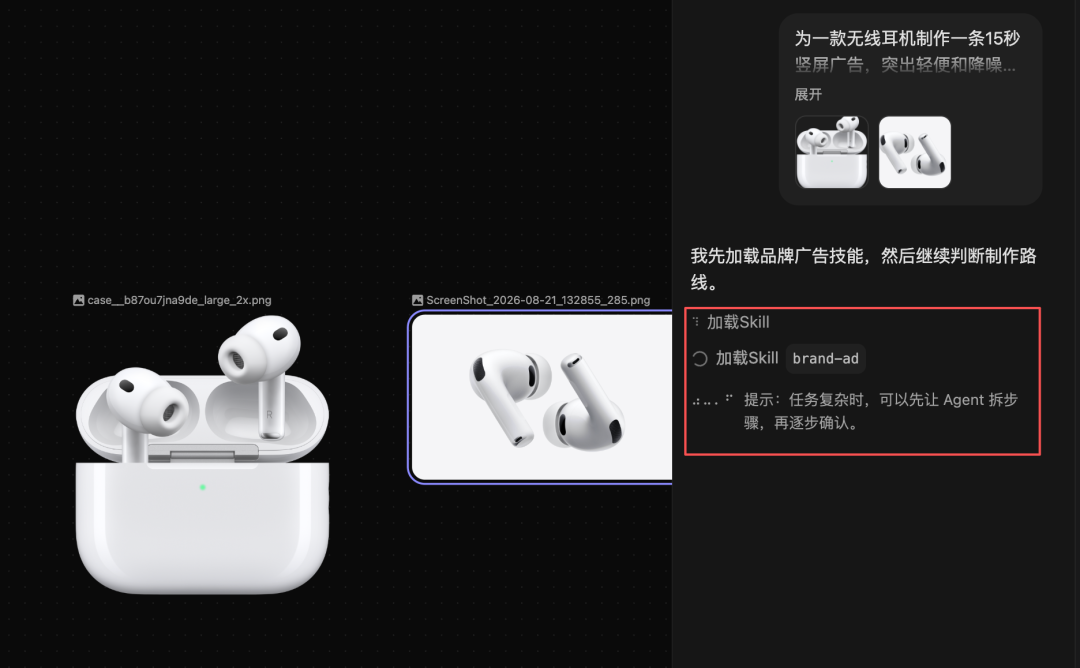
Two details warrant attention. First, the quality of the final video: using the same product image, the video produced through the Agent workflow was noticeably superior to one generated directly on the web interface. This is because the Agent autonomously expanded prompts and supplemented storyboards. Second, its user-friendliness for novices: our impression is that it's highly practical for AIGC beginners. With the Agent, there's no need to invest time in learning how to use the canvas.
This exemplifies "workflow-level semanticization"—you don't need to understand the tool; you just need to clearly articulate your desires.
Skills and Templates: The Second Line of Verification
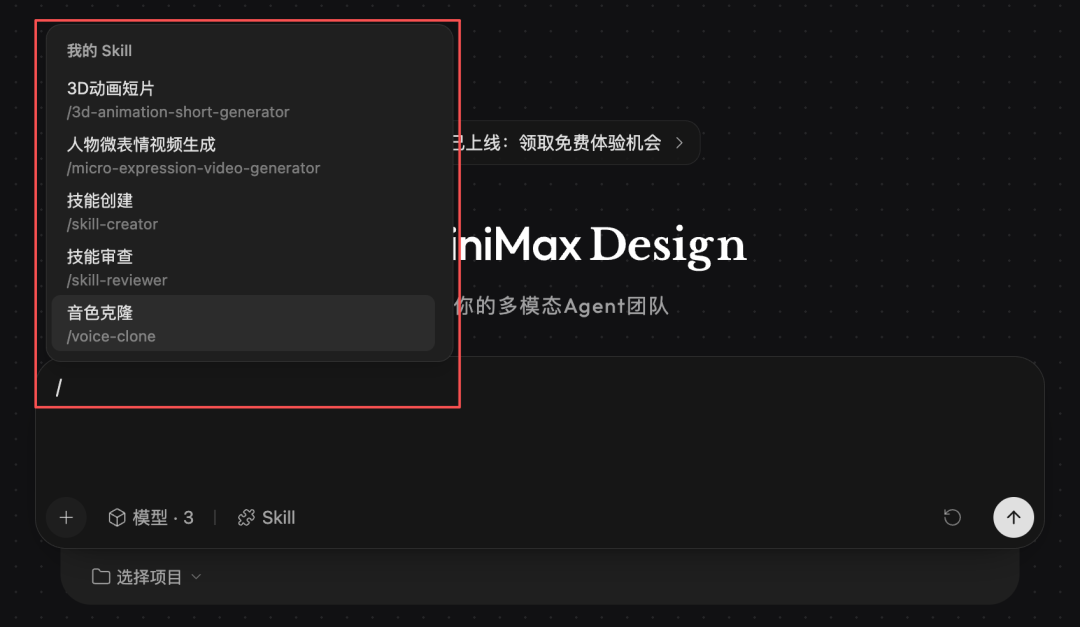
Skills in the Skill Plaza can be invoked in three ways: by clicking "Try in Dialogue," by typing "/" in the dialogue box, or by letting the Agent decide which Skill to use. We tried all three methods, and all were successful.
If you encounter a style you like in the Plaza, you can directly reuse it, eliminating the cost of trial and error.
Assets and Memory: It Remembers Your Previous Work
The official documentation makes a technical observation: the next frontier for multimodal models is to comprehend context at the project level, including historical dialogues, asset libraries, version histories, and user style preferences.
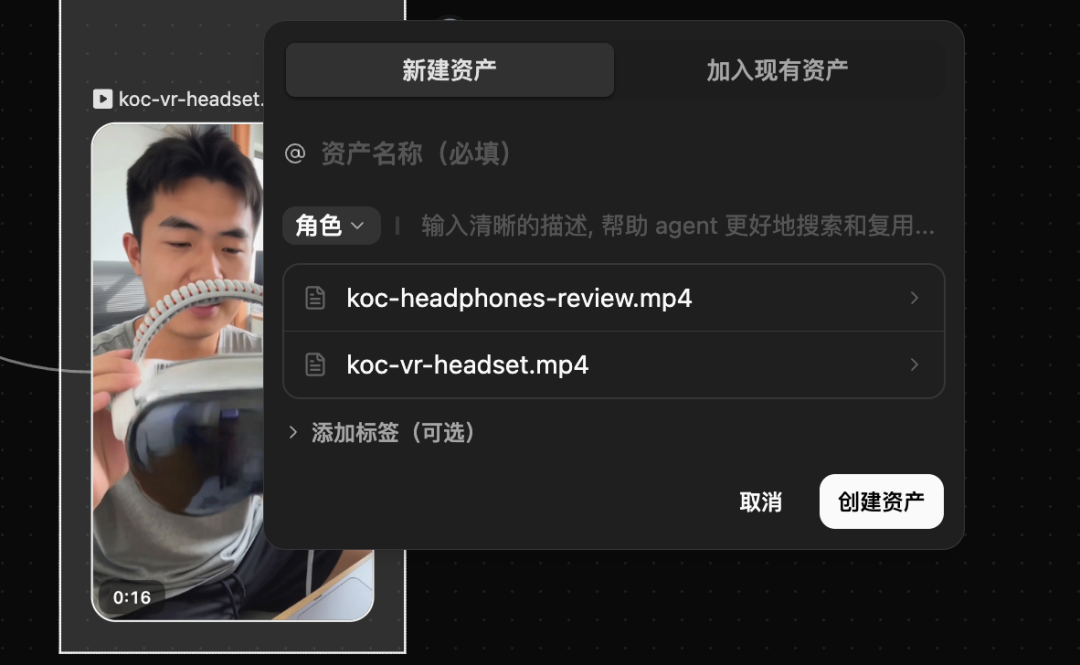
You can save characters or scenes generated in a project as assets for reuse in other projects.
Furthermore, after engaging in multiple rounds of conversation within the same dialogue, we asked the Agent to summarize the confirmed character settings, video style, and brand information based on our current conversation. It accurately recounted all of them.
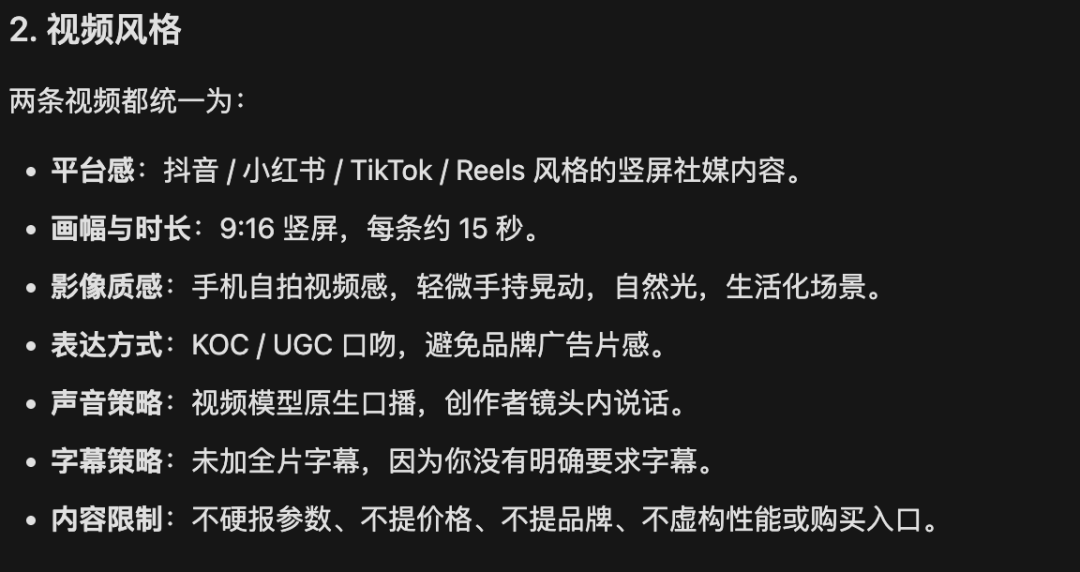
The official claim of project-level context understanding holds true, at least within the scope of our testing.
Batch KOC Production: A Surprisingly Intelligent Detail
Batch production is the commercial selling point emphasized by the official team. We uploaded two product images and requested the generation of two 15-second vertical KOC videos, each with distinct creator personas, opening hooks, and narrations.
The Agent first established character and product anchors, locking in character appearances and product designs before generating the videos. Both were successful, with strong consistency in character appearance across shots within each video.
What truly impressed us was the VR glasses video. We were slightly concerned that the model might misidentify the VR glasses as a competing product like a massage device. However, H3's approach was to avoid mentioning the product name entirely and instead focus on the wearing experience.
The model wasn't instructed to do this; it seemed to recognize its potential for error in product details and proactively avoided the pitfall. From a commercial content perspective, this ability to sidestep mistakes is more valuable than image quality enhancements—provided it's done naturally.
3D Director's View and AI Editing: Shifting Trial-and-Error to Storyboarding
The 3D Director's View is a plugin heavily promoted by the official team. Its core value lies in arranging characters, camera positions, and poses in a 3D space, confirming the composition, and then using that storyboard as a reference to generate the video. This shifts some of the trial-and-error to the storyboarding phase.
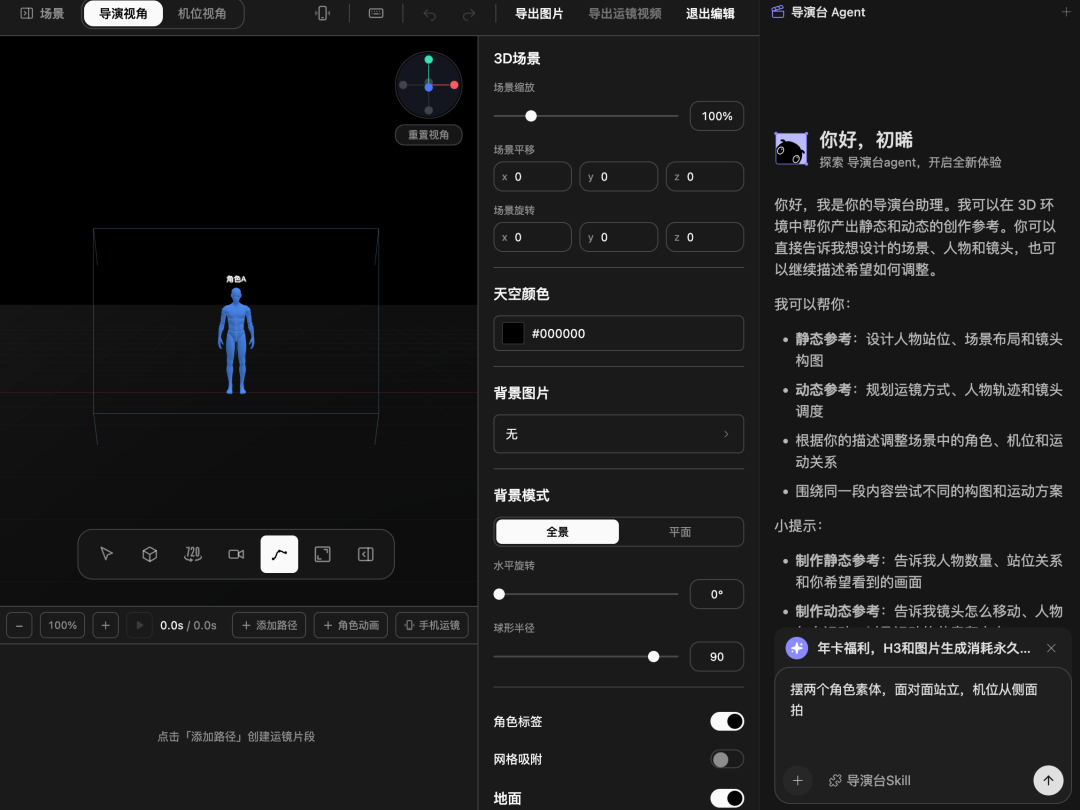
We used natural language to instruct the Director's View to "place two character models facing each other, with the camera shooting from the side," and it understood accurately. Then, we had the Agent generate a 5-second video based on this storyboard. The final video's composition and character positions closely matched the storyboard, confirming a closed loop.
AI editing also passed all tests: adding subtitles, transitions, and trimming the last 2 seconds were all successfully executed with natural language instructions.
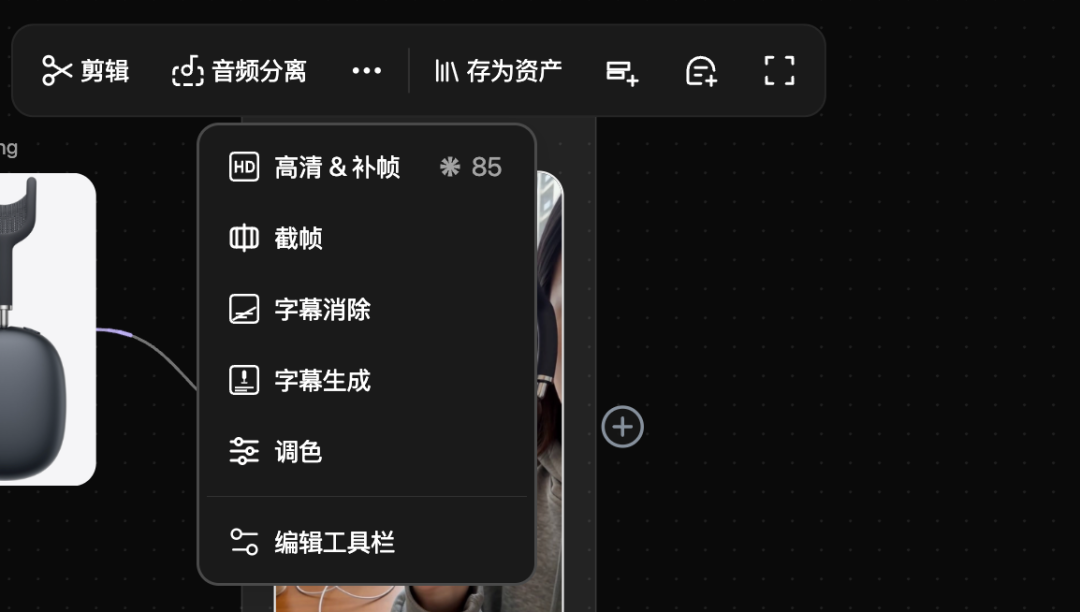
The Director's View is now a standard feature in top-tier AI video platforms, effectively reducing the need for repeated attempts due to character poses and positions. However, traditional Director's Views have a learning curve. Using Agents and natural language to operate them indeed lowers the barrier.
If there's a camera movement you can't describe, MiniMax Design offers a virtual camera function. You can scan a QR code with your phone to control the camera movement and then transmit it back to the Director's View.
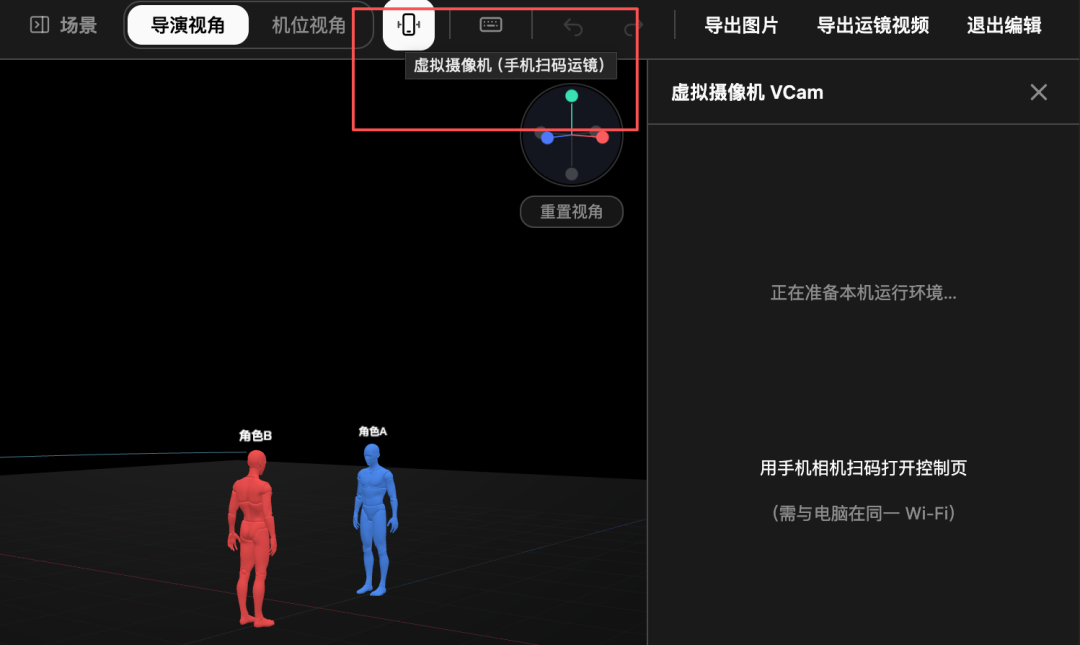
The Official Headline Feature, However, Fell Short
Now, let's address the most critical part of our hands-on test: semantic-level video editing.
The official article states that future creation and modification will transcend traditional editing, occurring at the semantic level. Users only need to express high-level intentions. H3's official team also claims it is particularly suitable for video editing scenarios.
We fed back the initial Bluetooth earbuds ad and issued two instructions based on the principle of "expressing intent, not parameters." First, "Make the overall color tone of this video warmer and the atmosphere cozier." Second, "Replace the background with a bright café scene, keeping the characters and product unchanged."
The first instruction was executed, but there was almost no visible change before and after. The second instruction did change the background to a café, but the earbuds became distorted.
The Agent's behavior was correct—it directly understood the intent and executed it without asking about parameters, fully aligning with the "semantic-level" vision. The issue lay in the visual layer: the color tone modification was negligible, and the background replacement compromised subject fidelity.
Simply put, MiniMax Design achieved "understanding" but not yet "accurate modification" when it comes to "editing videos through natural language." Video editing is one of the most challenging scenarios for generative models, requiring them to simultaneously achieve two contradictory goals: change what should be changed and keep what should remain unchanged pixel-perfect. At least with the current H3 model, the latter remains unresolved.
Local Deployment: A Direction Worth Mentioning, Though Untested
The final feature is the official-promoted open workflow, including local deployment of the H3 open-source model and ComfyUI integration. The official team provides multiple curated workflows, available in lightweight and full versions, which can be run as nodes on the canvas. The Agent can also adjust workflow nodes and parameters based on dialogue.
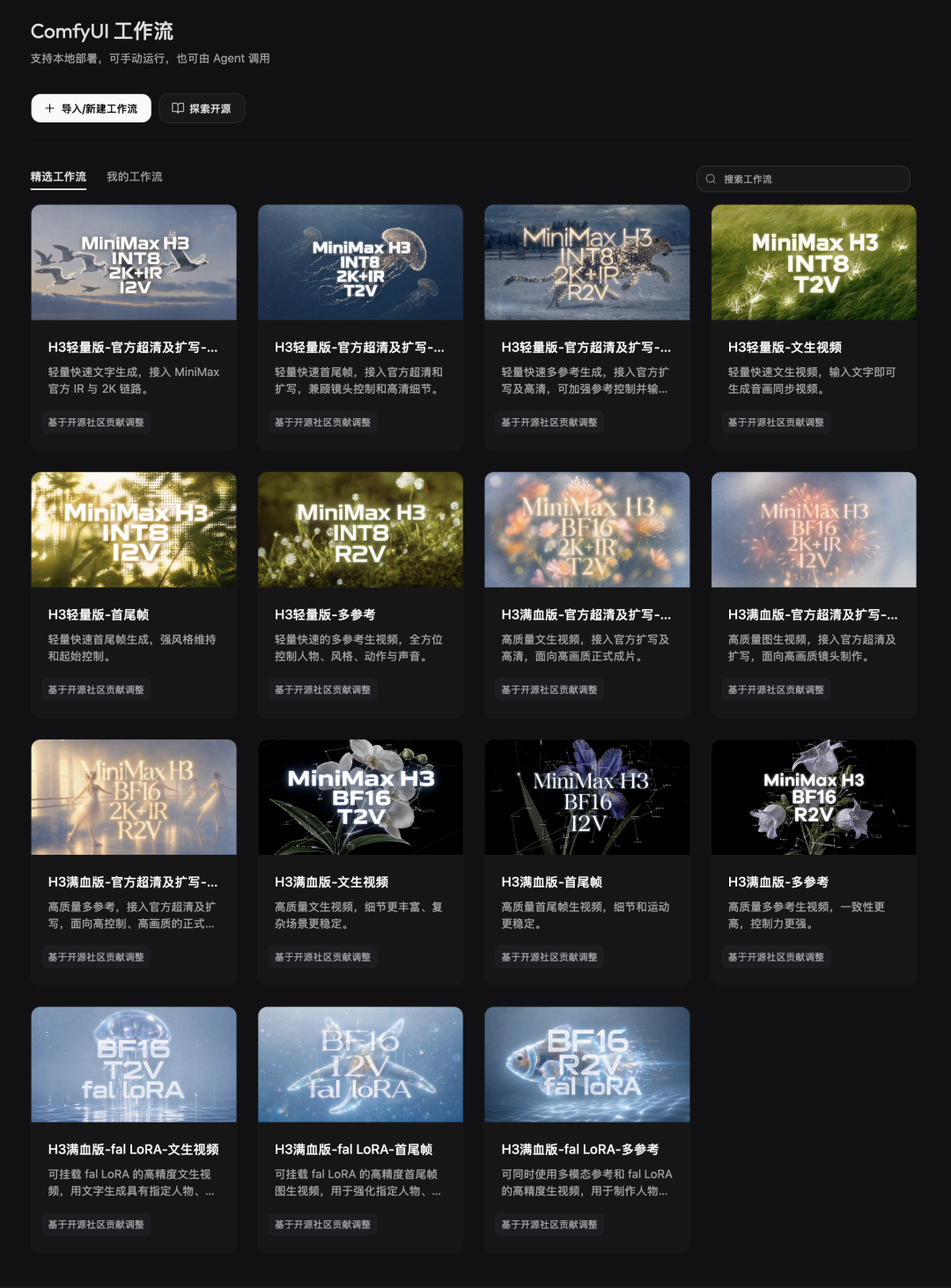
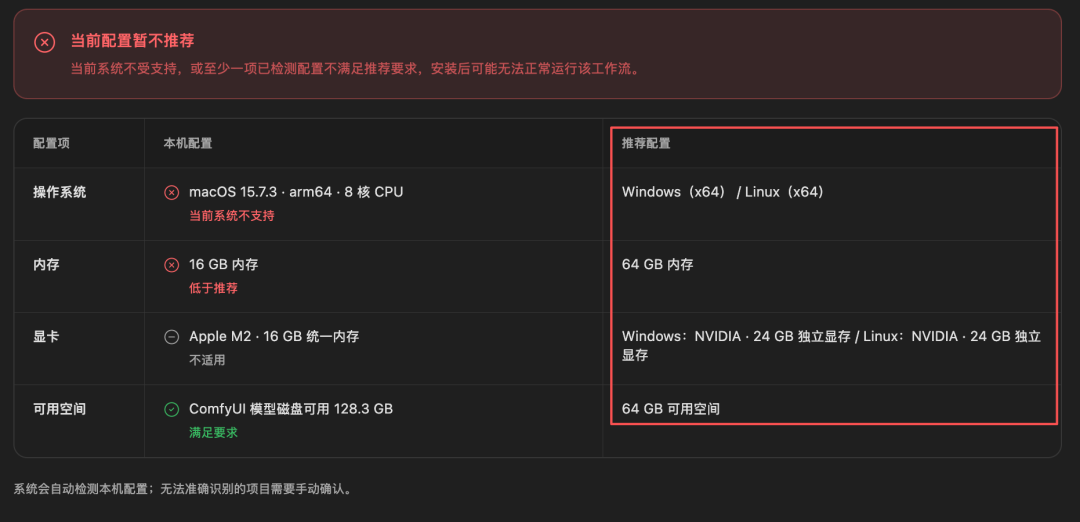
We couldn't conduct this test, as the official system requirements for local hardware were too high for our test devices.
However, the direction itself is noteworthy. The official workflows support not only MiniMax's own models but also allow importing custom ComfyUI workflows.
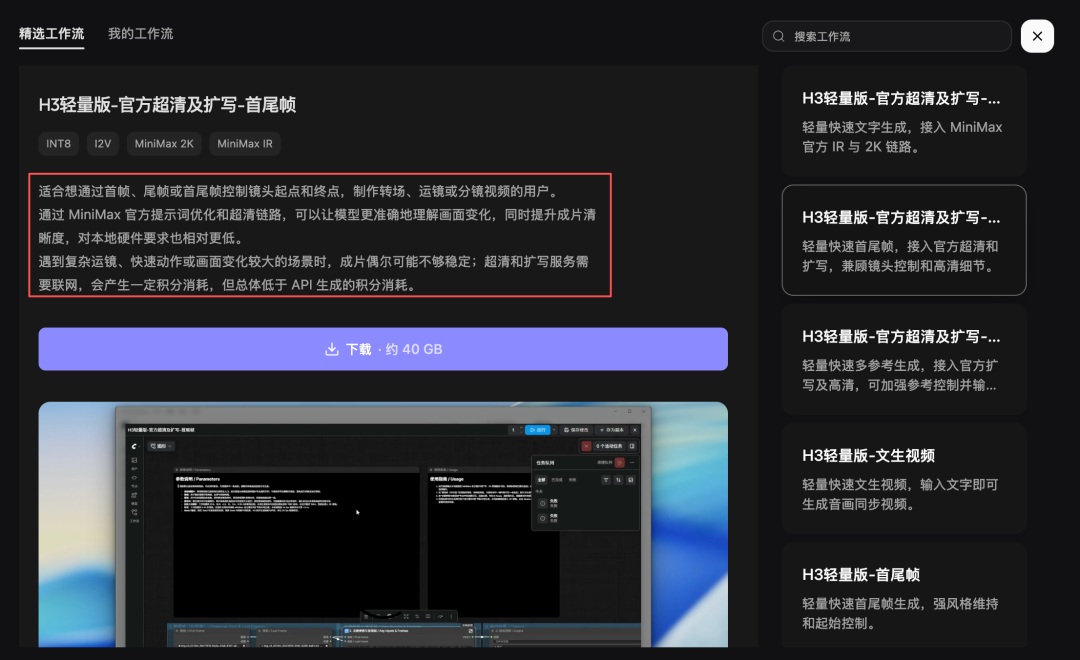
For professional creators with GPUs, this means generation costs can be reduced to the level of local electricity bills while retaining the Agent workflow and the entire process within the canvas. This openness is more generous than most comparable platforms.
Is It Worth Using?
If you're an e-commerce, advertising, or content operations team producing advertising materials in bulk daily, MiniMax Design is ready for use now. The Skill + Template + Batch Generation workflow is complete, and the 65 RMB/month Starter tier is sufficient for small teams to test the waters.
If you're an AIGC novice with no interest in learning professional tools, this is currently one of the lowest-barrier options available—because you really only need to speak. But if you're expecting to 'perfect a video with a single sentence,' it's advisable to wait a bit longer; there's still a gap between the hype and reality when it comes to semantic editing.
"From pixel manipulation to semantic control"—this direction itself is undisputed, with every player in the industry moving in this direction. What makes MiniMax Design unique is that it has already completed the scaffolding: dialogue, assets, memory, storyboarding, and editing have all been semanticized, leaving only the toughest challenge stuck in the visual realm.
The only question worth watching now is whether the next H3 update can make "editing videos" as effortless as "stating requirements." When that day comes, the menu bars of video editing software will truly belong in museums.
-
![]()
Registered Capital Slashed to 372 Million Yuan! Yutong Optical Finalizes Industrial and Commercial Change Registration
-
![]()
Zhuque-3 Successfully Lands, and 'Time Traveler' Secures Another ¥100 Million in Funding: China's Commercial Space Industry Experiences a 'Dynamic August'
-
![]()
Autohome Faces a Shrinking Window of Opportunity
-
![]()
Even a Titan Like Musk Has Faced Setbacks in Fulfilling Promises
-
![]()
AI Office: The End of the Racing Era, Context Becomes the Key to Success
-
![]()
Domestic Vehicle Chassis Revolution ②: The Steering Wheel Remains, But Mechanical Connections in the Steering System Are Decreasing
-
![]()
Exploring MiniMax Design: Can Video Editing Be as Simple as Speaking?
-
![]()
Why Can SenseTime Achieve Profitability While CloudWalk Still Faces Challenges, Despite Both Adopting Large Models?