AI Takes Control of Your Browser! Testing Codex Chrome: Simple Tasks Falter, Complex Ones Shine
 05/09 2026
 434
434
This time, OpenAI isn't setting its sights on replacing browsers.
OpenAI has once again discreetly given Codex a "performance boost".
On May 7th (North American time), OpenAI officially unveiled the Codex for Chrome extension, enabling Codex to directly interact with the Chrome browser on a user's computer and execute tasks within logged-in websites and tools.
According to official statements, after integrating this extension, Codex gains the ability to read webpage content, operate internal systems, access backends, fill out forms, and more. Users can also specify which websites it can access. From Leikeji's perspective, Codex can now essentially take over your Chrome browser.

(Image source: OpenAI)
However, judging solely by the official introduction, this seems like a remarkable new feature. Yet, those familiar with OpenAI's previously launched ChatGPT Atlas may recognize that there's often a gap between the ideal and reality. With this in mind, our team at Leikeji AGI (ID: leikejiagi) decided to put it to the test.
Integrating Codex: The Browser "Comes Alive"
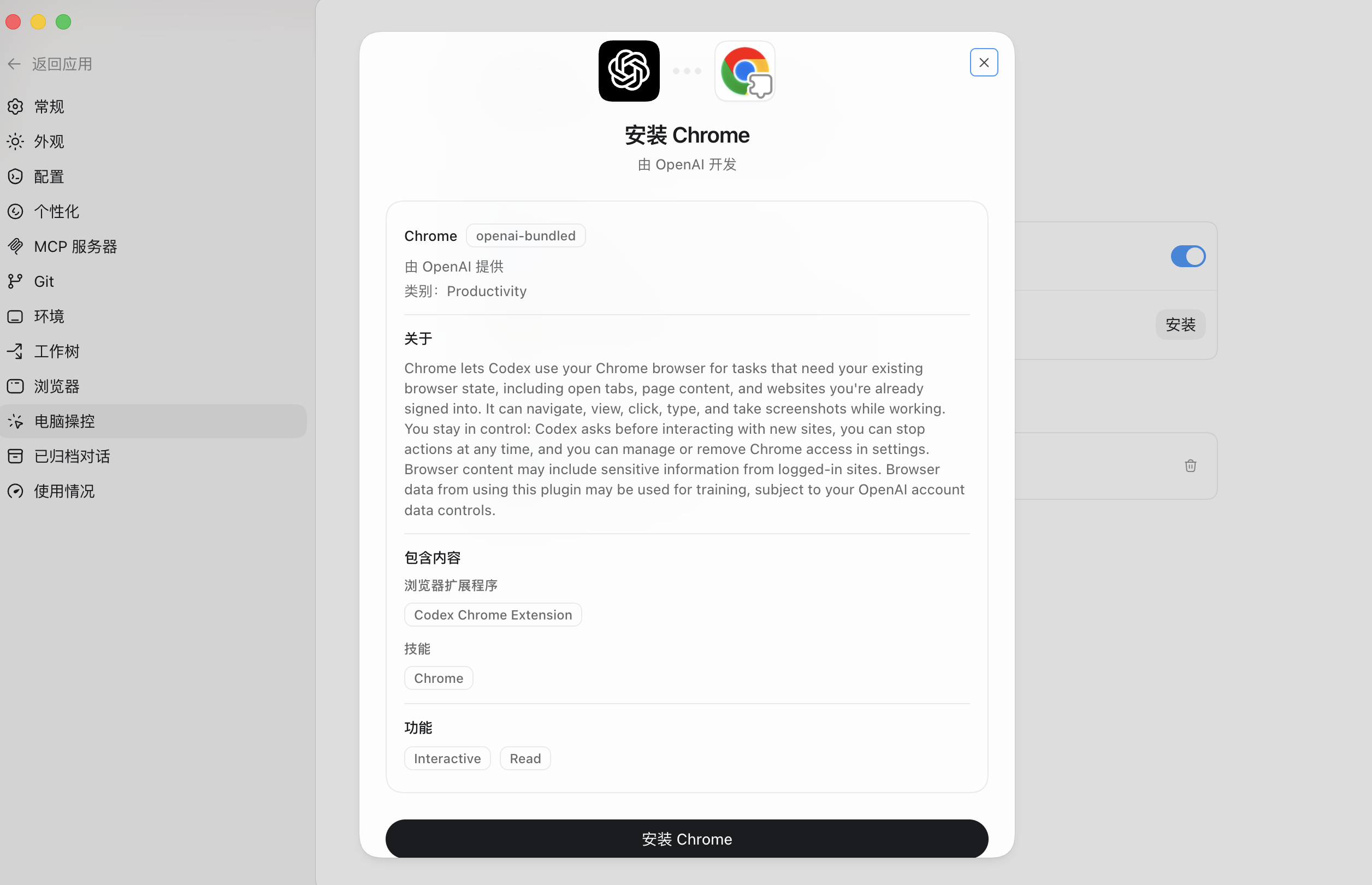
Getting started with the Codex for Chrome extension is straightforward, involving two main steps. The first step is to locate the extension in the Chrome browser by visiting the Chrome Web Store and searching for "Codex" to install it. Once installed, it will appear in the top-right corner of the browser, initially in an unconnected state.
Next, open Codex, navigate to the settings, find "Computer Control," and install the "Google Chrome" plugin. After installation, click activate to establish a successful connection.
For our initial test, we started with a simple task: having Codex for Chrome organize our tabs. After issuing the command, Codex began processing, a task that ran automatically in the background without the need for constant monitoring.
Despite being a straightforward operation, it presented a challenge for Codex. Initially, Codex struggled to fully recognize all the tabs and lacked a dedicated control mechanism to perform the task. However, it devised a plan to close all tabs first and then reopen them in a categorized order. Unfortunately, in the first step, Codex accidentally closed all pages without recording the specific URLs, rendering it unable to reopen them.

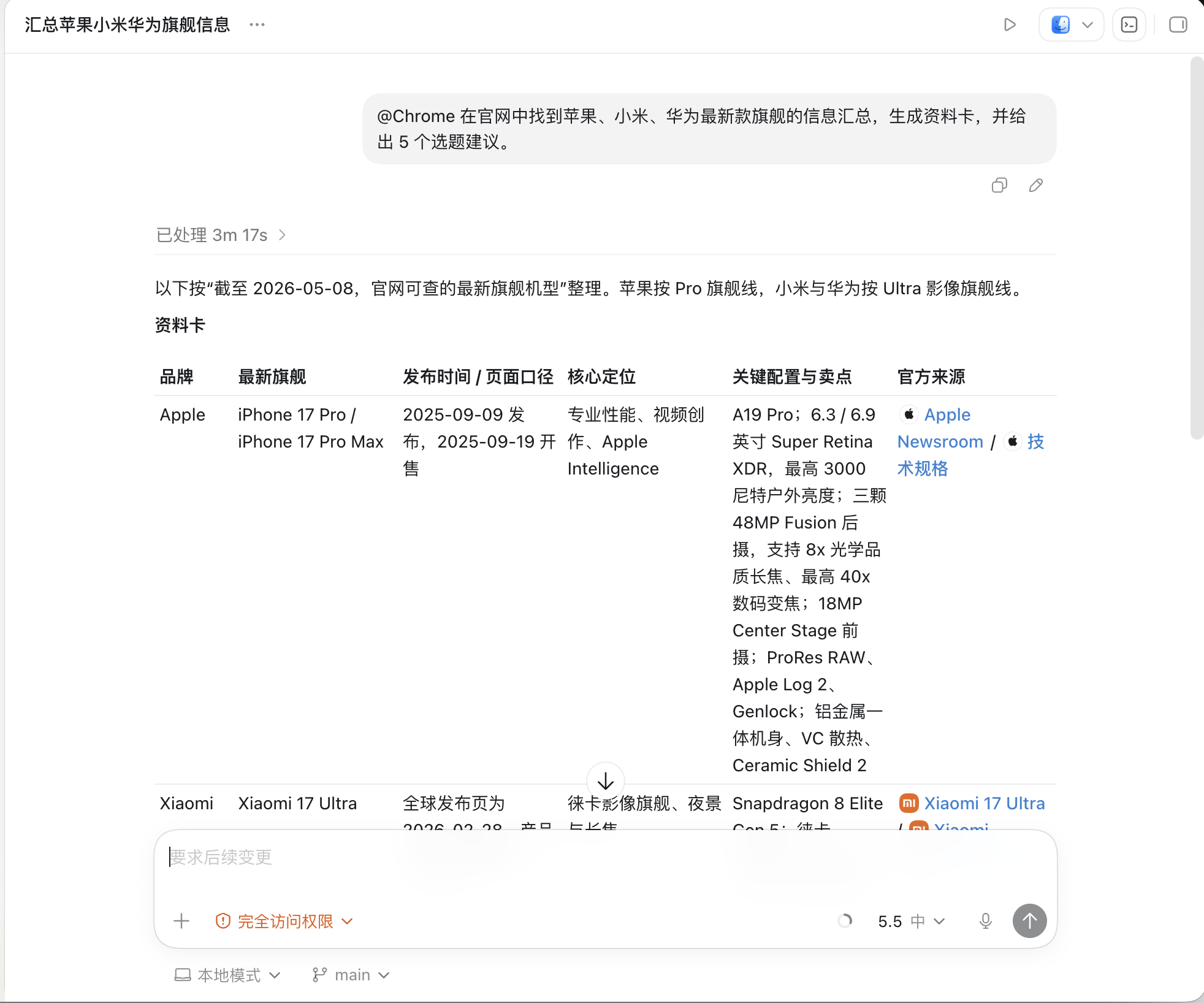
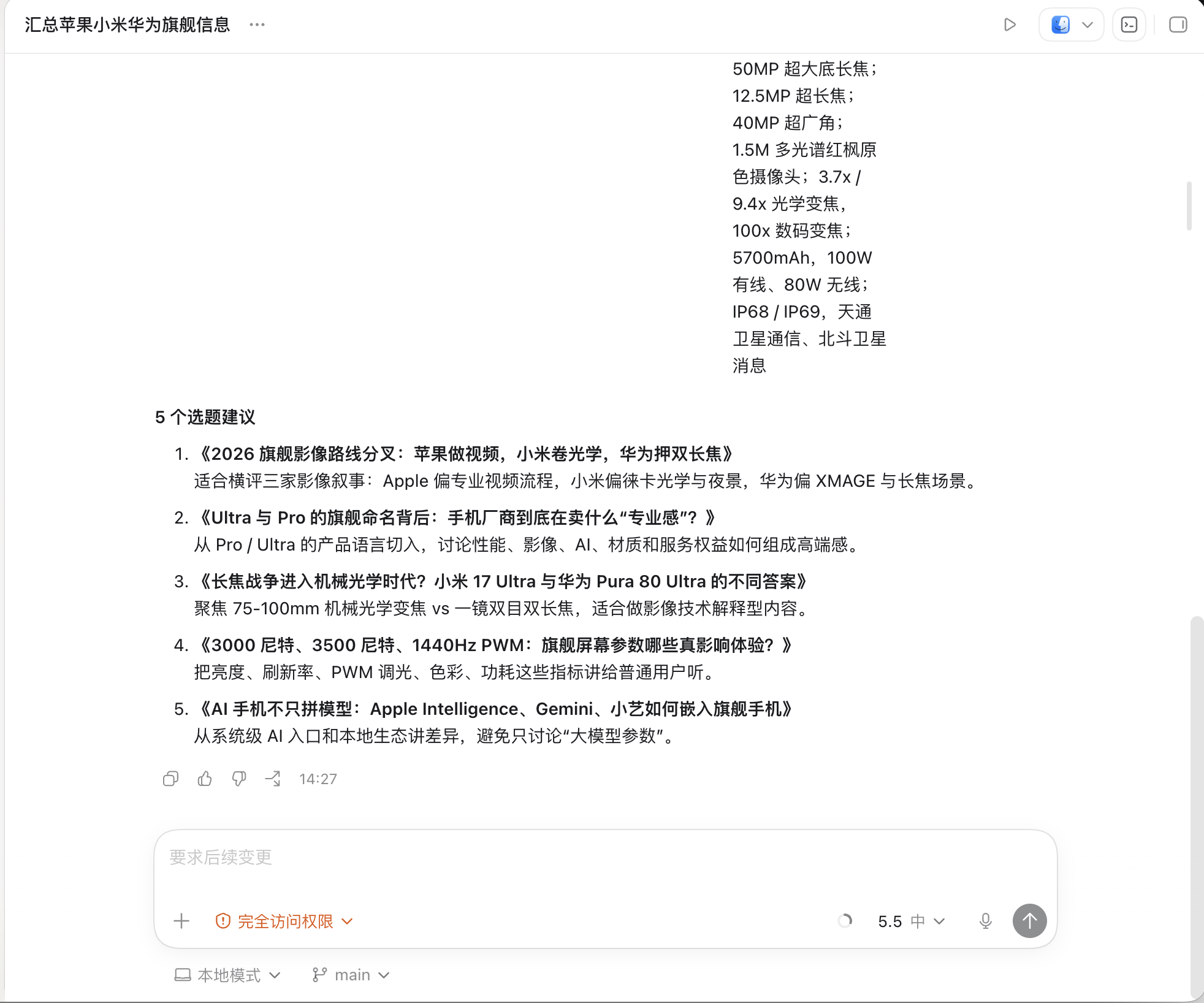
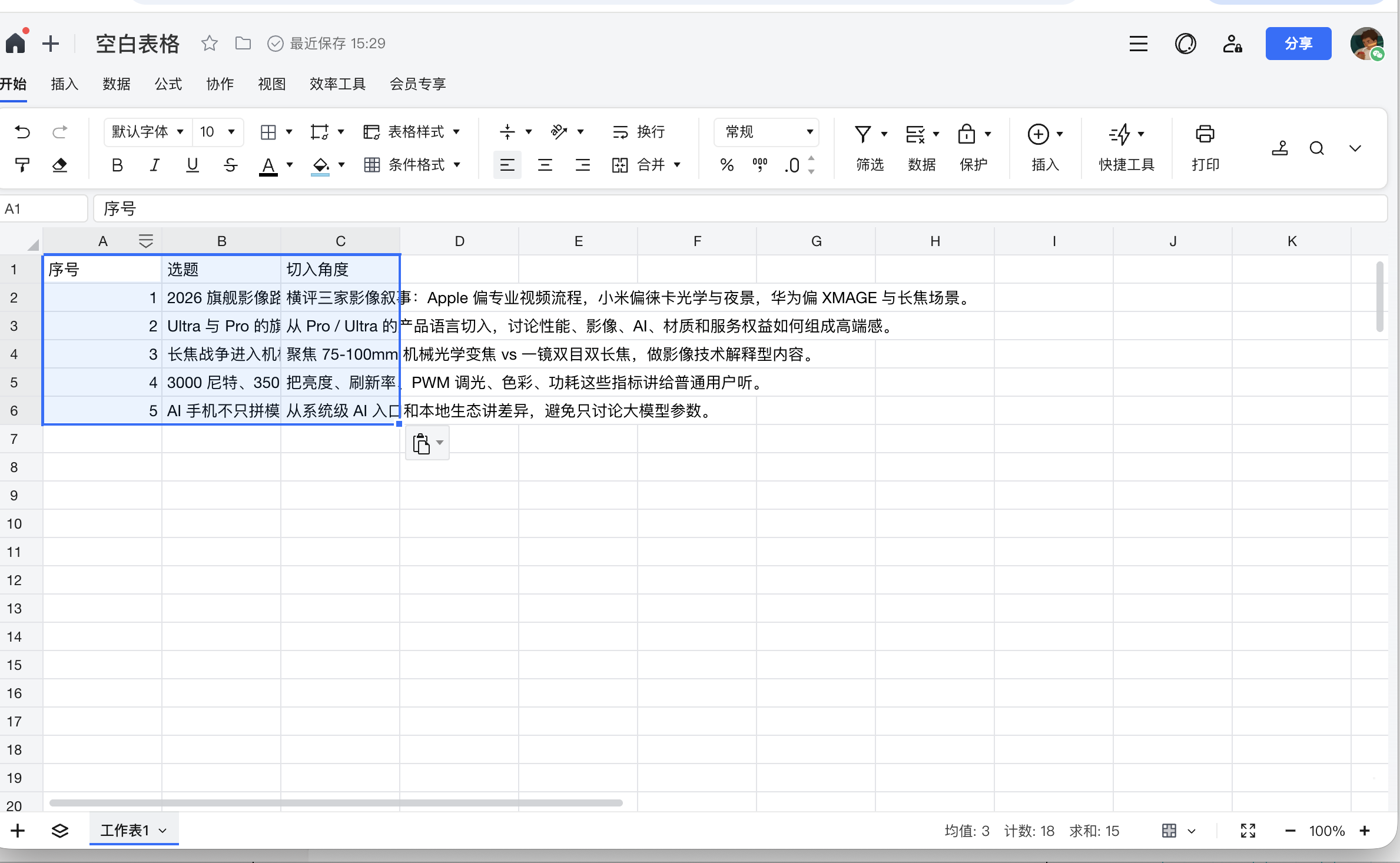
Next, we tested Codex for Chrome's ability to organize data. We instructed Codex to awaken Chrome, gather information on the latest flagship smartphones from Apple, Huawei, and Xiaomi, generate data cards, and provide us with five topic suggestions. This time, the process went smoothly. We observed Codex calling up Chrome's web pages to search for and organize information, a task that took just over three minutes.
The five topic suggestions it provided exceeded our expectations, covering areas such as imaging, screens, and AI large models—topics of great interest to everyone. Codex seemed to have a good grasp of what readers wanted to see.
Since this task wasn't overly challenging, we decided to try a more extended one. We asked Codex to locate Deepseek in the Chrome browser and write an article in Leikeji's style, using topic suggestions from our previous analysis of three flagship smartphones, allowing it to operate autonomously throughout the process.
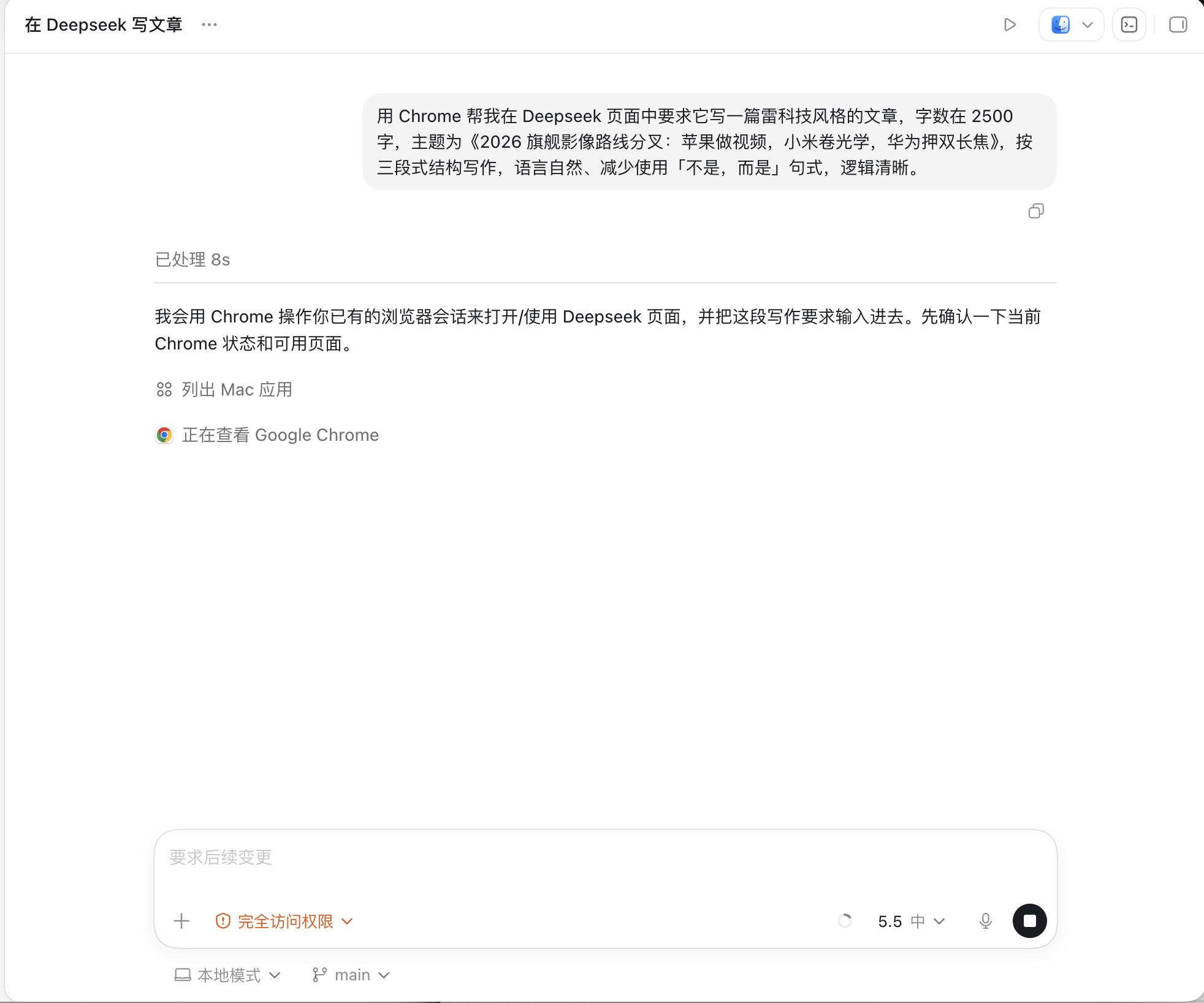
This time, Codex for Chrome responded swiftly, essentially pasting the command onto Deepseek within 30 seconds and commencing the article writing, which it completed in just about 1 minute.

Next, we attempted more complex operations, asking Codex for Chrome to create a table for an AI news daily. Since I had already assigned Codex the skill of summarizing AI daily reports, this part proceeded relatively smoothly, taking about 1 minute to collect information. Then, it opened Tencent Docs, created a new table, and pasted the content in. The entire process went off without a hitch, with only occasional inaccuracies in recognition that were promptly corrected.
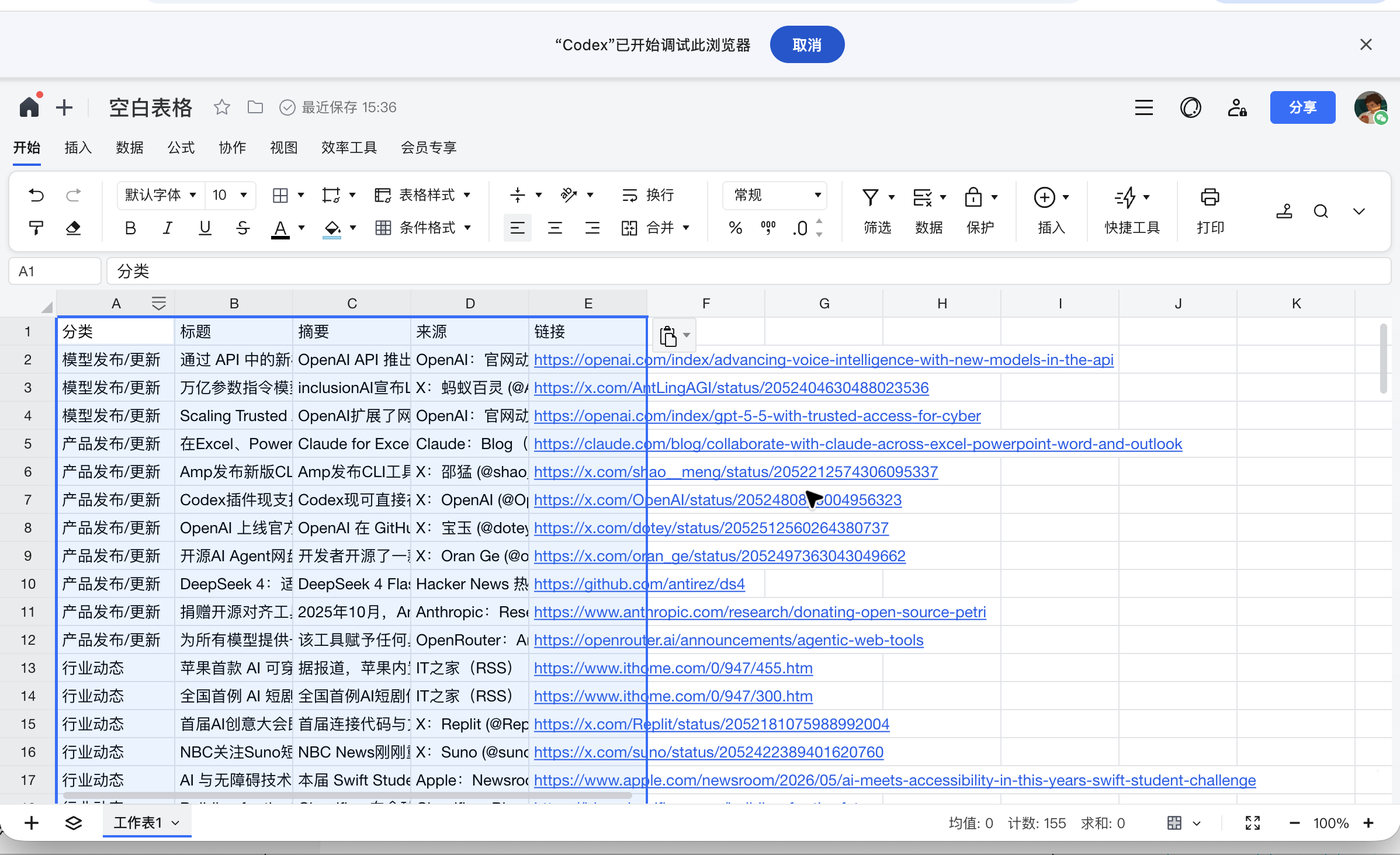
Currently, Codex for Chrome appears quite practical. On one hand, Codex's capabilities are indeed top-tier, and operations centered around it generally proceed without major issues. At least, in the scenarios we tested, there wasn't a situation where it was completely unable to perform. On the other hand, integrating Chrome and Codex's main advantage is that it achieves similar results without requiring users to switch to a dedicated AI browser, thus lowering the barrier to adoption.
Assisting the Browser Rather Than Replacing It: OpenAI Wises Up This Time
When we saw OpenAI announce such an extension, our initial reaction was to recall the long-neglected ChatGPT Atlas. As OpenAI's first AI browser, it carried high hopes. However, as we all know, ChatGPT Atlas didn't make much of an impact.
AI browsers like Firefox, Atlas, and Tabbit, developed by Meituan Guangnian's team, have been educating users that browsers should no longer be just tools for viewing web pages. They should understand the content you're viewing, anticipate your next actions, and even complete operations for you in some cases.
For example, Atlas can accompany you as you browse the web, research, and organize information, with AI observing your actions. When necessary, it can enter agent mode to automate tasks. However, the issue is that people still tend to handle their daily work on Chrome out of habit. Why? I believe it's simple: browsers are not ordinary apps. They store bookmarks, passwords, history, plugins, login statuses, and user habits. Many people prefer certain buttons in specific locations, not to mention that Chrome remains the browser with the most extensive extension support.

Reflecting on Codex for Chrome, I find this move somewhat clever. Perhaps ChatGPT Atlas's failure prompted OpenAI to think differently: if we can't change user habits, let's enhance capabilities within those habits.
While both are AI-centric, there's a distinction. Atlas and Tabbit are more like browsers + AI, where the browser is the main product, and AI is its core experience. They excel in web-based capabilities like searching and summarizing information. Codex for Chrome, on the other hand, essentially leverages Codex's capabilities. Codex itself is an agent designed by OpenAI specifically for tasks, with the natural advantage of "getting things done."

From our previous tests, this indeed holds true. For instance, it can organize flagship smartphone data, generate topic suggestions, call DeepSeek to write articles, and create tables in Tencent Docs. Codex for Chrome can handle these tasks, and overall, it's not slow. Especially when calling DeepSeek to write an article, the experience was smoother than expected. It could awaken Chrome, navigate to the corresponding page, find the input area, and write the content. Throughout the process, I didn't need to monitor what Chrome was doing, nor was there a need to take over.
I believe Codex for Chrome's most valuable aspect lies in handling daily mundane tasks. For example, creating an AI daily report table is a task that tech and digital industry professionals might need to complete daily. Delegating this to Codex for Chrome can save a significant amount of time and effort.
Like all AI browsers, Codex for Chrome still has some issues. When we operate the browser ourselves, we can judge which web pages haven't loaded, which buttons not to press randomly, and where login and ad locations are. However, AI still takes a considerable amount of time to recognize these things. For example, my biggest concern is that it might accidentally click "publish" and release an unfinished article, which would be a disaster.
Therefore, I now prefer to view Codex for Chrome as a semi-automated assistant capable of handling tasks. I would entrust it with work that doesn't involve security, finance, or privacy, but I would still keep an eye on it to prevent issues.
In Conclusion
Of course, for ordinary users, the form of a browser agent isn't as important as whether it can assist in tasks like researching, writing articles, filling out forms, and organizing web pages.
From this experience, Codex for Chrome can already accomplish some of these tasks. It can handle intermediate steps and string together several web-based tasks that would otherwise require constant switching. However, it hasn't reached the point where "you just say a word and don't have to worry about it at all."
When it comes to actions like closing tabs, submitting forms, or modifying backend data, caution is still needed at this stage. It's not that it can't do them, but users should ideally know how far it has progressed and check at key points. In short, you still need to keep an eye on it and not let it fully take over the browser.
This might be the most realistic value of Codex for Chrome right now: it hasn't brought browser agents to the finish line in one go, but it has made people feel for the first time that this isn't just something stuck in demonstrations. Once it becomes more stable and encounters fewer issues, users will naturally give it more tasks. By then, whether browsers will be transformed by AI isn't something we need to rush to conclude. For now, let's see if it can handle these small tasks well.
OpenAI, Codex, Chrome, Google, browser
Source: Leikeji
Images in this article are from: 123RF Royalty-Free Image Library
-
![]()
Tesla Restructures Its Balance Sheet
-
![]()
Accelerating the High-Speed Interconnection Upgrade of AI Computing Clusters! JONHON Releases ELSFP External Light Source Optical Connectors
-
![]()
Breaking the overseas blockade of volumetric holographic materials, this optical enterprise secures nearly 100 million yuan in financing!
-
![]()
Why Does Jensen Huang So Openly Praise China’s AI?
-
![]()
"Wudang" Unveiled: Arm China's Next-Gen AI VPU Redefines Video Encoding
-
![]()
From Energy Conservation and Carbon Reduction to AI Decision-Making: GECON East Intelligence and Chery Group Explore a New Green and Smart Paradigm for Automobile Manufacturing
-
![]()
WAIC 2026 Observation | AI Accelerates Towards the Core of Industries, Industrial AI Enters a Critical Phase
-
![]()
Volkswagen China Fires the First Shot in Foreign-Funded 'White Box Delivery'!