Siri-like Assistants Gain Momentum: Will Humans Abandon 'App Tapping' in the Future?
 06/04 2026
 538
538
The Era of App Entry Points May Be Drawing to a Close.
At this year's Android Showcase (I/O edition), Google made a bold declaration: Android is transitioning from an operating system to an intelligent system.
(Image Source: Google)
Perhaps, in the not-too-distant future, app icons may become obsolete.
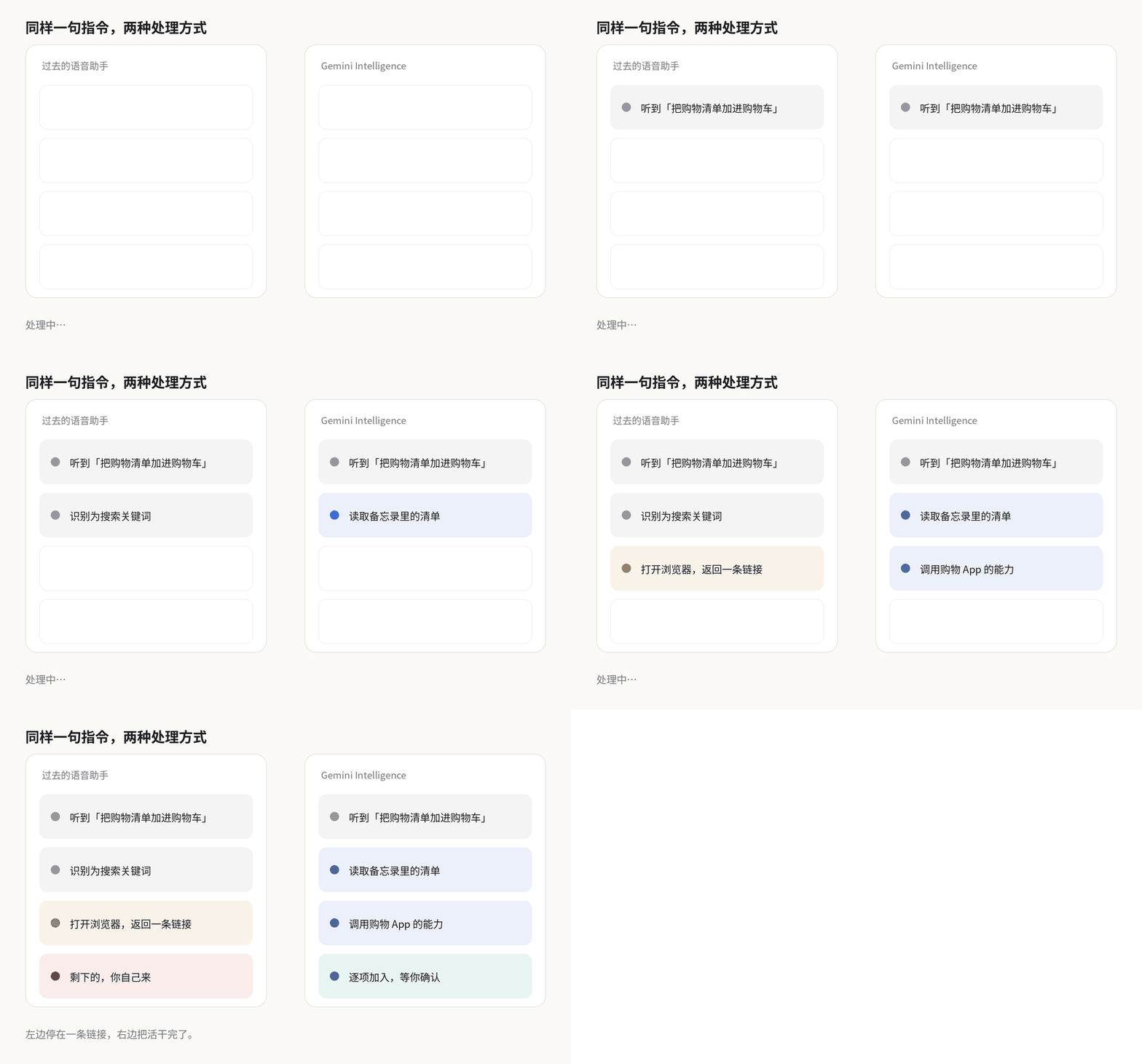
In simpler terms, smartphones will no longer passively await your command to open apps; instead, they will proactively assist you in accomplishing tasks. Google provided concrete examples: If you jot down a shopping list in your notes, Gemini can interpret it and sequentially add items to your shopping cart within a shopping app. If you instruct it to locate information about a textbook in Gmail, it can find it and place an order for you directly. If you provide it with a photo, it can search for corresponding travel itineraries on travel platforms.
(Image Source: Leitech Graphics)
This capability extends beyond smartphones. According to Google's roadmap, it will initially be available on Samsung Galaxy and Pixel devices, followed by integration into watches, cars, glasses, and laptops.
However, this raises a pertinent question: When smartphones begin performing tasks on our behalf rather than merely responding, will the traditional app logic, which has been in place for over a decade, undergo a transformation? Here's Leitech's viewpoint.
Previous voice assistants were perceived as reactive companions. For instance, if you instructed your phone, "Add my shopping list from notes to the cart," what would the old Google Assistant do? Most likely, it would interpret this as a search query, open the browser, display a few relevant links, and then the task would conclude.
From the user's perspective, they would still anticipate it to open the notes app, recall the list, switch to the shopping app, search for items individually, and add them to the cart—all without manual intervention. The crux of the issue (the awkwardness) is that it comprehended your words but couldn't execute your tasks.
(Image Source: Google)
The root cause lies in the fact that past assistants only possessed "eyes" and a "mouth," lacking "hands." They could recognize speech, read results aloud, and perform basic functions like setting alarms, making calls, or checking the weather. However, once a task necessitated navigating multiple apps, intermediate steps, or decision-making based on prior results, they faltered.
Some within the Android developer community have scrutinized Google's earlier endeavors. One was the Direct Actions API, which required apps to run in the foreground for the assistant to function, meaning the assistant couldn't operate in the background. Another was the Assist API, which granted the system "eyes" to view the screen but lacked the "brain" to understand how to manipulate it. Neither approach proved effective. In essence, there have long been complaints that voice assistants could only answer questions but couldn't execute tasks.
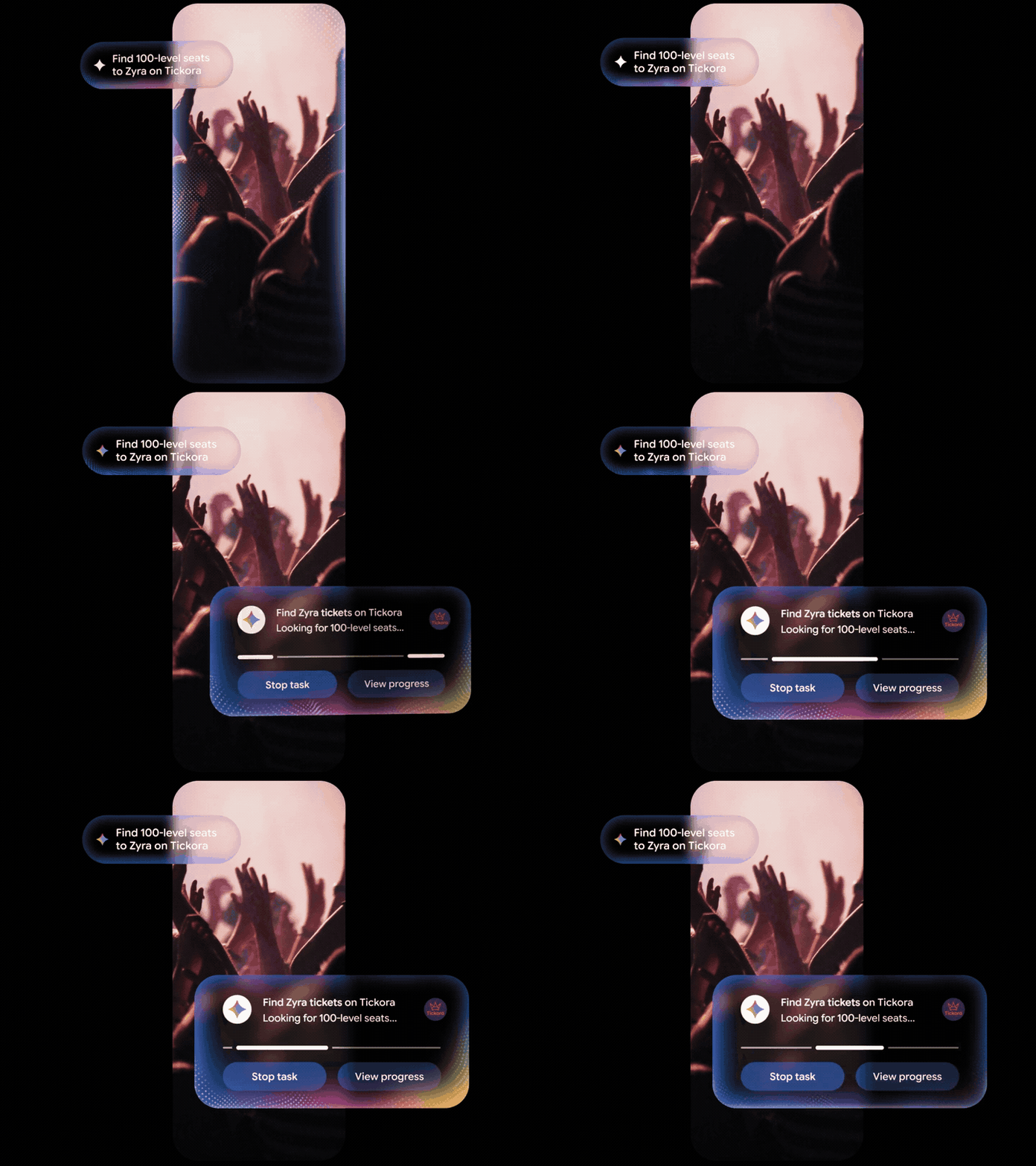
Gemini Intelligence aims to bridge this gap by providing the missing "hands" and "brain." Google refers to this capability as Task Automation. With user authorization, it can complete multi-step tasks across selected apps while maintaining transparency and user control. In other words, with a single voice command, it can read a list, open apps, and add items to the cart. At critical, irreversible steps, such as when payment is required, it pauses and awaits your confirmation.
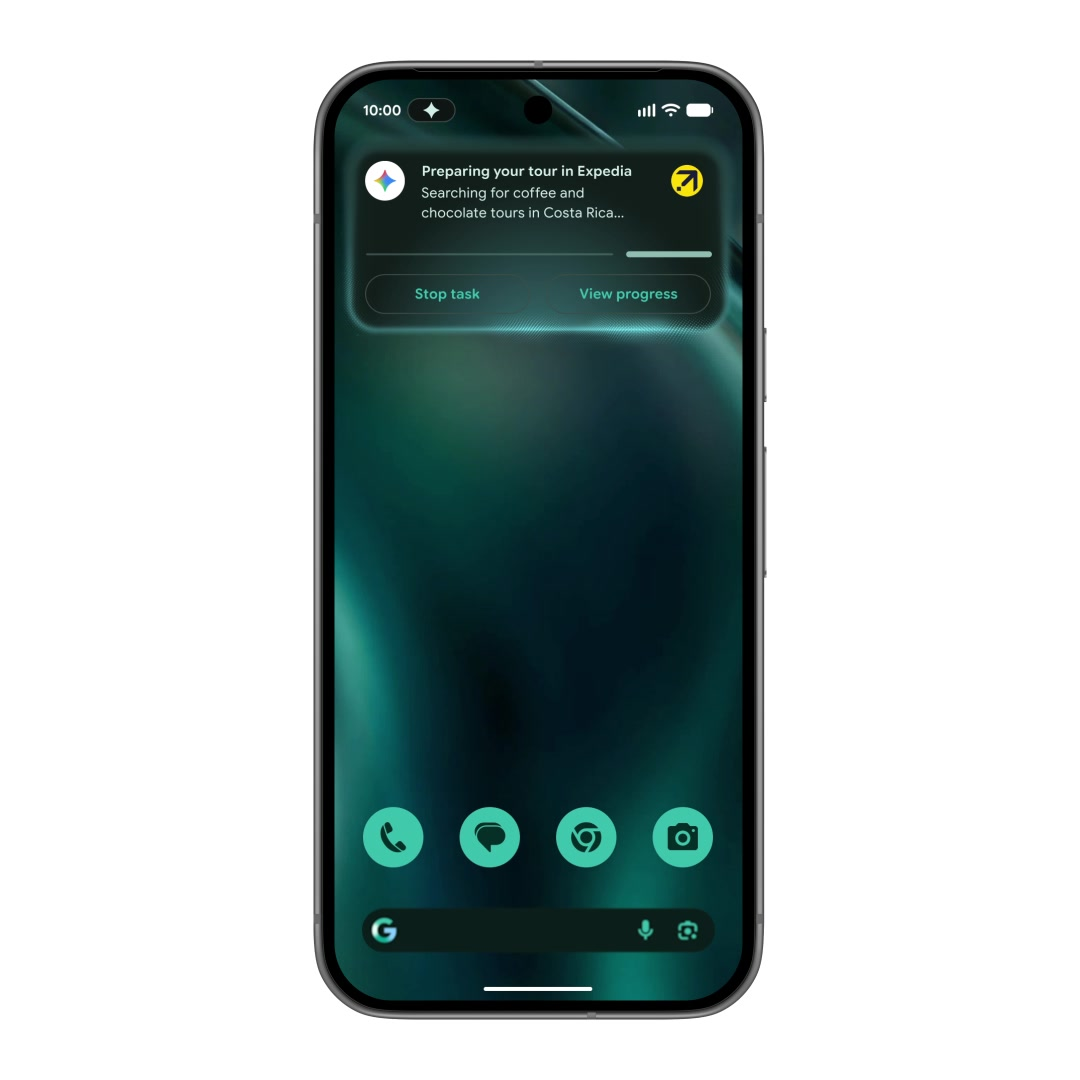
Notably, Google is approaching this capability with caution. It introduced Android Halo, which subtly displays what the intelligent agent is doing and its progress at the top of your screen, enabling you to monitor and halt it at any time. Google understands that "operating your phone for you" demands a high level of trust, so it's not assuming full control.

(Image Source: Google)
Frankly speaking, the capabilities of this version are still somewhat limited. Task automation initially encompasses only a select few apps, and its functionalities are constrained. Moreover, Gemini Intelligence has stringent hardware requirements, and not all devices can run it seamlessly. For now, it appears more akin to an early-stage concept with a clear direction but still taking small, incremental steps forward.
I believe that for the past decade, our interaction with smartphones has been characterized by "opening an app, then locating the function." Gemini Intelligence seeks to transform this into "stating your need, and the system invokes apps for you." If this shift proves successful, it won't merely impact the usefulness of an assistant—it will redefine the entire mobile interaction paradigm. If a single voice command can accomplish tasks, will app icons retain their significance?
At this I/O, Google also introduced AppFunctions to developers, subtitling it as Android MCP. According to Google, AppFunctions is a suite of Android platform APIs paired with a Jetpack library, enabling your app to function as an "on-device MCP server," opening its tools, services, and data to system and agent invocation.
The MCP protocol primarily addressed cloud-based challenges in the past, enabling AI agents to connect to server-side tools in a standardized manner. AppFunctions brings this same mechanism to the local device.
Developers simply need to encapsulate functionalities like "create a note," "send a message," "search emails," or "add to shopping list" into functions with natural language descriptions and register them in Android's built-in "capability list." Agents like Gemini can then discover and invoke these functions. Critically, the entire process occurs locally on the device, reducing latency and enhancing privacy.
(Image Source: Google)
In the past, agents relied on a cumbersome method to operate apps: capturing screenshots, using OCR to recognize text, locating button positions, simulating clicks, waiting for page changes, and retrying if errors occurred. This process was slow and error-prone—a single UI modification could render it entirely ineffective. AppFunctions replaces this by having apps proactively declare their capabilities, allowing agents to invoke these functionalities directly with authorization. The system manages permissions, invocation boundaries, and security constraints.
Google envisions a future where software becomes "a set of capabilities" rather than merely "a set of interfaces." In other words, app icons may fade away, replaced by core functionalities residing on users' devices. Users won't need to recall what each app does—they'll simply state their needs.
Of course, AppFunctions is still in its nascent stages. For apps that haven't integrated it yet, Google's fallback is another "UI automation" framework, allowing Gemini to revert to simulating clicks temporarily. This brings us to Doubao Mobile Assistant, which essentially follows the GUI Agent logic of "understanding the screen and simulating clicks," but with comprehensive permissions to enable cross-app functionalities.
Regardless of the approach, the trend is unmistakable: Apps won't vanish, but the prominence of app icons, home screens, and traditional menus may diminish. Users will focus less on the apps themselves and more on their core capabilities.
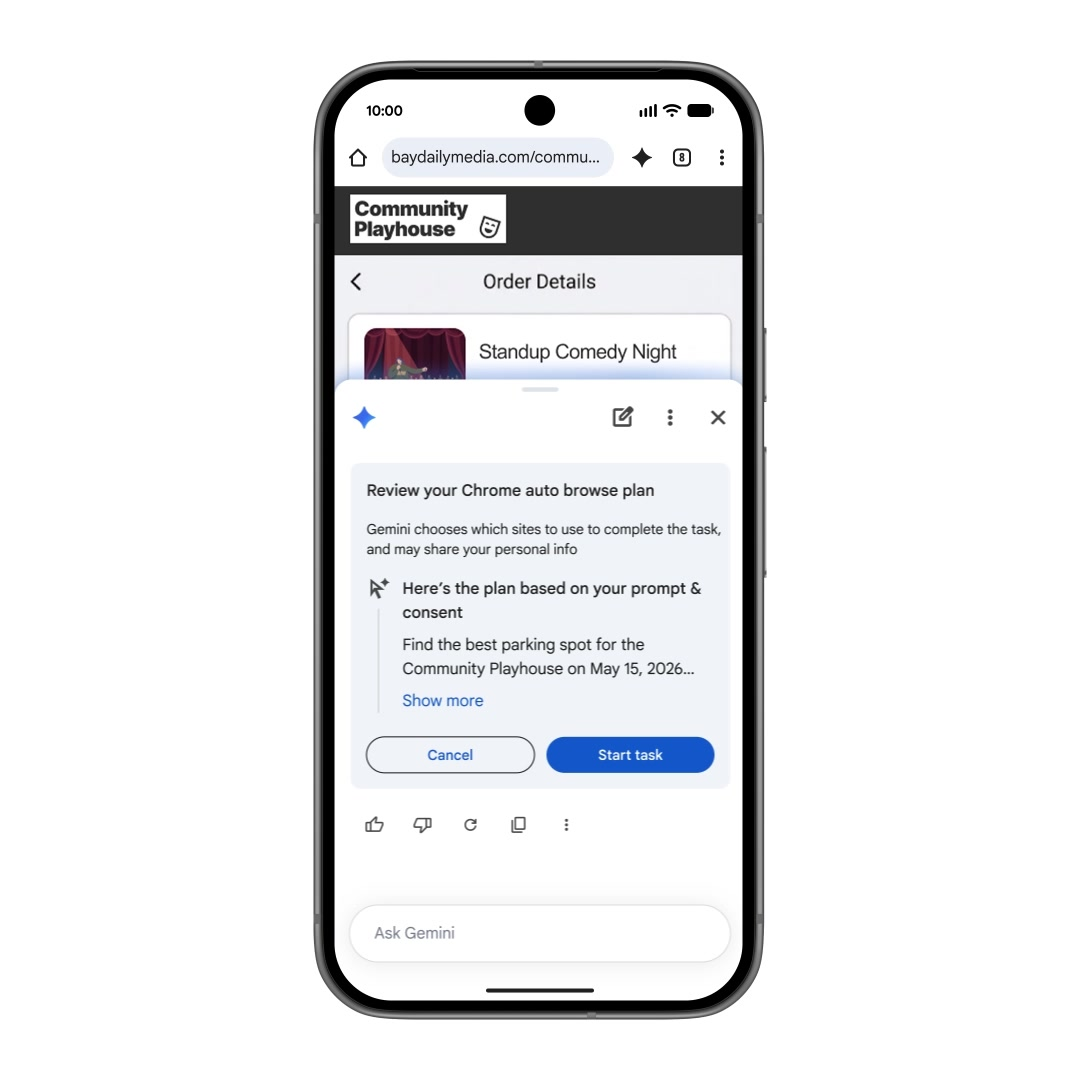
For the past decade, apps have engaged in an "entry point battle," vying for prime desktop real estate. Every product design, push notification, and red dot aimed to capture user attention.
However, once AI becomes the new system-level entry point, the battlefield shifts. Future apps will compete for "invocation counts" by agents. When users no longer manually open apps but delegate tasks to Gemini, "which app Gemini chooses to invoke" becomes the new competitive arena. Imagine a user saying, "Order me a coffee"—will the system opt for Luckin or Starbucks? Or when booking a hotel or flight, which app will it recommend?
(Image Source: Google)
Given the stakes, Google's sense of urgency is palpable, especially since its rival Apple encountered setbacks on the same path.
At WWDC 2024, Apple showcased a new Siri powered by the App Intents framework, enabling cross-app operations. A classic demo scenario: "Find photos from Sarah's birthday last month, remove the background from the best one, and post it to her Instagram." With a single command, Siri seamlessly completed tasks across multiple apps. This vision is nearly identical to what Gemini Intelligence proposes today.
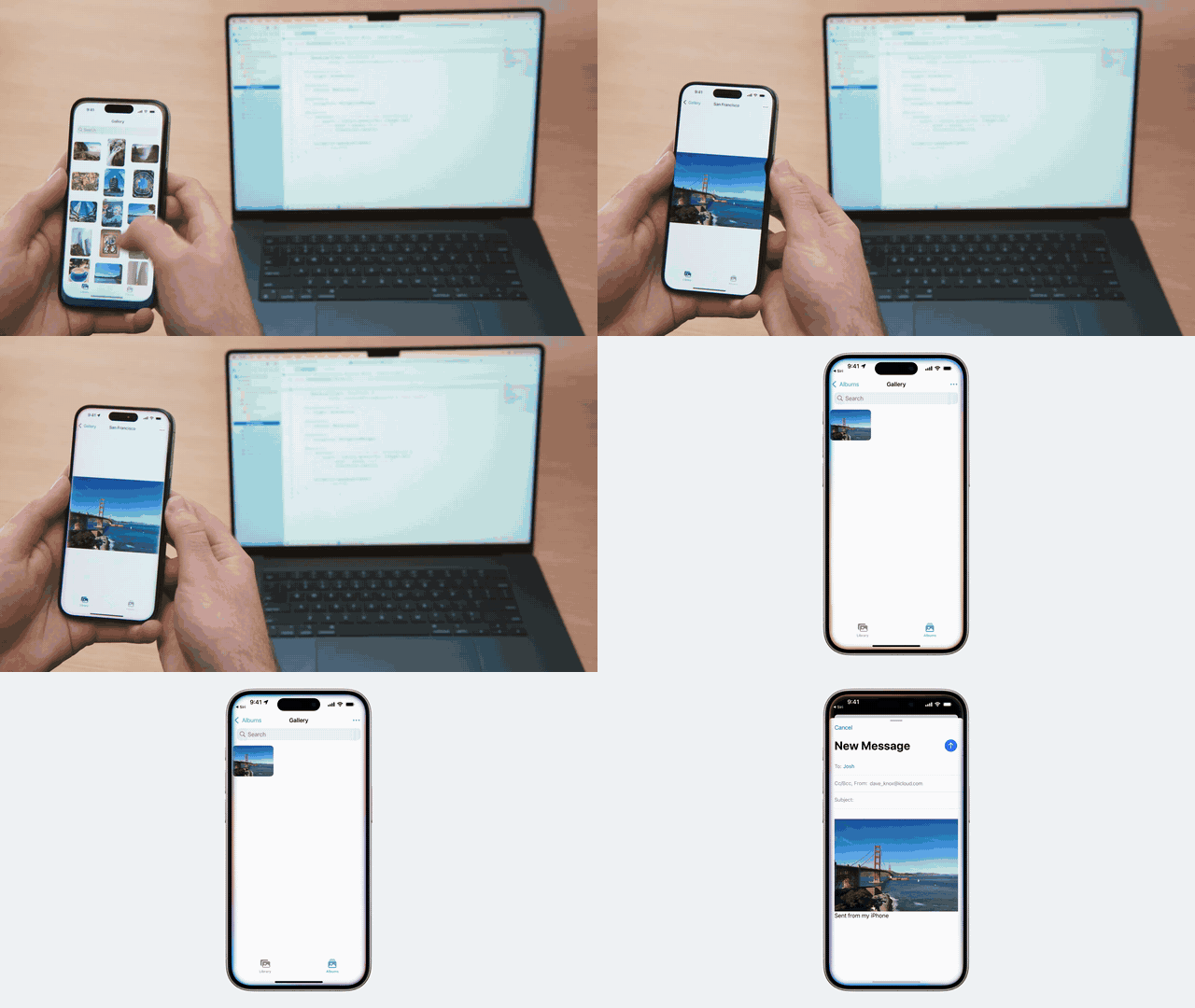
(Image Source: Apple)
However, we all know what transpired next. This personalized Siri, initially slated for a 2025 release, was delayed to 2026, then pushed from iOS 26.4 to 26.5. With iOS 27 on the horizon, the feature remains absent.
Apple executive Craig Federighi explained that the original functionality was built on a "V1" architecture, which functioned but didn't meet quality standards, necessitating a rebuild on a new "V2" architecture. When pressed for a timeline, Apple's software engineering and marketing leaders vaguely promised a 2026 release, likely at WWDC27.
To be fair, Apple isn't entirely to blame. Cross-app automation is far more complex than text generation. It requires precisely executing correct actions amid ambiguous intent, changing app states, and real permissions—all while ensuring reliability, accuracy, and handling sensitive content.
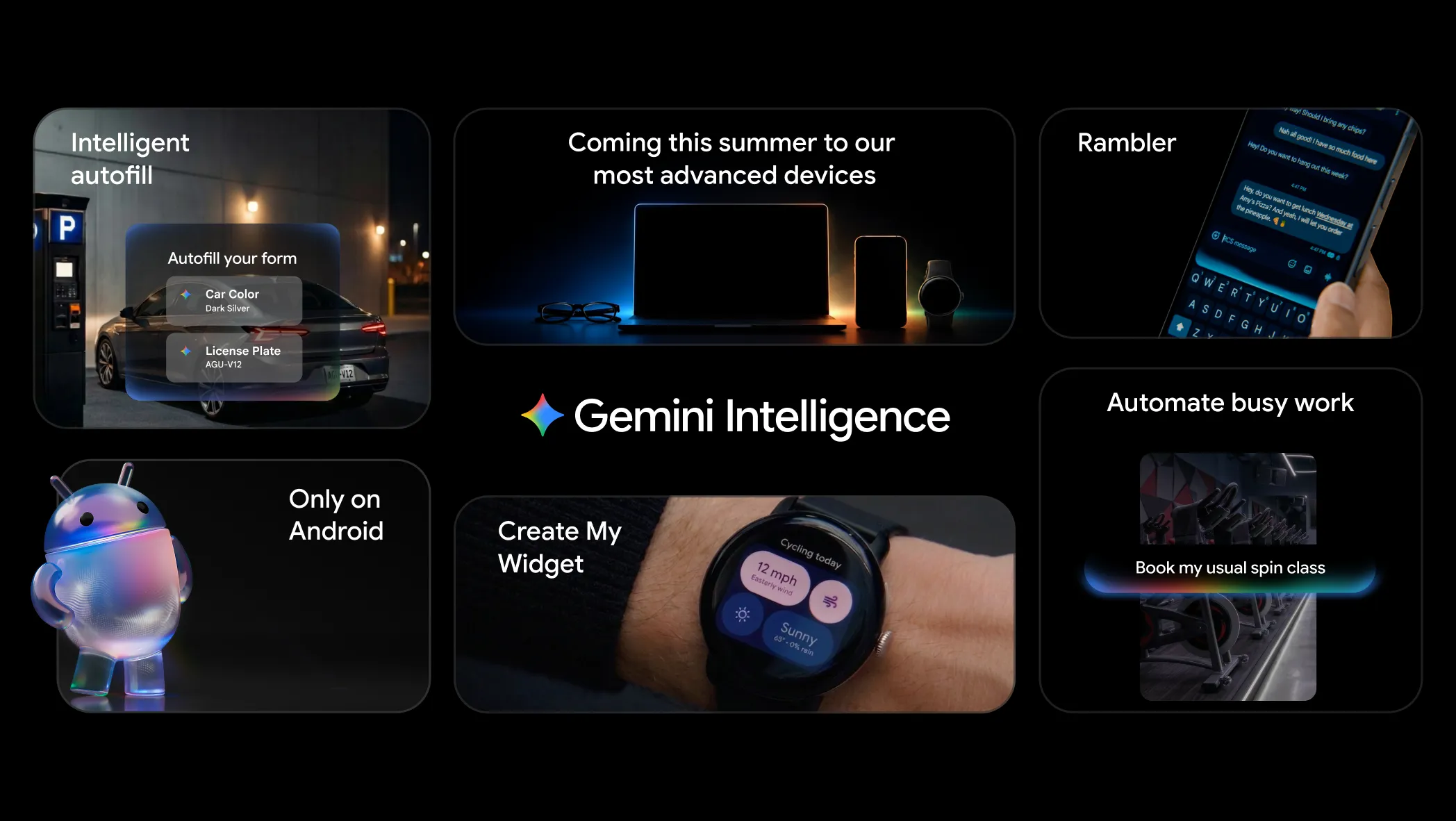
Thus, in "letting AI take over phone operations," Google, with AppFunctions' developer-friendly infrastructure and hardware support from Samsung and itself, is more likely to pioneer a functional "Agent OS" prototype.
(Image Source: Google)
Of course, Android's greatest risk lies in its openness. Supporting countless device models and app services forces Google to proceed cautiously with every capability, making it challenging to fully empower users.
So, returning to the original question: Will app icons disappear? Leitech (ID: leitech) believes icons won't vanish, but their significance will wane until users no longer concern themselves with "which icon to tap and when."
This shift may not alter everyone's habits overnight—smartphones carry years of ingrained behavior. But at least directionally, Google has already outlined the answer to "what the next-gen smartphone looks like" for the industry.
Google Doubao App AI Agent
Source: Leitech
Images from: 123RF Royalty-Free Library Source: Leitech
-
Ofilm Teams Up with ADSensE to Propel Large-Scale Deployment of All-Solid-State LiDAR Powered by ADS6311 Chip!
-
![]()
Loss of 2.5 Billion Yet Facing Strong Demand for Shares? Another Battle for Control of Lianchuang Electronics
-
![]()
Huawei’s Enjoy Series Flies Off the Shelves, Prompting Xiaomi to Double Down on Budget Smartphones
-
![]()
Beijing Hyundai's Top Executive Criticizes Industry Disorder: Certain Brands Treat Customers as Beta Testers
-
![]()
The domestic mobile phone market has declined for five consecutive quarters! Huawei defies the trend with significant growth: maintains its top market share
-
Annual Revenue Surpasses 3 Billion: An Automotive Trim 'Little Giant' Makes Its Debut on the Beijing Stock Exchange
-
![]()
The Space Force Wants to Spend $30 Billion on Rocket Launches: Is Trump Doubling Down, and Is SpaceX the Big Winner?
-
![]()
Going Crazy! One out of Every Three Plug-in Hybrids Sold in Europe is a Chinese Vehicle