Antigravity A1 Review: Pioneering Panoramic Flight
 04/28 2026
 369
369
The Antigravity A1 has carved out a new niche in the consumer drone market.
Text/VR Gyro
Antigravity, a drone brand co-incubated by Insta360 and a third party, has unveiled its first mass-produced model, the A1, which also stands as the inaugural panoramic drone on the market. Its official tagline is clear: the world's first 8K 360-degree panoramic drone. Antigravity aims to empower more individuals to truly 'experience flight and discover new horizons' in an unprecedented manner, rather than merely capturing aerial snapshots from the ground.
Insta360 initially gained recognition for its panoramic cameras, being the sole company to prominently feature '360' in its name. When applying panoramic camera technology to the Antigravity A1, significant disparities emerged in both the shooting experience and usage compared to traditional drones.
01
Unboxing Video
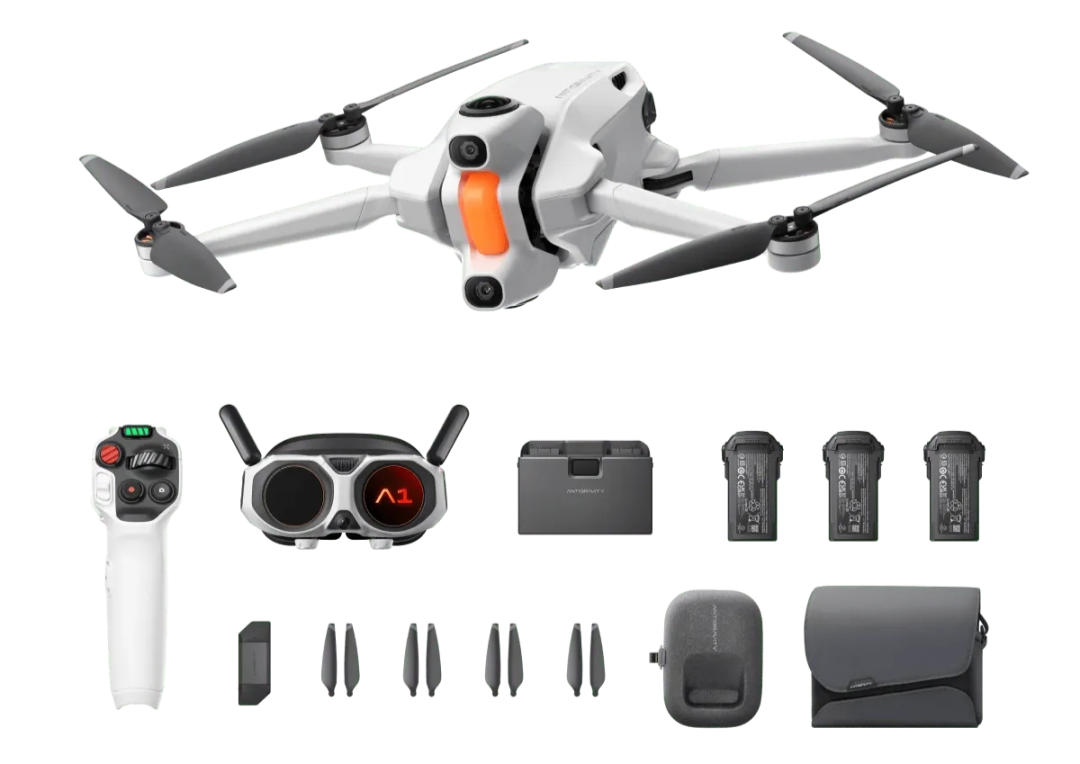
Image Source: Antigravity
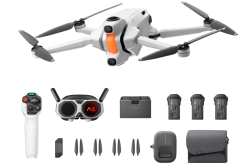
Pictured is the Antigravity A1 'Panoramic Flight Long-Endurance Exploration Kit.' In addition to the three standard items—the Antigravity A1 drone, Antigravity Vision flight goggles, and Grip somatosensory remote control—the kit includes three crucial 'long-endurance batteries' and a 'charging hub' capable of simultaneously charging all three batteries.
A single long-endurance battery can provide up to 39 minutes of flight time, significantly surpassing the standard battery's 24-minute duration. Even for avid drone enthusiasts, the endurance offered by three long-endurance batteries will undoubtedly meet your flight demands.
02
Actual Footage
As the first panoramic drone on the market, we believe everyone is eager to see the actual shooting quality of the Antigravity A1. Let's first present a segment of actual footage before delving into a detailed product introduction.
03
The 249-gram Body Hides Surprises
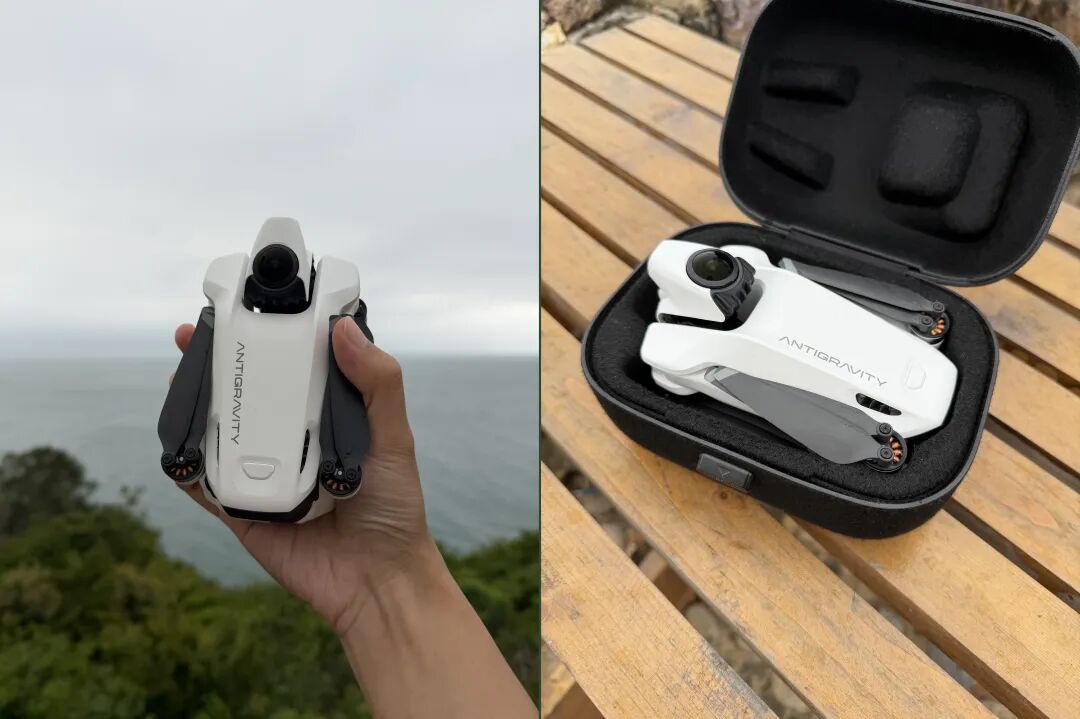
Image Source: VR Gyro
After unboxing and viewing the actual footage, let's take a closer look at the Antigravity A1, starting with its appearance. When folded, the Antigravity A1 is roughly the size of a small thermos and can be easily held in one hand. With the standard flight battery, it weighs 249 grams, perfectly fitting the definition of a micro-drone.
If equipped with a long-endurance flight battery, the total weight increases to 291 grams, still remaining remarkably lightweight. The included small case is well-crafted and very light, protecting the drone without adding unnecessary burden for travel.
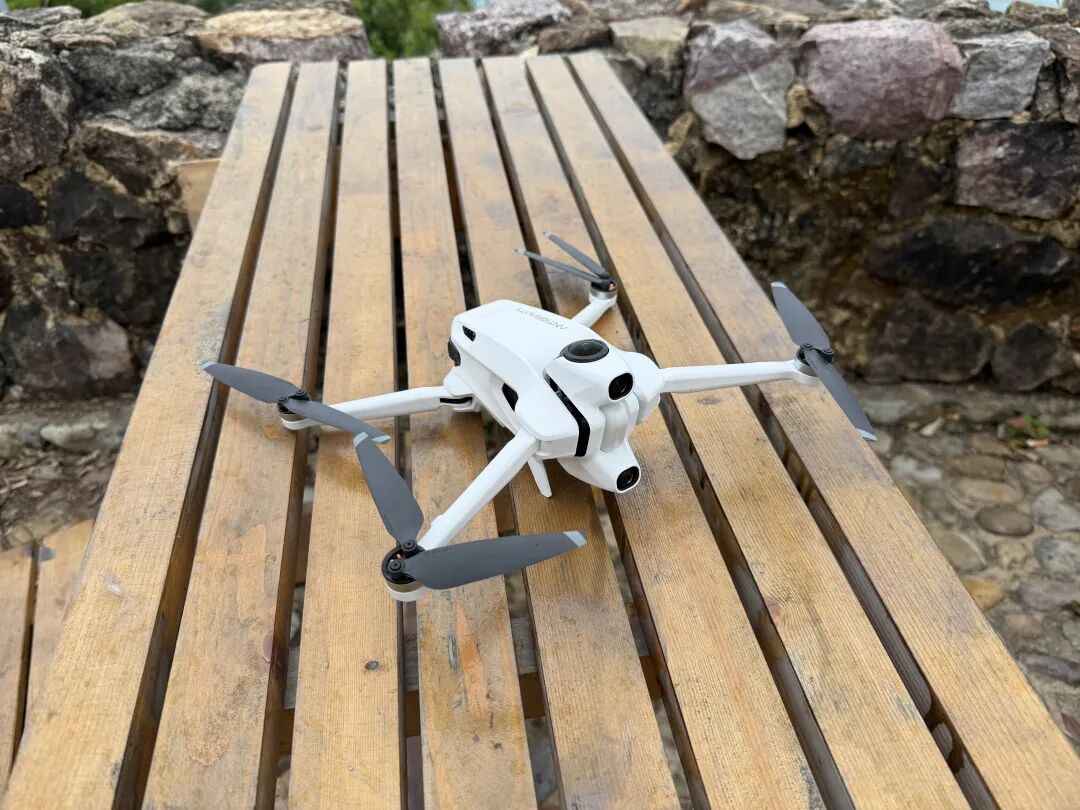
Image Source: VR Gyro
After unfolding the four rotors, at first glance, the Antigravity A1 appears similar to ordinary drones, with the main differences lying in the camera gimbal. The Antigravity A1 abandons the common gimbal camera setup and instead uses a dual fisheye lens 360° panoramic imaging system, supporting up to 8K@30 panoramic video and 55-megapixel panoramic photos.
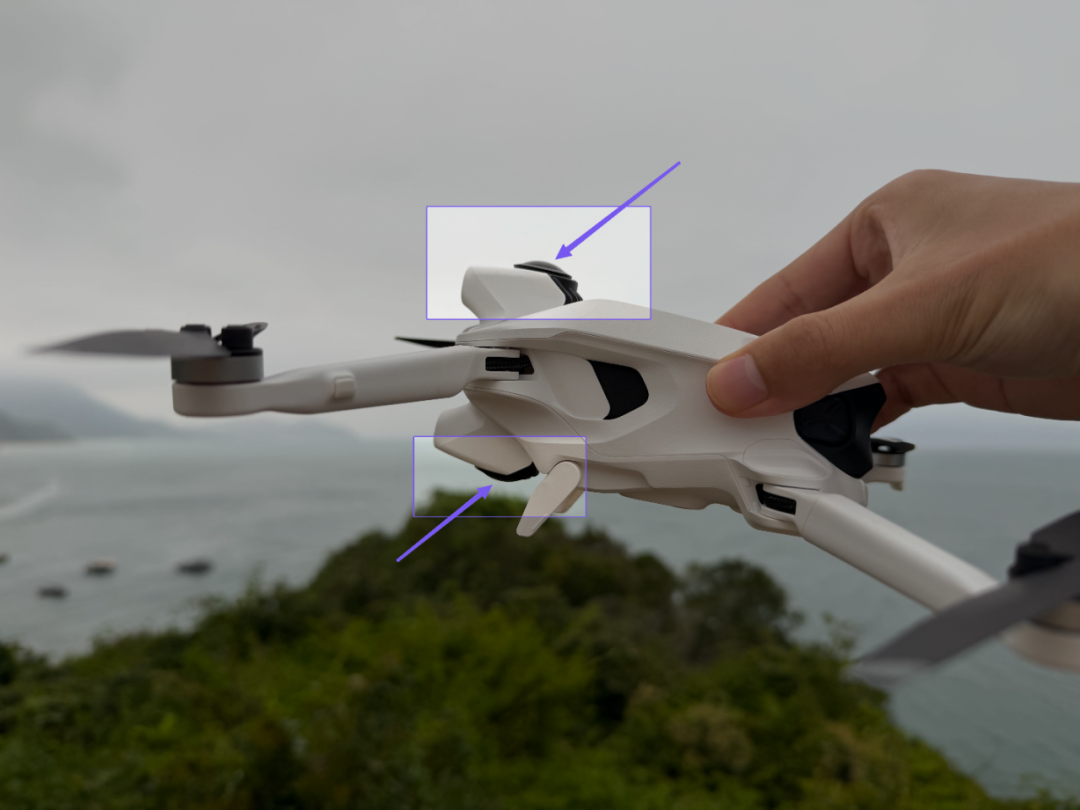
Image Source: VR Gyro
These two fisheye lenses are located on the top and bottom sides of the fuselage. Many people, upon seeing the Antigravity A1, instinctively think the two cameras on the front are for shooting, which is a 'stereotype' caused by traditional drones having their shooting cameras on the front. In reality, the front cameras are for obstacle avoidance.
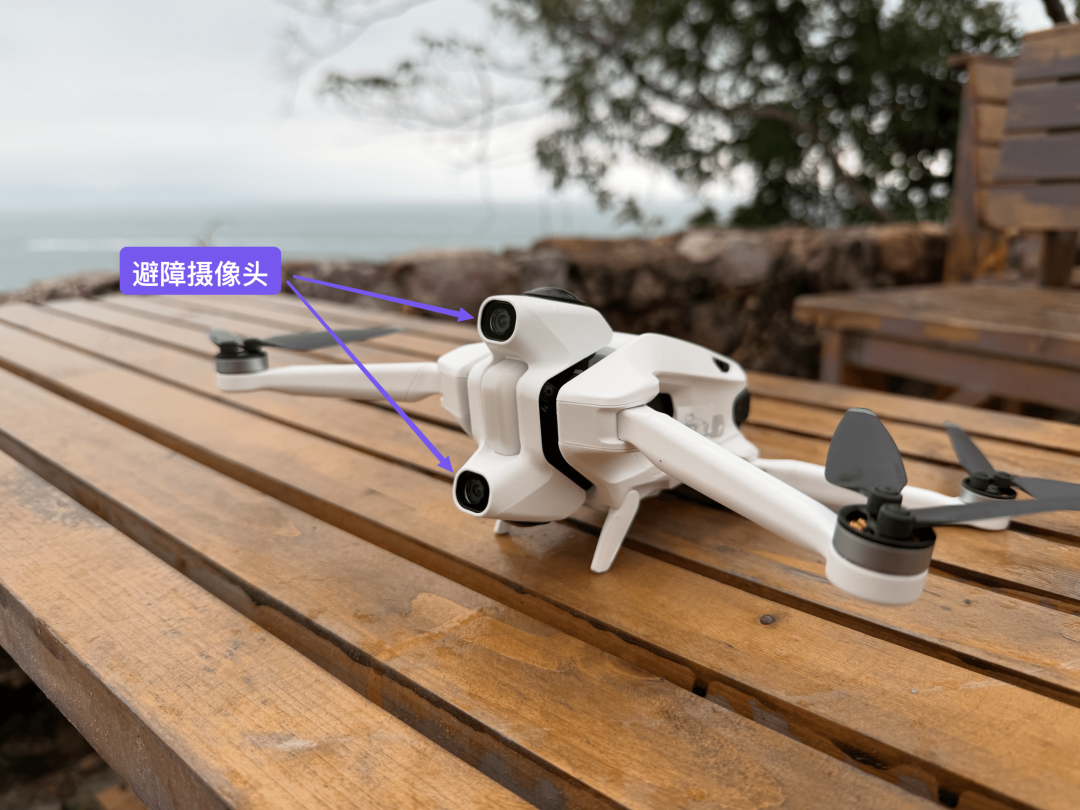
Image Source: VR Gyro
Special attention should be paid to the fisheye lens at the bottom used for shooting. When placed flat, this camera inevitably comes into contact with the ground, risking scratches.
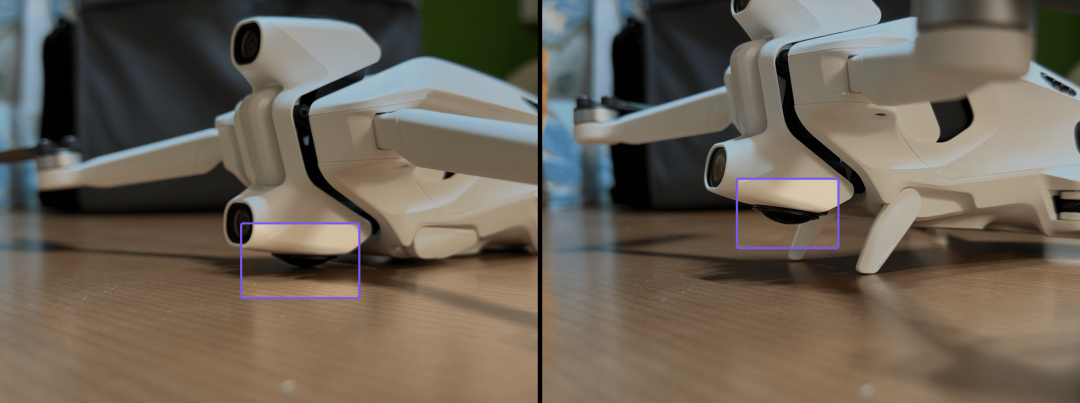
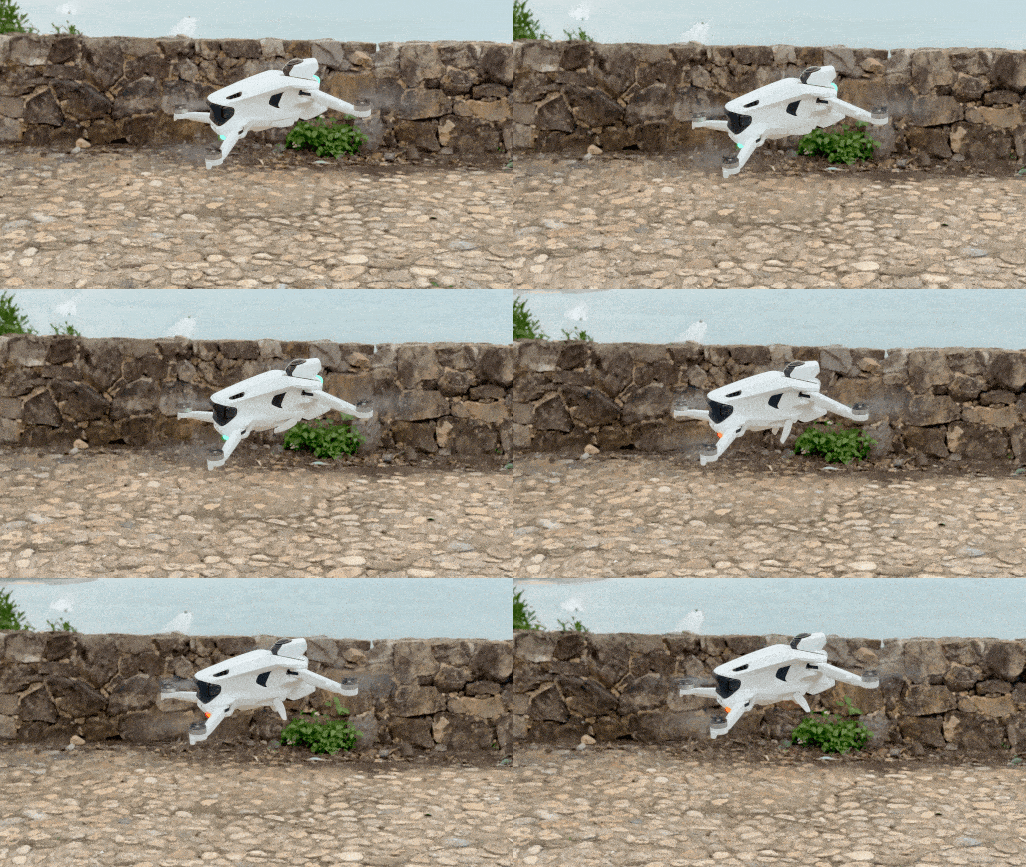
Image Source: VR Gyro
To address this, the Antigravity A1 is equipped with a pair of mechanically retractable landing gear, similar to the landing gear on commercial airliners. They automatically extend when the drone is powered on and before landing, and retract after takeoff (as shown above), preventing collisions.
To elaborate, the reason for placing the fisheye lens at such a low position is primarily for panoramic shooting. If placed higher, scratches could be avoided, but the bottom of the Antigravity A1 would appear in the shot. Similarly, the mechanically retractable landing gear retracts after takeoff to avoid being captured in the shot.
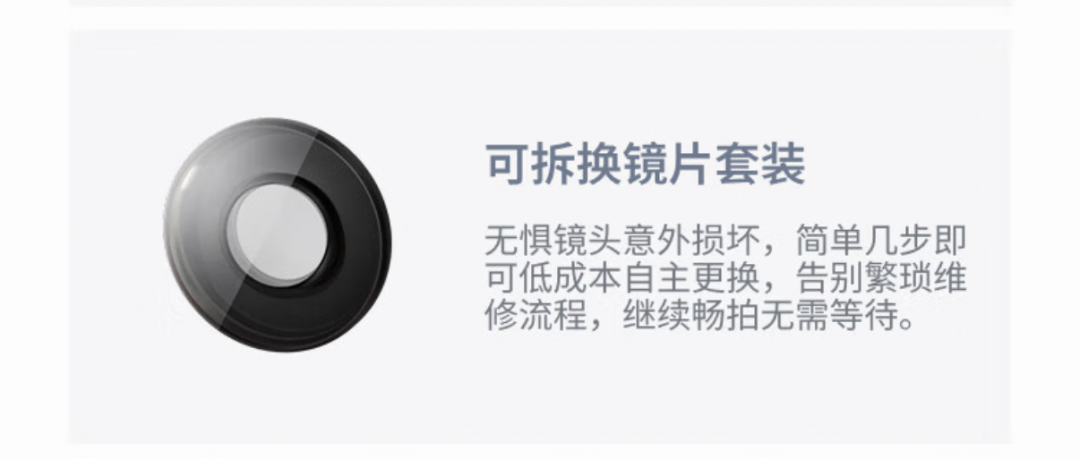
Image Source: Antigravity
Of course, flying drones inevitably involves unexpected situations like crashes. If the lens does get scratched or broken, the Antigravity A1 supports manual lens replacement, continuing the advantage of the Insta360 X5 panoramic action camera, which is commendable.
04
VR-Grade Flight Goggles: From Monitoring to 'Immersive Flight'
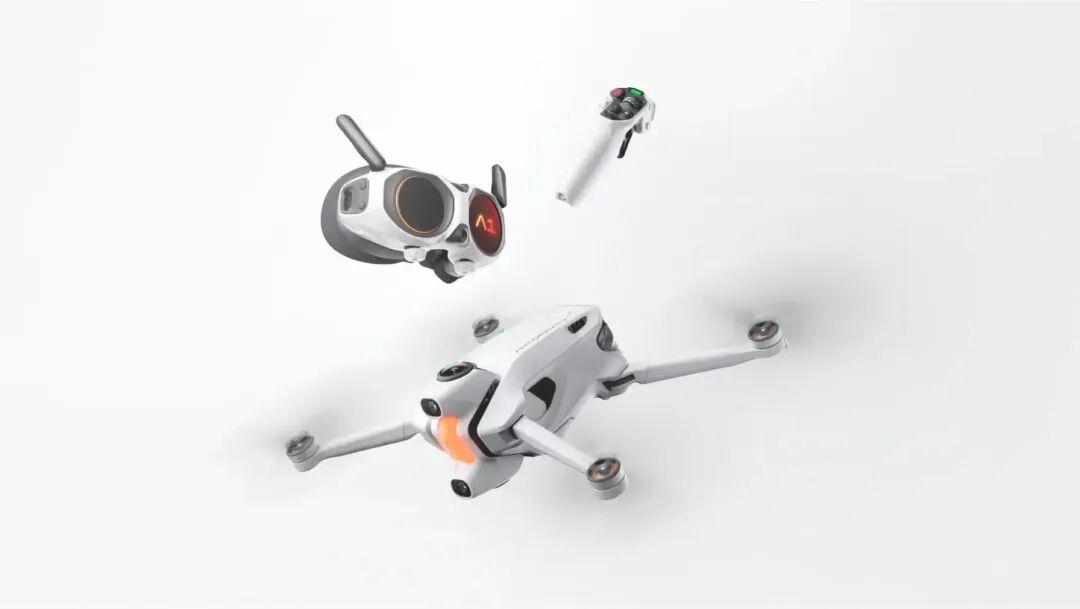
Image Source: Antigravity
Not only does the Antigravity A1 drone differ from traditional drones, but another notable difference is that all pre-released kits of the Antigravity A1 include the Antigravity Vision flight goggles and Grip somatosensory remote control, with no traditional joystick controller option.
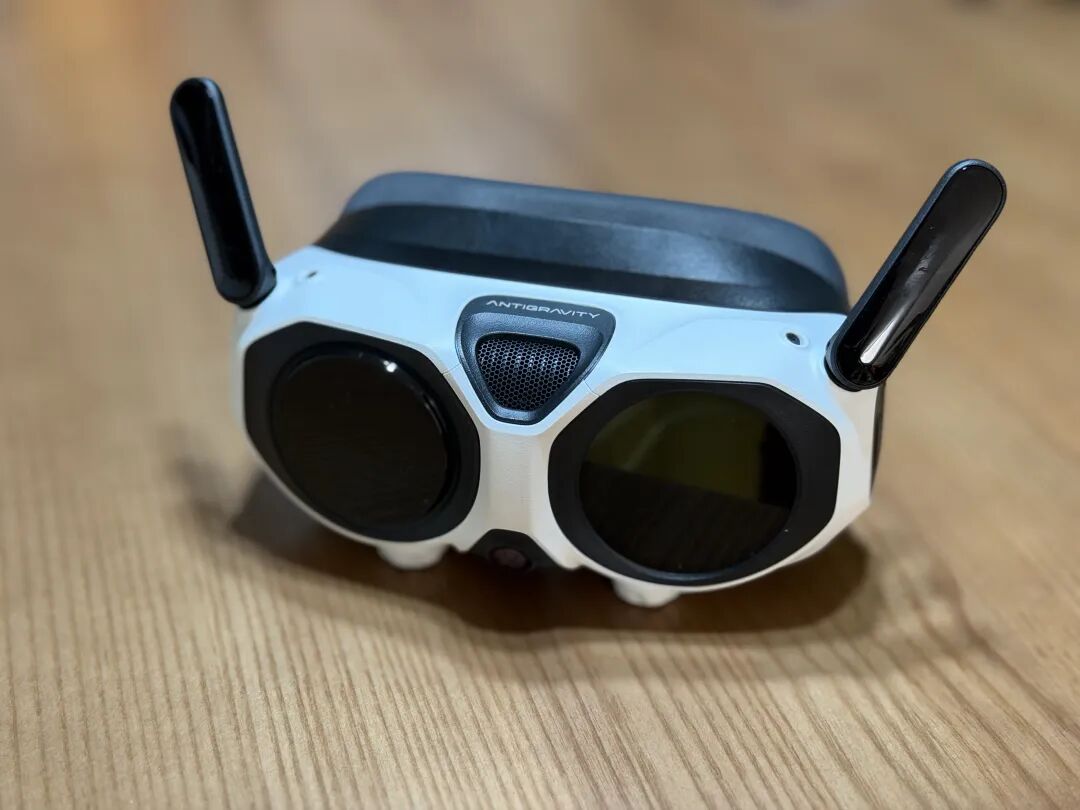
Image Source: VR Gyro
By including flight goggles and a somatosensory remote as standard equipment, along with a specially designed free-motion mode, the Antigravity A1 aims to provide users with a more immersive, intuitive, and accessible flight experience. During our testing, the free-motion mode indeed delivered on these promises, as we will explain in detail later.
The Antigravity Vision flight goggles feature dual 1-inch MicroOLED screens, each with a resolution of 2560 x 2560 and a refresh rate of 72Hz, supporting HDR10+ high dynamic range. The overall resolution, contrast, and color accuracy are excellent. The goggles offer approximately a 90° FOV, combined with Apple Vision Pro's Pancake optical scheme, providing an immersive experience akin to a 200-inch virtual screen.
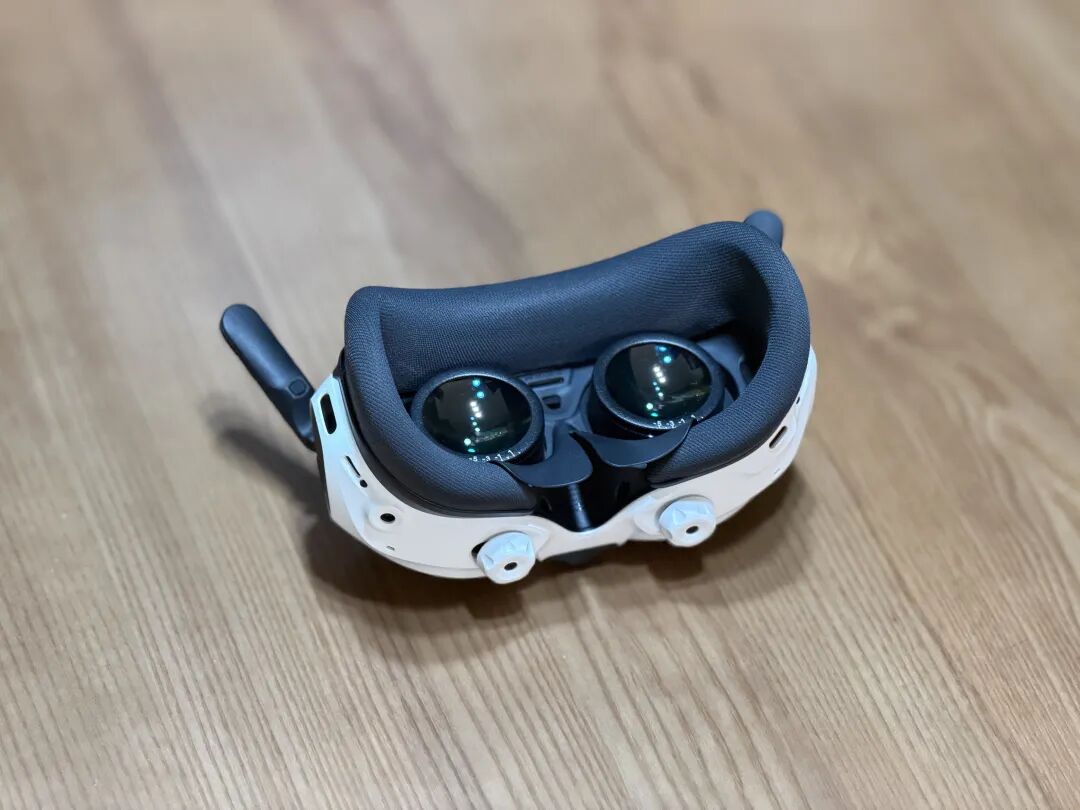
Image Source: VR Gyro
The Antigravity Vision flight goggles weigh about 340g, lighter than Apple's AirPods Max (385g), with a balanced center of gravity and well-controlled thickness. The screens support adjustable interpupillary distance and diopter, accommodating most nearsighted and farsighted users. The default lenses support adjustments from +2.00 diopters for farsightedness to -5.00 diopters for nearsightedness. If your prescription falls outside this range, custom lenses can be ordered for replacement.
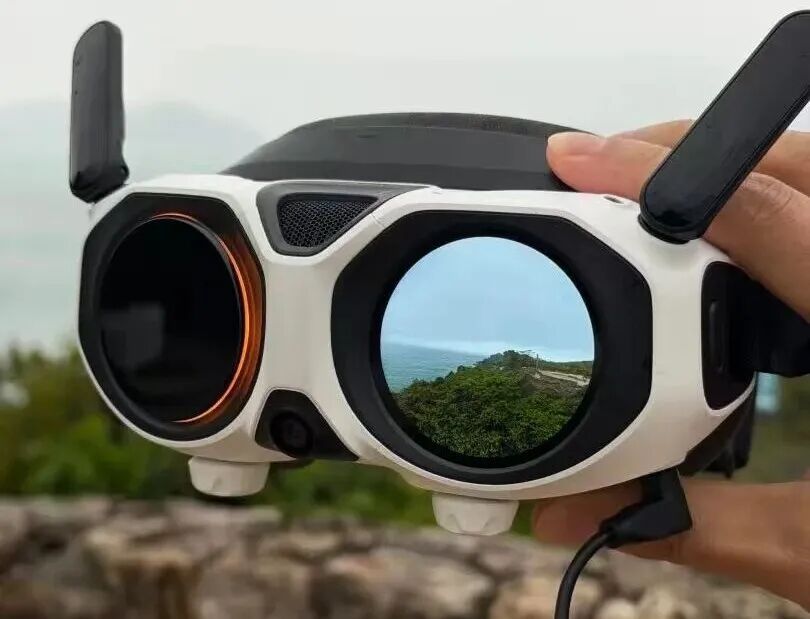
Image Source: VR Gyro
Interestingly, the Antigravity Vision flight goggles not only have displays inside but also feature an external screen. Traditionally, flight goggles used with drones have no external displays, allowing only the pilot to see the footage during flight. However, with the Antigravity A1, this external screen can display the flight footage in real-time, allowing bystanders to watch the flight.
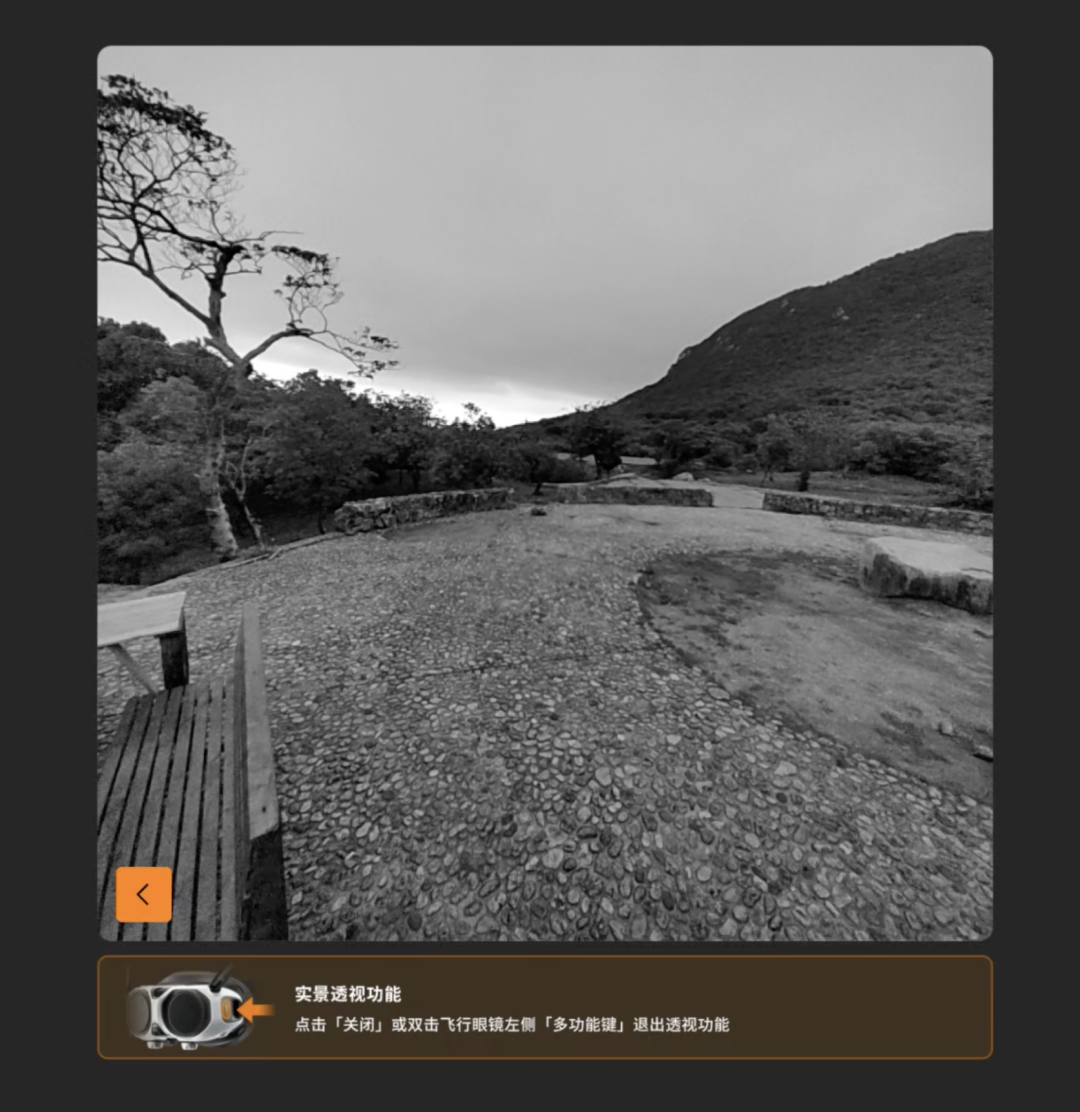
Image Source: VR Gyro
These goggles also support live pass-through, allowing users to see their surroundings without removing the goggles, reducing the sense of insecurity during full immersion. Unfortunately, this is a black-and-white camera, lacking color footage.
Considering weight, screen quality, diopter adjustment support, and the external screen, the Antigravity Vision flight goggles offer a significantly better wearing experience than similar products on the market, especially for users who wear glasses or use them for extended periods.
05
Grip Somatosensory Remote Control: Removing the 'Skill Barrier'
After using it for some time, we believe the Antigravity A1 can attract a large number of users who have never flown a drone before. This conclusion is largely based on its solution to the most challenging aspect for users: no need to memorize dual-joystick logic, especially the confusing 'American Hand,' 'Japanese Hand,' and 'Chinese Hand' configurations. Even experienced pilots often mix up left and right-hand operations in emergencies.
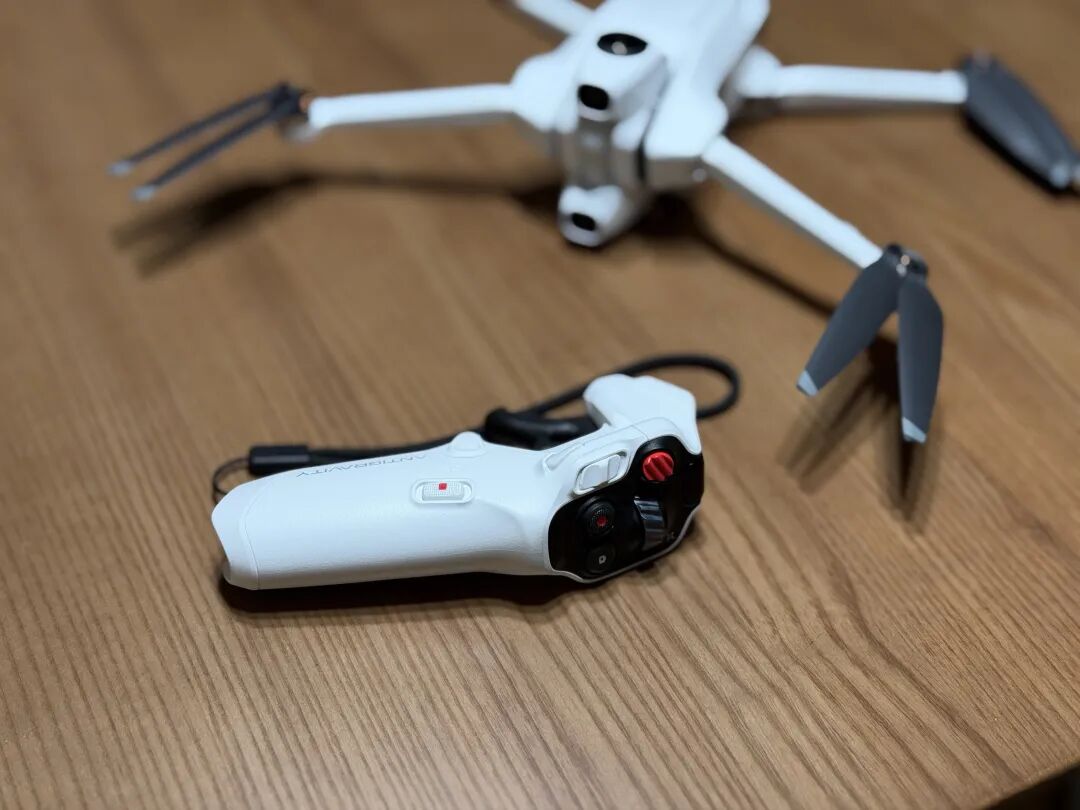
Image Source: VR Gyro
The design concept of the Antigravity A1 is simple: to turn the Grip somatosensory remote control into a 'laser pointer' in three-dimensional space. Point the Grip in a direction, pull the trigger, and the drone flies in that direction. Point upward, and it ascends; lean forward, and it soars over valleys; gently slide left, and it smoothly turns left. This process eliminates the need to memorize abstract commands like 'pushing the left stick up is throttle, pushing the right stick forward is ascending,' instead mapping intuitive actions directly to flight maneuvers.

Image Source: VR Gyro
Taking an actual flight scenario as an example, the purple box in the image above indicates the drone's flight direction, which is also the current orientation of the Grip somatosensory remote control. Moving the Grip up, down, left, or right changes the indicator's direction, thereby altering the drone's flight path, similar to a 'point-and-fly' somatosensory control mode, which is highly intuitive. You only need to focus on 'which direction to fly' and 'whether there are obstacles in that direction,' without constantly translating joystick operations in your mind.
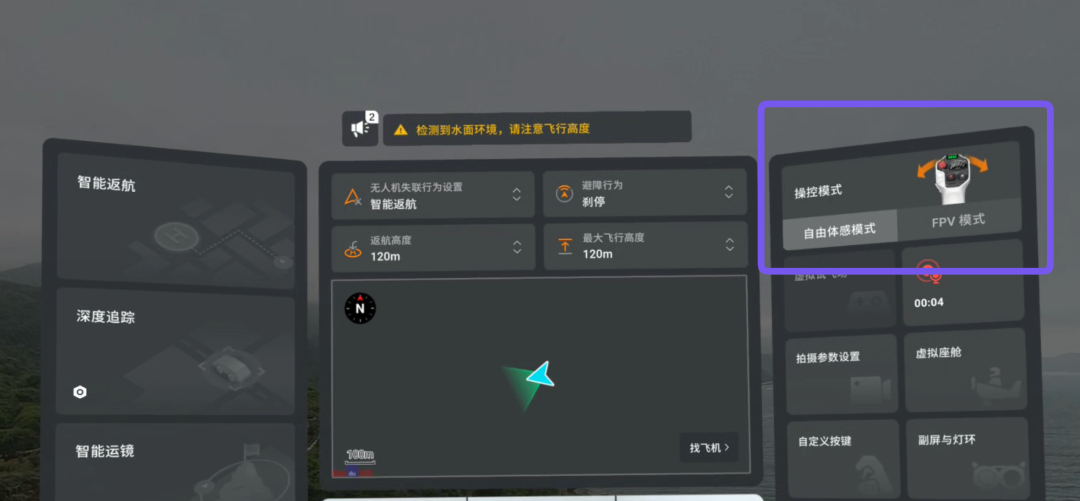
Image Source: VR Gyro
For experienced FPV pilots and aerial photography enthusiasts, the Antigravity A1 also offers an FPV mode, allowing greater freedom of movement through more traditional controls.
However, it's clear that the A1 aims to appeal to the large group of people who have been intimidated by traditional controls but are curious about flight. As we've mentioned, the free-motion mode indeed provides users with a more immersive, intuitive, and accessible flight experience.
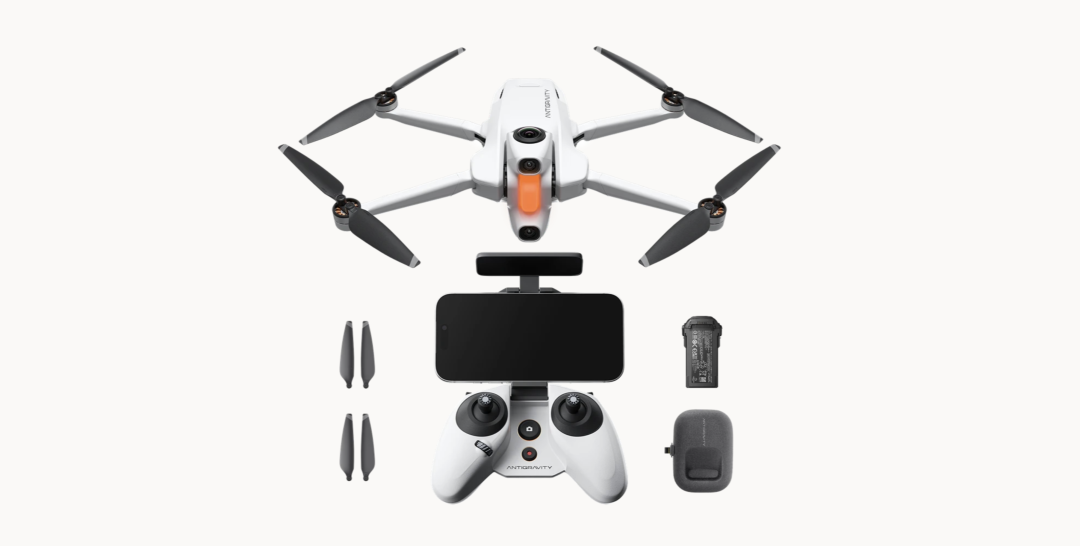
Image source: Yingling
Of course, if you still prefer traditional joystick controllers after reading the introduction, there’s no need to worry. According to Yingling’s official announcement, the joystick controller set will be officially released this summer. Compared to the flight goggles + motion-sensing remote control set, the joystick controller set has lower costs and will be more affordable. Interested users can keep an eye on it.
06
360° Immersive Flight: From "Pre-Flight Composition" to "Post-Flight Selection"
After discussing the appearance and peripheral accessories of the Yingling A1, let’s talk about its most unique shooting experience. When shooting, the Yingling A1 doesn’t require adjusting the aircraft’s attitude and gimbal angle for gradual composition like traditional drones do. Instead, it captures the entire environment in one go, truly achieving "fly first, compose later."
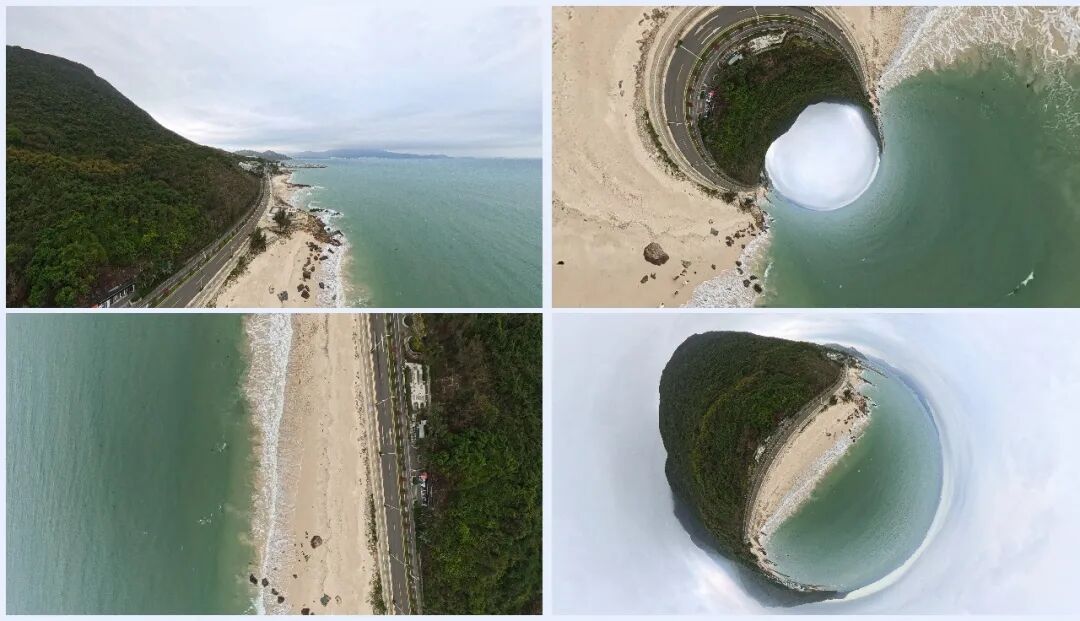
Image source: VR Gyro
Take these four images as an example. They were actually captured by the Yingling A1 at the same time and location, with completely different photos obtained simply by adjusting the perspective in post-production. Four photos are not its limit—if needed, you can get even more images from the same time and location.
Returning to traditional drones, users need to constantly adjust the aircraft’s direction and shooting angle during flight to find the ideal shot. Some composition requirements even need to be decided before takeoff.
For beginners, simply finding a
Screen recording screenshot (Image source: VR Gyro)
When users turn their head to observe the surrounding environment, a small window will emerge at the top of the Yingling Vision flight goggles’ screen, displaying the view directly in front of the drone. Through this window, users can simultaneously see the forward view and the surrounding scenery, ensuring flight safety. This window appears almost instantaneously when users turn their head, with no noticeable delay, greatly enhancing the sense of security during flight.
The combination of the small window alert and panoramic capture often enables novice users to make the psychological transition from "being afraid to fly" to "daring to fly far" within just one or two battery cycles. This transition itself is the core value that the Yingling A1 aims to deliver. It does not attempt to turn every user into a professional pilot but instead prioritizes enabling more people to experience the joy of flight.
Since the panoramic camera captures 360° imagery, there is theoretically no distinction between forward and backward flight. Techniques such as drifting and sideways flight, which typically require extensive practice with traditional drones, can be achieved with the Yingling A1 by simply flying forward and adjusting the perspective during post-production.
Shifting focus to basic specifications, the Yingling A1 supports shooting 8K@30fps panoramic video and 55-megapixel panoramic photos. Note that both the 8K@30fps video and 55-megapixel photos fall under the "panoramic" category, offering a wider field of view and higher pixel count. If the video and photos are exported in the standard 16:9 aspect ratio, the video resolution drops to 4K@30fps, and the photo resolution becomes 8 megapixels.
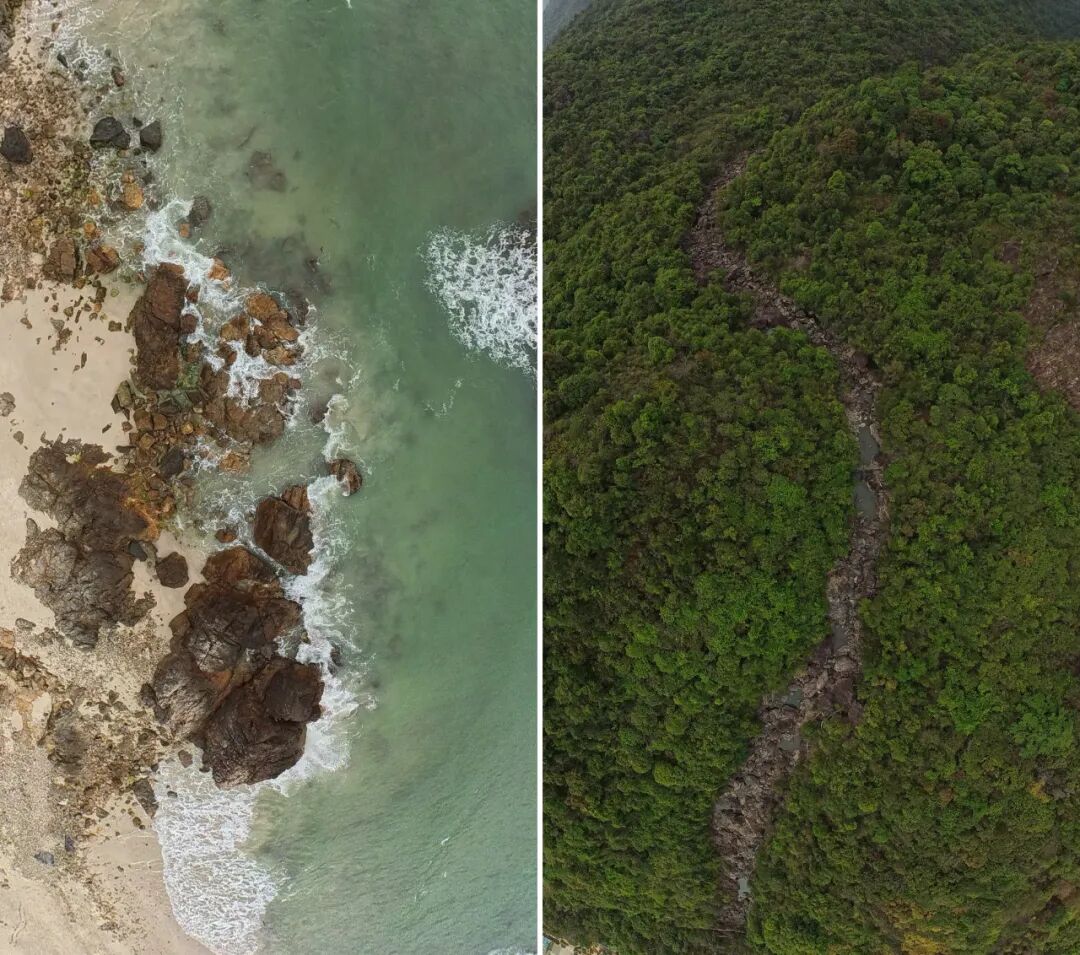
(Image source: VR Gyro)
For video quality, please refer to the video content we shared earlier. Here are some additional photos taken with the Yingling A1 for your reference. The overall image quality is quite good.
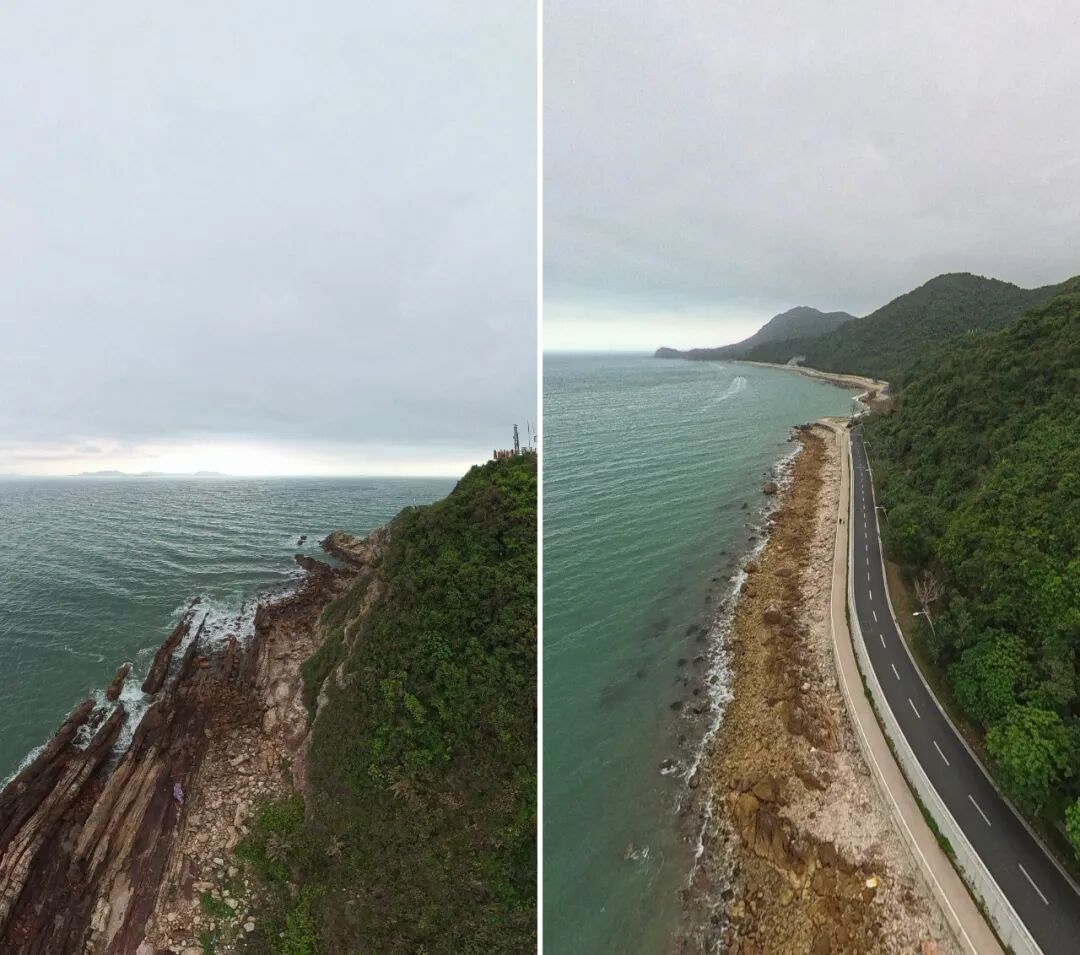
(Image source: VR Gyro)
To maximize flight enjoyment and provide a more immersive experience, the Yingling A1 incorporates a "mount" system in its settings, allowing users to become "dragon riders" or "pilots" soaring through the sky.
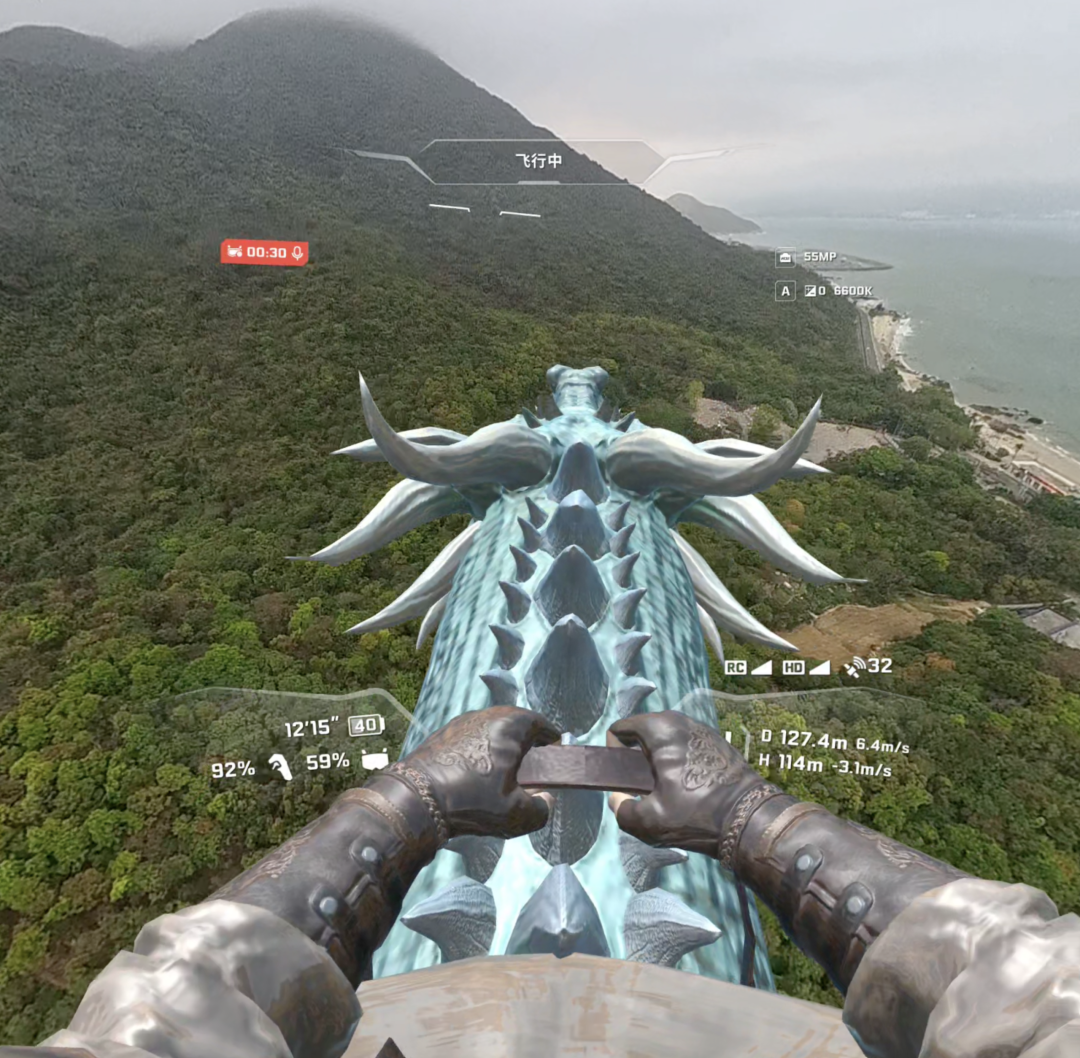
(Image source: VR Gyro)
At this point, the immersive experience provided by the Yingling Vision flight goggles is unparalleled compared to traditional smartphone screens or built-in remote control displays. Combined with its excellent hardware specifications, it truly makes users feel like they are "gliding through the air" during flight.
When evaluating the Yingling A1 within the current consumer drone market, it possesses several advantages that are difficult to replicate in the short term.
The most significant difference lies in immersion. Traditional drones are more about "directing from the ground," while the Yingling A1 strives to create the feeling of "personally flying in the sky." The first-person view from the flight goggles, combined with the spatial immersion of 8K panoramic footage, significantly alters users’ psychological expectations of aerial photography. Previously, users might have flown simply to "take a few nice photos," but now they care more about the joy of the flight itself.
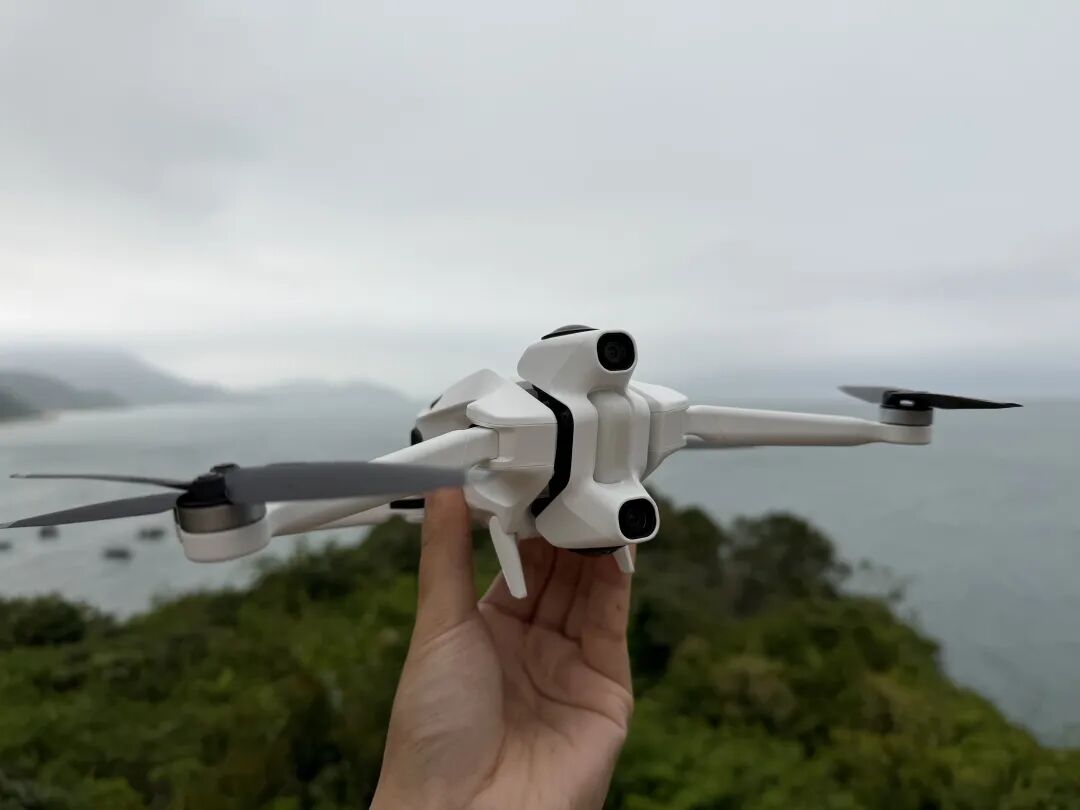
(Image source: VR Gyro)
Next is portability and ease of takeoff. The 249g body, paired with a foldable design, allows the Yingling A1 to naturally fit into urban lifestyles and travel scenarios. For users on weekend trips, it is much easier to bring along for a quick flight. Many people who purchase large drones end up flying them far less than expected, often deterred by the hassle of carrying them around.
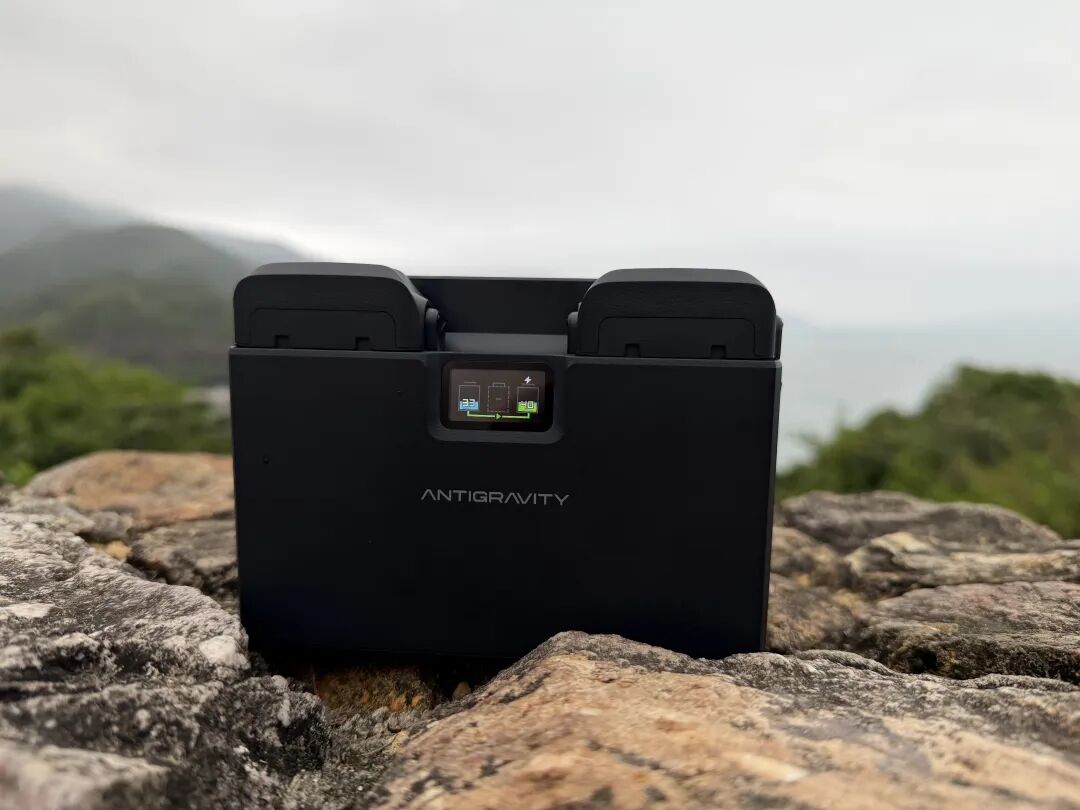
(Image source: VR Gyro)
Finally, the Yingling A1’s battery manager deserves special mention. It combines three practical functions: first, it can charge up to three batteries simultaneously; second, it supports reverse discharge, acting as a power bank for devices like smartphones; third, when all three batteries have insufficient charge, it can consolidate their power into one usable battery, avoiding interrupted flights.
07
Share Immediately After Flight: AI Auto-Editing Removes the Final Barrier
While 360° panoramic footage solves the problem of "not knowing where to shoot during flight," users face another hurdle after landing: how to edit panoramic footage?
For most casual users, editing panoramic video is less intuitive than editing traditional flat video. With flat video, users can typically drag clips onto a timeline, add transitions, and call it a day. Panoramic footage requires first determining the perspective direction, then deciding on the composition ratio, and considering camera movements and rhythm timing to produce a watchable final product. This poses a significant barrier for beginners. For users who just want to record flight fun during outings, "spending another hour editing after flying" sounds like a headache.
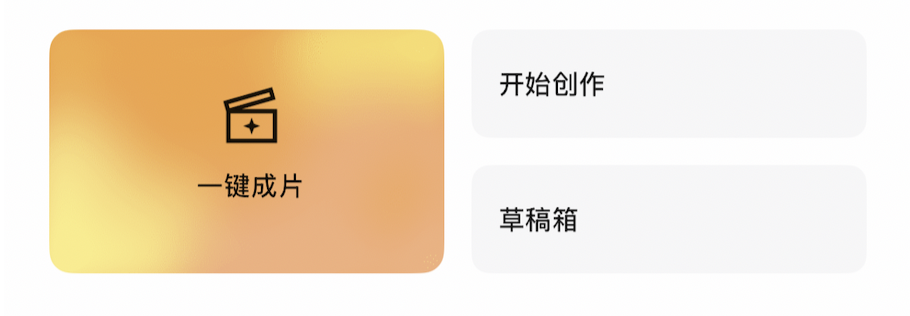
(Image source: Yingling)
The AI auto-editing feature in the Antigravity App is designed specifically to address this issue (especially after the recent U3 firmware update, which significantly enhanced AI editing capabilities, achieving zero-effort editing). Its operation is simple: users only need to select the video clips they want to use, and let the AI handle the rest. The system automatically identifies the main subject and highlight flight segments in the panoramic footage, matches them with cinematic camera movements and timed music, and generates a polished short video ready for sharing. The entire process requires no editing experience or professional software, drastically shortening the time from landing to posting.
Based on our experience, the more diverse the shooting scenes, the stronger the rhythm and visual variety of the AI-generated clips.
It’s worth mentioning that the Yingling A1 has a complete software ecosystem: the Antigravity mobile app handles daily footage transfer and quick video generation; the desktop Antigravity Studio caters to users with higher demands, supporting finer parameter adjustments; and if users frequently use Adobe Premiere, there’s a corresponding post-processing plugin. Users with different needs can find a suitable editing workflow.
For users who prioritize flight enjoyment and don’t want to spend time on editing software, especially beginners, the Yingling A1 lowers barriers not just before takeoff but also after landing. It makes content creation simple enough that "fly around, post instantly" becomes a genuine possibility.
08
Continuous Evolution: Omnidirectional Visual Obstacle Avoidance Enhances Safety
When the Yingling A1 launched late last year, its panoramic camera’s unique design lacked a traditional gimbal and orientation concept. Since every direction was effectively "forward flight," it didn’t have traditional drone maneuvers like backward or sideways flight.
At the time, the Yingling A1 achieved equivalent 360° horizontal obstacle avoidance through its visual system and algorithms, which already helped users avoid most obvious risks in open daily flight scenarios. Combined with visual assistance, automatic return-to-home, payload detection, and battery management logic, the system would warn users before dangers occurred. However, this still fell short of true omnidirectional obstacle avoidance.
The good news is that the recent U3 firmware update filled this gap by officially adding omnidirectional visual obstacle avoidance, significantly boosting safety margins in daily flight scenarios. Novice users can now fly more confidently in environments with some obstacles.
Compared to the initial obstacle avoidance solution, omnidirectional visual obstacle avoidance expands protection from "just looking ahead" to all around the aircraft. When flying immersively with flight goggles, users’ attention is easily distracted by the panoramic view. While turning to see side scenery for a few seconds, the system covers other directions.
From real-world flight scenarios, omnidirectional avoidance shines brightest in several situations. First, during hovering for shots: many users hover the drone after finding a satisfying composition, focusing almost entirely on the view. Although the drone remains stationary, the surroundings change in real-time. If someone flies a kite nearby or a gust of wind slightly drifts the drone, collisions could occur without warning. Omnidirectional avoidance effectively intervenes in such static but dangerous scenarios. Second, the Grip motion-sensing remote’s intuitive operation allows users to fly in various directions naturally, but perception of obstacles weakens in non-forward directions. Omnidirectional avoidance fills this perceptual blind spot caused by operating habits. Third, when flying in complex natural environments, like densely wooded valleys, rocky coastlines, or structural spaces like arches and corridors, obstacles often come from multiple directions. Omnidirectional protection becomes nearly essential in these scenarios.
For novice users, omnidirectional visual obstacle avoidance also provides psychological safety. Many hesitate to fly far or high not because they can’t control the drone but because they fear collisions if distracted. The presence of omnidirectional avoidance lets users focus more on flight experience and scenery, making the psychological transition from "afraid to fly" to "daring to fly" as crucial as simplified controls.
However, note that omnidirectional visual obstacle avoidance relies on visual systems, performing best in well-lit environments. In low-light or nighttime flight scenarios, avoidance capabilities diminish. Under such conditions, users must maintain higher active safety awareness and not rely solely on automatic risk avoidance.
09
Conclusion
Ecologically, Yingling leverages Insta360’s panoramic imaging and software capabilities. For content creators, this means it could eventually form a more complete workflow with Insta360 camera series, integrating aerial and ground, panoramic and flat footage within a single ecosystem.
The Yingling A1 is not an all-round drone; there is still room for continuous improvement, and its price point means it will not be a product for mass sales. However, it clearly knows what it wants to do. It is not to replace professional aerial cameras but to open a door, allowing more people who would not have considered drones before to truly want to "throw themselves into the sky" and take a look for the first time.
If you have ever been tempted by flying but were discouraged by the operational threshold or the fear of crashing, the Yingling A1 might be the most worthy option to seriously consider on the market right now.
-
DeepSeek-V4 Releases as Open Source: Driving Forward Innovations in China’s AI Software-Hardware Integration
-
![]()
Can the Artificial Smile of Xiaojiuwo Help Qianwen Retain Users?
-
Over 60 New Car Models Launched in March, Are Automakers Panicking?
-
![]()
Antigravity A1 Review: Pioneering Panoramic Flight
-
![]()
Is SpaceX Planning to Step Away from the Space Industry?
-
![]()
China's First Open-Source, Systematic Multimodal World Model HY-World 2.0: Performance Rivals Closed-Source Commercial Models
-
![]()
Oracle: Is the High-Stakes Bet on AI Computing Power Worth the Odds?
-
![]()
2026 Beijing International Automotive Exhibition: Four Major Trends Ushering in a New Era for Chinese Automobiles