Google Launch Event: The Largest Android Update in History; AI-Powered Notebook Tailored for Gemini
 05/14 2026
 567
567
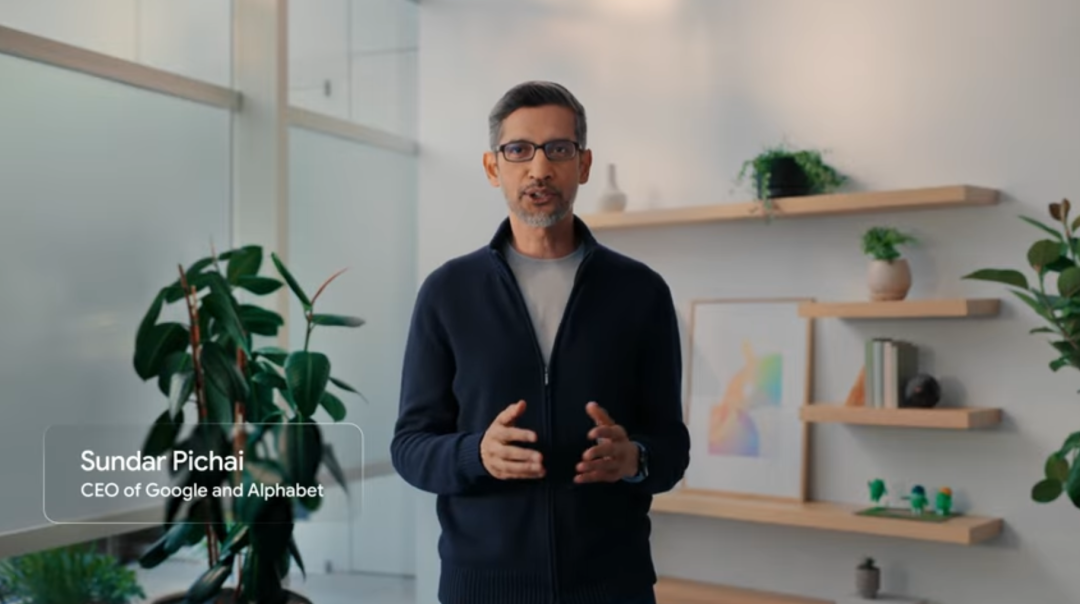
On May 13, Google hosted The Android Show event online. Sameer Samat, President of the Google Android Ecosystem, opened by stating this was the largest update in Android's history.
He wasn’t exaggerating.
The event focused on two core initiatives, both pointing to the same ambition. First, introducing the new notebook category, Googlebook. Second, launching Gemini Intelligence for Android.
Let’s start with Googlebook.
To be precise, Googlebook is both a laptop and a category. Google collaborated with Acer, ASUS, Dell, HP, and Lenovo to create the first batch of products, set to launch this fall. Google executives confirmed that the initial launch partners were just those ready for the fall window, with more to follow.
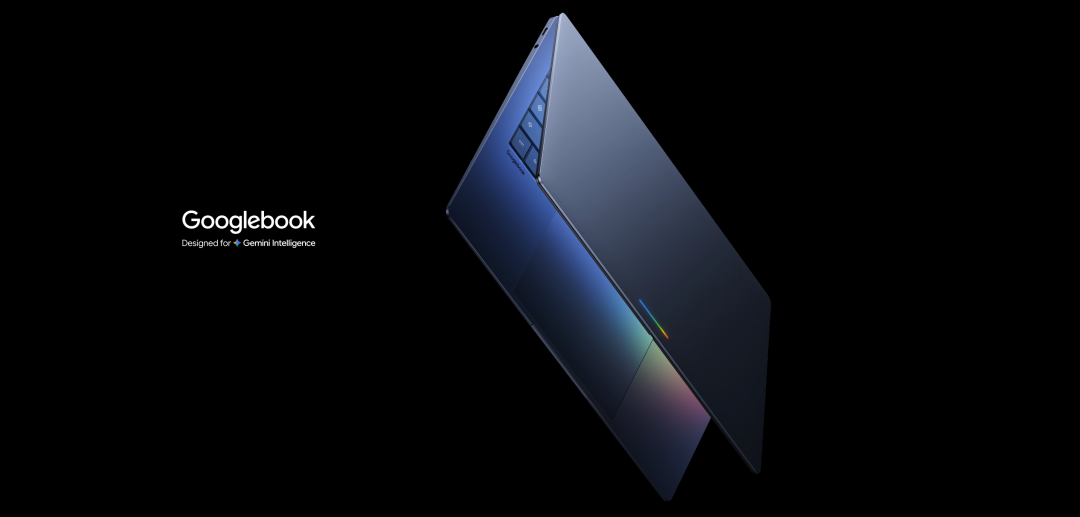
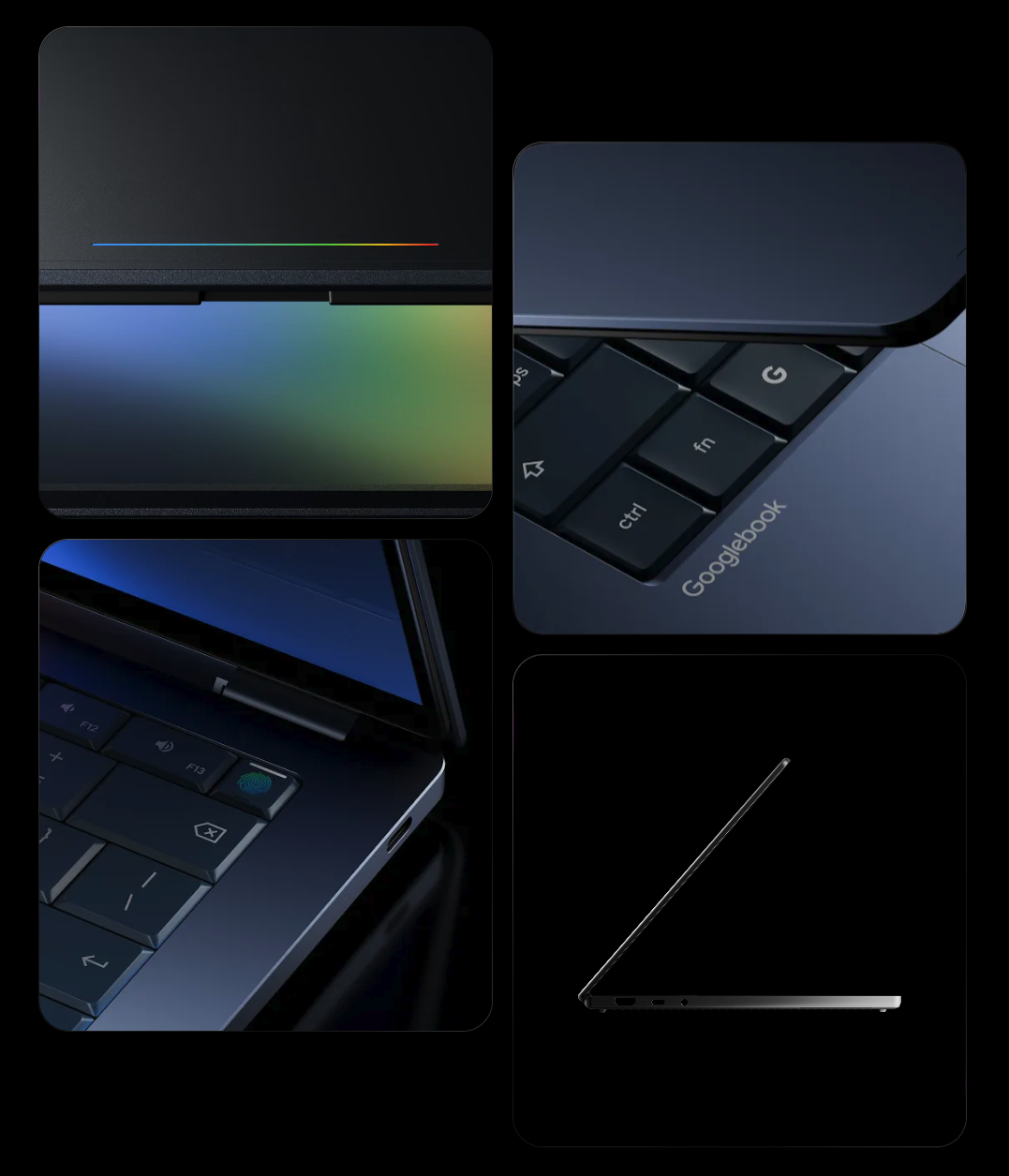
The event showcased Googlebook’s design but did not reveal specific models, processor specs, or pricing.
Positioned as high-end, it uses premium materials, covers various form factors and sizes, and supports chips from Intel, Qualcomm, and MediaTek, accommodating both x86 and Arm architectures.
Google VP John Maletis revealed in an interview that he conducted this conversation on a Googlebook. The device is already in internal use, but consumers will have to wait until fall.
Googlebook runs on the Android system.
Rumors had circulated for years about this, codenamed Aluminium, merging ChromeOS and Android into one. Now it’s finally happening, though Google hasn’t given the new OS a formal name yet. Maletis said it shares many similarities with Android’s desktop mode when connected to an external screen but is not identical.
What does running on Android mean? It means millions of apps from the Google Play Store can theoretically run on this notebook. It means the barriers between your phone and computer are broken down at the system level.
But hardware and the system aren’t the most eye-catching aspects of this event. The real standout is the cursor.
Google designed a feature called Magic Pointer for Googlebook.
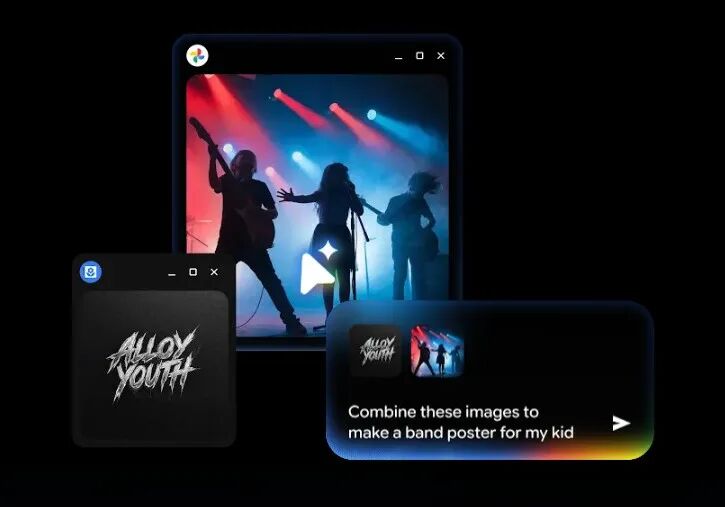
Here’s how it works. You move the mouse, and the cursor provides context-aware action suggestions based on what you’re pointing at.
Point to a date in an email, and it asks if you want to create a calendar event. Point to a sofa image next to a living room photo, and it helps you composite an effect to see if they match. Point to a band poster and logo, and it directly generates promotional materials.
Essentially, it’s the notebook version of the "Circle to Search" feature on phones but taken further. You don’t need to open any AI dialog box or write prompts; you just move the mouse.
Google spent a long time thinking about this feature and summarized four design philosophies.
First, don’t take users away from their current task. AI should appear where you’re working, not require you to jump to another window. If you’re viewing a PDF, the summary generates beside the mouse. If you’re looking at a data table, charts pop up directly.
Second, let the computer "see" for itself. The pain point of traditional AI assistants is that you have to describe what you’re looking at in words, which is a burden. The Magic Pointer’s approach is that the visuals near the cursor are the best prompts, and the system should understand them on its own.
Third, allow humans to communicate in the laziest way possible. In daily conversations, we often say things like "fix this" or "move that over," relying on gestures and context to fill in the blanks. If AI can understand such vague instructions, interaction costs drop significantly.
Fourth, everything on the screen should be actionable. An address isn’t just text; it should directly open a map. A date isn’t just a number; it should become a calendar event. A restaurant in a video should have a reservation popup when hovered over.
Samat admitted that such features seem intuitive in demos but are far more challenging to engineer than imagined.
Currently, Magic Pointer is still in testing under Google Labs’ Disco project, in the experimental phase. But the direction is clear.
Besides Magic Pointer, Googlebook has several other notable features.
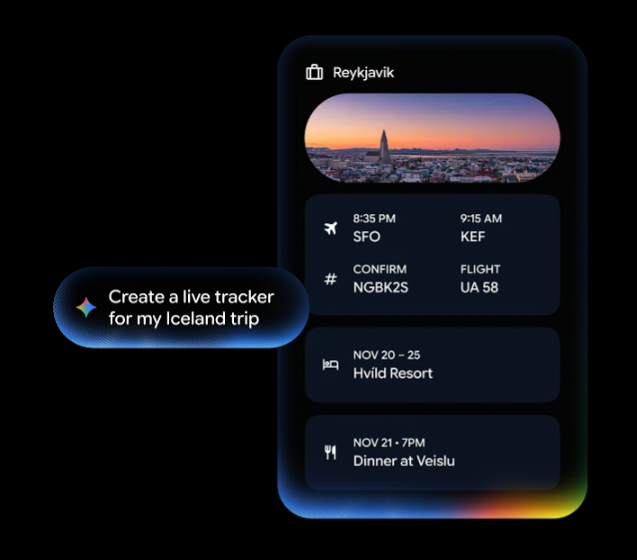
Create My Widget lets you describe your desired desktop widget in natural language, and Gemini generates it.
For example, if you’re planning a family gathering in Berlin, it can integrate flights, hotels, restaurant reservations, and a countdown into a single panel on your desktop. If you want weekly recommendations for three high-protein recipes, just say the word. This feature will also come to phones this summer.
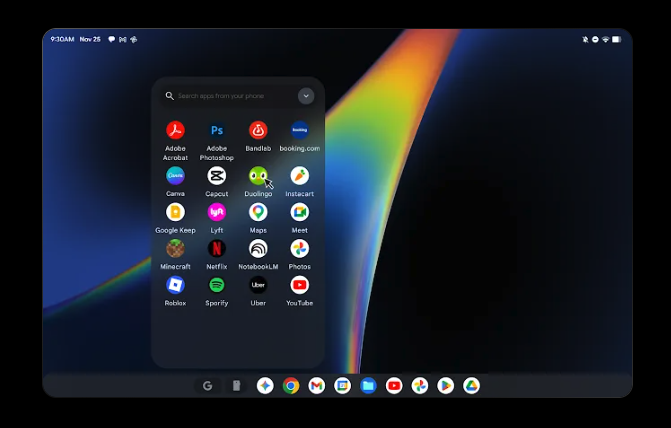
Cast My Apps lets you open phone apps directly on Googlebook.
There’s a phone button in the bottom dock, which opens a grid of your phone apps. If you’re hungry while working, open a food delivery app to order. If you receive a Duolingo reminder, complete the lesson directly on your computer. Similar to iPhone mirroring on Mac, but theoretically more seamless since both run on Android.
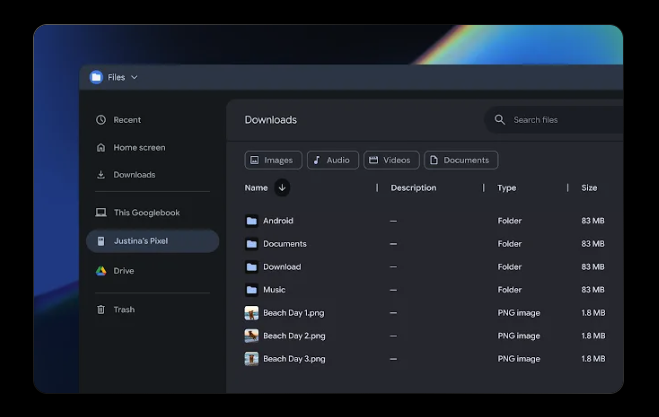
Quick Access lets you see, search, and download files from your phone directly in Googlebook’s file browser. Your phone appears in the sidebar, and files can be found regardless of where they’re stored.
There’s also a design detail. All Googlebooks will come with a Glowbar light strip that lights up when powered on.
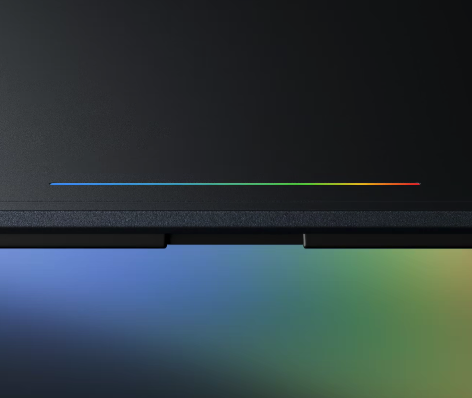
This is a nod to the 2013 Chromebook Pixel, whose light strip could show battery level when touched. Simply put, it’s an identity marker. Like ThinkPad’s red TrackPoint or MacBook’s former glowing logo, Google wants you to instantly recognize this laptop’s lineage.
The real star of this event, on the surface, is Googlebook, but in reality, it’s Gemini Intelligence.
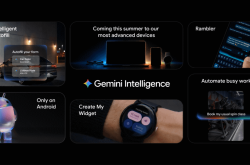
Gemini Intelligence is Google’s new brand name for Android’s AI features. It will debut this summer on the latest Samsung Galaxy and Pixel phones, expanding to watches, cars, glasses, and notebooks in the fall.
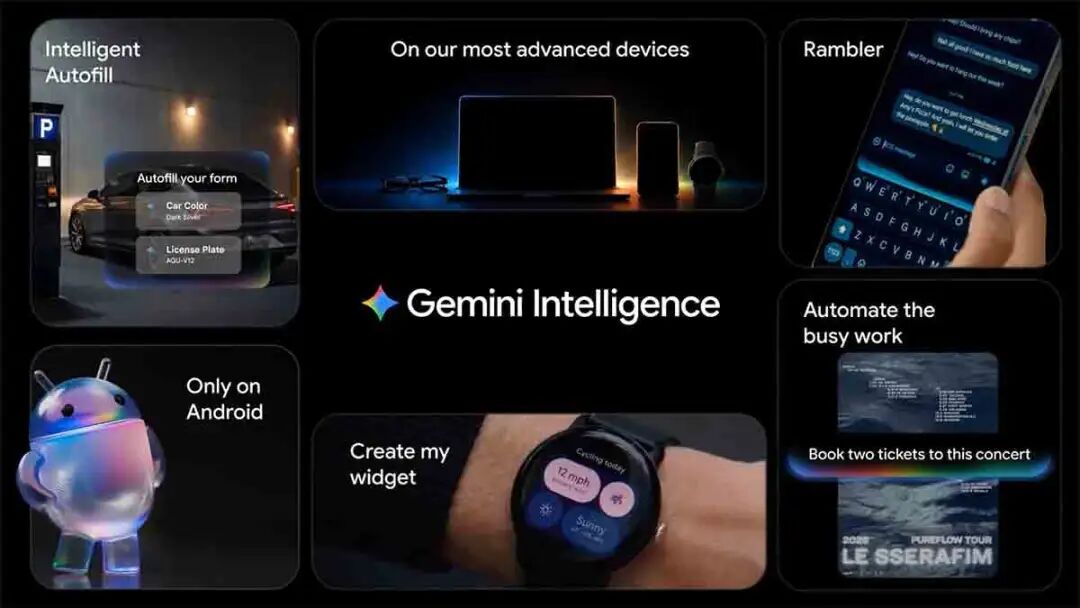
What can it do? It automates multi-step tasks across apps. Take a photo of an event flyer and let it find the event on Expedia. Long-press the power button on a shopping list, and Gemini adds all items to your cart and checks out. It only executes your instructions and stops for confirmation when done.
Chrome browser now includes Gemini. An auto-browsing feature launching in late June understands the page you’re viewing, helps search, summarize, and compare information, and even completes actions on your behalf, like booking tickets. It also integrates Nano Banana’s tools for instant image creation or modification in the browser.
There’s also Rambler, a new feature in the keyboard. You speak to your phone, and it converts casual speech into polished text, automatically removing filler words like "um" or "ah," and understands self-corrections. If you say "3 o’clock, no, 2 o’clock," it outputs "2 o’clock." Supports mixed languages.
Looking at all these features together, one thing becomes clear. This event is branded under Android, but its core is Gemini. Whether it’s automating tasks, generating widgets, or the Magic Pointer, every feature is a projection of Gemini in different contexts. Android serves more as a container, a channel for Gemini to reach 3 billion users.
What truly deserves consideration from this event isn’t whether a specific feature works well but the industry-level trend it exposes.
For the past decade, the competitive logic of operating systems has been "ecosystems." Whoever has more apps or developers wins. iOS wins by being closed but polished, Android by being open and vast, Windows by enterprise inertia and productivity toolchains.
But AI is rewriting this logic.
When AI can automate tasks across apps, the importance of individual apps diminishes. You no longer need to open ten apps separately; you just tell AI what result you want. This means the core value of operating systems is shifting from "app stores" to "intelligent scheduling layers." Whoever’s AI can better understand user intent and smoothly orchestrate underlying capabilities will dominate the next generation of OS discourse.
Google sees this. Apple sees it too. Microsoft probably sees it but is a step behind.
That’s why Google is building a new notebook category from scratch instead of patching up existing systems. It needs a clean starting point, a platform where AI is core to the OS from day one, not an add-on.
That’s also why Magic Pointer is the most important concept from this event, even though it’s still experimental. It represents not just a feature but a paradigm shift in interaction. From "users actively invoke AI" to "AI proactively senses user intent." From "you go to AI" to "AI comes to you."
If this shift truly happens, it won’t just redefine laptops. It will redefine the relationship between humans and computing devices.
For the past thirty years, our interaction with computers hasn’t fundamentally changed. Click icons, open windows, find functions in menus. Touchscreens added swiping and pinching, but the underlying logic remains the same. You need to know where functions are and go find them.
Magic Pointer attempts to flip this logic. Functions no longer hide in menus waiting to be found; they proactively appear based on your current context. It sounds like sci-fi, but if you’ve used "Circle to Search" on phones, you know how addictive this experience becomes once you’re used to it.
Of course, there’s a vast chasm between lab prototypes and mass production. AI hallucinations, privacy boundaries, performance overhead, user trust—every one is a tough challenge. Whether Google can deliver a truly polished product this fall, not just a flashy concept video, is the biggest suspense .
There’s also a more practical issue.
By launching Googlebook, Google is essentially declaring war on both Windows and Mac. But its opponents have forty years of enterprise ecosystem moats and the world’s strongest hardware-software integration capabilities.
Android won on phones through openness and free licensing. But the notebook market works differently. Enterprise users need stability, compatibility, and IT management tools. Creative professionals need professional software ecosystems. Students need affordability and durability.
Googlebook currently targets the high-end market, but that’s precisely Apple’s strongest domain. Can AI as a differentiator truly persuade users willing to spend $1,000+ on a MacBook to switch? Google itself might not have an answer yet.
Regardless of whether Googlebook succeeds, its core question is valid. In the AI era, how should a laptop interact with humans?
We’ll find out this fall.
If you have any thoughts, feel free to discuss them in the comments.
If you found this helpful, please like, share, and recommend the article. Follow "AI Robot Tea House."
-
![]()
Is XPENG Merely a Stopgap Solution? Volkswagen’s Secret Weapon in China’s Autonomous Driving Race: CARIZON’s Advanced R&D Strategy
-
![]()
Google Launch Event: The Largest Android Update in History; AI-Powered Notebook Tailored for Gemini
-
![]()
Chinese EVs: Challenging the U.S. Market
-
How Does the Occupancy Perception Network Detect Dynamic Objects?
-
![]()
Is Android 17 Underdeveloped? Android 17 Beta First Impressions: None of Google's Touted AI Features Have Come to Fruition
-
![]()
While the Entire Industry Fixates on Tokens, Baidu Advocates for a New Standard
-
![]()
Paradigm Shift Unleashed: OpenClaw Sparks China’s AI ‘Era of Action’ — Decoding the ‘Report’ (Part 1)
-
![]()
Can Kuaishou 'Gain Honor Through Its Offspring' by Listing Its 'Prized Asset' Kling?