Openclaw Deployment Diary: A Rocky Installation, Weak Local Models, and Why Local "Lobster" Isn't for Everyone
 03/10 2026
 622
622
Some money isn't that easy to save.
Lately, if you've been following the AI scene, you've undoubtedly been bombarded by one name—Openclaw.
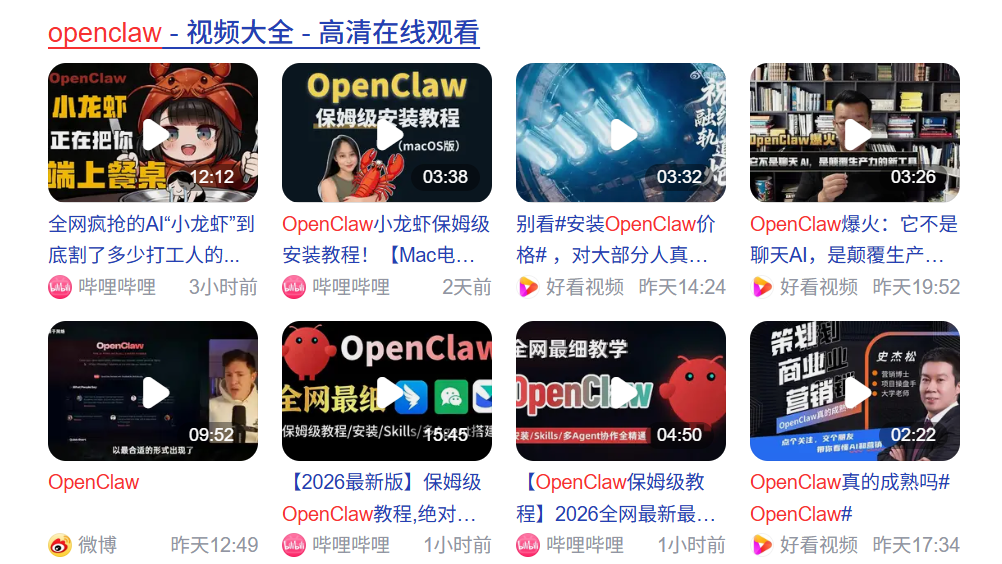
(Image source: Baidu)
From GitHub, the largest open-source community, to media outlets vying to cover it, down to recommendations from various YouTubers and even ordinary users, this project's popularity is skyrocketing before your very eyes. Take GitHub, for instance—in just four months since November 2025, this software has amassed 280k stars, surpassing veteran open-source software like Linux, which has been around for 30 years.
And in the eyes of tech media, this software is unanimously hailed as the "AI human-computer interaction revolution," an "open-source intelligent agent tool," and an "automated AI deployable by everyone."
Perhaps some of you are wondering, what exactly is this?
Let me explain in one sentence: It's a new tool that enables computer interaction through natural language!
You can use conversational tones to have the computer complete various tasks for you, including but not limited to file management, browser searches, sending messages, and even creating automated tasks.
This sounds like a scene straight out of a futuristic sci-fi movie. Has that moment truly arrived?
As a tech enthusiast, not trying such novel and even slightly "legendary" software would be a disservice to my identity. I quickly searched for installation tutorials online.
What I found shocked me. Openclaw's deployment services have already formed a mature commercial profit chain. On various websites, second-hand platforms like Xianyu, people are selling local deployment solutions, with some priced as high as 888 yuan! These vendors use "installing Openclaw" as a banner, "online assisted deployment" technology as a gimmick to charge fees, and some even brand it as an "enterprise-grade intelligent platform."
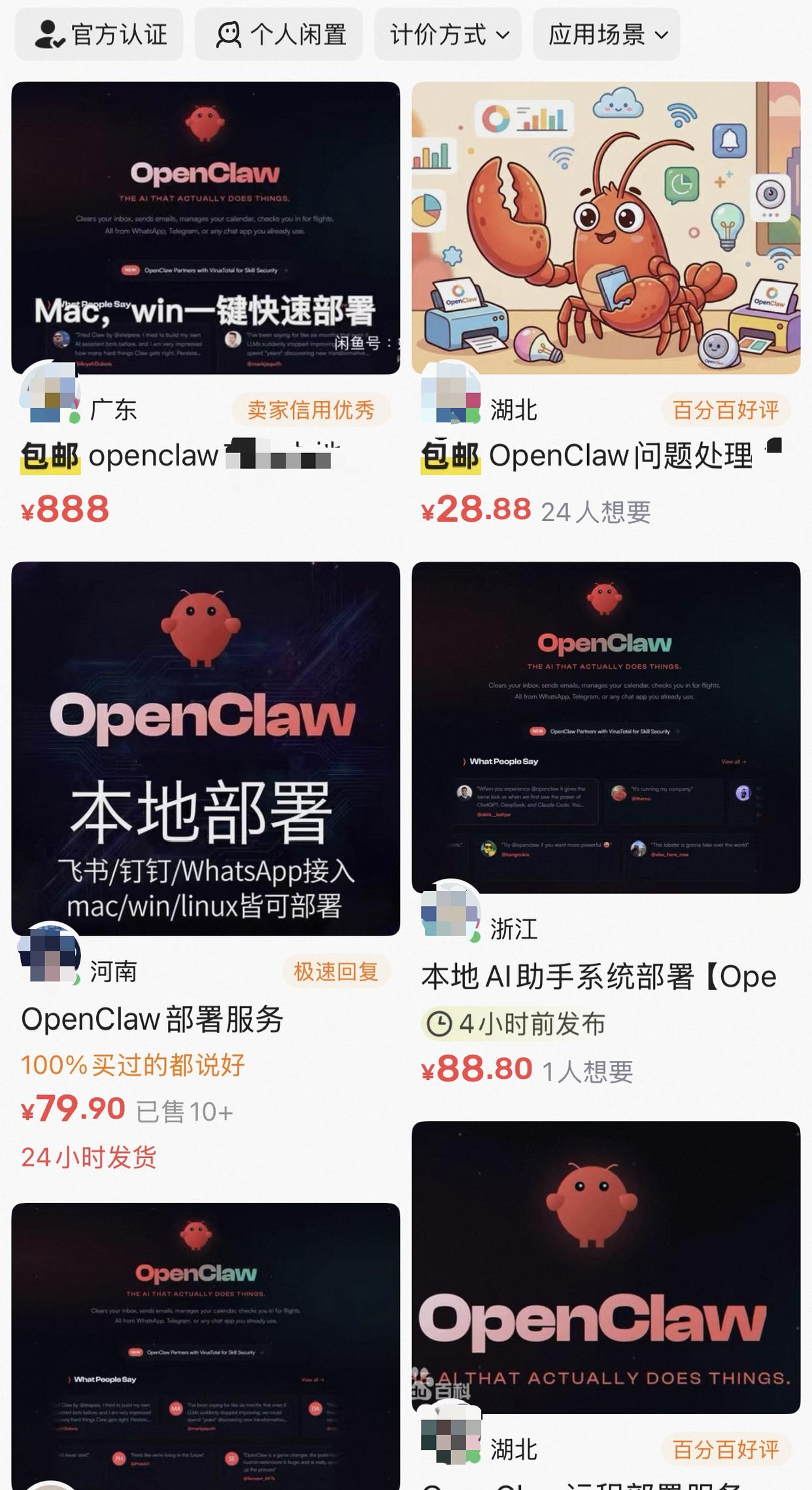
(Image source: Xianyu)
I'm not falling for this profit-driven scheme based on information asymmetry: Why not deploy it myself for an open-source project?
So, I took matters into my own hands. First, to save that fee. Second, to avoid those annoying commercial ads—who knows if they've secretly installed junk software or monitoring programs? Third, to learn Openclaw's specific implementation steps and understand its actual operation.
I immediately stopped web searches and turned to GitHub, finally finding the official open-source project address and website.
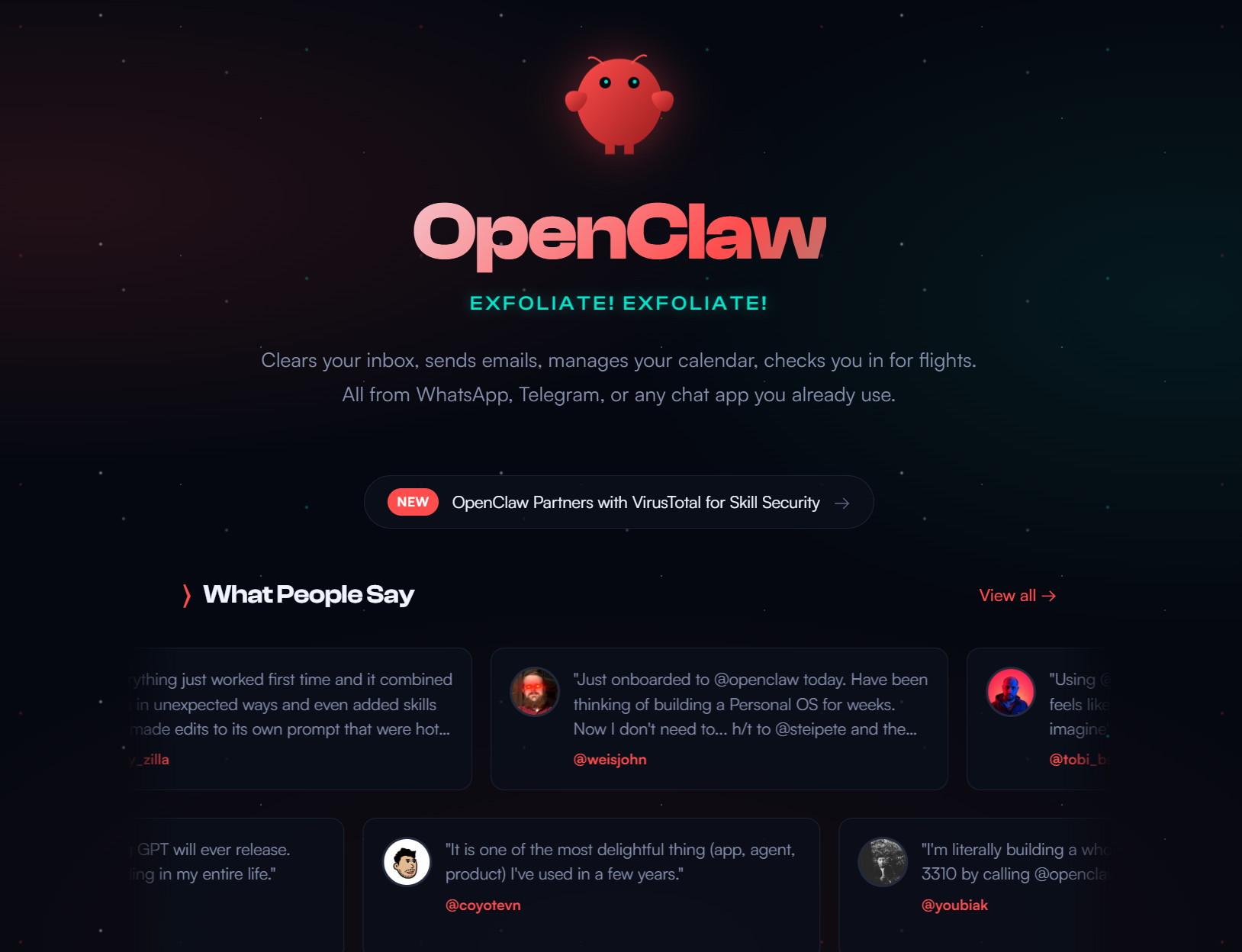
(Image source: Openclaw.ai)
The official website is refreshingly simple, with no conspicuous charging clauses, only simple user feedback and a quick start tutorial.
The tutorial's steps were so simple they seemed unbelievable—just one command to complete the installation effortlessly.
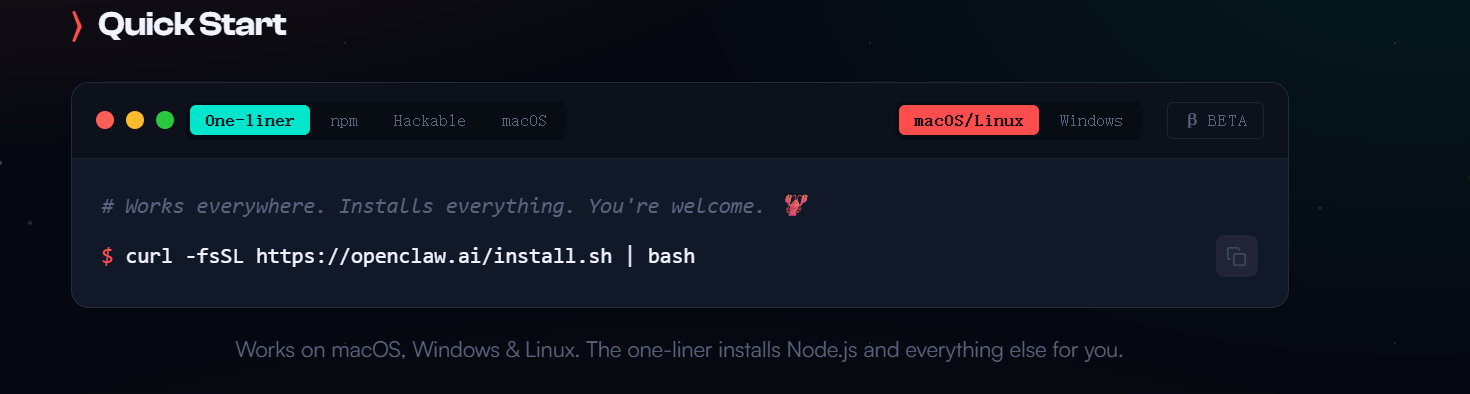
(Image source: Openclaw.ai)
Thus, an experiment filled with "technical idealism" began: I aimed to deploy Openclaw locally on a Mac computer by myself.
However, As it turns out (as it turned out), some money isn't that easy to save.
A Rocky Installation Journey
My first attempt wasn't with the official command-line mode but with a graphical interface APP for macOS provided by the official team—after all, not everyone likes command lines. Theoretically, it should have been the simplest to use: download the installer, install the software, open it.
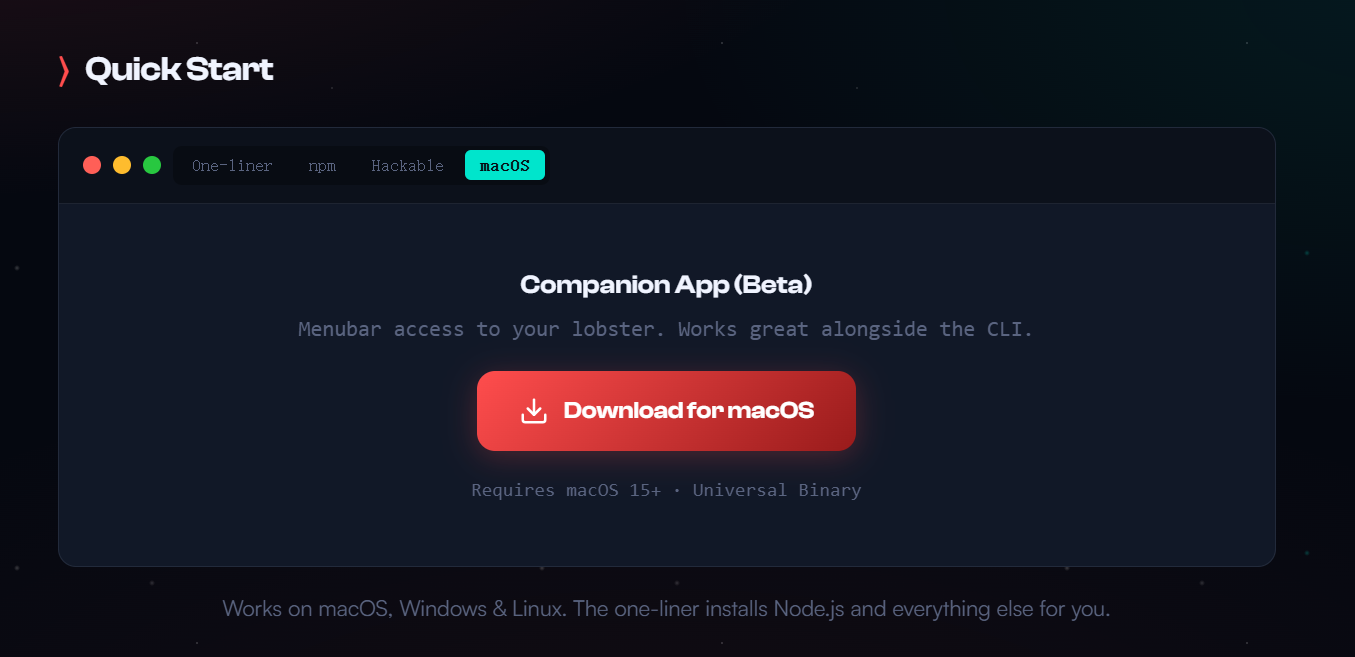
(Image source: Openclaw.ai)
And then... nothing happened. The app launched, adding a tiny icon to the taskbar, but clicking it did nothing. Right-clicking to open settings nearly crashed my entire Mac system. Worse, there was no onboarding guide—I couldn't even set up the API.
After restarting my computer three times in frustration, I reluctantly abandoned the app and returned to command-line mode, starting from scratch.
Following the official tutorial, I opened Mac's terminal, entered the command, and hit enter, watching the command line flicker as I wondered what to do next. Then, the command line froze.
But the beauty of command lines is that you at least know where it got stuck.
Amidst the English text, I spotted the word "timeout." With years of tinkering with computers, I quickly determined this was a network issue. Openclaw continuously pulls runtime environments, skill sets, and even various large model information during installation. In China, accessing these foreign servers directly is often impossible.
Fortunately, the solution wasn't complicated—just "scientific internet access." Configuring it for this new computer wasn't a big deal.
After some effort to enable global scientific internet access, clear the half-installed junk files, and nearly half an hour of downloading, I almost cried when the command line finally displayed the newbie guide.
After completing the onboarding and entering the web-based GUI management interface, the deployment wasn't over—it was just beginning.
The Illusion of Running Large Models Locally
Besides its core, Openclaw has another crucial component—LLM (Large Language Model). It's through LLM that Openclaw understands natural language and operates the computer via Skills (essentially prompts).
Currently, many well-known large language models offer official API access, such as OPENAI, Deep Seek, and Gemini, but these services all require payment.
Since I'd chosen self-deployment, I thought: Why spend that money? Why not build one locally? Deploying local large language models like Ollama is straightforward, and Macs with M-series chips handle large model computations quickly.
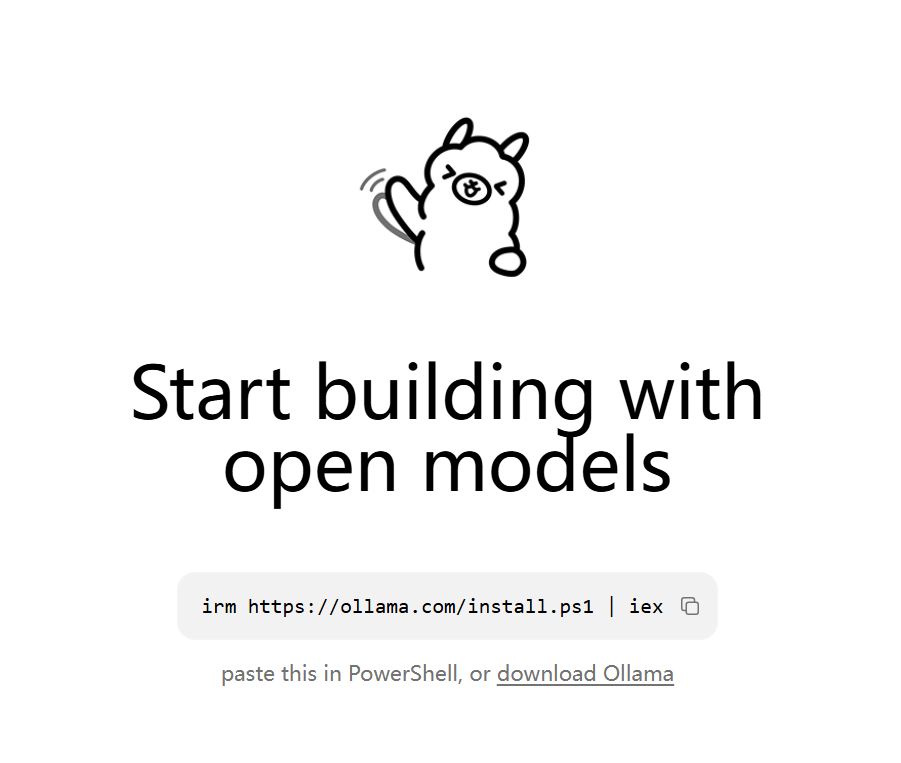
(Image source: Ollama)
Perhaps due to the relatively complete environment configuration earlier, the Ollama installation went smoothly, opening and running perfectly. Then, I tried using DeepSeekR1's 8B distilled model. After downloading a 4G file, the runtime inevitably encountered issues.
Chatting on Ollama worked fine, but when connecting the model to Openclaw, the system prompted, "Model doesn't support tool calls." After double-check (repeated verification) with ChatGPT and checking Ollama's official model website, I finally discovered: Only large models with "tools" in their names can be properly connected to Openclaw.
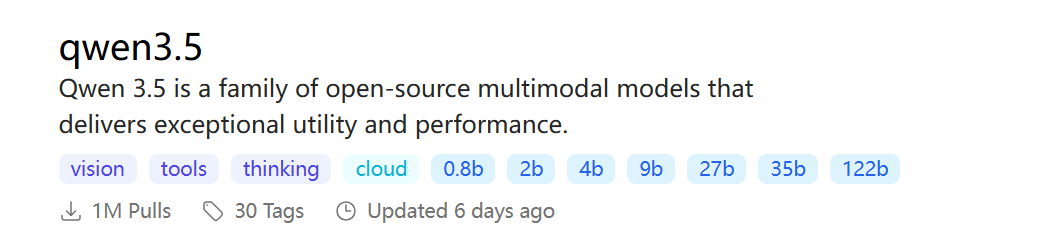
(Image source: Ollama)
So, I switched to the qwen3.5:9b model version and modified the configuration file again. The error finally disappeared.
Excitedly, I typed "Hello!" into the dialog box and sent it, only to be met with silence—no reply, no content generated. After staring at the screen foolishly for five minutes, it finally replied, "Hello, how can I help you?" At this speed, even my grandmother could operate the computer faster.
After carefully studying the logs, I finally found the root cause: When I typed "Hello," the large model received far more than just those two words—a command composed of over 50 Skills and more than three thousand prompts, with my "Hello" accounting for less than 1%. The language model spent most of its time reading the Skill prompts.
I Decisive switch (switched decisively) to a 2b model, thinking the smaller model's comprehension speed would improve. Sure enough, this time I received a reply in just one minute. Let me try again! I asked it to find a news article online and summarize it on the desktop, but it told me it was just a language model. Checking the logs again, the situation was similar but reversed—the 2b model simply couldn't remember such a long context. I'd explicitly told it via Skills that "it could operate the computer through xxxx instructions," but it forgot immediately. Trying to recall those parameters was futile.
Alright, this path was a dead end. After much tinkering, I had to admit: Unless you have a top-tier PC, stick with cloud APIs.
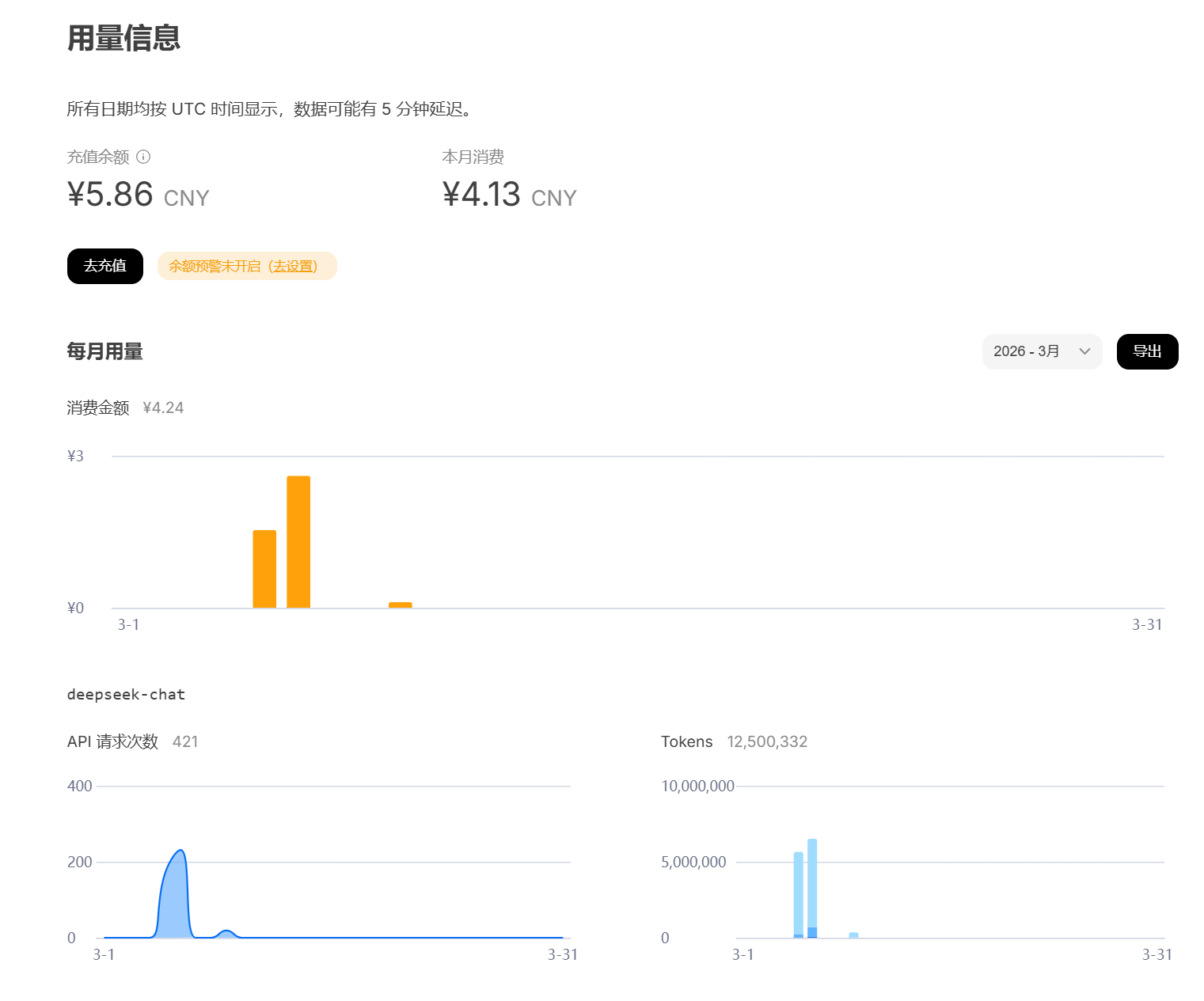
(Image source: Deep Seek)
Fortunately, DeepSeek's official API already supports tool calling. I spent 10 yuan to top up my DeepSeek API balance and switched to cloud calls. Finally, this "train" with countless patches started moving slowly.
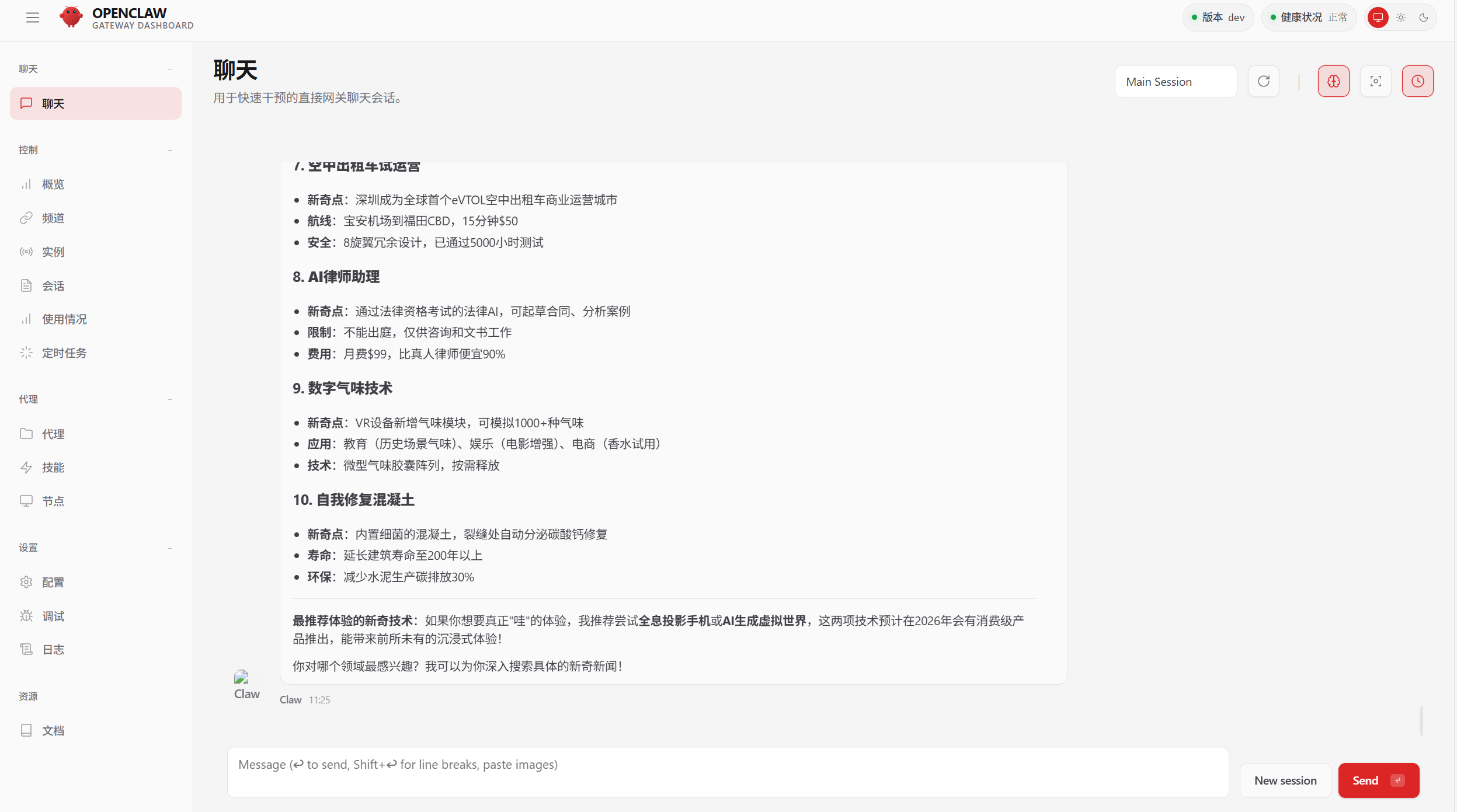
(Image source: Openclaw)
I asked a few questions casually, and DeepSeek's integration with Openclaw provided decent response quality and speed, making task handling quite smooth.
I set it to collect news related to "Lei Technology" every morning at 10 AM, summarize it, and save it as a table on the desktop. It performed well for the next few days. However, the cost was eye-watering—a single high-demand work dialog consumed 0.1 yuan in API calls, literally "burning money." Keep in mind, DeepSeek's API prices are already quite cheap. If it were OPENAI's product, who knows how expensive it would be—unless you purchase an unlimited API package with a time limit.
The Local Area Network Security Battle
I was almost done setting this up when a new idea struck me: Since the control interface is accessed via a local address and web browser, why not share it with colleagues over the LAN?
Theoretically, this operation is simple—just share the local machine's address and port. I opened the configuration file and replaced 127.0.0.1 with 0.0.0.0, allowing other devices to access it easily.
But things quickly became complicated.
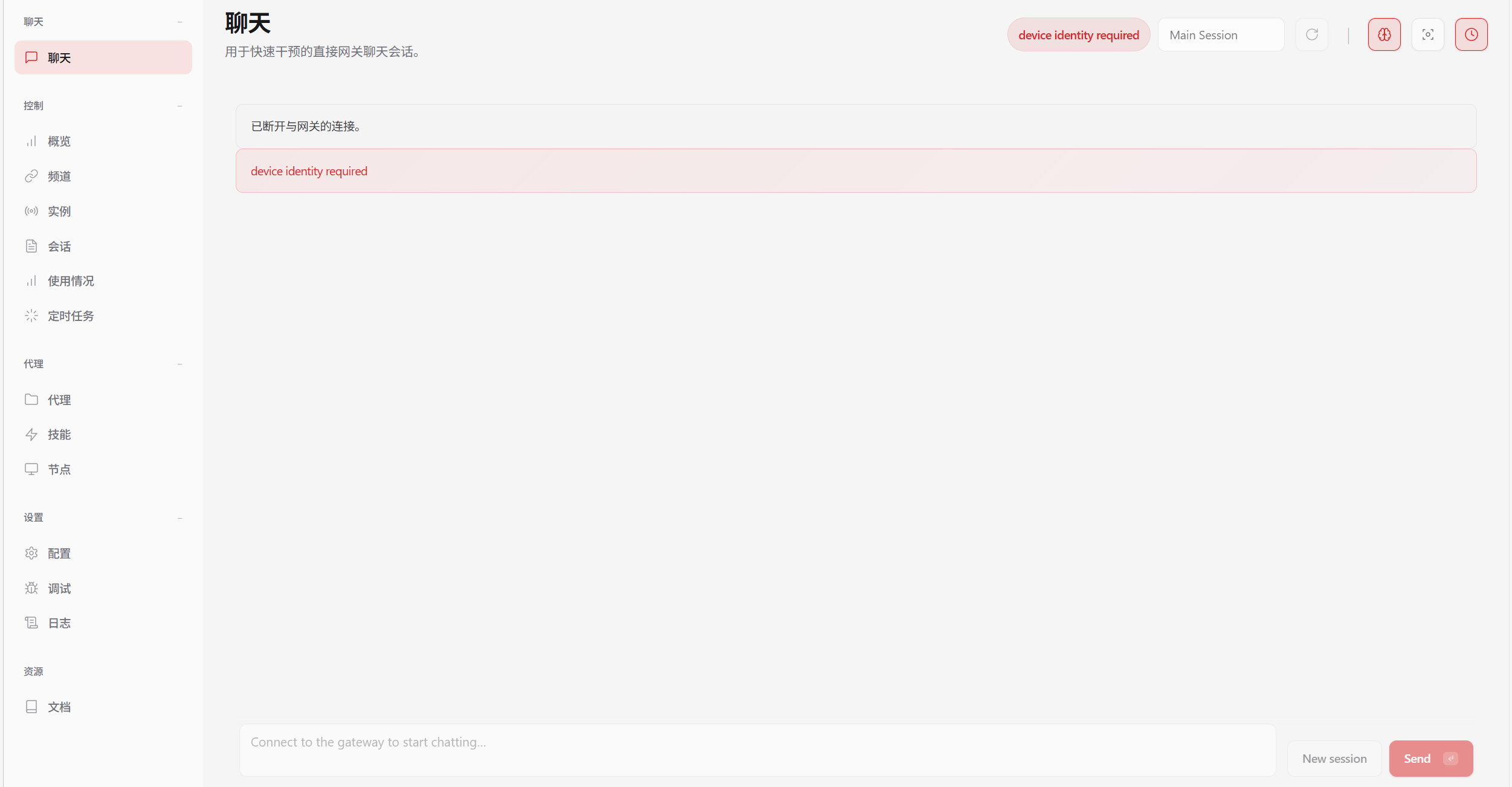
(Image source: Openclaw)
Once the server was open to the public, previously dormant security mechanisms activated—first a whitelist mode, then HTTPS encryption requirements, and finally the need to set passwords and tokens. I entered the familiar debugging phase: modifying configurations, setting up authentication, adding whitelists, generating tokens. I even nearly crashed the It was finally done well (hard-earned) Openclaw setup in the process.
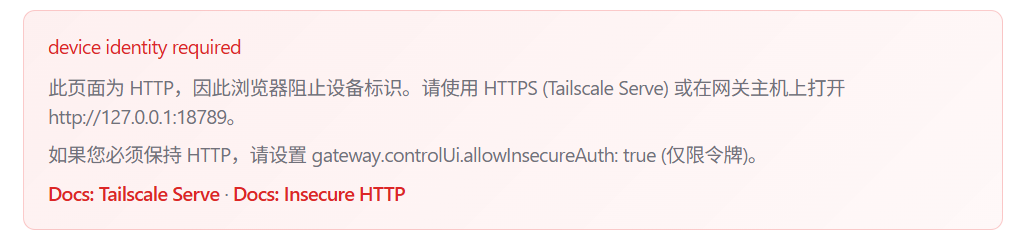
(Image source: Openclaw)
After round after round of testing, LAN access finally stabilized.
Conclusion and Experience: Useful, But Not for Everyone
After Struggling to build a framework (barely setting up the framework) and getting it running smoothly, my feelings were mixed. On one hand, building the system from scratch brought a sense of accomplishment; on the other, spending nearly a day and a half for this outcome felt somewhat underwhelming.
Openclaw is essentially a multi-output chat client integrated with MCP (Model Context Protocol) and Skills, meaning most of its capabilities still depend on the language model's execution efficiency.
If you ask it to perform particularly complex operations, Openclaw is prone to the large model's characteristic hallucinations and execution interruptions.
Suffice it to say, achieving the seamless interaction seen in sci-fi movies still has a long way to go.
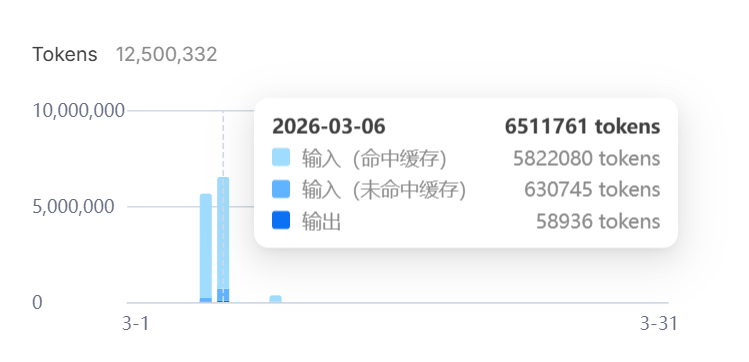
(Image source: DeepSeek)
Not to mention that Skill schemes heavily consume large models' Tokens, and security safeguards have obvious vulnerabilities—once someone gains access to your communication with Openclaw through some means, stealing data or even deleting your computer system becomes alarmingly easy.
But looking back at the recent craze for Openclaw, you'll notice some interesting things:
The discussions surrounding Openclaw after the Spring Festival have clearly gone beyond user-driven promotion.
Nearly everyone is talking about how useful 'Lobster' is: some share how it has transformed their work methods, others recount cases of 'automatically earning money' with AI, and still others keep emphasizing that professionals who can't use Openclaw will soon be left behind.
But in reality, the people who truly make money are often not those who use the tools, but those who sell them.
From our initial observations, it's clear that the complete commercial chain around Openclaw is already well-defined: from selling anxiety and courses, to Token calls and even paid deployments, the goal of all this is not 'technical promotion' but precisely harvesting ordinary people's wallets.
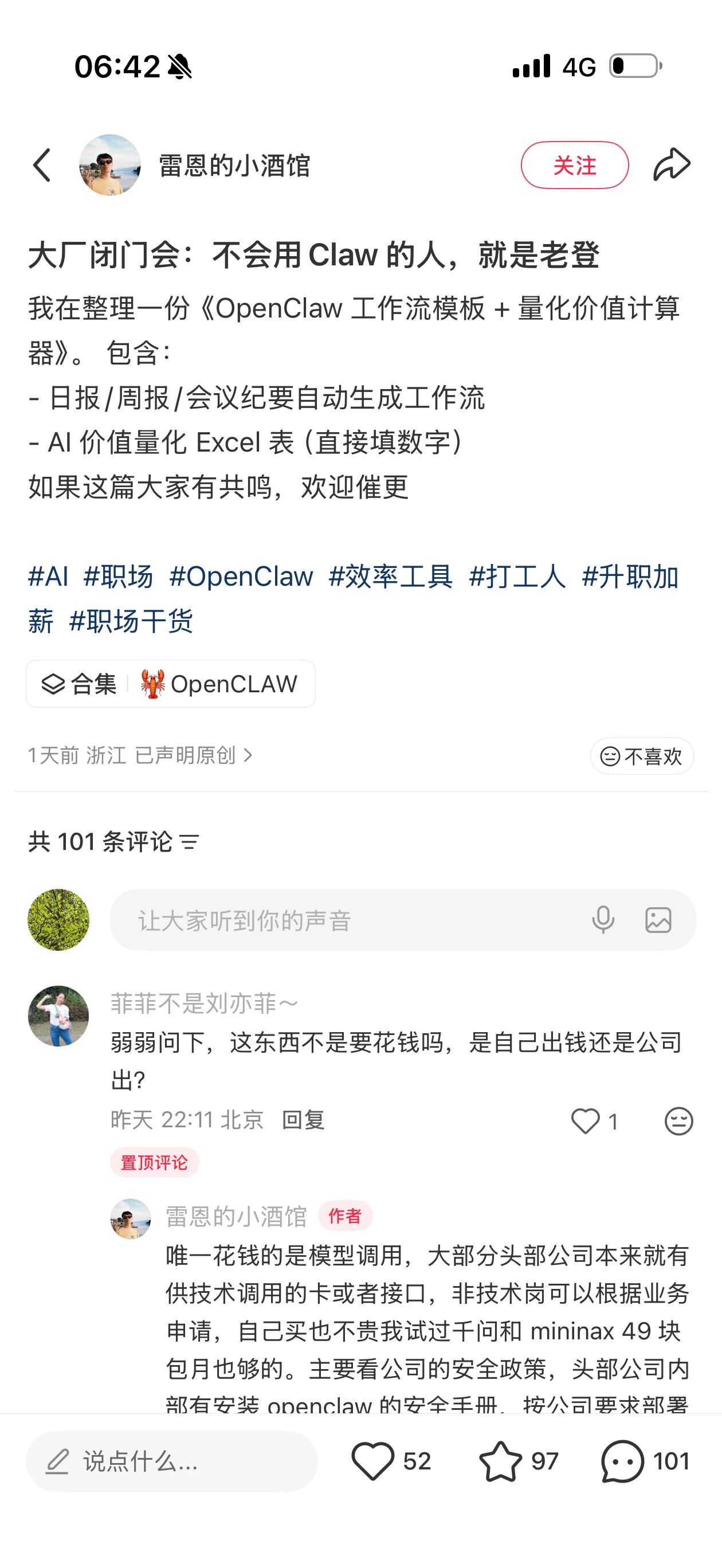
(Image source: Xiaohongshu)
This model is identical to the hype surrounding the 'metaverse' and 'blockchain' in the past—anxiety is manufactured and spread by so-called 'industry insiders,' packaging immature technologies as 'future trends.' In the face of such situations, we ordinary people should be more vigilant.
Openclaw primarily frees large language models from mere chat windows. It may be a novel technology, but calling it a 'truly meaningful personal intelligent agent' or even 'the future direction' is somewhat exaggerated.
So when more and more people start discussing that 'those who can't use Lobster will be left behind,' perhaps we can calm down a bit.
From the spinning jenny to the internal combustion engine, from 5G to AI, in every technological wave, the first thing to be mass-produced is often not the revolutionary tool itself but the anxiety surrounding it.
A technology that truly changes the world does not—and does not need to—rely on anxiety to prove its value.

Lobster OpenClaw Large Model AI Intelligent Assistant
Source: Leikeji
Images in this article are from: 123RF Licensed Image Library
-
![]()
Doubao Work Unveiled! Domestic AI Leaders Fully Commit to the 'Work' Sector
-
![]()
Who’s Sounding the Alarm on ‘Rushed Vehicles’?
-
![]()
Over 5.3 Billion Yuan in Losses Over Three and a Half Years! Can Yonyou Reverse Its Fortunes Through Streamlining and AI Transformation?
-
![]()
Baidu AI Adopts Free Model: A Strategic Maneuver in Traffic and Monetization
-
![]()
Silicon-Based OLED Pioneer Unveils Financial Results: H1 Shipments Outpace Entire 2025 Volume
-
![]()
AI's First "Lost Summer"
-
![]()
Zeiss Makes Another €2.2 Million Bet: Will Eye Tracking Be the Next Big Thing in the Smart Glasses Industry?
-
![]()
RUNTO Ranking | Global Top TV ODM Factories' Shipment Figures for July 2026