First Impressions of Gemini's Desktop App: After a Long Wait, Google Releases a 'Unrefined' Product
 04/17 2026
 428
428
Perhaps it's advisable to hold off for a bit longer.
At the break of dawn on April 16th, Beijing time, Google finally accomplished what it "should have done a considerable time ago": officially rolling out the Gemini desktop app (currently exclusive to macOS).
This release was not out of the blue. In the preceding months, whispers about Gemini's desktop client had been circulating persistently among international media. Bloomberg reported on multiple occasions that Google was pushing forward with the development of the Gemini macOS desktop app, yet delays kept postponing its launch. In stark contrast, OpenAI and Anthropic unveiled desktop apps for ChatGPT and Claude:
All within the year 2024.
No kidding—Google is genuinely "trailing" in this aspect. Among both domestic and international mainstream large model providers, only DeepSeek and Grok are yet to offer desktop apps. Hence, when Gemini finally made its debut on macOS, the event itself was not particularly surprising—it felt more like a long-overdue catch-up.
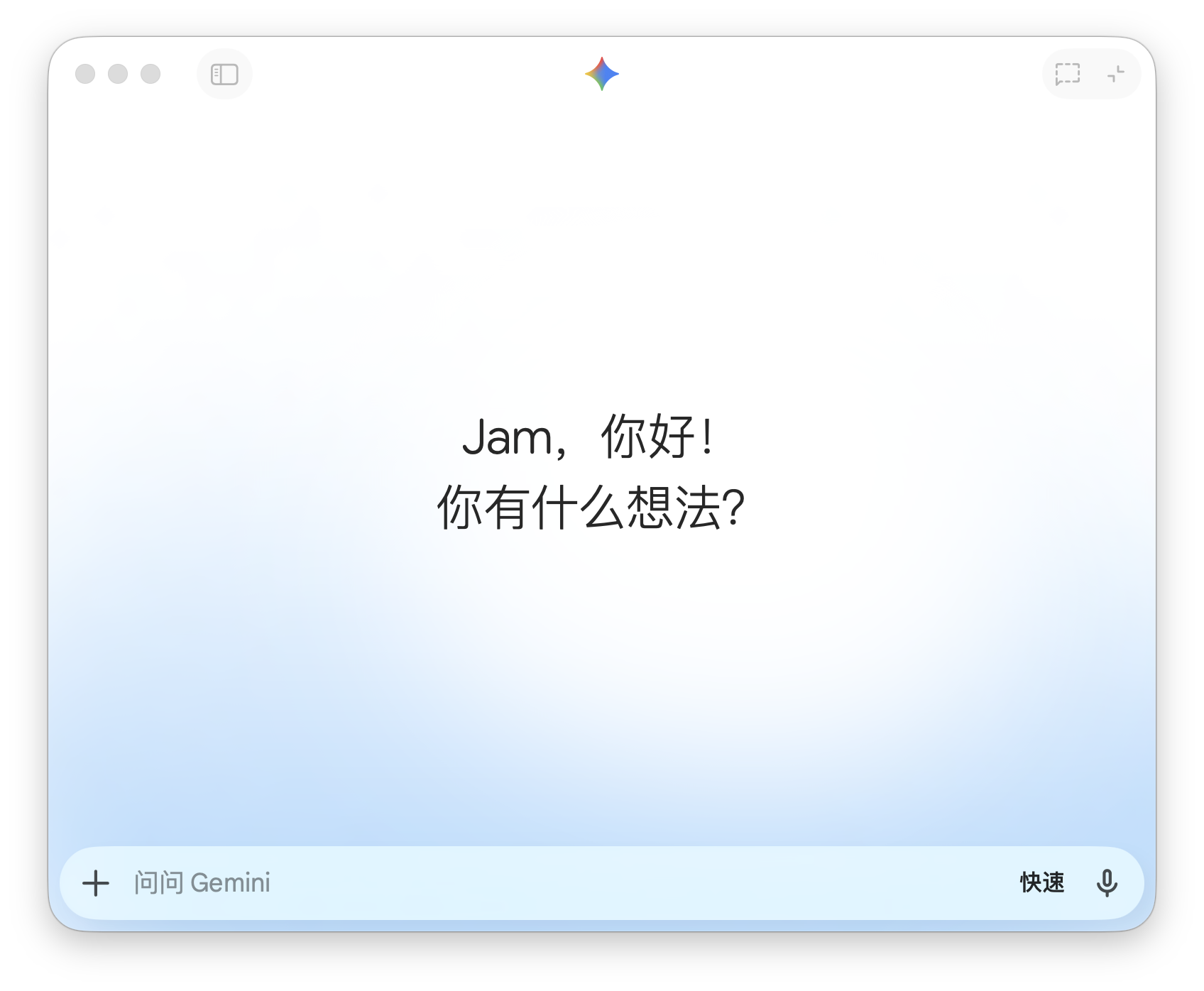
Image Source: Leitech
For an extended period, accessing Gemini on the desktop was limited to browsers: open a webpage, initiate a conversation, complete tasks, and then revert to the original workflow. This approach is not inherently flawed, but in the race for "always-on" accessibility, it feels overly cumbersome. Especially after AI started frequently intervening in writing, organizing information, and tackling complex tasks, the activation process itself became a pivotal part of the user experience.
This is precisely the issue that Gemini's desktop app aims to address first.
A shortcut key and a floating window seamlessly integrate AI into the ongoing workflow. This concept is not novel, but it has proven its effectiveness. For this reason, the launch of Gemini merits attention not for "its mere existence" but for "how well it is executed."
In other words, the concern is not that Google has finally brought Gemini to macOS, but rather what kind of experience it provides in the face of mature competitors.
Gemini's desktop app feels 'unrefined' right from the start
Gemini is one of the AI tools I use most frequently, but the web version has always been plagued by inconveniences. I had long yearned for the desktop app, but honestly, this initial release feels quite rough around the edges.
At first glance, it's unimpressive—adopting the chat interface popularized by ChatGPT but not displaying the sidebar conversation list by default.
Not displaying it by default is actually the right choice. Because when I do open it, it looks "unattractive." Compared to the web version, this impression is even more pronounced. The desktop app employs significantly larger, bolder fonts, but the spacing between characters and lines is too cramped, resulting in a visually cluttered and uncoordinated layout.
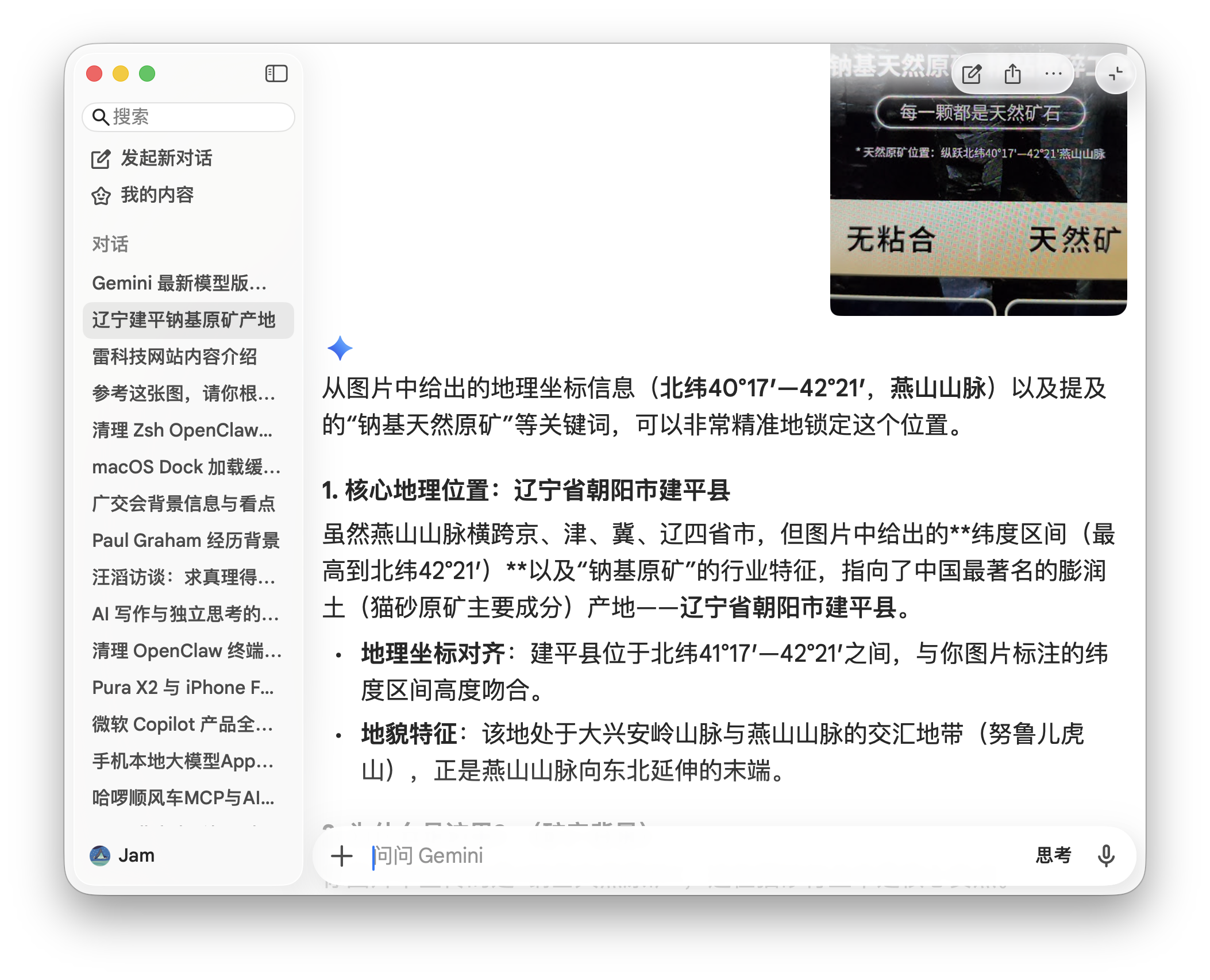
Desktop Version, Image Source: Leitech
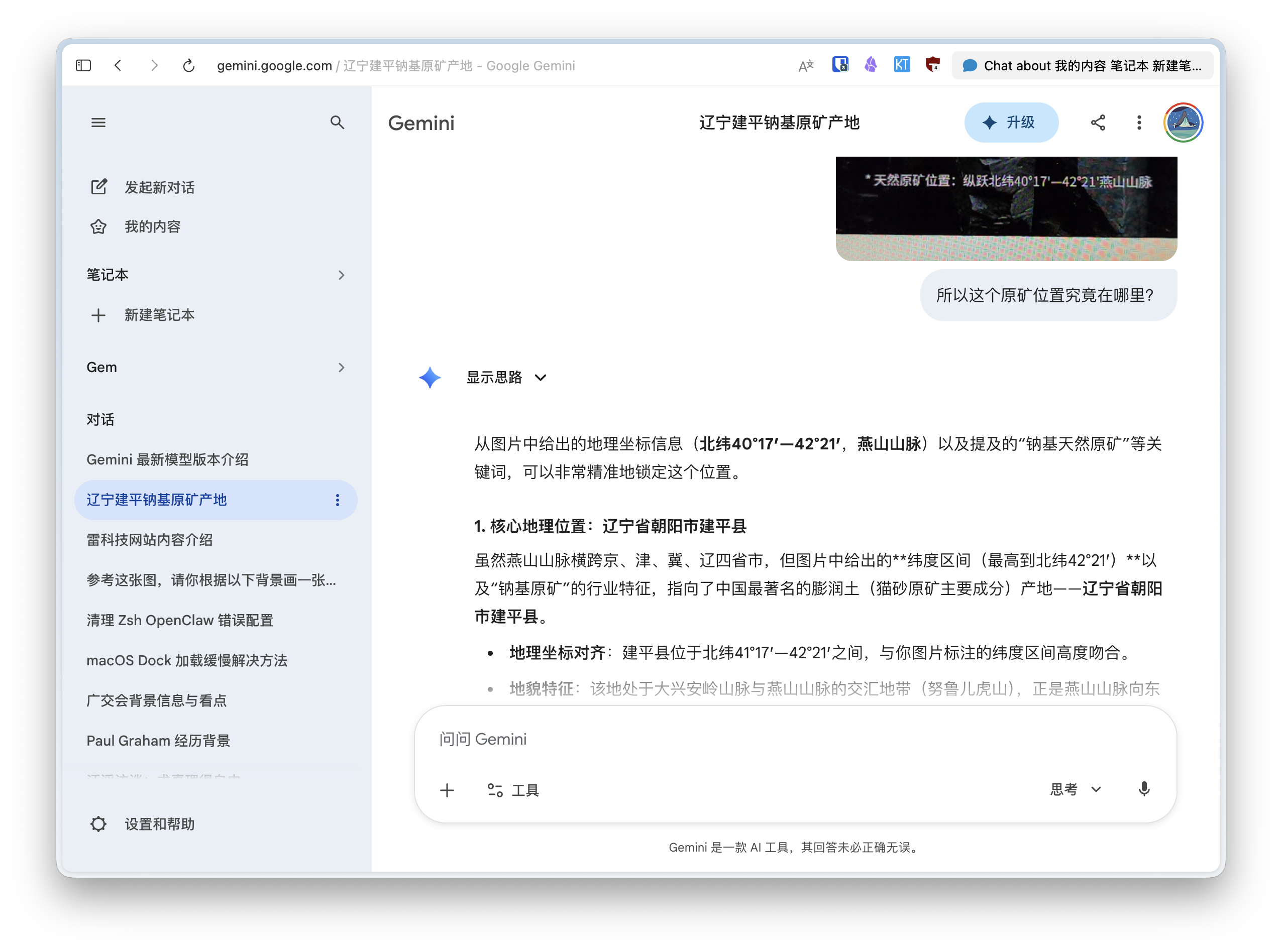
Web Version, Image Source: Leitech
I wonder if Google misplaced its designers or if this version was coded by Gemini's Vibe Coding model.
Of course, none of this detracts from its functionality.
After actual use, the most noticeable change in Gemini's desktop app is its "activation" process. With the web version, using Gemini necessitated opening a browser, navigating to the page, and starting a conversation. This process, while not overly complex, represented an interruption at each step: you had to leave your current task, switch environments, and then return.
The desktop app streamlines this to a single action—shortcut activation. On macOS, to avoid clashing with Apple's Spotlight and maintain convenience, the default shortcut is usually Option + Space (or double-tap Option).
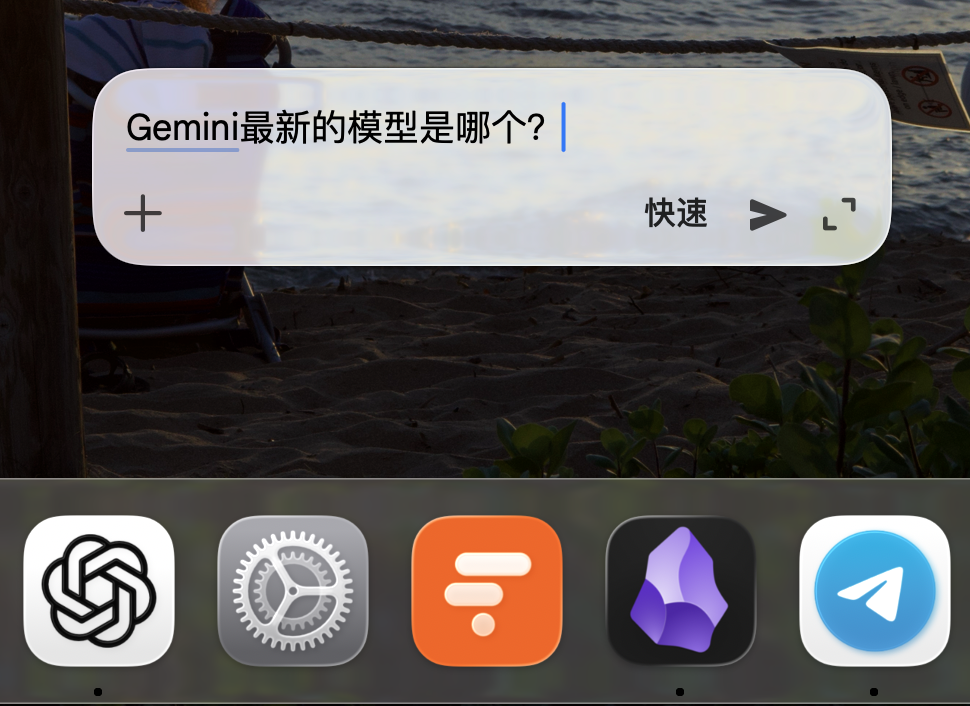
Image Source: Leitech
A floating window overlays the current interface, eliminating the need to switch apps or enter a full page. This difference may seem minor, but in scenarios requiring frequent use, it becomes significant. Writing, researching, editing—these tasks are often fragmented. The shorter the path, the more likely it is to be genuinely useful.
However, this interaction design has already become "standard." From my experience, nearly all AI assistant/browser desktop apps incorporate this feature. The main difference lies in their "positioning." For example, ChatGPT's desktop app offers options like "bottom-center," "bottom-left," "bottom-right," and "remember last position," while Gemini mandates the use of the last position.
Another significant change is "window sharing."
Simply put, after granting system permissions, you can designate an app window as a context source for Gemini. Compared to the web version, "window sharing" is a completely new capability because browser-based Gemini struggles to access content from other system apps directly.

Image Source: Leitech
From my actual experience, the implementation of this feature is not overly complex—it essentially relies on image recognition of screenshots. You could even refer to it as "continuous screenshotting." Once enabled, Gemini captures a screenshot of the designated app's current window with each prompt, using it as conversation context. Its value lies in reducing operational friction.
ChatGPT's desktop app has a similar feature called "Screen Capture," but it requires manual triggering for each screenshot and a new request. Gemini, once enabled, allows for continuous use during conversations. This feels more seamless when processing documents, spreadsheets, or web content.
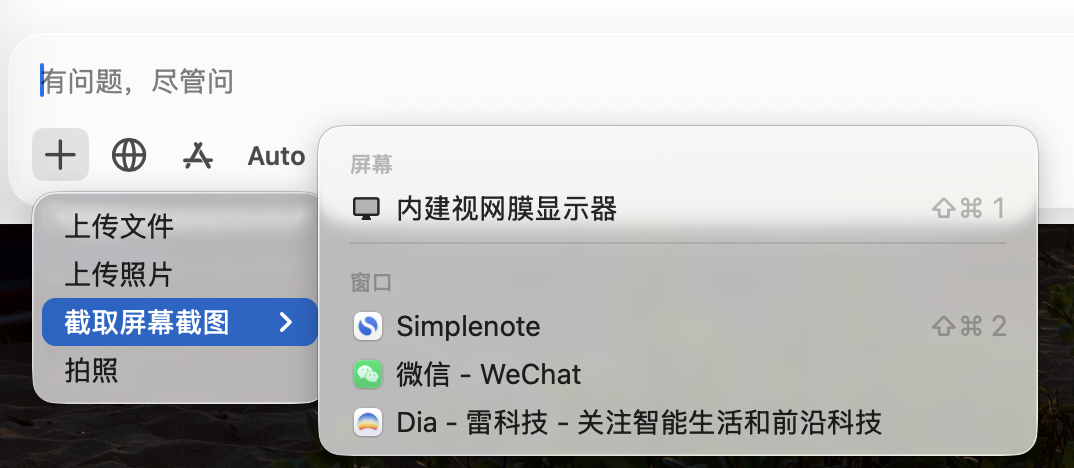
ChatGPT's Screen Capture, Image Source: Leitech
However, it still only perceives "images." For app-internal structures, states, or finer-grained information, the current version shows no deeper understanding. This becomes evident in complex tasks—e.g., precise positioning or cross-region content referencing—where manual information supplementation is still necessary.
Other core features in Gemini's desktop app now align with the web version, including support for generating images, music, videos, plus Canvas, Deep Research, and tutoring modes.
A more significant issue is that many management and settings still require switching to the web version. For example, memory management currently serves only as an entry point in the client—clicking it redirects to the browser for further viewing and adjustments.
Even Gemini's desktop conversation interface retains options like "Open in Browser."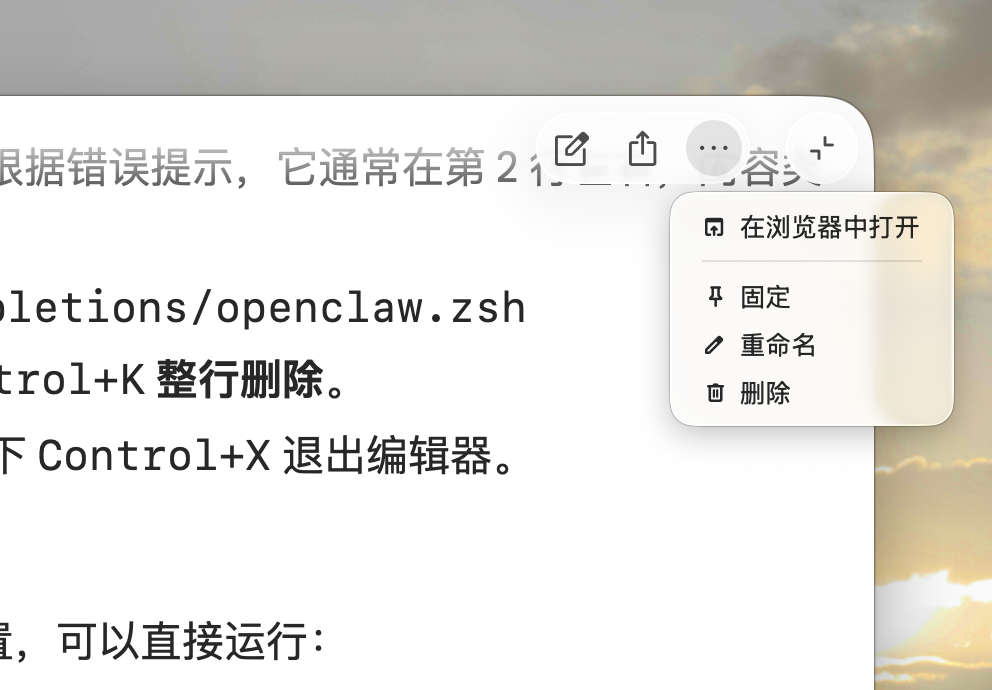
Gemini Desktop App, Image Source: Leitech
From this design, it's evident that Gemini's desktop team acknowledges the current version's roughness. It might suffice for simple needs, but anything involving comprehensive management or configuration still necessitates returning to the web version.
Overall, this newly launched Gemini desktop app resolves the previous issues of global quick access and repetitive manual screenshotting, but it's far from "excellent." Especially when compared to competitors that have undergone much longer iteration periods.
From a product standpoint, Gemini lags significantly behind ChatGPT and Claude
Using Gemini alongside ChatGPT and Claude's desktop apps (macOS versions only), it's challenging to evaluate based solely on "feelings"—the gaps are evident in concrete functionality, detectable from the first use.
Let's begin with ChatGPT's desktop app. It's no longer just a chat window but also attempts to construct an application ecosystem centered around ChatGPT. In practice, it can directly invoke macOS native apps and access a range of integrated third-party tools like Adobe Photoshop, Canva, Figma, Apple Music, and OpenTable.
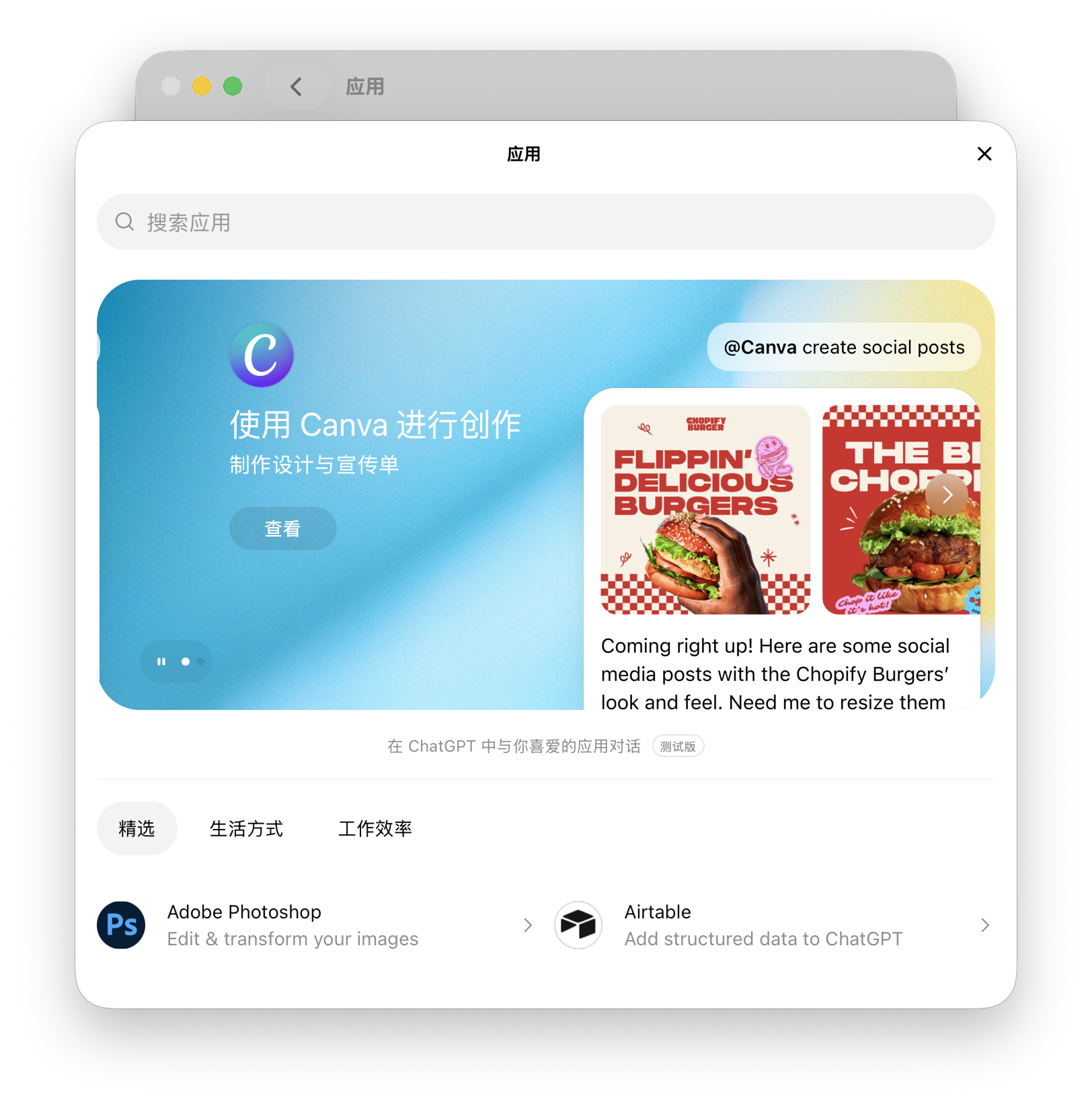
Third-Party Apps Supported by ChatGPT, Image Source: Leitech
These capabilities fundamentally alter usage patterns. You can directly hand relevant content to ChatGPT within your current workflow, allowing it to analyze, generate, or even perform actions. In this process, AI becomes directly embedded into daily life and work—e.g., using Figma to let AI quickly modify prototypes.
Meanwhile, while sharing many core functionalities with ChatGPT, Claude prioritizes Agent capabilities at the large model level rather than multimodality like GPT or Gemini. This is reflected in its desktop app.
In fact, Claude attempted to launch a Computer Use agent feature based on its desktop app as early as October 2024, enabling AI to act as a direct agent. However, they later realized that the model, agent framework, and ecosystem were not yet ready. From there, they developed Claude Code from scratch, extending it into Claude Cowork, which lets AI operate computers directly via CLI commands or GUI interfaces.
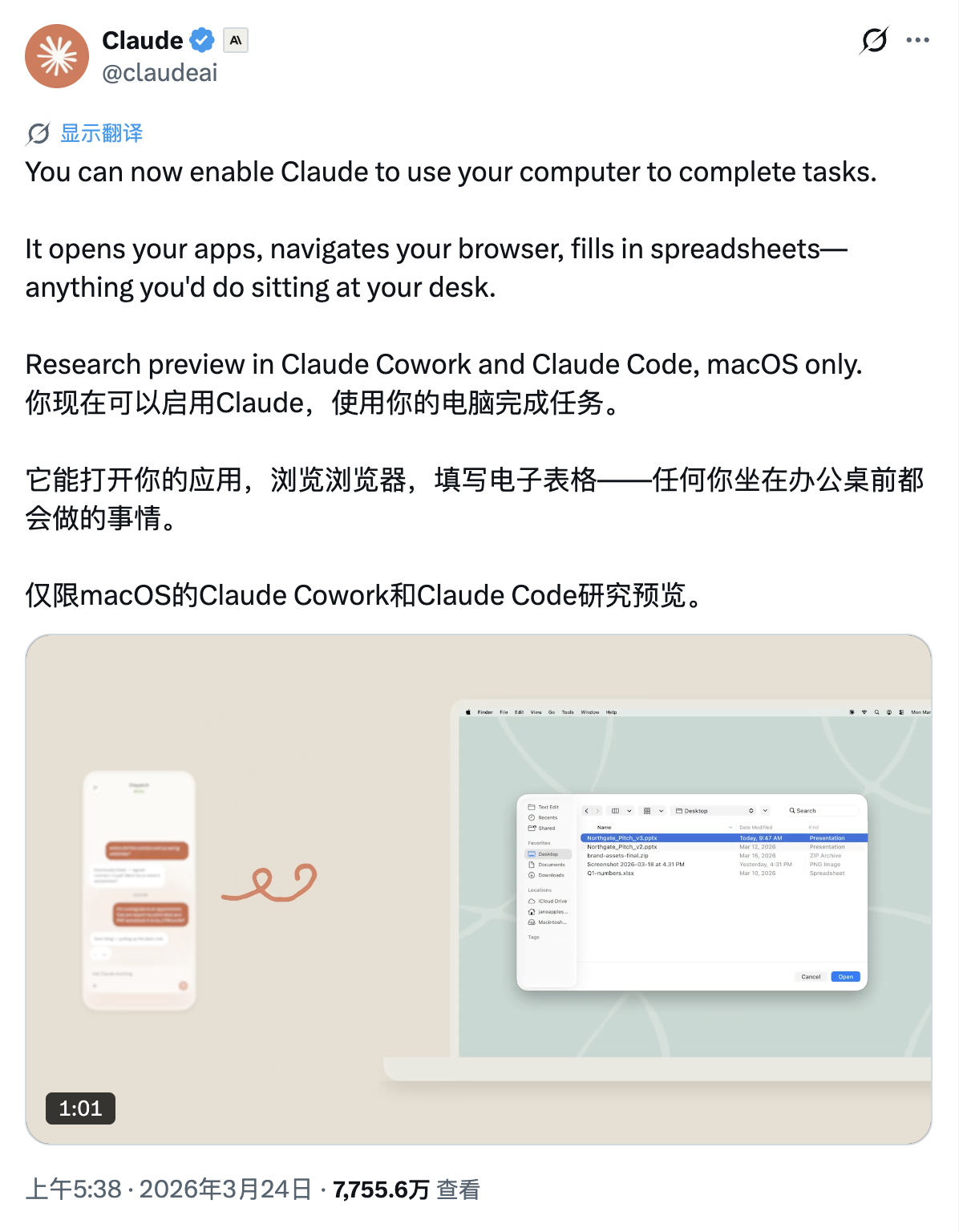
Image Source: X
Additionally, Claude can integrate with Slack, design tools, document platforms, etc., via "connectors," pulling information from different tools for unified processing.
Gemini lacks all these features. To be fair, some issues are desktop-specific, while others are not. Especially regarding ecosystems, Google seems constrained by its powerful but limited ecosystem, failing to engage with third-party software and platforms as aggressively as OpenAI and Anthropic. As a result, for many users, it can't seamlessly integrate into actual workflows.
Thus, this version of Gemini's desktop app feels more like a starting point. It's just begun addressing the challenge of bringing Gemini to the desktop but hasn't answered a more critical question:
When AI can already participate in workflows, how much does this desktop app want users to accomplish here?
Google, Gemini, ChatGPT
Source: Leitech
Images in this article come from: 123RF Royalty-Free Library
-
![]()
Wang Huiwen, Former Meituan Executive, Achieves 20-Fold ROI, Supports 24 AI Startups
-
![]()
Another AI Computing Power Unicorn Launches IPO! Founded by a Changjiang Scholar
-
![]()
OFILM Holdings Secures Zhongke Daojing, Marking a Significant Leap in the Optical Communication Industry!
-
What Will Be the Next Key Battleground for Large Models After AI Coding?
-
![]()
Leapmotor's Sales Soar, Yet Hidden Concerns Loom
-
![]()
China’s Action Camera Market Soars: 3.12 Million Units Sold in Six Months, DJI Secures 74% Dominance
-
![]()
Zhang Yiming: Strategic Retreat as a Path Forward
-
![]()
Exploring Charging for Some Features of QianWen App: Can It Follow the Path of Doubao?